Create a few headings (#) and one subheading (##) and try to move the subheading below the last main heading. (See attached video. It appears video uploads are not allowed.)
This was an issue for me for quite some time on iOS (not sure about desktop) but may have been fixed recently? To my surprise it seems to work as expected in v1.12. EDIT: It failed on me once after an app restart but otherwise seems to be working.
Changed title to reflect new discovery that we can’t drag to the top either, and that attempting either can change what’s possible (was “Moving subheading below last heading in Outline doesn’t work”). Thread about the new stuff to be merged in below.
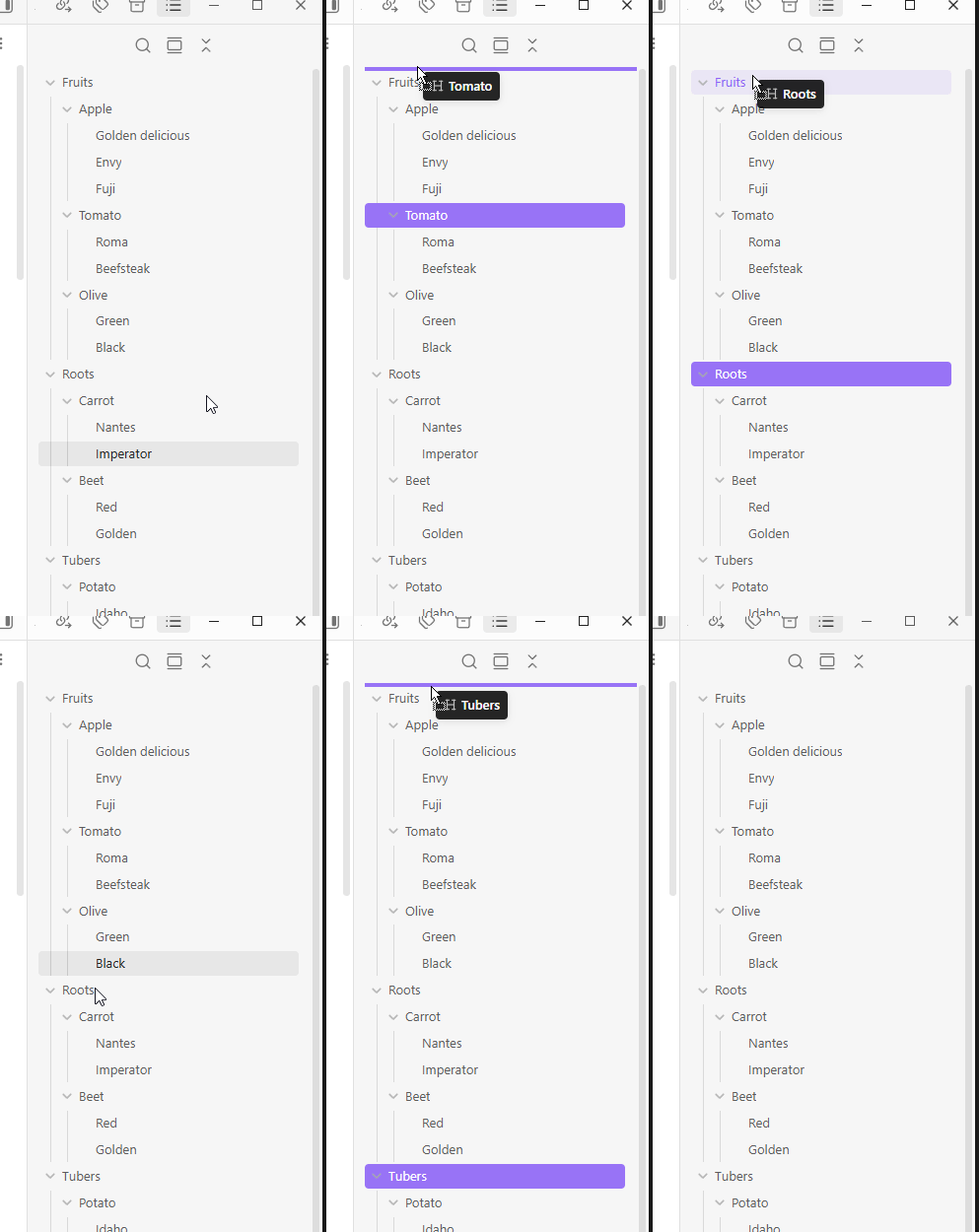
In the outline tab, try dragging a lower heading to the very top - can’t (it worked once, and I don’t know what was different)
Did you follow the troubleshooting guide? Y
(I was able to reproduce this in a Sandbox vault)
Expected result
The dragged lower heading to go to the top of the outline.
Actual result
Dragging a lower heading to the top resulted in no change.
Environment
SYSTEM INFO:
Obsidian version: 1.12.4
Installer version: 1.10.3
Operating system: Windows 10 Pro N 10.0.19045
Login status: logged in
Language: en
Catalyst license: none
Insider build toggle: off
Live preview: on
Base theme: dark
Community theme: none
Snippets enabled: 1
Restricted mode: off
Plugins installed: 7
Plugins enabled: 4
1: Hotkeys for specific files v1.4.1
2: Excalidraw v2.19.2
3: Recent Files v1.7.6
4: Tag Wrangler v0.6.4

RECOMMENDATIONS:
Custom theme and snippets: for cosmetic issues, please first try updating your theme and disabling your snippets. If still not fixed, please try to make the issue happen in the Sandbox Vault or disable community theme and snippets.
Community plugins: for bugs, please first try updating all your plugins to latest. If still not fixed, please try to make the issue happen in the Sandbox Vault or disable community plugins.
I can reproduce in my personal vault. I am able to move it there eventually but it takes several tries, and as in the report I see no difference or reason why some attempts work. May be the same bug as Can't drag heading to top or bottom of Outline which has existed for some time.
EDIT: Actually the other bug might have cleared up. And after dragging a heading to the bottom, I was able to consistently drag headings to the top. To verify I restarted the app. Once again I couldn’t drag to top. Dragged one to bottom, and then I was able to drag to top too (I had 1 drag-to-bottom failure but don’t recall when in the process).
Once you’ve done the above, delete everything above this line.
Steps to reproduce
The issue is when rearranging one ## header below another ## header if they are at the bottom of the # header outline. The ### header inside the ## header seems to shift and combine into one ## header.
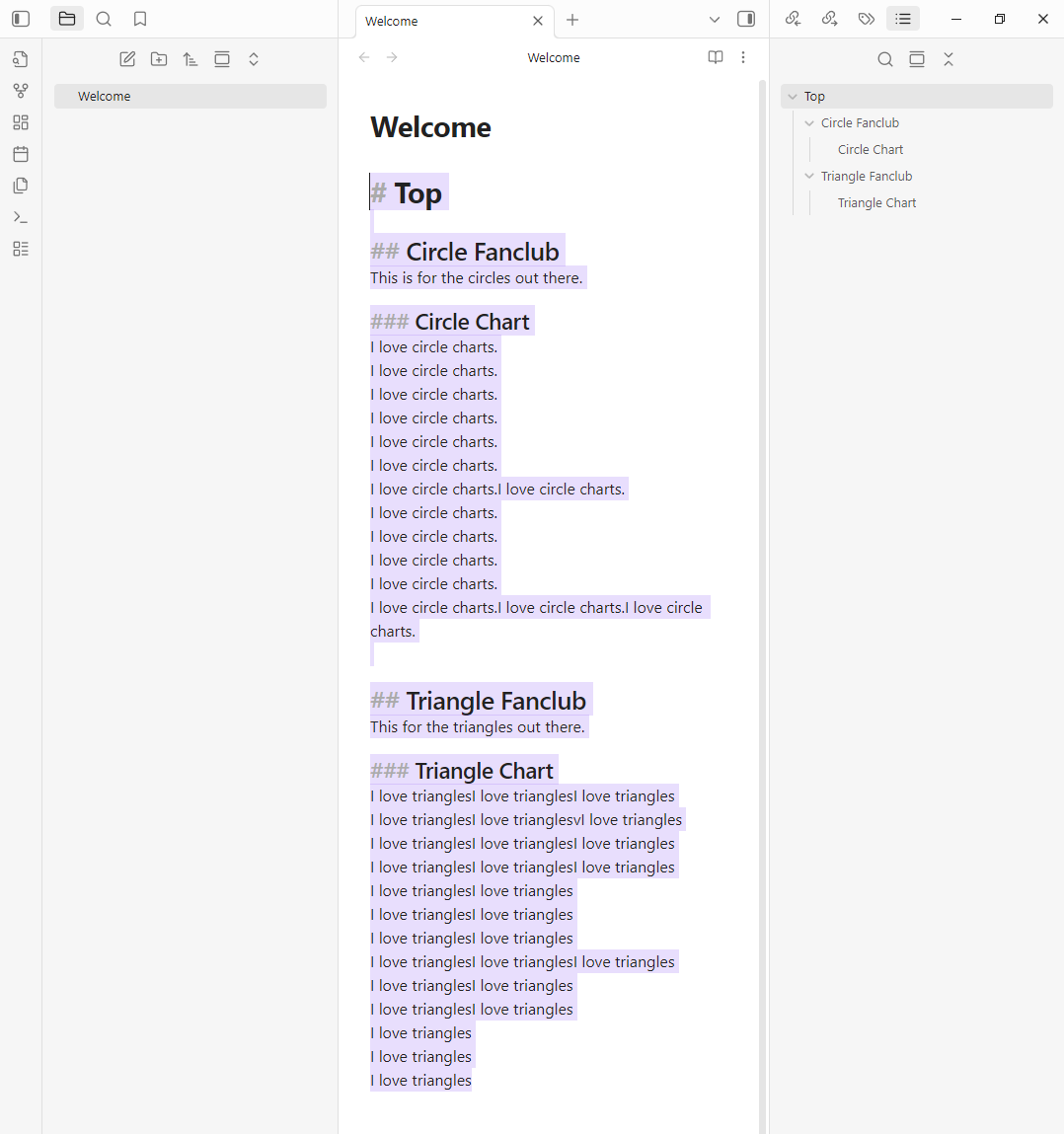
The screenshots show the process well but I will type it too.
Create a header named # Top.
Create two subheaders, both inside # Top, named ## Circle Fanclub and ## Triangle Fanclub.
Create two more subheaders,
inside ## Circle Fanclub create ### Circle Chart.
Inside ## Triangle Fanclub create ### Triangle Chart.
Add any text you want below all of these headers so you can see the note rearrange improperly.
Now for the bug.
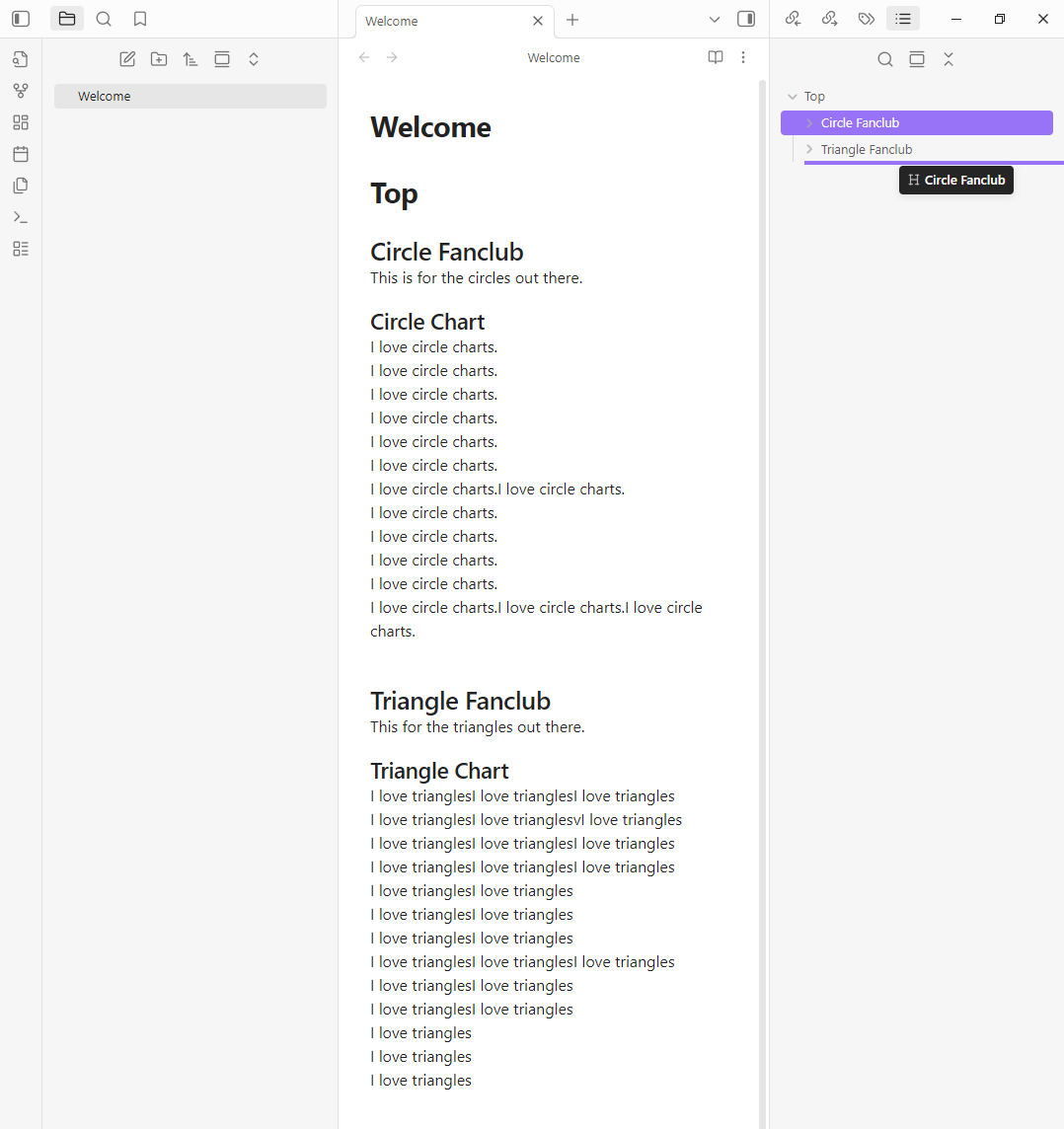
In the outline drag ## Circle Fanclub below ## Triangle Fanclub.
The rearranging should be inside # Top.
Also the ## Triangle Fanclub and ## Circle Fanclub need to be collapsed when rearranging.
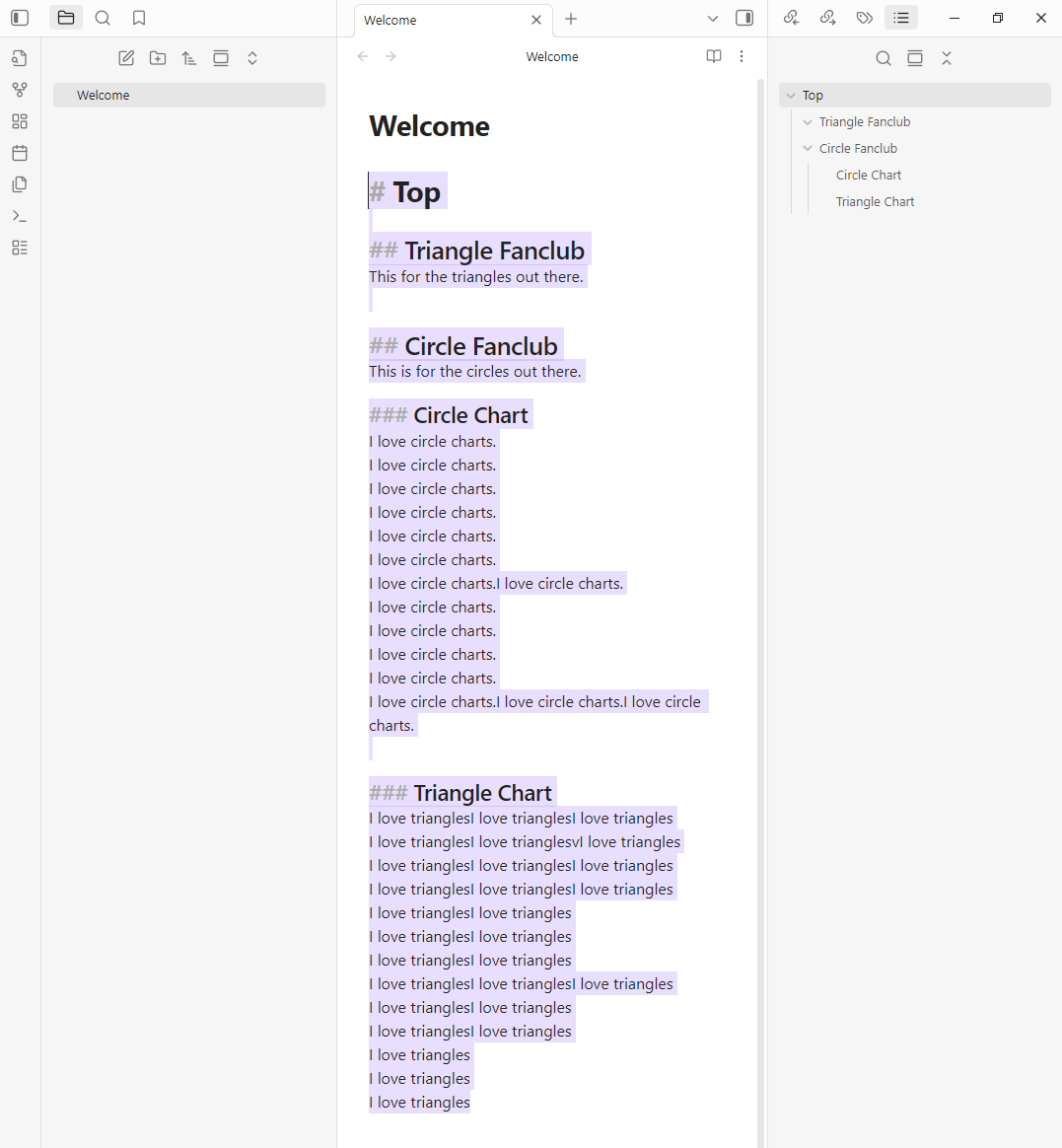
This bugs the ### subheaders to combine and notes shift in unexpected ways.
Did you follow the troubleshooting guide? [Y/N]
Yes
Expected result
For the ## subheaders to rearrange properly without the notes inside or ### subheaders to unexpectedly shift out of the ## subheader into another ## subheader.
Actual result
The ### subheaders and notes shift into the bottom ## subheader.
Environment
SYSTEM INFO:
Obsidian version: v1.9.14
Installer version: v1.8.10
Operating system: Windows 11 Home 10.0.26100
Login status: not logged in
Language: en
Insider build toggle: off
Live preview: on
Base theme: adapt to system
Community theme: none
Snippets enabled: 0
Restricted mode: on
I can reproduce on desktop (Mac), tho I found it a little difficult. I haven’t noticed this behavior previously because when I drag all the way to the bottom it tries to move the heading to first level, which doesn’t work so it does nothing. So I usually work around by dragging the heading the the next to last position and then dragging the last one up.
When dragging a heading, the width of the purple line changes to indicate where in the outline it will go. I started writing up some specifics of the dragging behavior, but found it more complicated than I expected. Possibly things behaving as intended, or there maybe more bugs or a more general bug.
On mobile (iOS) I’m not able to reproduce the behavior because at the bottom the purple line jumps from third level to first level. I can’t get it to offer second level. Dropping the heading at first level does nothing (the heading stays where it was).
For anyone who wants to test, here is a code block for convenient copying.
# Top

## Circle Fanclub

Circle Fanclub text.

### Circle Chart

Circle Chart text.

## Triangle Fanclub

Triangle Fanclub text.

### Triangle Chart

Triangle Chart text.
The bottom ## subhead needs to be collapsed in the outline tab for the bug.
Also when trying to reproduce it again today I noticed that you can drag ## Circle Fanclub on top of ## Triangle Fanclub.
The result is that the ### Triangle Chart shifts into ## Circle Fanclub which seems like intended behavior as your dragging and dropping on the subheader itself so it make sense they combine. Like dragging and dropping a file into a folder.
This is exactly the same result as the bug produces. So I think when trying to rearrange ## Circle Fanclub right below ## Triangle Fanclub the outline thinks you are actually dropping it inside the subheader, instead of below.
Actually, rearranging a # header below another # header has the same result. I can’t move anything around in the outline without headers and notes combining all over the place.
At the moment rearranging anything in the outline is not worth it.
Dragging around closed headers or subheaders in the outline will combine subheaders and notes.
The only to way to keep this from happening is to open all the headers and subheaders of the location of where you are going to move the header to. Then drag it below all the open subheaders.