If the author has registered their plugins with the Obsidian devs, you can find the plugins in Settings > Third-party plugin > Community plugins.
Note that the manual installation for 0.9.7 continues to work, so your plugins will still be usable even if the author hasn’t registered them for the plugin market.
Installation instructions for 0.9.7 (Manual)
Notes:
The plugin folder may not exist, so you’ll need to create it.
my-plugin is a folder that matches the name of the plugin.
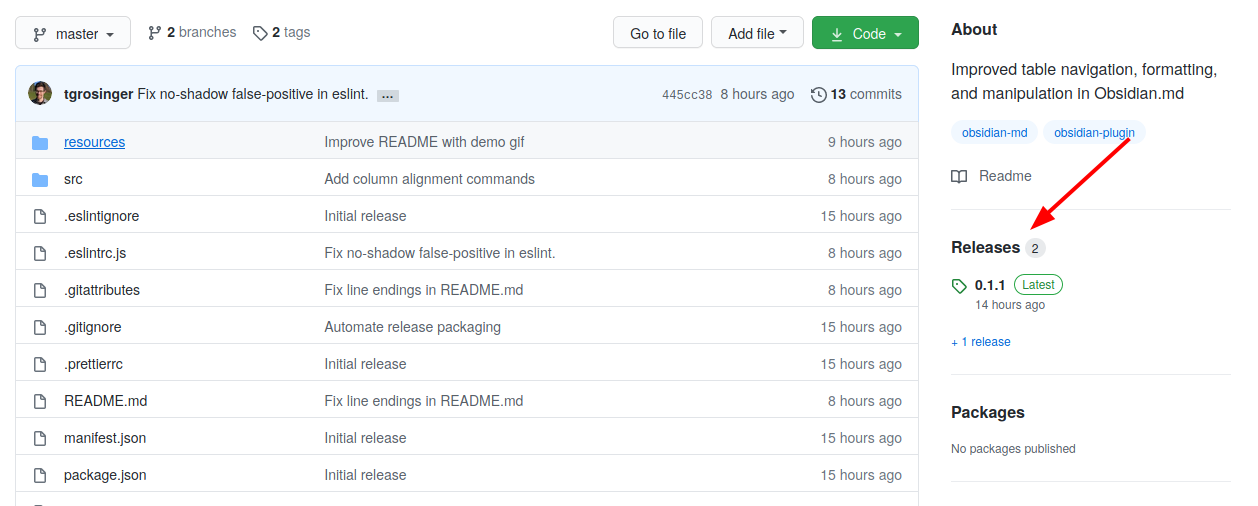
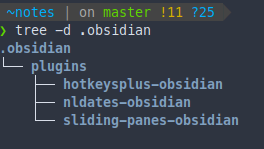
Developers will usually provide their releases in a zip folder, which you only need to extract in the plugin folder of the previous step. As an example, my notes vault has the following plugins:
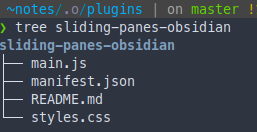
Releases by developers are not standardized at the moment, and sometmes you’ll need to do a bit more work, e.g. create the plugin-id folder and add ONLY the following files:
main.js
manifest.json
styles.css (optional if the plugin is not altering Obsidian’s appearance).
We’re trying to keep a running list of plugins in Meta - Alpha Plugin List (0.9.7+), but as it might be difficult to keep this list updated on the long-run, you might also want to check the obsidian-md and obsidian-plugin topics in GitHub.
The community plugins page should allow you to update and uninstall plugins.
Manually (0.9.7)
As @death.au shared in discord, please keep the following in mind:
The plugin system is still very new and there are plans to introduce a plugin directory to handle all that in future. So I’m hesitant to try writing an auto-updater anly to have it rendered obsolete shortly after. Unfortunately it’s just one of the prices you pay for early access beta software.
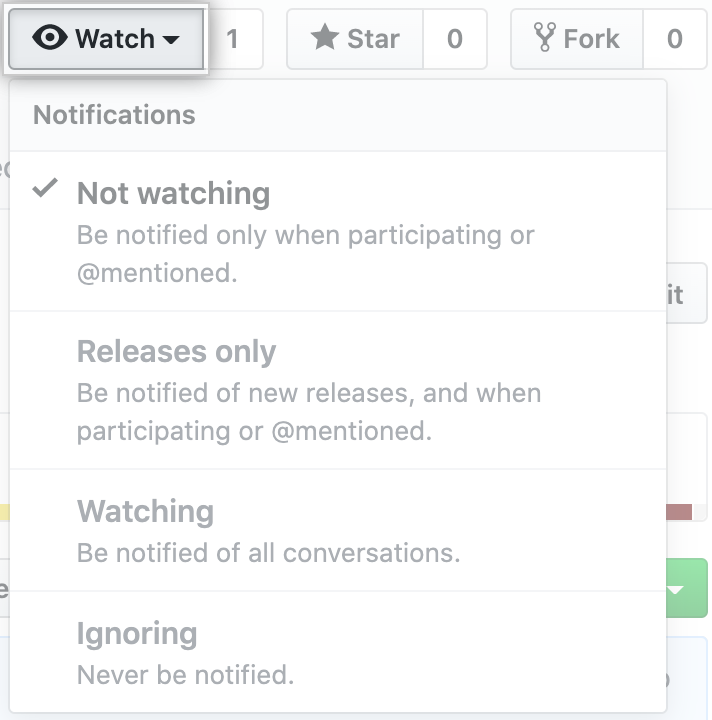
That being said, one way you can get notified if there are new releases to a specific plugin is to subscribe to the repository using GitHub’s “watch” menu:
That being said, one way you can get notified if there are new releases is to subscribe to the repository using GitHub’s “watch” menu
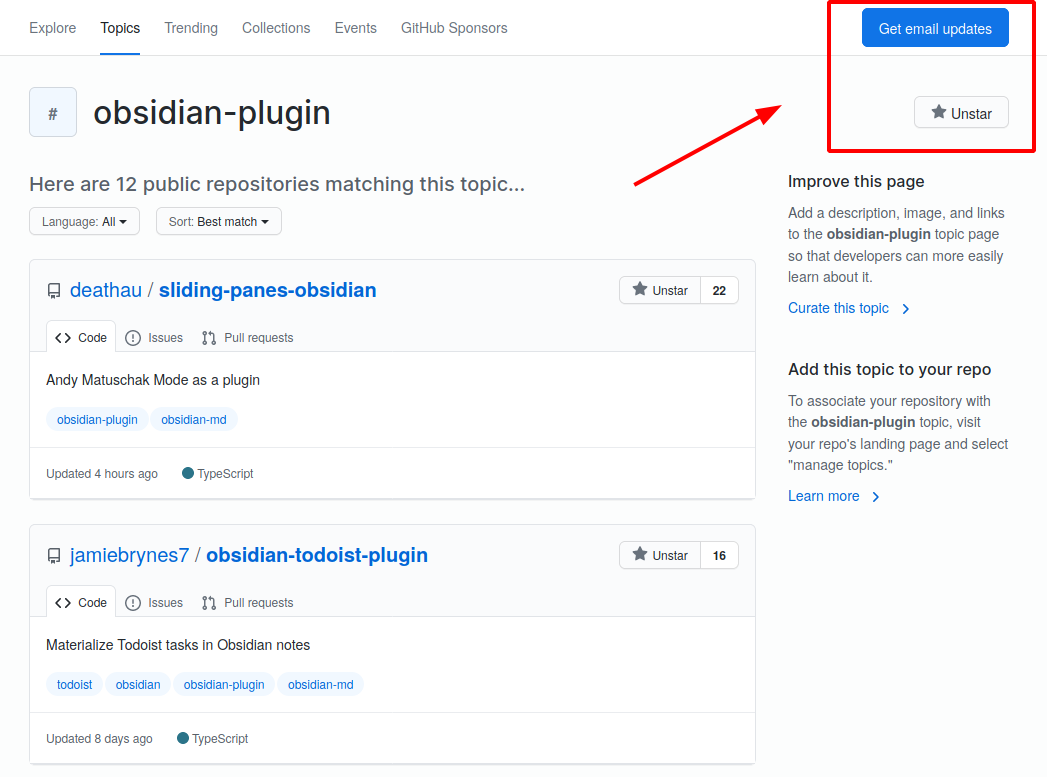
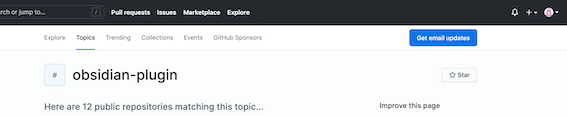
There is no option to “watch” on this Github page - see screenshot. The "get email updates does not send email about this page specifically. Maybe I’m doing something wrong?
@Klaas the option to “watch” is for repositories, not topics. For topics you can use the star to receive updates I believe, or sign up with your email.
@argentum: I only quote what you wrote above, and the link to that page is the link you gave up above. So, is your text wrong or am I misunderstanding you? It may well be the latter, so please set me right.
I think you might be misunderstanding what I said. “Watching” was said in the context of a repository, it might be clearer if you visit the link to the docs as well:
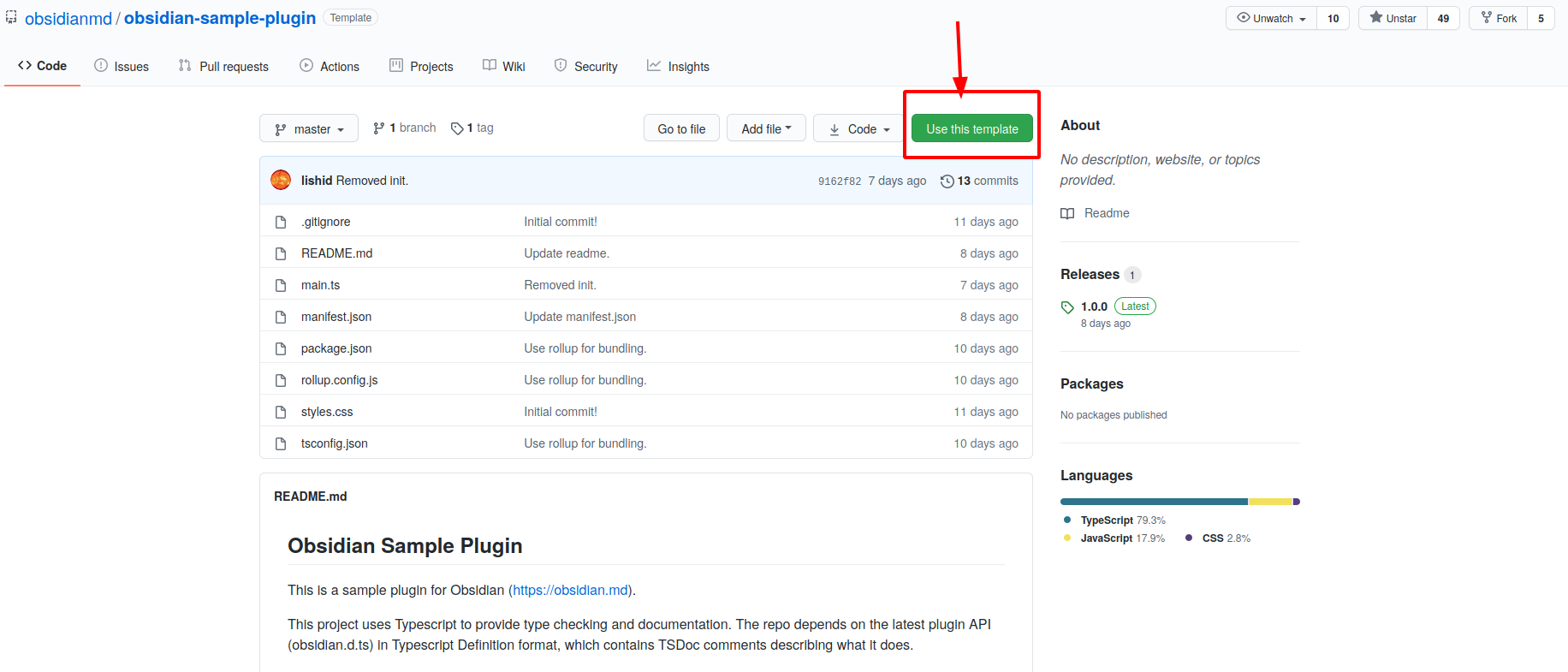
I’ve added for a specific plugin to remove any potential misunderstandings.
Just for clarification, why isn’t there a way for folks to submit their plug-ins to Obsidian for easier distribution to the masses who don’t want to deal with GitHub. I’m thinking of the way Themes are offered from within the app itself. This notion of create sub directory in Obsidian, download file, expand, yada, yada, yada seems a little convoluted and prone to problems. There seems to be a plethora of moderators who would be in a position to oversee the maintenance of the process. After all, what’s the plan for when Obsidian reaches v1, tell all purchasers to follow this procedure?
I feel it’s important to add the following, since I’ve seen this pop up a few times: Please keep in mind that the plugin API is an alpha release. Things won’t be smooth right now, and to get things to work you might need to jump some hoops. Alpha software is not the final Obsidian product. It’s important that as users you manage your expectations accordingly. If you feel the process is too convoluted right now, it might make sense to wait a little. Please let us know how we can improve things, but don’t forget to be kind to plugin developers (and moderators for that matter) who are volunteering their time to make Obsidian even more awesome.
Ya, I get the alpha thing. My point is…why not start the ‘process’ with One plug-in chosen by the Devs so Supporters who don’t have the advanced skills can participate in the ‘Alphaing’. Just to be clear, I’m not quibbling with their roadmap as much as I’m advocating for a larger testing process. As in …TaDa…Here’s Plug-ins…go to settings to turn it on…take one, two, three, etc… for a test drive…More to come.
And because we are cross-posting, I have nothing but admiration and thanks for/to the Devs, Moderators and all participants who are working tirelessly to make THIS all happen.
Moderators are volunteers who help out on tidying the forum when they have the chance. Being a moderator does not necessarily entail any sort of proficiency with software development or an obligation to provide QA for 3rd party plugins.
I think it should be more difficult to get started right now. It will keep people who don’t have any development experience from harming their own computers or Vaults. In my opinion, making it plug-and-play simple right now would just add more premature support requests and detract from developers properly testing it all out first. If you aren’t comfortable with the process right now, please just wait until it isn’t alpha anymore. That’s exactly what @argentum answered originally.
@argentum and @rigmarole, I get your points. I’ve never had patience, but finally being in my 7th decade and under the circumstances I guess I’ll have to learn to be.
What is the risk of turning off the ‘safe mode’? Is it safe to just turn it off without installing anything. I thought devs approved plugins are safe, but not sure after seeing that message when I tried to turn off the safe mode
When trying to activate the example plugin in the obsidian settings, the console will tell you
app.js:1 Plugin failure: obsidian-sample-plugin Error: ENOENT: no such file or directory, open ‘C:\Users\Ben\Dropbox\Obsidian Vaults\Personal Reading.obsidian\plugins\obsidian-sample-plugin\main.js’
So I assume you need to compile main.ts to main.js first.
In the readme of obsidian-sample-plugin they tell you to do this via npm run dev´ (which in turn invokes some tool called rollup`).
However, that gives me errors likeunexpected token so it seems it cant parse the ts properly. Will report back when I know more.