Make aliases stand out in the Quick switcher and link suggester

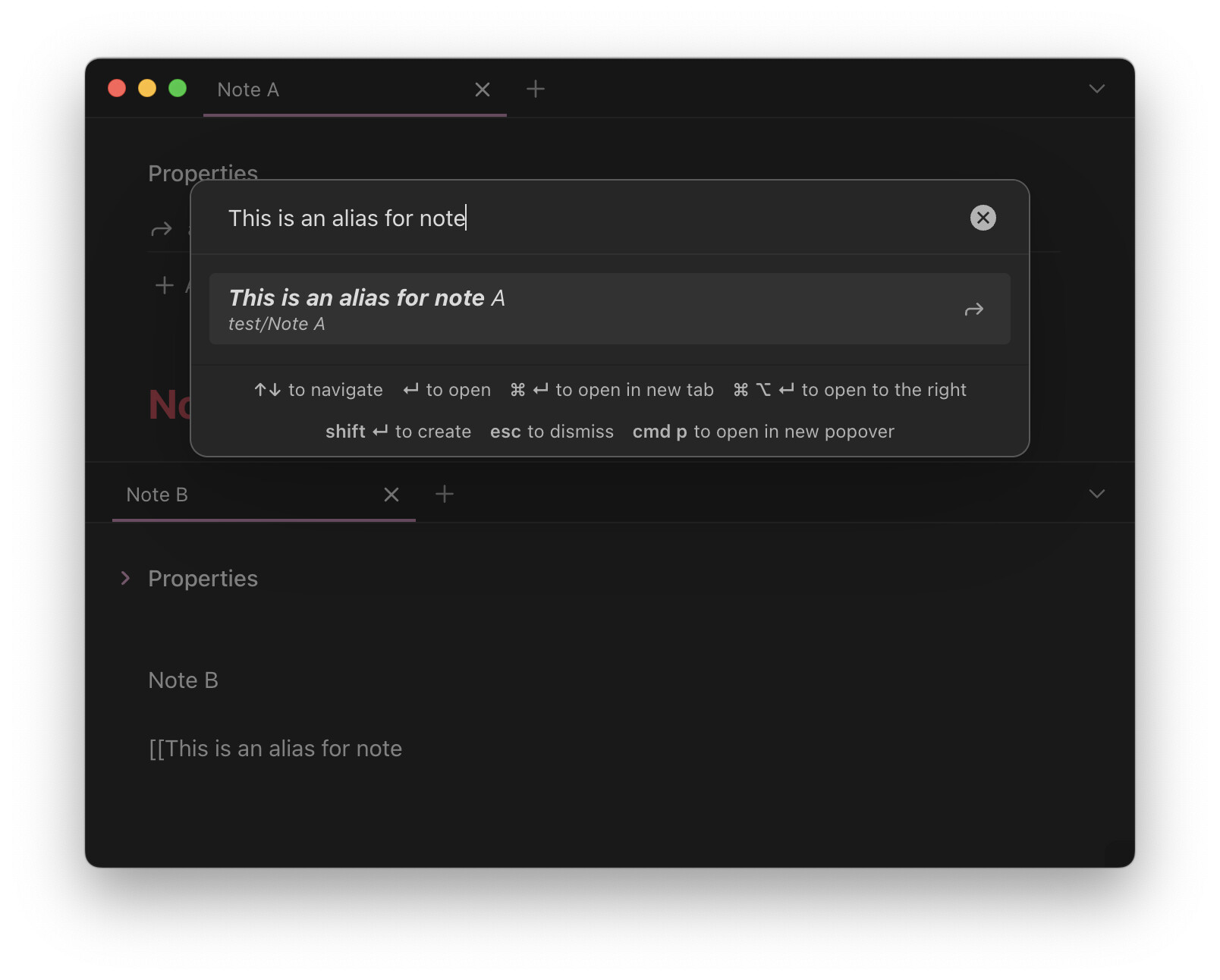
This CSS snippet italicizes aliases that appear in the Quick switcher (indicated by an arrow icon to the right of it):

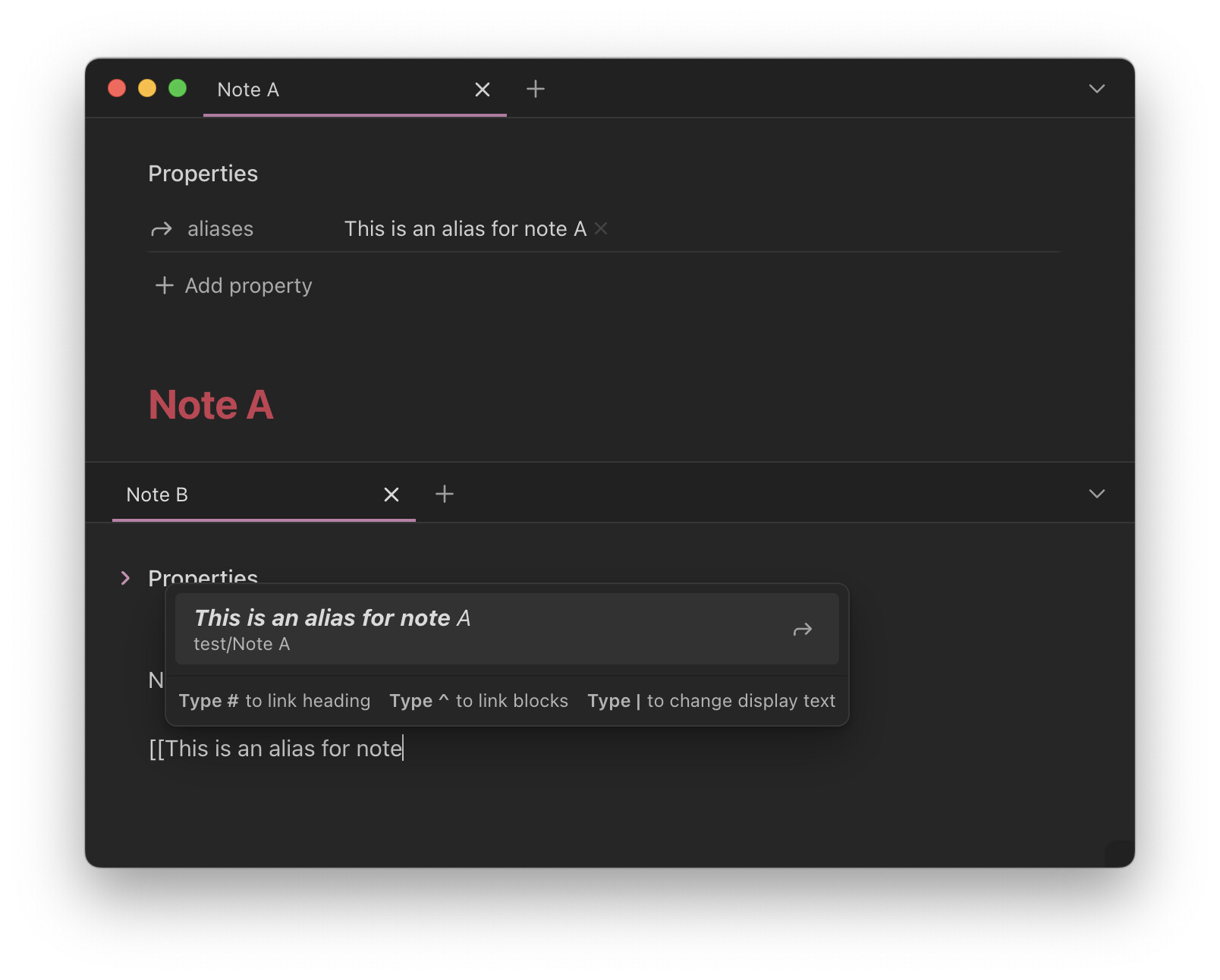
And in the link suggester:

This is useful for quickly discerning file names from aliases—the arrow icon is easy to miss.

The snippet works with Quick Switcher++.

CSS snippet

Italicize_aliases.css (329 Bytes)

/* Quick Switcher++ */
.prompt .qsp-suggestion-alias {
    font-style: italic;
}

/* Vanilla Quick switcher */
.prompt .suggestion-item.mod-complex:has([aria-label='Alias']) {
    font-style: italic;
}

/* Link suggester */
.suggestion-item:has(.suggestion-flair[aria-label="Alias"]) .suggestion-title {
    font-style: italic;
}

See also

6 Likes

Lookin’ good!


One thing that didn’t come up in the Discord discussion: [aria-labels are based on the language Obsidian is set to. So [aria-label='Alias'] works in a bunch of languages, but not in all.

For example, in Japanese is needs to be [aria-label='エイリアス'], Turkish [aria-label='Rumuz'] and so on.

I think using [aria-label='Alias'] (for example) is totally fine in personal snippets, but something to keep in mind and may need adjusting if Obsidian isn’t set to English.
1 Like