This has been discussed a bit on this forum:
- iCloud Sync Problem on Windows OS
- Duplicate files using iCloud sync on Windows 10
- Obsidian connected to iCloud on PC creates duplicate files (like a lot)
These threads are locked, so I’m creating a new one.
I finally found the solution! Use Autosave Control - Obsidian Plugin and set your settings to throttle saves:
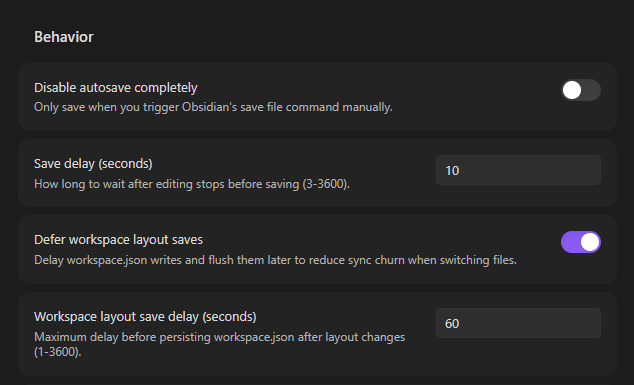
By default Obsidian saves every two seconds or so. This causes duplicates on iCloud if it saves again while it’s already trying to save. This plugin allows you to fix this.
TBH Obsidian’s default behavior should be buffering saves to make it more cloud-sync friendly. A save every two seconds sustained while writing can cause duplicates on both iCloud Drive and Google Drive (Dropbox is competent enough to handle this).