I usually don’t want to see my template files showing up in the search results when searching for e.g. #TODO tags, and this setting is brilliant for it! But sometimes - more rarely - I’m searching for old links that I want to replace with new ones, and they might be located in my template files, too.
Proposed solution
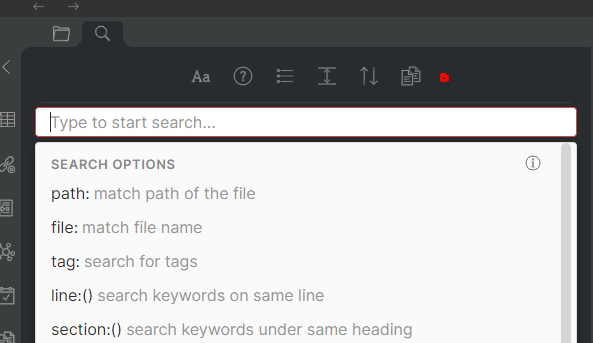
I’d like to include a new option in this search pane:
I’ve marked a place with a red dot where I’d suggest to add a toggle icon Include excluded files. By default, this option would be disabled.
As an added benefit, the tooltip could also list the excluded directories, just as a reminder for the user too see in practise, what locations are currently ignored.
Current workaround (optional)
Currently, I don’t use the global search, if I’m looking for something that I know might be located in my excluded files. Instead, I go through the excluded files manually and perform a local search inside each file.
I hope it’s a bug and not intentional.
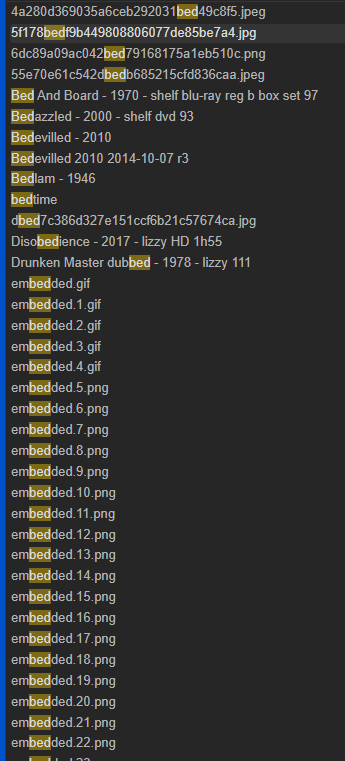
I was looking for a list I created a while ago for movies to watch in bed, and searched for bed. I got 5,000 results, and only about 5 of them included bed in the title. So I searched for file: bed to narrow things a little. Result? Only 127 files. But…

 But sometimes - more rarely - I’m searching for old links that I want to replace with new ones, and they might be located in my template files, too.