Use case or problem
The problem is that some images, often diagrams from books, consist of dark graphic elements on a white background, and when using a dark theme, this white background simply becomes blinding.
Other images may not be almost entirely white, but they will still be bright and uncomfortable for the eyes.
This is especially exacerbated by poor eyesight and the vulnerability of the eyes to disease in general.
Proposed solution
As a solution, I would like to see the option to adapt the image to a dark theme.
There are two types of adaptation:
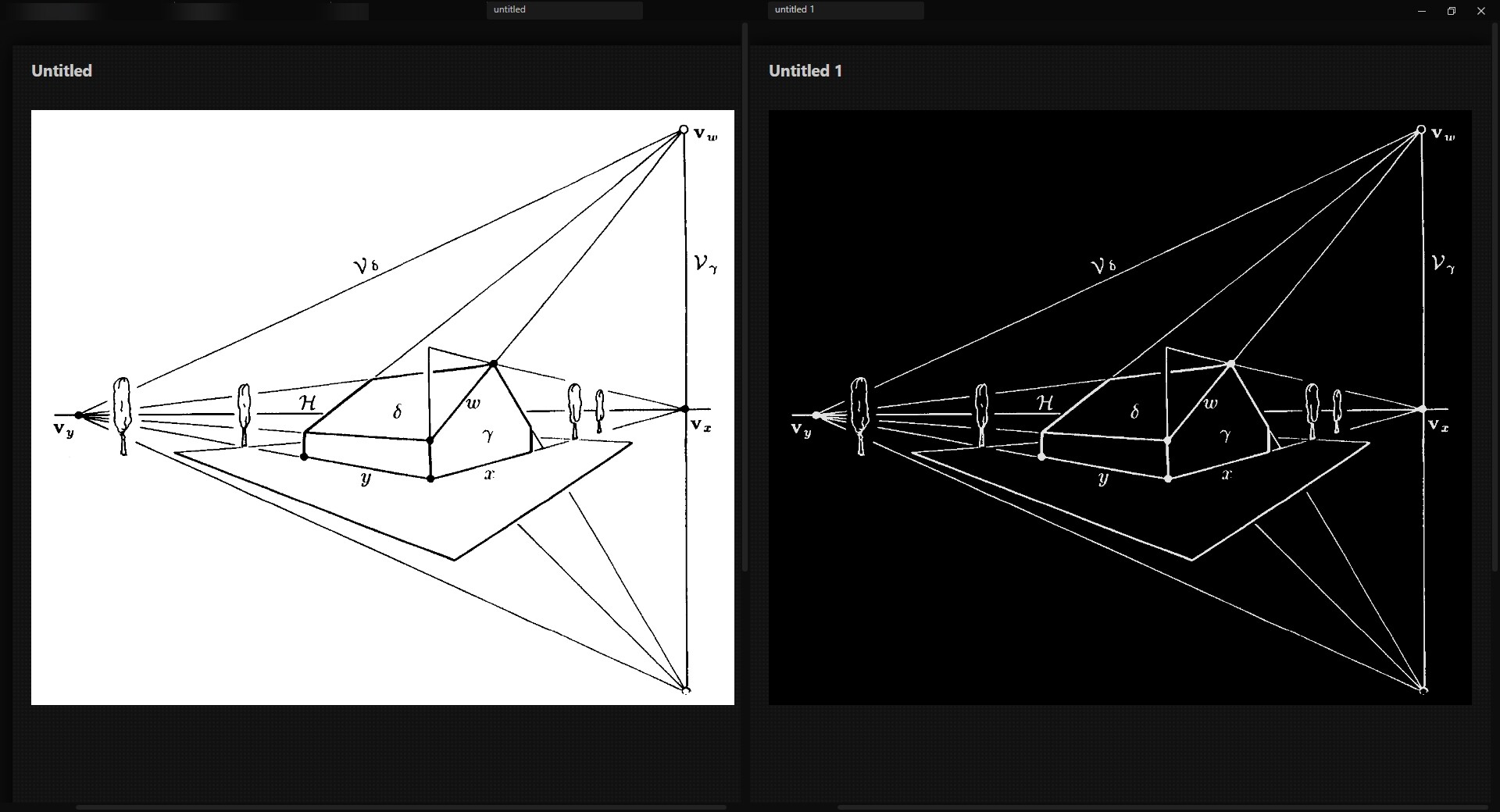
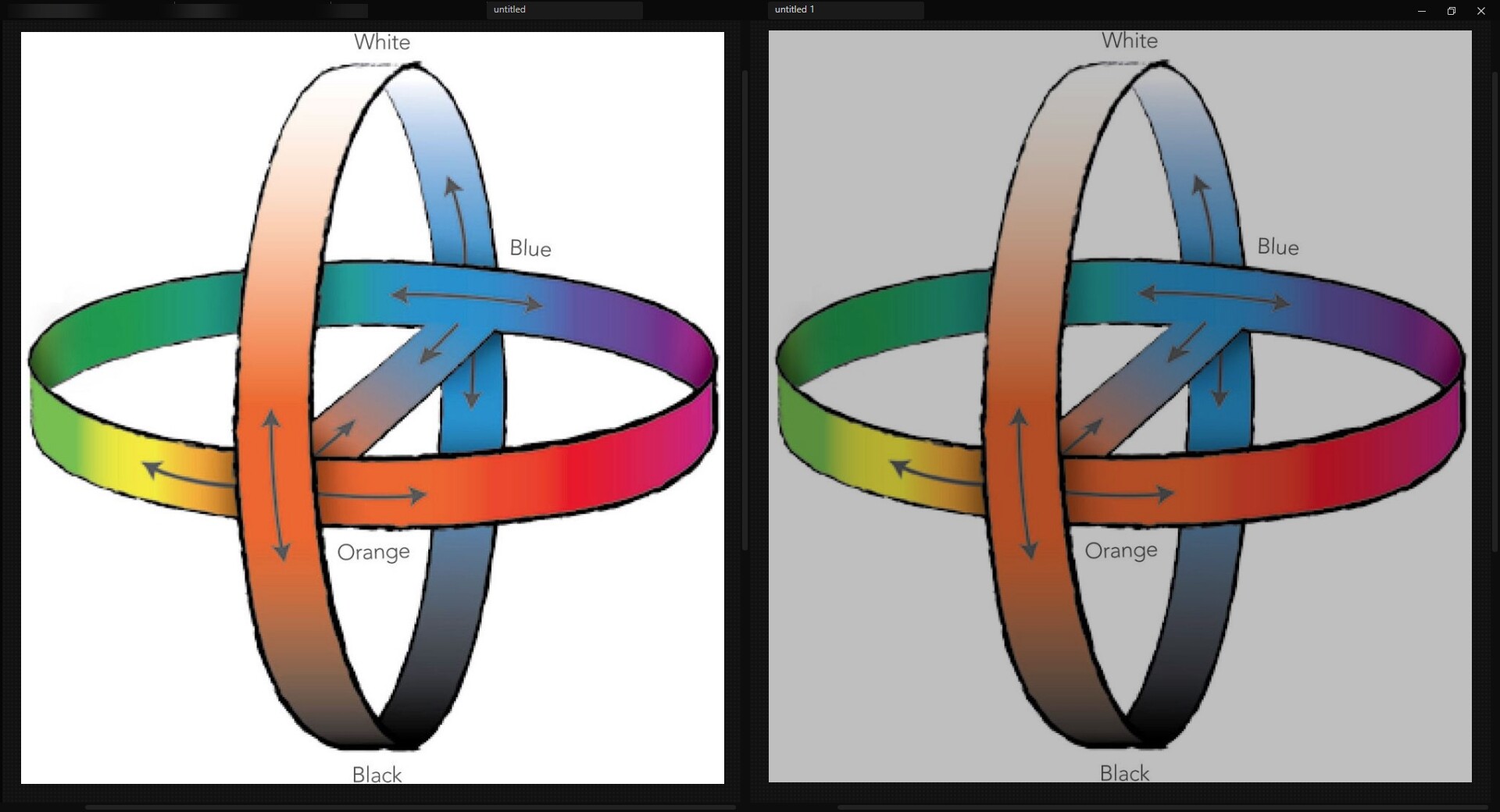
I would like to see two buttons in the upper right corner of each attached image in the form of Contrast and Brightness icons. When clicked, the image will be adapted accordingly to the dark theme.
In the “Current Workaround” section below, I provide an example of reducing image brightness to 75% or 50%. Instead of reducing brightness to a specified value, you can give users the option to control brightness more flexibly using a slider when they click the brightness adjustment button. After all, each image is unique, and people may have different brightness reduction needs, so it would be better to give them the opportunity to adjust the brightness level for each individual image more flexibly.
When it comes to color inversion, adapting an image to a dark theme requires not only inversion, but also a slight reduction in brightness and an increase in saturation. In principle, I think that in the case of inversion, the only specified pattern, as in the CSS I mentioned, will work in most cases. But you can also consider adding sliders to adjust saturation and brightness when inverting colors.
It would probably be more convenient to implement this as a hue inversion button and brightness and saturation adjustment sliders, rather than two buttons, Color Inversion and Brightness Reduction.
Inspired by this feature request ( PDF Reader: "Adapt to theme" for scanned images ), I would like to mention that it would also be nice if the dark theme image adaptation feature were available not only in .md files, but also in PDF Reader – this would make reading in Obsidian more comfortable.
This also applies to any other aspects of Obsidian (Canvas, Bases, Tables, etc.).
Ideally, information about whether image has been adapted or not should be retained – if an image has been adapted, it should remain so until it is manually de-adapted, so that you don’t have to perform a lot of unnecessary actions each time to adapt the same images.
Current workaround
At the moment, this can be done using a CSS snippet:
img[alt$="invert"]{
  filter: invert(1) hue-rotate(180deg) brightness(0.775) contrast(1.4);
}

img[alt$="brightness75"]{
  filter: brightness(0.75);
}

img[alt$="brightness50"]{
  filter: brightness(0.50);
}

/* ----- */

img[src*="_invert"]{
  filter: invert(1) hue-rotate(180deg) brightness(0.775) contrast(1.4);
}

img[src*="_brightness75"]{
  filter: brightness(0.75);
}

img[src*="_brightness50"]{
  filter: brightness(0.50);
}
… but this is inconvenient, as you have to either add a suffix to the file name each time you insert it, or simply change the name of the file itself.