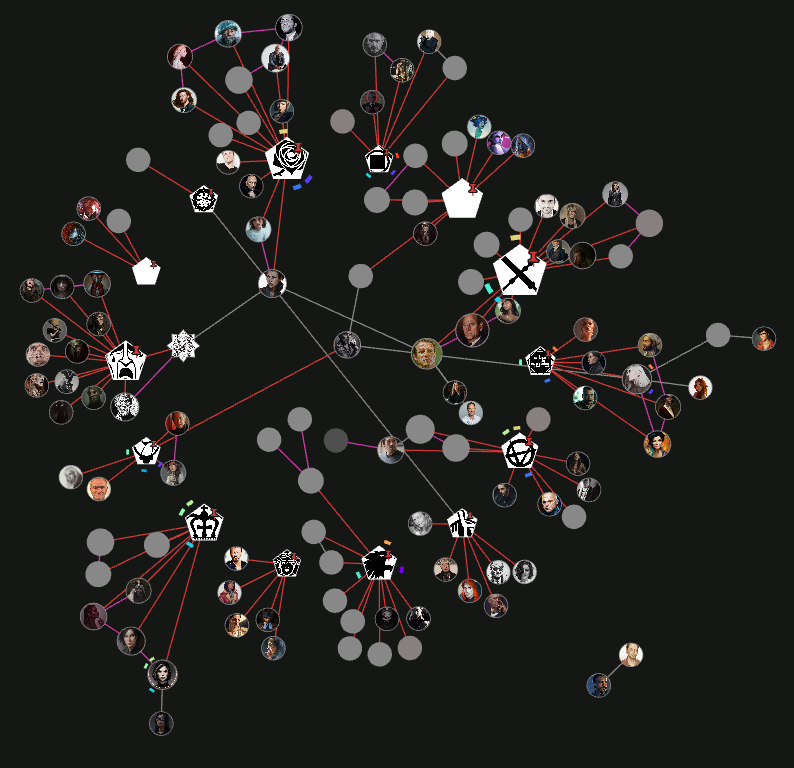
After reading many books and articles about this system, I’ve come to see it as primarily a way to boost innovation and creativity in our writing. In other words, it helps us suddenly spark new insights from the connections among our notes—demonstrating the efficiency of both the method and the Zettelkasten system.
Most of my questions regarding how to use this system have been answered in previous forum posts. However, my current question is whether this creativity-stimulating method can also be applied to work that involves images and visual perspectives.
As someone engaged in artistic work and in need of new sources of inspiration, do you think it is possible to adopt an approach similar to the Zettelkasten system—one that is used for writing—for visual or image-based projects?
I’m very curious to know what systems you all use for content creation and even for other creative projects. Do you use the Zettelkasten method for these purposes, or have you chosen an entirely different system?
I think canvas would work really well for this. You could tag images or sketches with themes, styles, moods, and link them like atomic notes. Might be a way to spark creative connections visually.
Try Media Companion plugin. I use it as a replacement for Pinterest. I save images in a folder and open that as a separate vault, then i can tag and comment the images in Obsidian and view them in a gallery based on filters. Not linked like zettelkasten, rather more dynamic with tags, but a better way to do it than the ordinary image handling in Obsidian.
Check out Tropy to study visual content. You better use a physical notebook to draw your ideas.
In Obsidian you can use the canvas and some plugins to deal with images. I can’t give any advice bc I don’t use Obsidian for artistic inspiration.
Sounds cool to use Obsidian for artistic explorations, but Obsidian is not the right tool. Because you need to train Mind-hand-eye coordination: at least, use a tablet and some painting app if you really want to use a computer for your artistic inspiration.
I don’t think OP intended to draw directly on Obsidian, but I’m with you on using a physical notebook to draw/paint. Some ideas need to be depicted, not written, and I use paper for that, as artists have done since forever ago. The downsides are the usual with physical notebooks: they aren’t so easily linked and the structure isn’t flexible.
I haven’t done it yet, but I intend to take low-res photos of those visual ideas (including sculpture sketches, now that I think of it) and bring them to Obsidian, where I can group, annotate, link to others or to written concepts, find relationships and, I hope, make sense of them all. Something like Zettelkasten might work. I just downloaded Tropy (thank you very much), but if Obsidian can handle a large enough amount of pics, it could be the way to go.
Of course this could work for visual inspiration you find online or photograph IRL, not just images you make.
It would be helpful if we had a thumbnail view for notes, but we don’t have that, do we? I’d also suggest the Extended Graph plugin, where you can assign images to nodes, but I haven’t tested it for that yet
I’ve seen some people put a QR code next to their paper sketches. I didn’t try this myself.
There are some plugins to help inspiration, even one to draw bitmap sketches in Obsidian, named simple-sketch. Again I didn’t try it myself: this plugin is only for quick scribbles, nothing sophisticated. But OK for quick visual jot-down.
Great idea, the point is, dataview needs picture references in the yaml header to find them. Somewhere in this forum there’s a dataview JavaScript to collect images from notes, instead the yaml header.
Of course, with some coding skills you can code everything useful you want in dataview js.
Certainly, agreed. A visual graph view would be great, the issue with the current implementation of graph view is, many connections make it fragile, slow and adding some symbolic image would only freeze Obsidian.
I think this thread here is great and we should develop it further.
Thanks a lot @joop, you’ve mentioned some very interesting plugins and ideas I knew nothing about
I’ll check everything out and see if I can build a system that works for me, summer is a great time to tinker with all of this.
Of course I’ll be sharing here whatever info that could be useful, even failed attempts can give ideas to others. And yes, this thread is a great resource already and we can keep making it better.