Has there been any progress made to this plugin? It’s exactly what I need!
3 Likes
+1 on getting an update. This would be a killer plug-in.
Any updates on the plugin?
3 Likes
I just followed up to ask @artem how things are going, I’m also very excited to try it out!
I’ll keep you guys updated if I know of any updates
3 Likes
I just talked to @artem unfortunately he is in the middle of the Ukraine crisis, so as you can understand he is dealing with a lot right now.
Which is why he asked me to see if anyone is interested to become a contributor to this project.
He told me the plugin is almost finished, he needs someone to help add it to Obsidian’s community plugins.
As well as help with documentation and possibly help with updates and bugs. (I’m not sure of all the details)
Let me know if you are interested I’ll put you in contact with him
Thanks guys!
7 Likes
Thanks for the update! Hope you’re safe @artem!
It might be a good idea to pitch this call to the discord (particularly in #plugin-dev). There might be more people there that would be interested
8 Likes
thanks for the tip! appreciate it! I just posted it here:
in Obsidian’s Discord - #plugin-dev
4 Likes
If you haven’t found any help with publishing I might look into this later today
2 Likes
Santi, did your message get any replies?
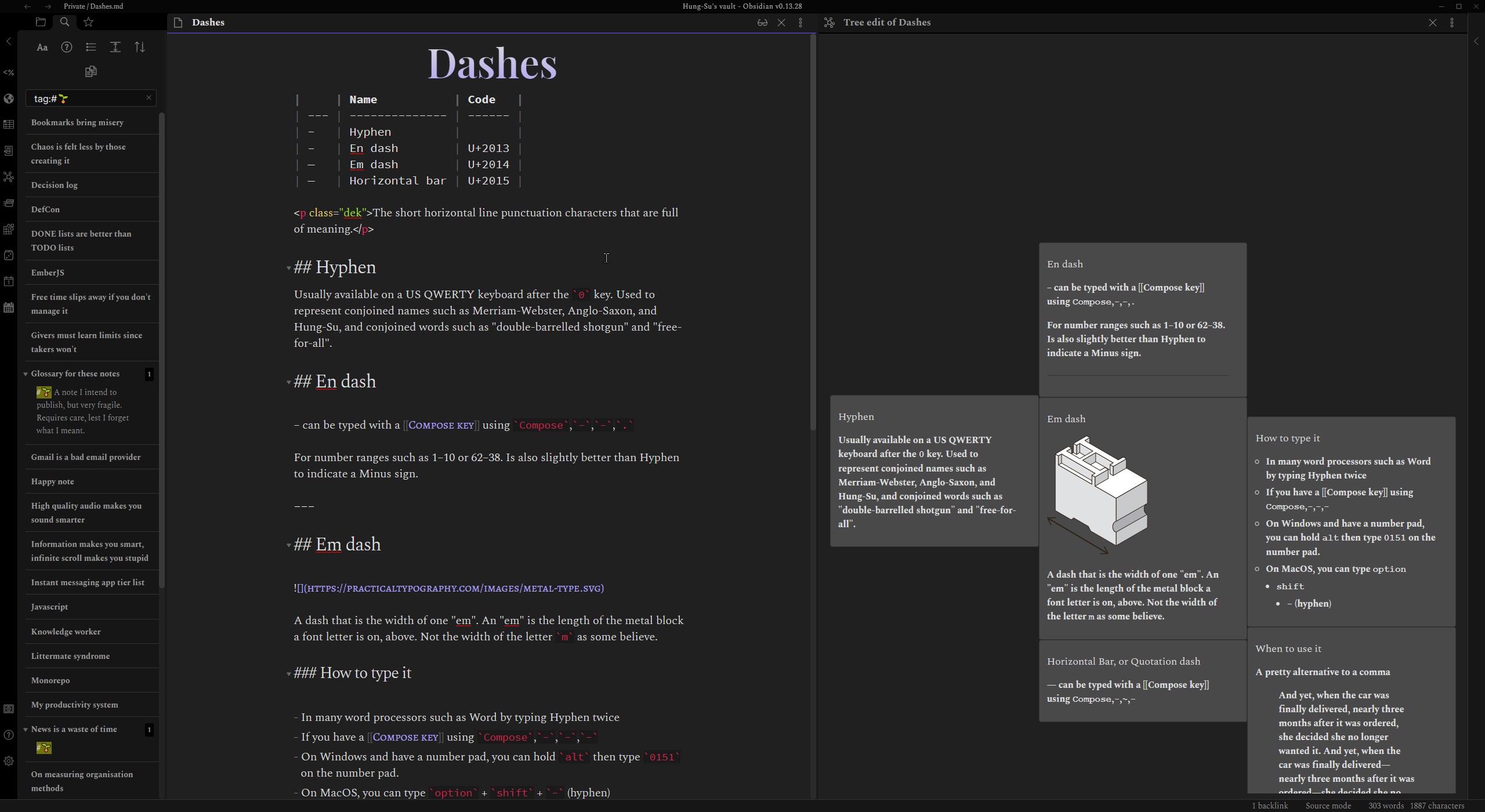
I tried this plugin out for the first time today. It’s very promising but has rough edges that will need to be smoothed out before it can be submitted.
4 Likes
Hi all. If you would like to try the plugin as-is:
- Install BRAT. You’ll find it in Commuunity plugins as Obsidian42 - BRAT
- Enable BRAT
- Use the BRAT command: Add Beta Plugin
- In the field that appears, enter hungsu/obsidian-tree-edit
- Enable Tree Edit
- Create a brand new note
- From command palette, find the command: Tree edit: Writing and editing in the form of a ginko tree

You’re done!
Note that there are many issues. The most notable is that saving using the plugin will mangle some content, and destroy others
Things that will be destroyed:
- Content that is not under a heading
Things that will get mangled:
- YAML front matter
- Wikilinks
- Tasks
If you encounter problems, for now please mention them here in the forum thread
10 Likes
I wrote a post on Card-based Writing in Obsidian Using Kanban which isn’t tree-structured, but at least is native Obsidian
2 Likes
I installed. I don’t see how to create child nodes in the tree?

Click the + button on the right of a card to make a child node of that card, then click the green check button to save.
1 Like
@hungsu thanks for sharing the plug-in. Is there a way to use keyboard shortcuts to quickly navigate and create now nodes up, down, and right? Tx
Hi Hung, thank you for making the BRAT installation possible, that’s very kind of you! I’ll reply to your email.
For the others interested in the development of the plugin, I haven’t yet had a reply from @artem but let’s be understanding and give him time.
unfortunately at the moment I know as much as the rest of you, I’ve been sharing all I know about the status of this plugin here
and I’ll keep you updated as I learn more!
9 Likes
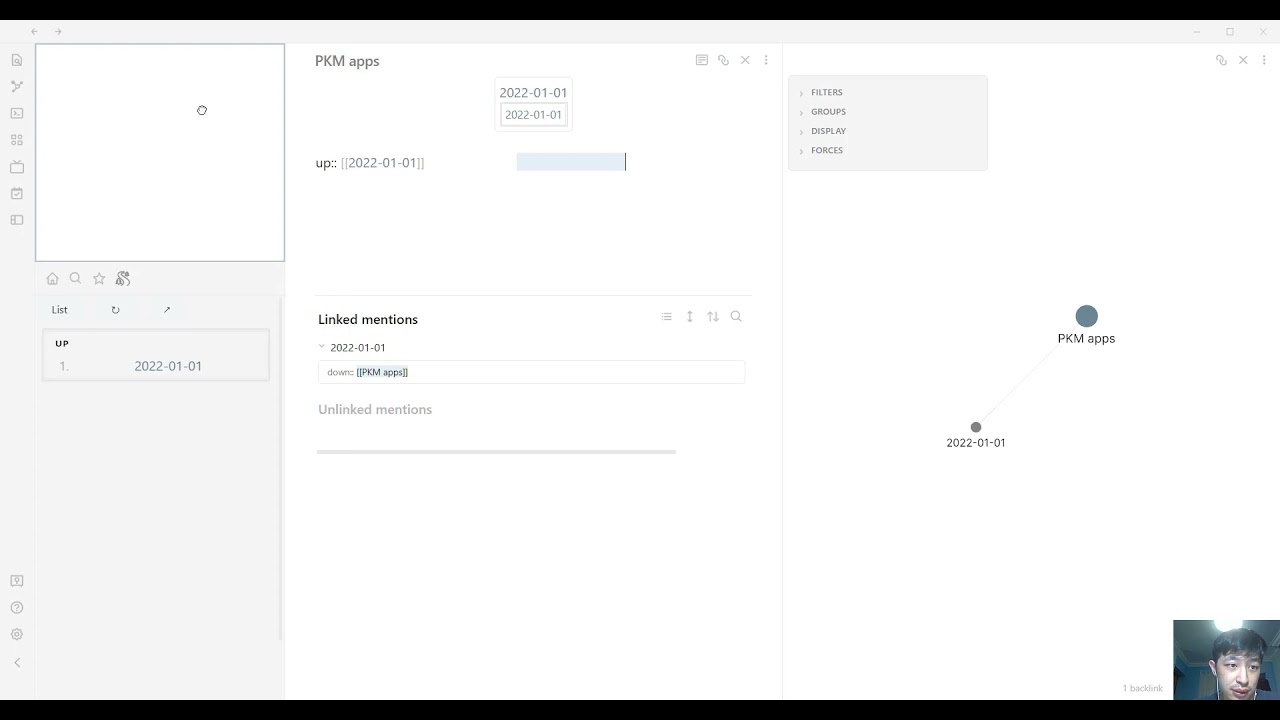
While not visually the same, this might get at what you all want to do.
It allows creating or navigating from a note up, down, left, and right to another note. The local graph view provides navigation assistance.
4 Likes
For some reason I’m still not seeing the plus sign for adding a child node
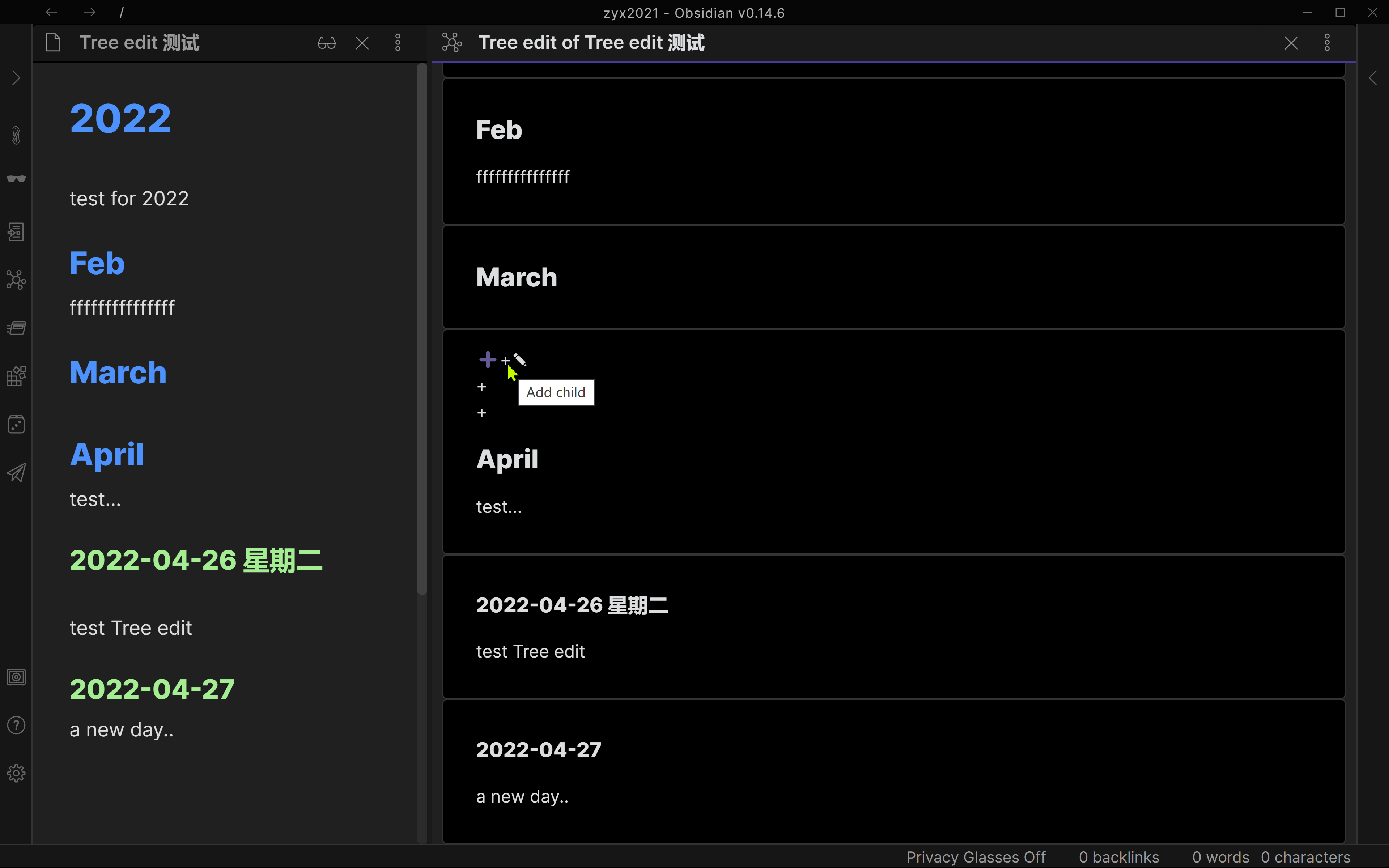
I’m sorry to say that recent updates to Obsidian have broken the plugin. I don’t have any time at the moment to fix it and with the ongoing invasion of Ukraine I don’t think we can expect updates from Artem for now. Sorry for the bad news
9 Likes
This plugin or something that allows for easier transitioning from permanent notes to long form is absolutely a must. People who talk about Zettelkasten inspired software, usually overlook the fact that the software called Zettelkasten (which Ahrens recommended back in 2017 in his “How to take smart notes”) has this feature: Namely, the software has a kind of writing module for you to group your Zettels into paragraphs, subsections, sections, chapters, parts, etc. In that regard, the software tries to emulate the fact that Luhmann himself took out and organized his own Zettels in different ways to construct meaningful structures that would then become long form entities (paragraphs, subsections, sections, etc).
Obsidian and other Zettelkasten software, as they currently exist, are perfect for discovering and producing new ideas, but for those of us who intend to write long form (essays, books, articles, etc.), a plugin/module for putting together and playing around with Zettels is needed. As others have mentioned, the Kanban plugin is a great source of inspiration for what this plugin/module could look like in the future.
11 Likes