Looks like they are .virtual-link-a for this plugin:
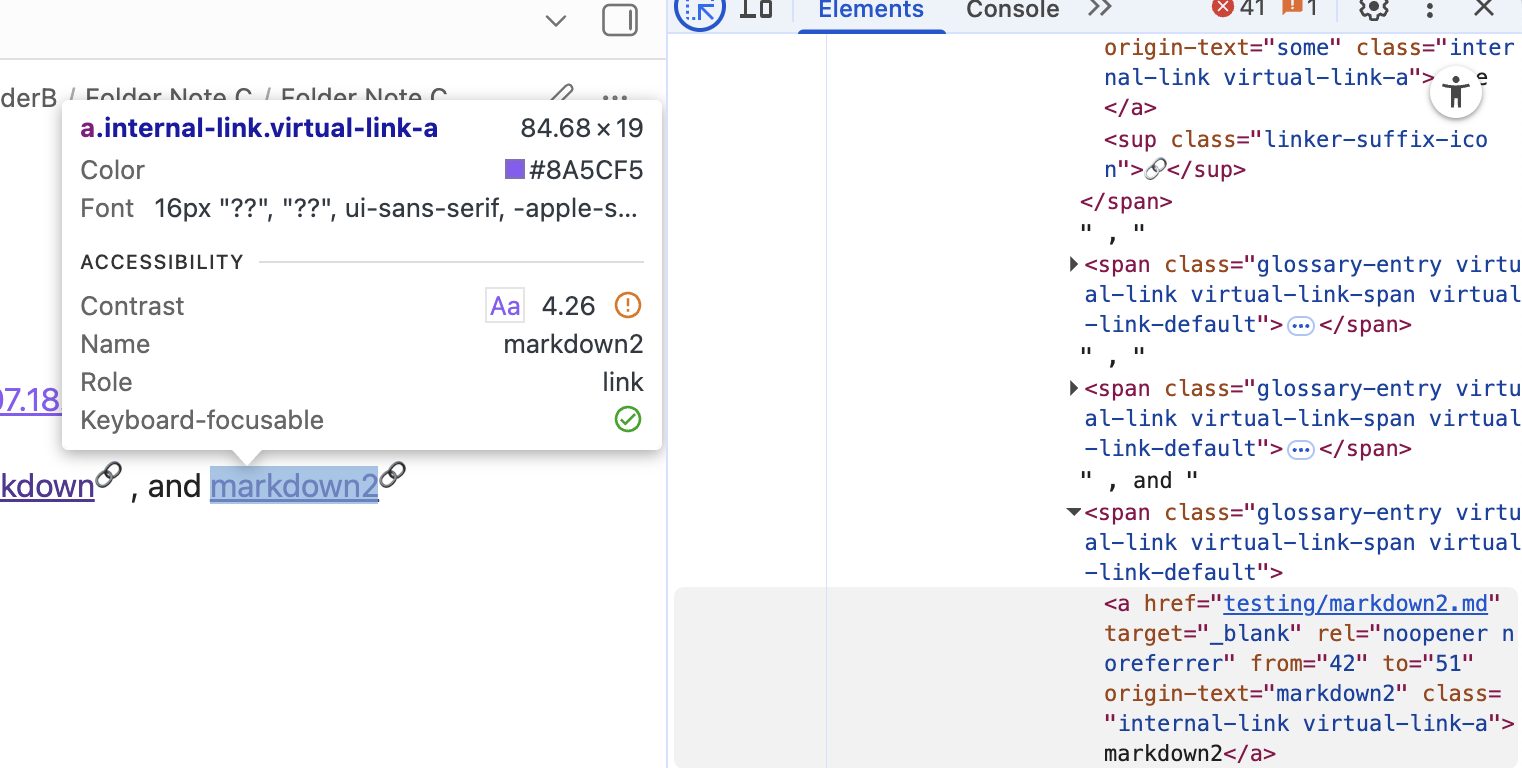
So you could try this, for example:
/* Virtual link color */
.virtual-link-a, .markdown-rendered .virtual-link-a {
  color: #FF5733;
  text-decoration: none;
}

/* Virtual link color on hover */
.virtual-link-a:hover, .markdown-rendered .virtual-link-a:hover {
  color: #C70039;
}
There’s also a default filter applied to the links that you may want to adjust (I was wondering why the colors didn’t look right at first):
.virtual-link-default {
  filter: brightness(0.6);
}
Have a look at this great guide on using the inspector when you get a chance: