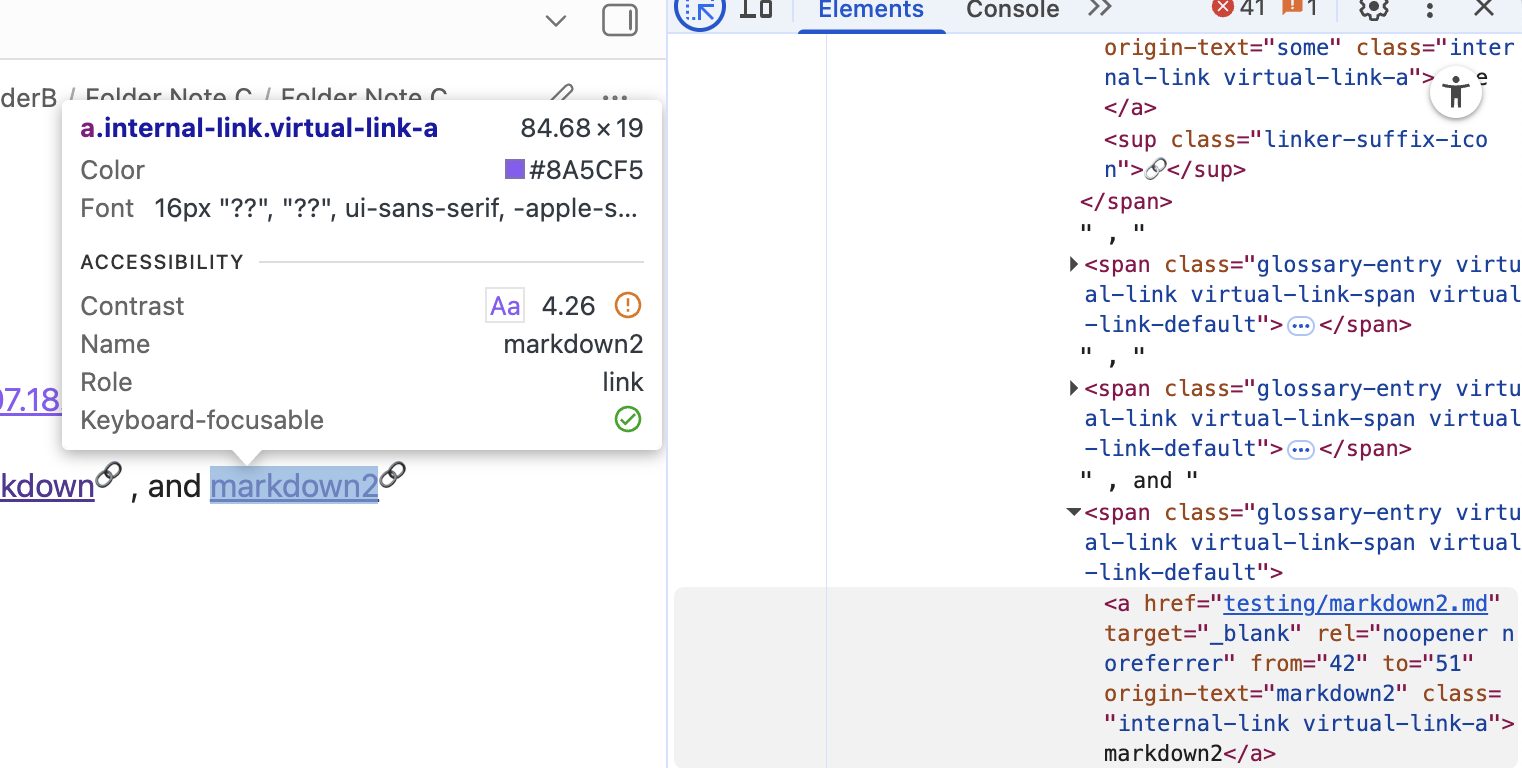
Hi. The Virtual linker plugin has a suggestion to change the appearance of its links. I am trying to change the colour so that they are differentiated from other links. The plugin itself says that it is possible to do this by “affecting the class ‘virtual-link’, but doesn’t have any other instructions. It doesn’t matter what the colour is, as long as its in hexadecimal code (so I can easily edit it), but I can’t figure out how to change it at all. I have tried to use obsidian-css-snippets/Snippets/Links.md at master · Dmytro-Shulha/obsidian-css-snippets · GitHub as a guide, but none of the formats worked, the way I applied them. I’ve given one example of an attempt below:
Things I have tried
/* Virtual link color*/
.virtual-link {
    color: #FF5733;
    text-decoration: none;
}

/* Virtual link color on hover */
.virtual-link:hover {
    color: #C70039;
}
(I have turned off “Apply default link styling” in virtual linker settings, and turned on the CSS snippet, which I put into the .obsidian > snippets folder, so activating it shouldn’t be the issue).
If someone could help explain why this isn’t working, and what it should say instead, I would appreciate it!
Thank you for answering! I actually ended up finding the answer, and now have the CSS snippet that I wanted.
/* Properties of the virtual link in reading mode (no underline) /.markdown-preview-view .glossary-entry.virtual-link a {color: inherit;text-decoration: none; / No underline in reading mode */}

/* Properties of the virtual link in live preview mode (underline present) */.markdown-source-view .glossary-entry.virtual-link a {color: inherit;text-decoration-thickness: 1px;text-underline-offset: 0.245em;text-decoration-color: #885cf5;}

/* Properties of the virtual link when hovered */.glossary-entry.virtual-link a:hover {color: #885cf5;}

/* Properties of the virtual link in callouts (match reading view) /.callout .glossary-entry.virtual-link a {color: inherit;text-decoration: none; / No underline in callouts */

}

/* Properties of the virtual link when hovered */.callout .glossary-entry.virtual-link a:hover {color: #885cf5;

}
I don’t fully know how it works, but it works how I want it to. I managed to find a template to work off of on the Github page (I didn’t know how to find Github comments until after uploading this post). It does seem to use the “.virtual-link-a” like you said, so that probably was the main issue with my original code.