I have created a portable version of Obsidian for Windows. This page is intended for reporting issues and providing feedback related to this tool.
Note: This utility does not include any Obsidian binaries. It downloads the official Obsidian release directly from Obsidian’s GitHub and launches it via the command line. It does not modify, redistribute, or bypass Obsidian’s licensing, and fully complies with Obsidian’s official policies.
It might be worth adding some extra information to your post - for example the PortableApps forum thread showing that people have been using your builds successfully since 2023:
I’m not sure if the main PortableApps application is required, but if so, people can download that from here: https://portableapps.com/
For those not familiar with USB drives, they are quite “flaky” with Windows. Since the beginning. YOU MUST EJECT the USB before removing it. To eject it, you must close everything that is remotely using the USB (Windows explorer, a Portable App, etc.)
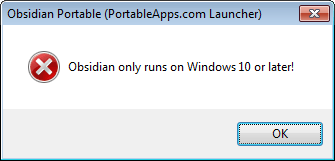
As a Windows 7 user, I don’t like how portable is done here by @xmha97. He uses some strict OS detection method that prevents Obsidian from running with VxKex-NEXT (legacy OS features emulator).
There is no such problem with the following Obsidian portables:
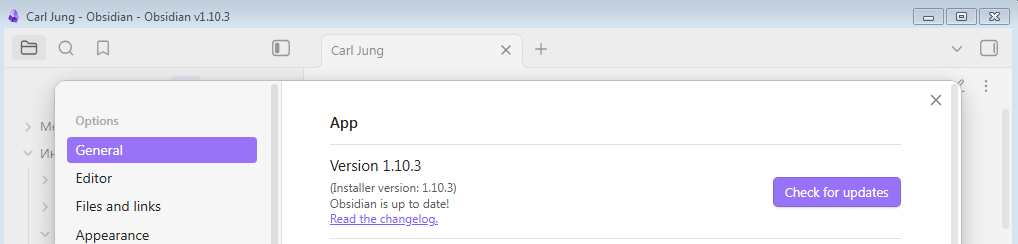
Dear @digitaldoctors, have you read what I posted to the end, or were you triggered by the phrase “Windows 7“ and stopped there? Obsidian WORKS on Windows 7 with VkKex-NEXT. There is even a screenshot to prove that. I am completely satisfied with the installed OS, there is no need to enforce upgrades. My complain was about how @xmha97 tuned PAF engine when he created his portable version. The fix would take no more than 5 minutes.
A bit late, but hey @JamesBond!
I’m a Windows 7 fan myself, and I even built a separate version specifically for Windows 7 that works without VkKex-NEXT, emulators, or anything like that.
I didn’t mention it here earlier because I wasn’t sure if many people would actually need it.
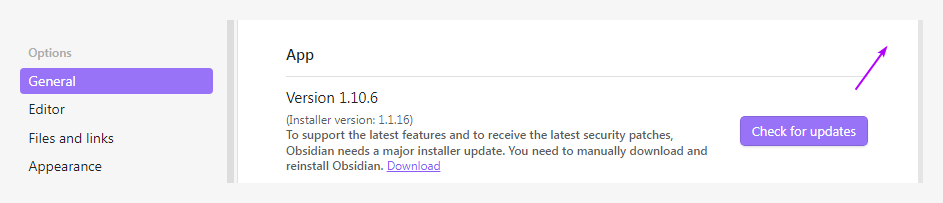
@xmha97, I installed your legacy portable for Windows 7, and the first thing I noticed was that there was no cross to close the settings window of Obsidian.