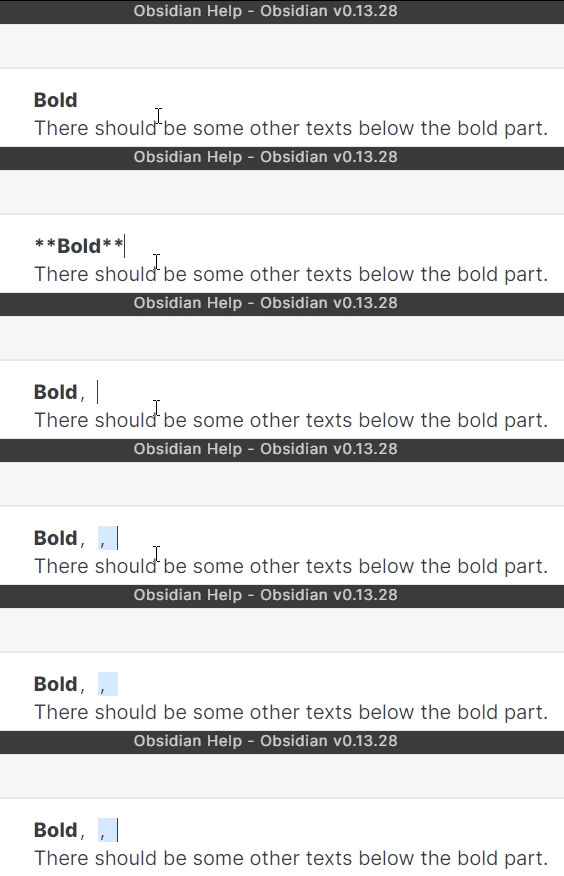
I can confirm not only full-width punctuations like ,。!? but also other full-width characters like abcdefg(not half-widthabcdefg) have all these problems on Windows 11 21H2 with Obsidian: 0.13.30.
You can use Shift + Space to toggle full-width/half-width.
I have checked the emoji issue and it can be reproduced on both my Windows 10 21H1 and Windows 10 1909. (But anyway, I rarely type two emojis consecutively in practice😂.)
For the users who use Windows 10 with Windows default Chinese IME(Microsoft Pinyin), I have developed a small tool using AHK(Auto Hotkey), which can improve the type experience a lot (at least from my side). Here is the link and you can read the instruction then download it as a mitigation solution. Then we can wait for the official patch together😊.
I have seen that you have mentioned the IME bugs in Discord. I know you have spent time and are bothered with these bugs a lot. I just feel the same way with you. Here is some other information I’d like to share with you.
Let’s start a note with:
**Bold**
123
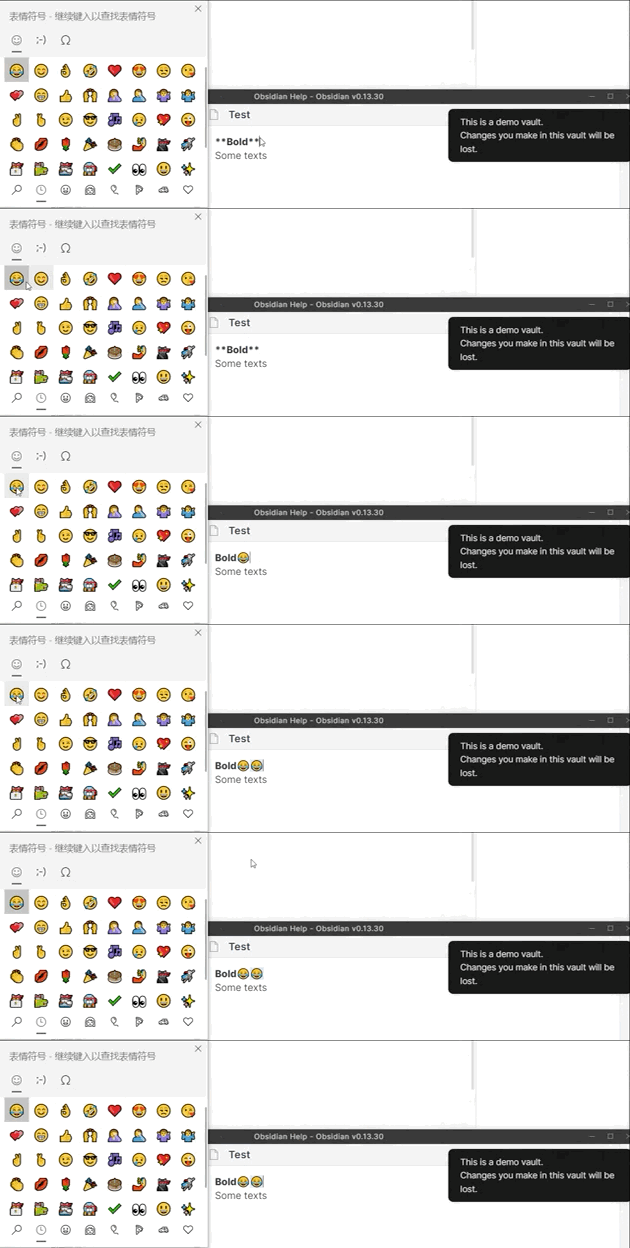
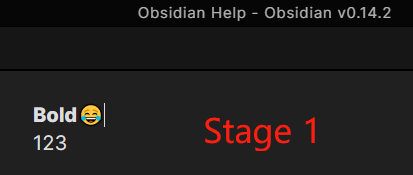
Next, let’s add a after the **bold** part (Let’s call it Stage 1):
**Bold**😂
123
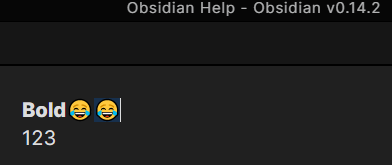
Then, let’s add another after the first :
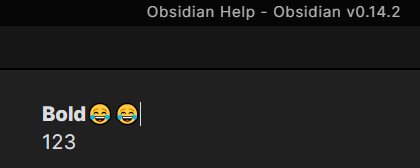
**Bold**😂😂
123
You can see that the second is selected:
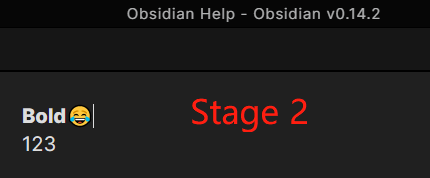
Let’s delete the second (Let’s call it Stage 2, which looks the same as stage 1):
**Bold**😂
123
Then, let’s add another after the first (again):
**Bold**😂😂
123
Now it behaves normally(no unexpected selection).
What I want to say is that, Stage 1 looks exactly the same as Stage 2, but they have different behaviors. Sadly I have no idea what’s going on in the background. Maybe you can have some investigation about the difference between these two stages.
(But again maybe you have already known this then please ignore this post…)
Hey, me and sorry to bother (again…).
A new finding: the issue happens also with half-width characters (or say, English characters).
Please see the demo:
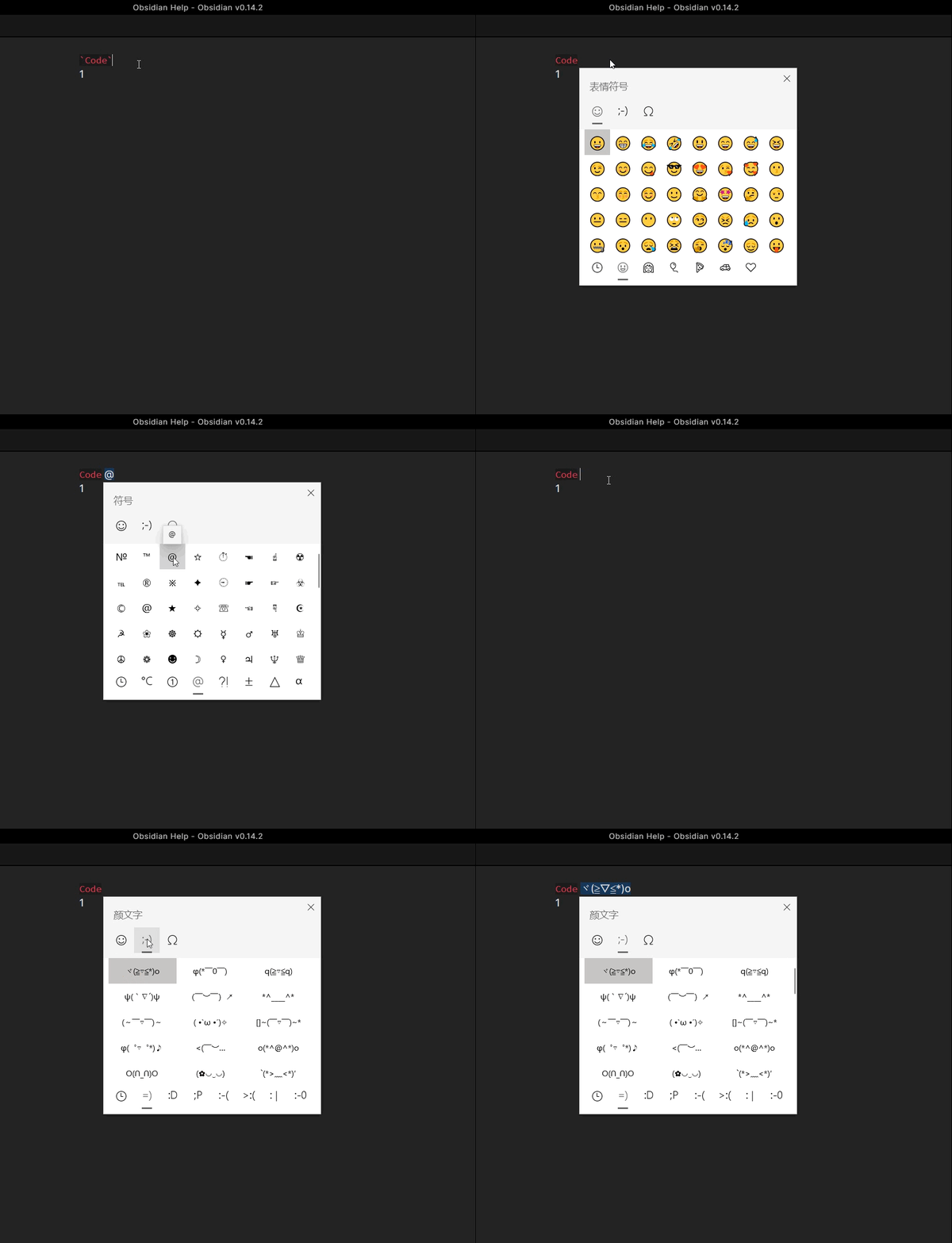
It’s similar to the Issue 1.3, I started with an inline code block (instead of bold) and then typed a space.
Next, press Win+. for Emoji Keyboard and then select a half width character (in my demo, @).
In this case, the first character after the code block part is space and the second character is @. And you can see that the @ is wrongly selected. (You can change the @ to any other character or even several characters)
(To reproduce the issue, you may try for two or three times since it’s roughly 50% chance for success.)
In a word, it seems that the issue is not related to the character is full-width or half-width, Chinese or English, but related to how the character is inputted (directly by typing on the keyboard or by using some IME conversion). That’s all, thanks!

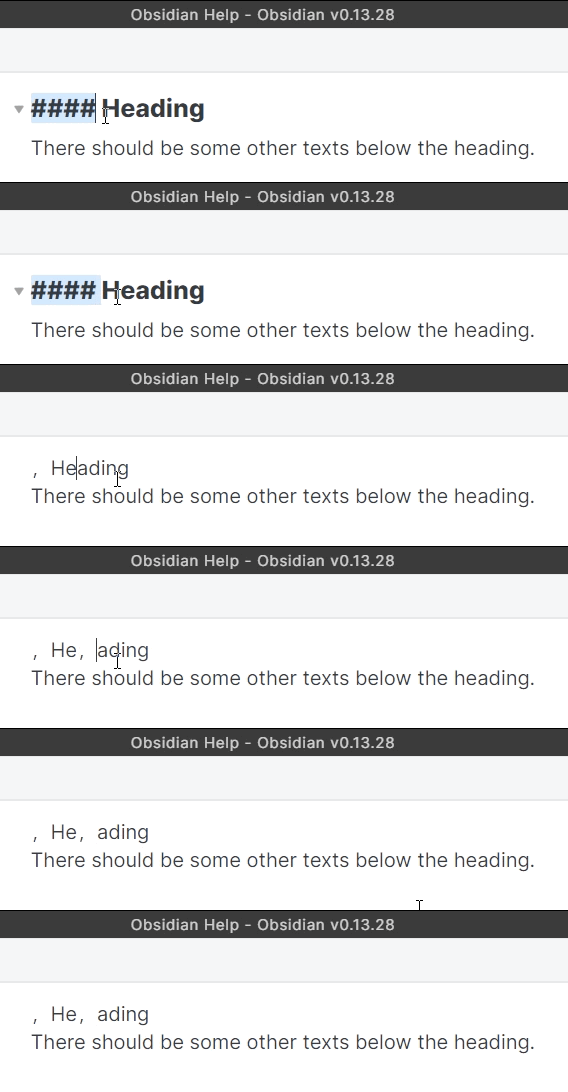
 was selected)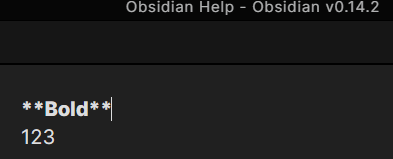
 )
)