Steps to reproduce
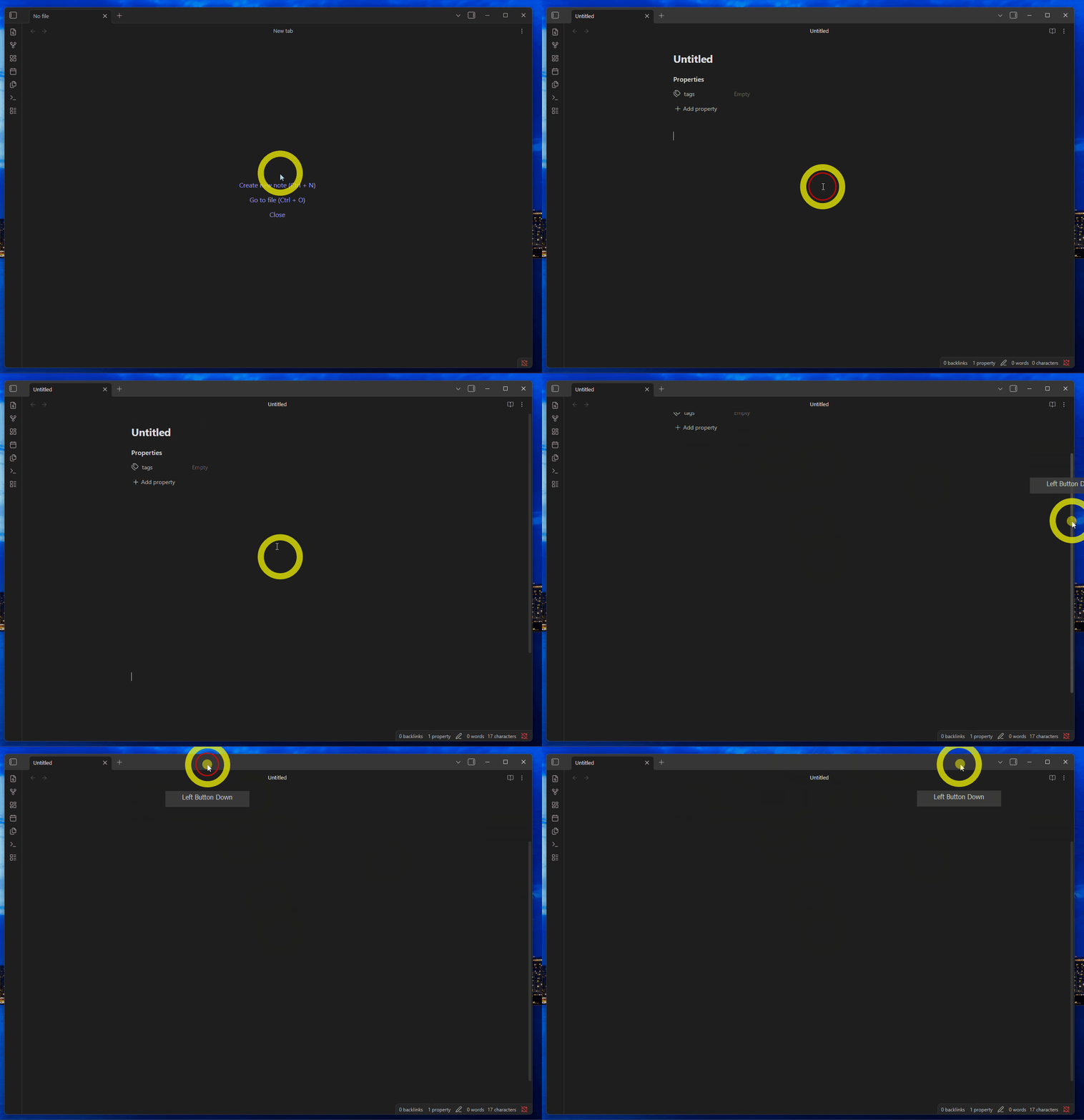
- Create a new note in any vault.
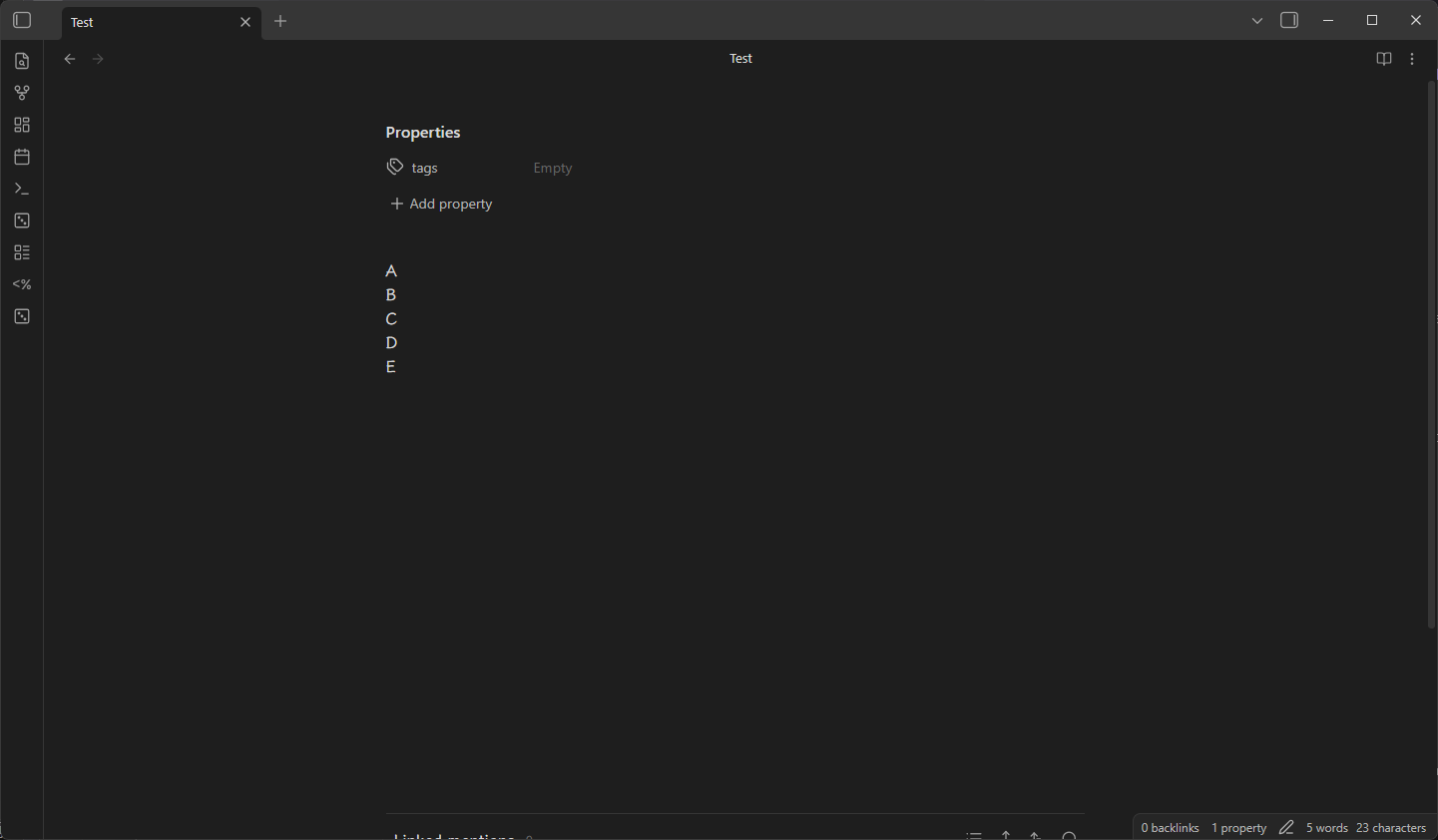
- Add any one property using the properties panel.
- Fill the note with enough content to make the page scrollable.
- Scroll the page (e.g., using the right-hand scrollbar) so that the
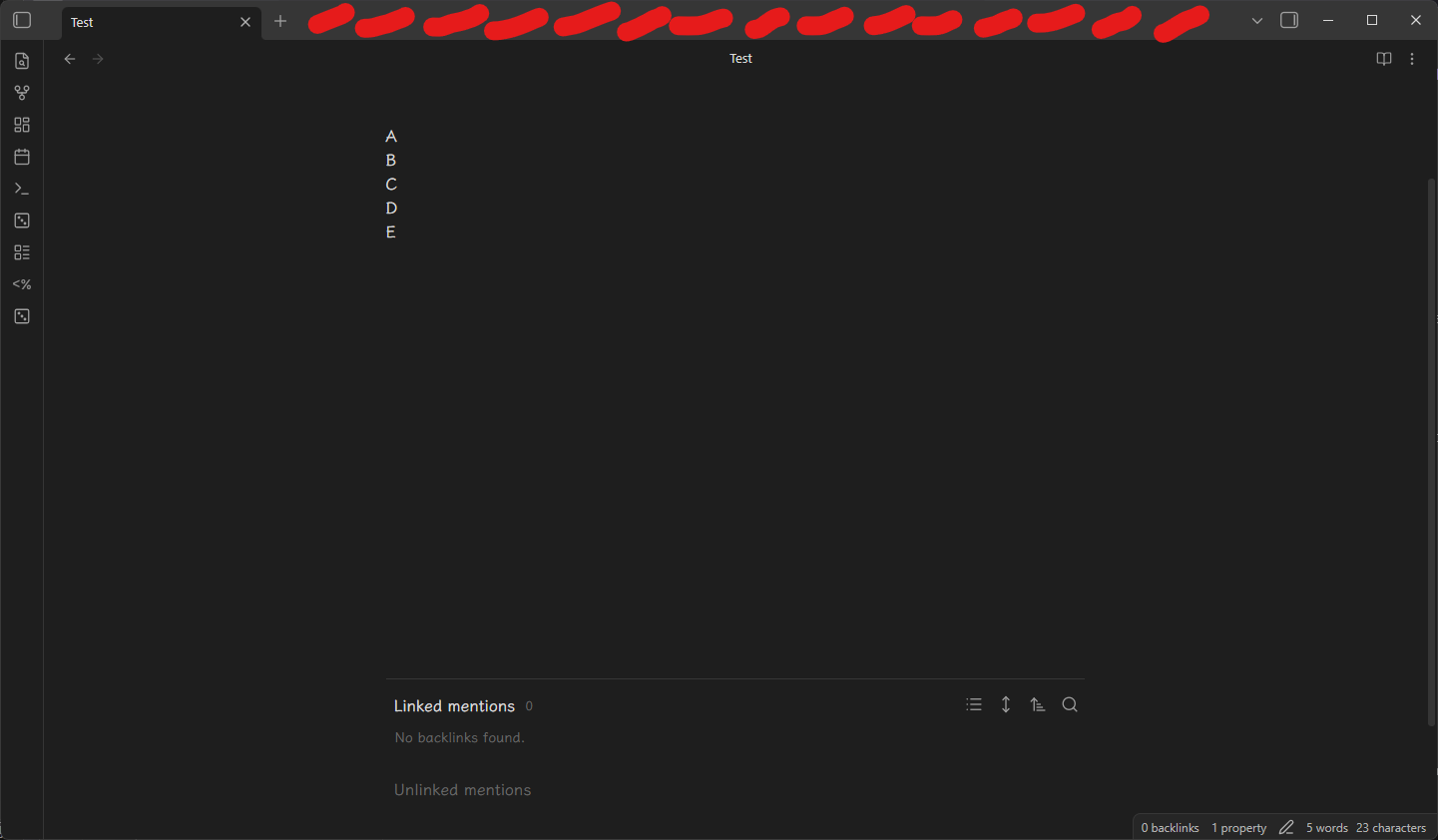
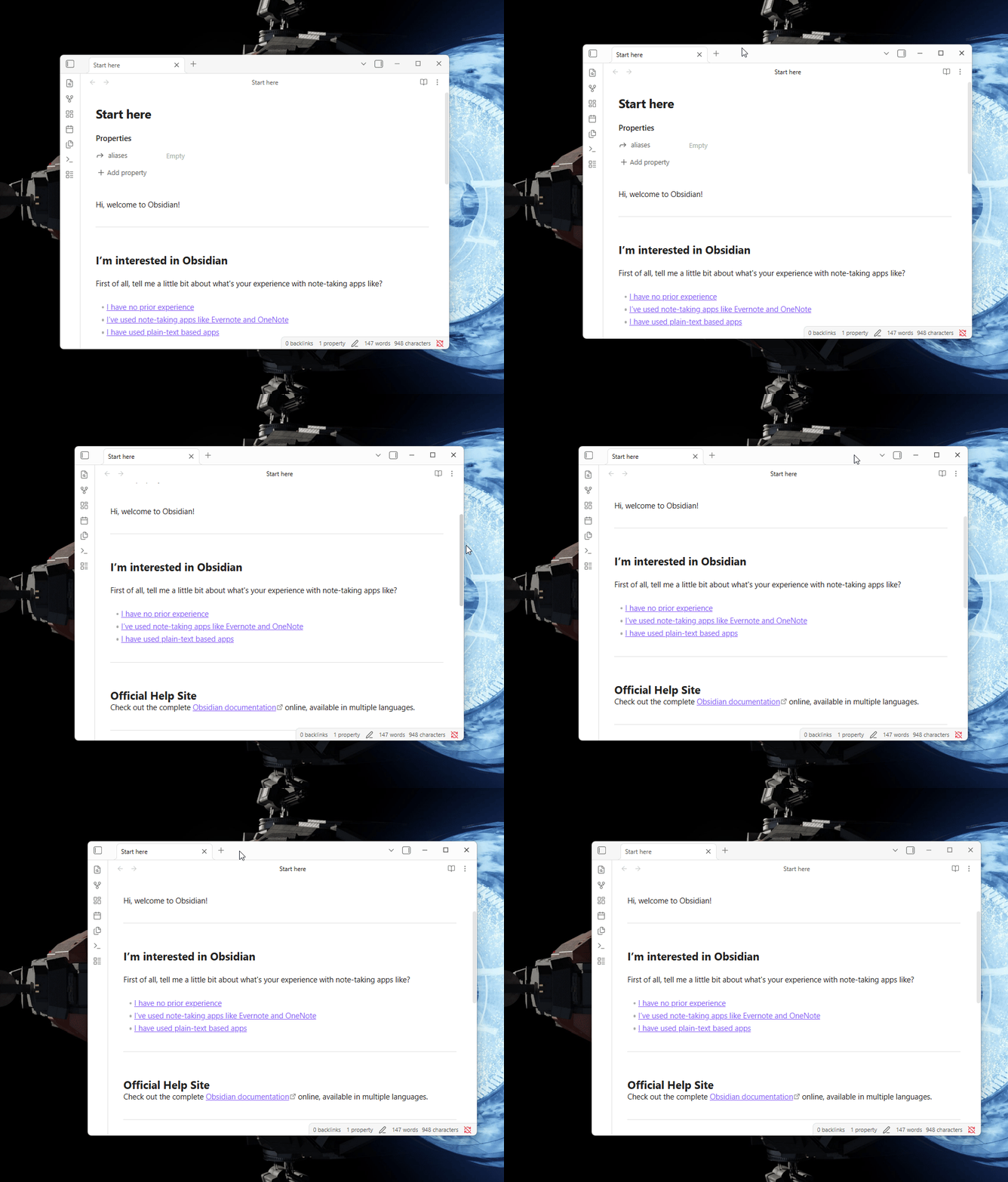
+ Add propertybutton scrolls out of view at the top. - Attempt to drag the window by clicking and dragging the title bar / window drag area, specifically the empty space on the right side of the tab bar.
Did you follow the troubleshooting guide? [Y/N]
Y (reproduced in a vault with default theme, no community plugins or CSS snippets)
Expected result
The window should be draggable from the empty space on the right side of the tab bar, allowing the user to move the Obsidian window.
Actual result
The window cannot be dragged when the + Add property button has scrolled out of view; the drag action is unresponsive in this area.
Environment
- Obsidian version: 1.11.5
- OS: Windows 11
- No third-party plugins, default theme
Additional information
-
Screenshot 1: Example note showing properties and content that fills the page.
-
Screenshot 2: Dragging attempt location, with the red-marked area indicating where dragging does not work.
-
Note: This issue only occurs in Reading or Live Preview mode; it does not reproduce in Source mode.