I would like some help and wonder if this is possible.
My vault has become so big that in using Tasks, the time taken to start up the vault is very long.
And I am wondering if it is because Tasks is trying to look through all my 9000+ files for tasks when my tasks only sit in 1 file, yes they are all just in one file. Is there a way to limit Tasks to just check that one file and not the 9000+ at startup?
I am not familiar with regex or any other languages, and I did try it in the Tasks option but I have no idea what exactly to do there.
Many thanks!
If your issue is the time taken to open your vault in obsidian you can check what takes the most time.
Settings → General → Advanced →
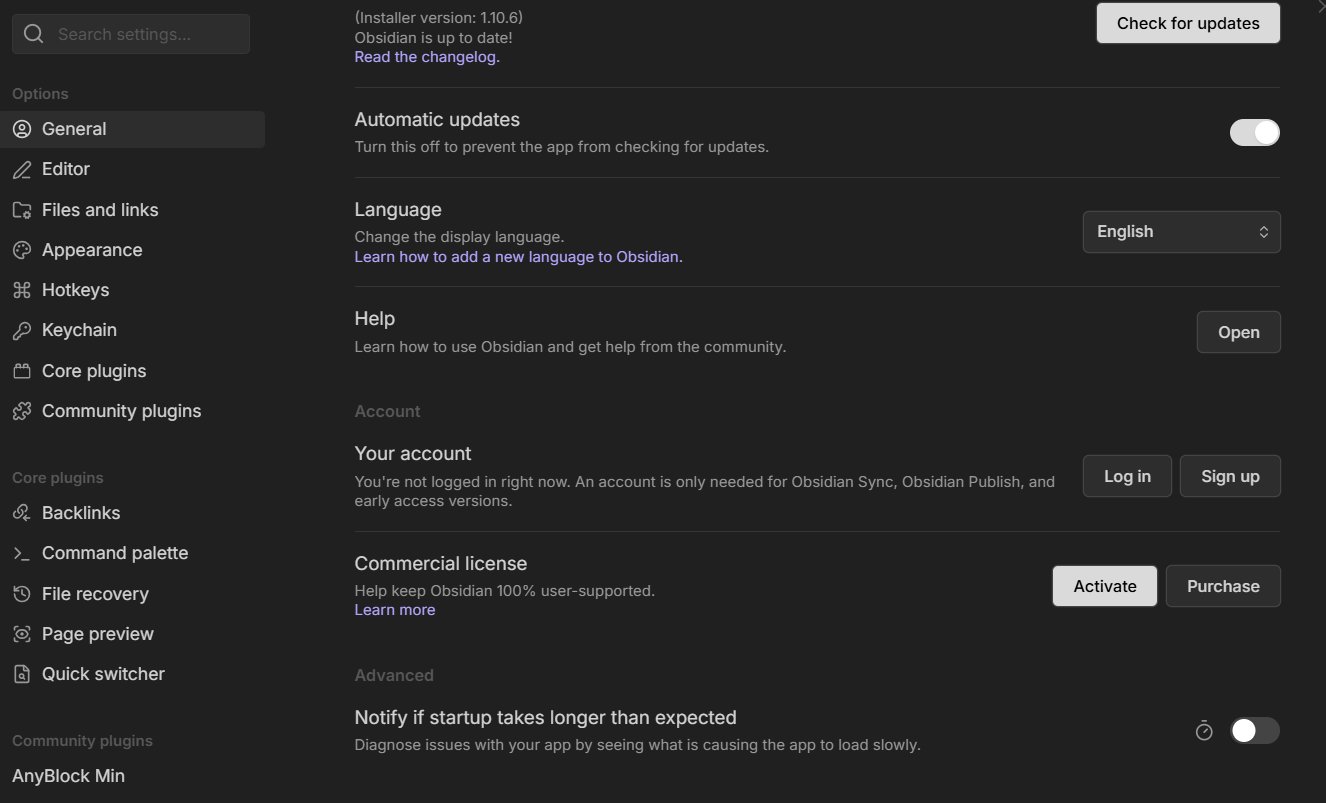
Click the stop watch next to the toggle

It should show you the amount of time taken by each plugins in loading your vault.
If you found Tasks (or some other plugin) to be taking too much time, you can use lazy loader to have them start with a delay.
Thanks for your help - I tapped on the Notify and found it is not actually the Tasks plugin (I suspected it because I had test it once and it took longest to load) and found that it was Workspace (not the core plugin) - 8 tabs (6 deferred) but not too sure what it refers to. I tried switching off File Recovery core plugin and Workspace (still at 8 and 6 deferred) reduced from 47,766ms to 9,606ms.
Thanks again - my bad for blaming Tasks 

The workspace “tabs” refer to each panel in you obsidian window.
Not just the notes, but the individual icons on the top of your left and side bars.
The deferred ones are those that have icons, but you haven’t opened them yet, so they are not loaded.
Then the loading time would depend on the size of the vault then? Because whilst it was shorter yesterday after disabling the File Recovery core plugin, when I fresh started it up this morning, it still went up to 57,255ms for Workspace - 8 tabs (6 deferred) - and looks like I would have to live with it then if that is the case. I have 9743 files and up to 12m words in total.
Just a few weeks ago there was a similar issue with workspace being loaded slow:
No, the size of the vault has nothing to do with this. Edit : Unless your active “tab” has to process your files. (Base or maybe the file explorer) I’m doubting myself now lol
Let me explain using my vault as example

Note that I have 10 tabs with 7 deferred.

Here I have 10 “tabs” available, of which only 1 is ‘active’ (currently open).
- 3 icons for 3 “tabs” on the left side bar, with only 1 ‘active’
- 1 tab for the currently open note which is ‘active’
- 6 icons for 6 “tabs” on the right side bar with only 1 ‘active’.
If your workspace is taking too much time to load, it means when opening obsidian it is opening too many ‘active’ tabs, or the few active tabs are too heavy.
Edit : Opening obsidian after booting the PC will always be slower than reopening the app. If you want to compare the effects of anything you change don’t compare with the very first time you open after boot.
Thanks for the reference - I will check it there now - it took more than minute now to restart my Obsidian on my PC this morning!
Thanks - I will try to figure out what active tabs I have  thanks again!
Actually - I just solved it haha - from 59,997ms to 441ms. I deleted the Homepage plugin that loads up my Tasks dashboard, I figured clicking the dashboard myself won’t take a full minute LOL! Again, thanks for your time and dmantisk’s reply and Sunnaq445’s link that made me test disabling the Homepage. Thank you!