What I’m trying to do
When I start obsidian, it varies a lot in startup time, anywhere from 4-5 seconds to 20+ seconds, and it is very random, I can’t really find any pattern of what is causing it. I usually have 1-3 notes open, one of them being my daily note.
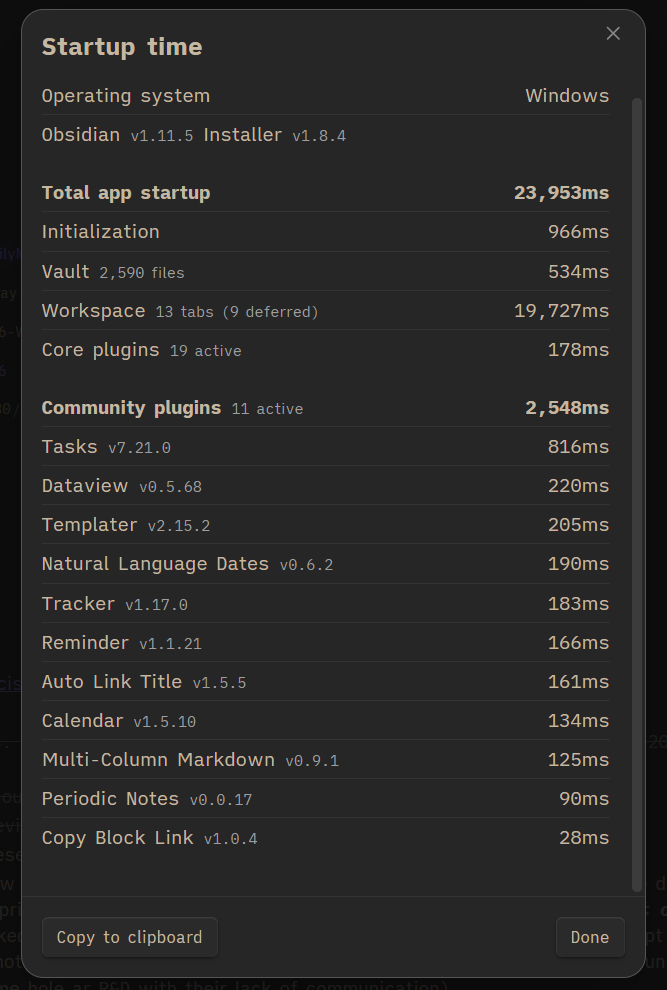
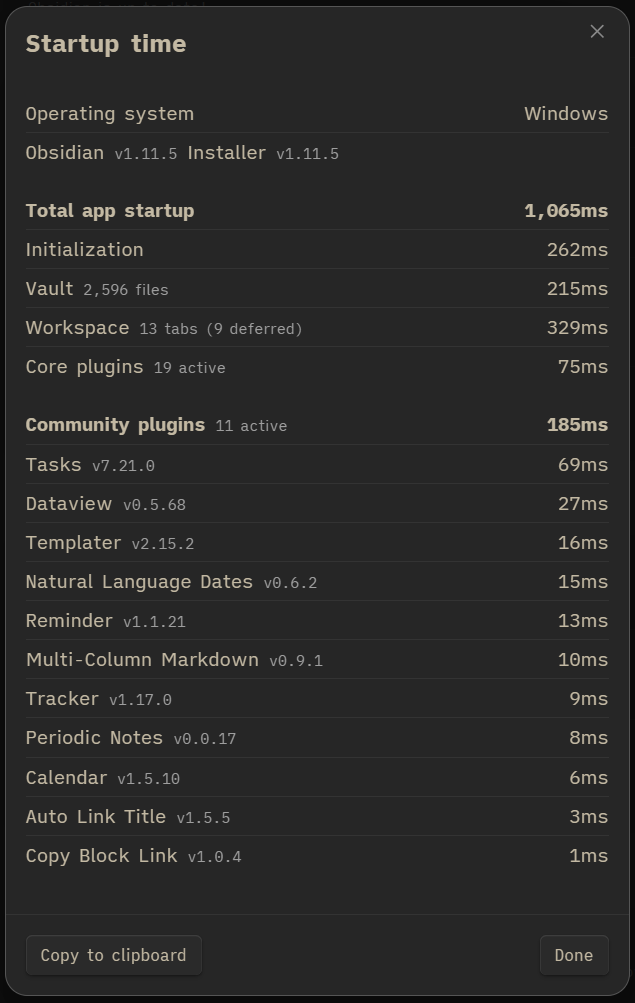
Here you can see my startup. I am fine with a bit, but 20 seconds to load the “workspace” whatever that is, seems to be quite a lot
Without changing anything really, I close Obsidian and open it again, and then get this blazingly fast start. Next time again it is even faster, about 3 seconds total.. I just don’t understand
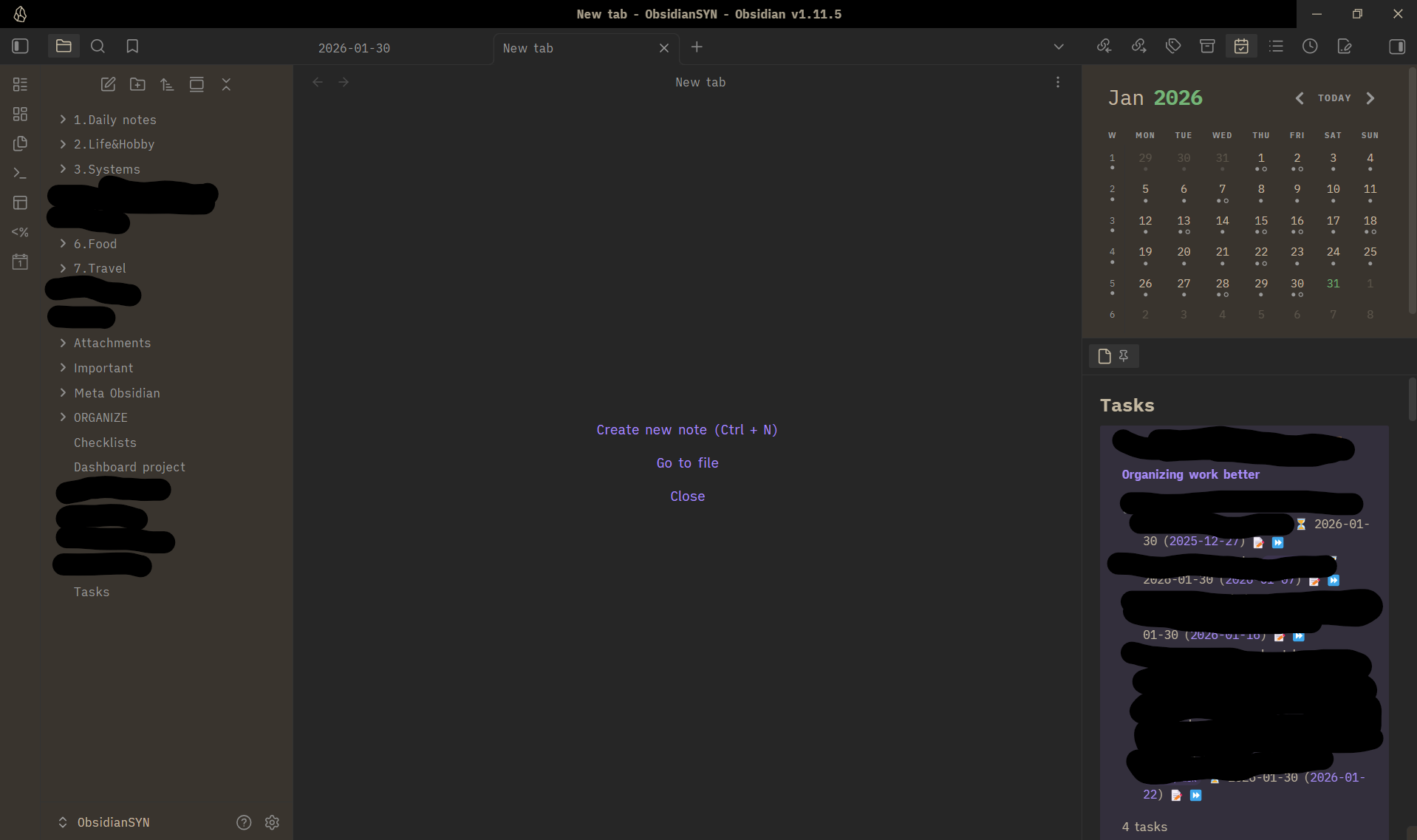
This is how my “Obsidian” looks
Things I have tried
I used to have 3-4 notes pinned + in addition to the notes mentioned above. I thought that the issue might come from there as they were relatively big/complex notes, so I unpinned them, but after a day, I got this startup which is the longest in a long time. I don’t really know what else I can do to optimize further..
What is “workspace”?
What can I do to improve performance? Why is startup so inconsistent?
Workspace is basically all your tabs (in sidebars and in the middle main tab group area):

You don’t seem to have anything wrong in your workspace, but you can try this:
- Take a screenshot of your workspace so you can see what you had set up for sidebars
- Close Obsidian
- In your .obsidian config folder (if you kept the default one), rename
workspace.json to workspace.json.old (this equates to a delete, so you can even delete this if you don’t need a backup)
- Open Obsidian
- Re-add your sidebar panes/icons
It may be some glitch, and this way you can initialize your workspace.
It may be something else but the app is at a loss where to add the delay to so it adds it to workspace…?
Also, you download a latest installer and install it, although your current installer is not ancient:

Pick the version for your OS:
And if you notice any duplicated workspace files (numbers or “conflicted”) you might have some sync merge conflicts in your settings. Are you storing the vault in a cloud syncing tool?
That’s a file that gets updated often, so if you are accessing the vault from multiple computers, that might be a clue.
Thank you both for your responses.
- I already included a screenshot of my workspace in the original post
- regarding the installer, I don’t really get it. Doesn’t Obsidian update on it’s own? I mean it’s set for auto-updates or whatever, so why do I need to manually update the “installer”? I think that the installer is one of the versions when I (re)installed it, why does that matter?
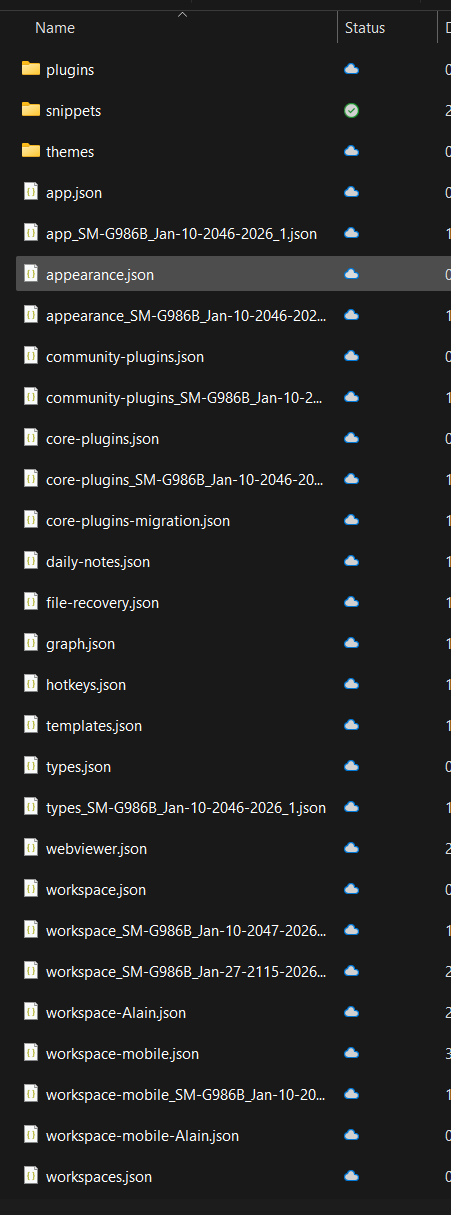
@rigmarole here is a screenshot of the files I have in the .obsidian folder. Yes, I use obsidian on 3 devices. Two laptops and 1 phone. For me that’s kind of the whole point of it, that I can have shared notes. I sync it via my Synology NAS (drive) - so essentially cloud, yes
Is there any way to set one of those workspace files per device? I don’t care to have the same workspace across devices, for me it’s fine to have a defined workspace per device. Is that possible?
You are missing the point.
-
Automatic installs from Obsidian do not update the whole framework. So, yes, you need to use a new installer time and again.
See more:
Q&A: Why Obsidian has Two Version Numbers?
-
Did you have workspace issues on one desktop? Because the workspace file is different on mobile/tablet anyway. There it is named workspace-mobile.json. It then will be a different setup, due to architecture.
You can also use different configs for 2 desktops (and mobile as well, although the workspace file will be still different), meaning you rename .obsidian config folder to something else and reload on it. But this is not what you want to do and I think we should stick to the issues at hand.
Did you do what I recommended? Forget the sync thing.
It looks like you do have conflicted files. The ones with some extra filename added on?
And does the cloud icon mean you have the files offloaded to the cloud and pulled only on demand? That could be the cause.
I don’t know your tool, but with iCloud and OneDrive for example, it is necessary for you to set it so the files sync and remain downloaded locally. “Keep on drive” or similar. Obsidian needs to see the files otherwise that is likely why extra files and extra load time are occurring.
Thanks both of you for your help
I have updated the installer to latest. Thanks for explaining that. I do find it very weird that you must update that separately/manually, when there already is an automatic update in place. I have never until now come across software that only half of kind of updates. Anyways.
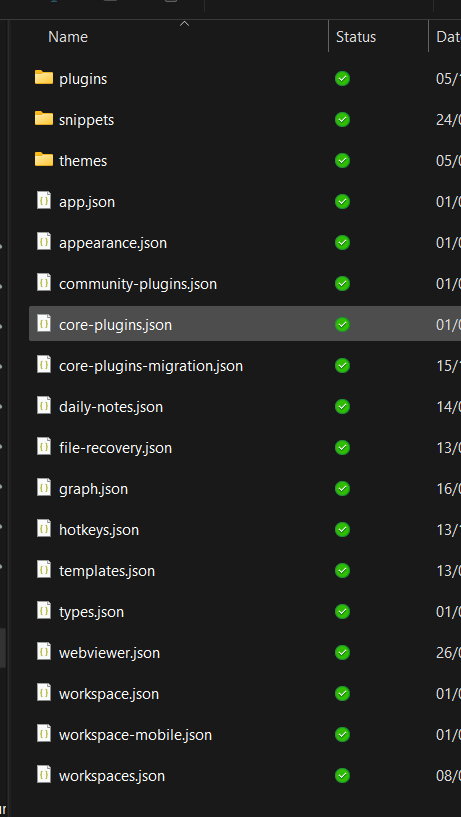
Well spotted regarding the “cloud” icon, but that was a “mistake” on my part where I took the screenshot from. I have my Synology NAS that uses Onedrive as backup. My Obsidian points to Synology, which syncs file to my laptops/phone, and my previous screenshot was from Onedrive, but all files in Synology are “always available on device”, so the issue does not come from there (see pic below).
I have deleted the conflicted files. I do this every now and then, I don’t know why they appear.. I sync way more than just the Obsidian folder, and I never get sync errors on anything else across my devices, the only conflicts that appear every now and then are from the Obsidian folder. Here is how it looks now. I will keep an eye on it.
After restarting, it seems like it’s incredibly fast, I don’t think it has every been this fast. Now it only remains for me to track this for a few days and see how it develops, whether it remains fast. As mentioned before, sometimes it was fast sometimes very slow.. so I don’t know if my actions now affected it positively or it was something else.
It would however be very nice if Obsidian could identify the cause of the issue, and at least recommend the user to take some actions to make it faster
I don’t know how a Synology NAS works in practice (in terms of how Obsidian sees it on the filesystem or how it syncs or transfers), but just make sure you aren’t creating race conditions by mixing together two syncing tools. That might be the cause of the conflicts, and the conflicts might be the cause of the slowdown.