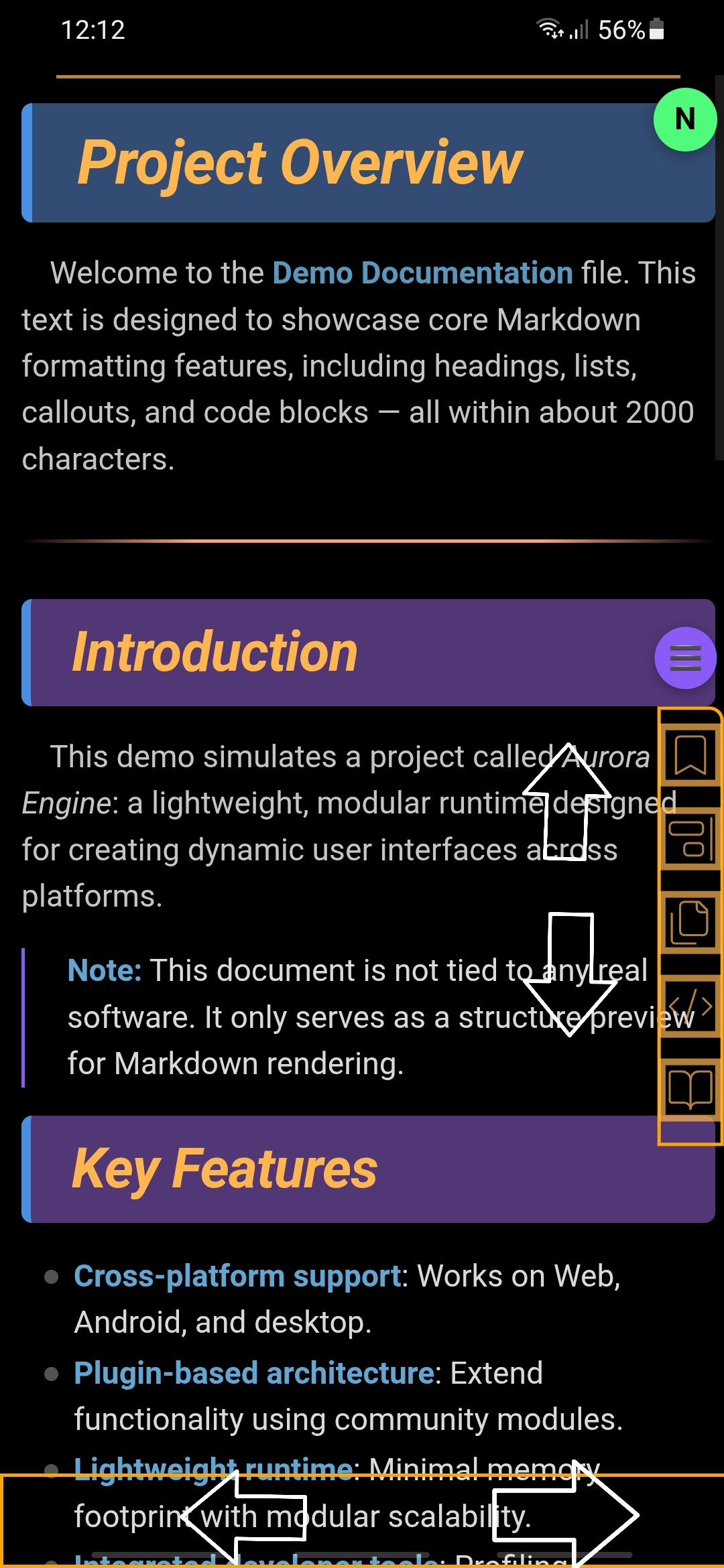
Edit: Check my replies for more updated/alternate versions. Feel free to pick whichever one works best for you.
Using CodeScript ToolKit, you can make it so mobile Obsidian switches between tabs based on what direction you swipe the navigation toolbar.
Save this as a .js file and point CodeScript Toolkit to it as your “Startup script path.”
exports.invoke = async (app) => {
	const mobilenavbar = app?.mobileNavbar?.containerEl;
	let touchstartX = 0;
	let touchendX = 0;

    if (mobilenavbar) {
		function checkDirection() {
			if (touchendX < touchstartX) app.commands.executeCommandById('workspace:next-tab');
			if (touchendX > touchstartX) app.commands.executeCommandById('workspace:previous-tab');
		}

		mobilenavbar.addEventListener('touchstart', e => {
			touchstartX = e.changedTouches[0].screenX
		})

		mobilenavbar.addEventListener('touchend', e => {
			touchendX = e.changedTouches[0].screenX
			checkDirection()
		})
	}
}
Thanks to Damjan Pavlica’s answer on Stack Overflow.
Related feature request:
3 Likes
Updated the checkDirection() function to not keep switching through tabs in a circle and also vibrate slightly when switching tabs. Here’s just the function itself, you can replace the old one. Or pick and choose the parts you want in case you don’t want vibration or something.
function checkDirection() {
	const lastTabIndex = app.workspace.activeTabGroup.children.length - 1;
	const currTabIndex = app.workspace.activeTabGroup.currentTab;
	let wantedTabIndex = currTabIndex;
	if (touchendX < touchstartX) wantedTabIndex++;
	if (touchendX > touchstartX) wantedTabIndex--;
	if (wantedTabIndex > lastTabIndex || wantedTabIndex < 0 || Math.abs(touchstartX-touchendX) <= 5) return;
	app.workspace.activeTabGroup.selectTabIndex(wantedTabIndex);
	window.Capacitor?.Plugins?.Haptics.vibrate({ duration: 50 });
}
Edit:
Actually, I like switching in a circle… Now switches in a circle again, but vibrates a little longer when you loop.
function checkDirection() {
	if (Math.abs(touchstartX-touchendX) <= 5) return;
	const lastTabIndex = app.workspace.activeTabGroup.children.length - 1;
	if (lastTabIndex == 0) return;
	const currTabIndex = app.workspace.activeTabGroup.currentTab;
	let wantedTabIndex = currTabIndex;
	let vibeDuration = 50;
	if (touchendX < touchstartX) wantedTabIndex++;
	if (touchendX > touchstartX) wantedTabIndex--;
	if (wantedTabIndex > lastTabIndex || wantedTabIndex < 0) vibeDuration = 500;
	if (wantedTabIndex > lastTabIndex) wantedTabIndex = 0;
	if (wantedTabIndex < 0) wantedTabIndex = lastTabIndex;
	app.workspace.activeTabGroup.selectTabIndex(wantedTabIndex);
	window.Capacitor?.Plugins?.Haptics.vibrate({ duration: vibeDuration });
}
1 Like
Updated the checkDirection() function to properly set the tab as active when switching to it. Also changed the vibration duration a little.
function checkDirection() {
	if (Math.abs(touchstartX-touchendX) <= 5) return;
	const tabGroup = app.workspace.activeTabGroup;
	const leaves = tabGroup.children;
	const lastTabIndex = leaves.length - 1;
	if (lastTabIndex == 0) return;
	const currTabIndex = tabGroup.currentTab;
	let wantedTabIndex = currTabIndex;
	let vibeDuration = 50;
	if (touchendX < touchstartX) wantedTabIndex++;
	if (touchendX > touchstartX) wantedTabIndex--;
	if (wantedTabIndex > lastTabIndex || wantedTabIndex < 0) vibeDuration = 100;
	if (wantedTabIndex > lastTabIndex) wantedTabIndex = 0;
	if (wantedTabIndex < 0) wantedTabIndex = lastTabIndex;
	app.workspace.setActiveLeaf(leaves[wantedTabIndex], true);
	window.Capacitor?.Plugins?.Haptics.vibrate({ duration: vibeDuration });
}
1 Like
This is amazing. Thank you! I’ve been wanting a solution like this for a while as it’s quite an intuitive experience across multiple OS hierarchies such as apps, browser tabs, etc.
1 Like
Here’s an updated version that now lets you swipe up to close the current tab. If you swipe up from the navigation toolbar 1/5th of your screen length, it’ll vibrate. Then, if you let go at that spot or higher, it’ll close the tab. If you let go lower, it won’t close the tab.
exports.invoke = async (app) => {
    const mobilenavbar = app?.mobileNavbar?.containerEl;
    if (!mobilenavbar) return;

    let touchstartX = 0;
    let touchstartY = 0;
    let touchendX = 0;
    let touchendY = 0;
    let vibratedUp = false;

    const upThreshold = window.innerHeight / 5;

    function checkDirection() {
        if (Math.abs(touchstartX-touchendX) <= 5) return;
        const tabGroup = app.workspace.activeTabGroup;
        const leaves = tabGroup.children;
        const lastTabIndex = leaves.length - 1;
        if (lastTabIndex == 0) return;
        const currTabIndex = tabGroup.currentTab;
        let wantedTabIndex = currTabIndex;
        let vibeDuration = 50;
        if (touchendX < touchstartX) wantedTabIndex++;
        if (touchendX > touchstartX) wantedTabIndex--;
        if (wantedTabIndex > lastTabIndex || wantedTabIndex < 0) vibeDuration = 100;
        if (wantedTabIndex > lastTabIndex) wantedTabIndex = 0;
        if (wantedTabIndex < 0) wantedTabIndex = lastTabIndex;
        app.workspace.setActiveLeaf(leaves[wantedTabIndex], true);
        window.Capacitor?.Plugins?.Haptics.vibrate({ duration: vibeDuration });
    }

    mobilenavbar.addEventListener('touchstart', e => {
        const touch = e.changedTouches[0];
        touchstartX = touch.screenX;
        touchstartY = touch.screenY;
        vibratedUp = false;
    });

    mobilenavbar.addEventListener('touchmove', e => {
        const currentY = e.changedTouches[0].screenY;
        const deltaY = touchstartY - currentY;

        if (deltaY >= upThreshold) {
            if (!vibratedUp) {
                window.Capacitor?.Plugins?.Haptics.vibrate({ duration: 200 });
                vibratedUp = true;
            }
        } else {
            vibratedUp = false;
        }
    });

    mobilenavbar.addEventListener('touchend', e => {
        const touch = e.changedTouches[0];
        touchendX = touch.screenX;
        touchendY = touch.screenY;

        const deltaY = touchstartY - touchendY;

        if (deltaY >= upThreshold) {
            app.workspace.activeLeaf.detach();
        } else {
            checkDirection();
        }
    });
};
2 Likes
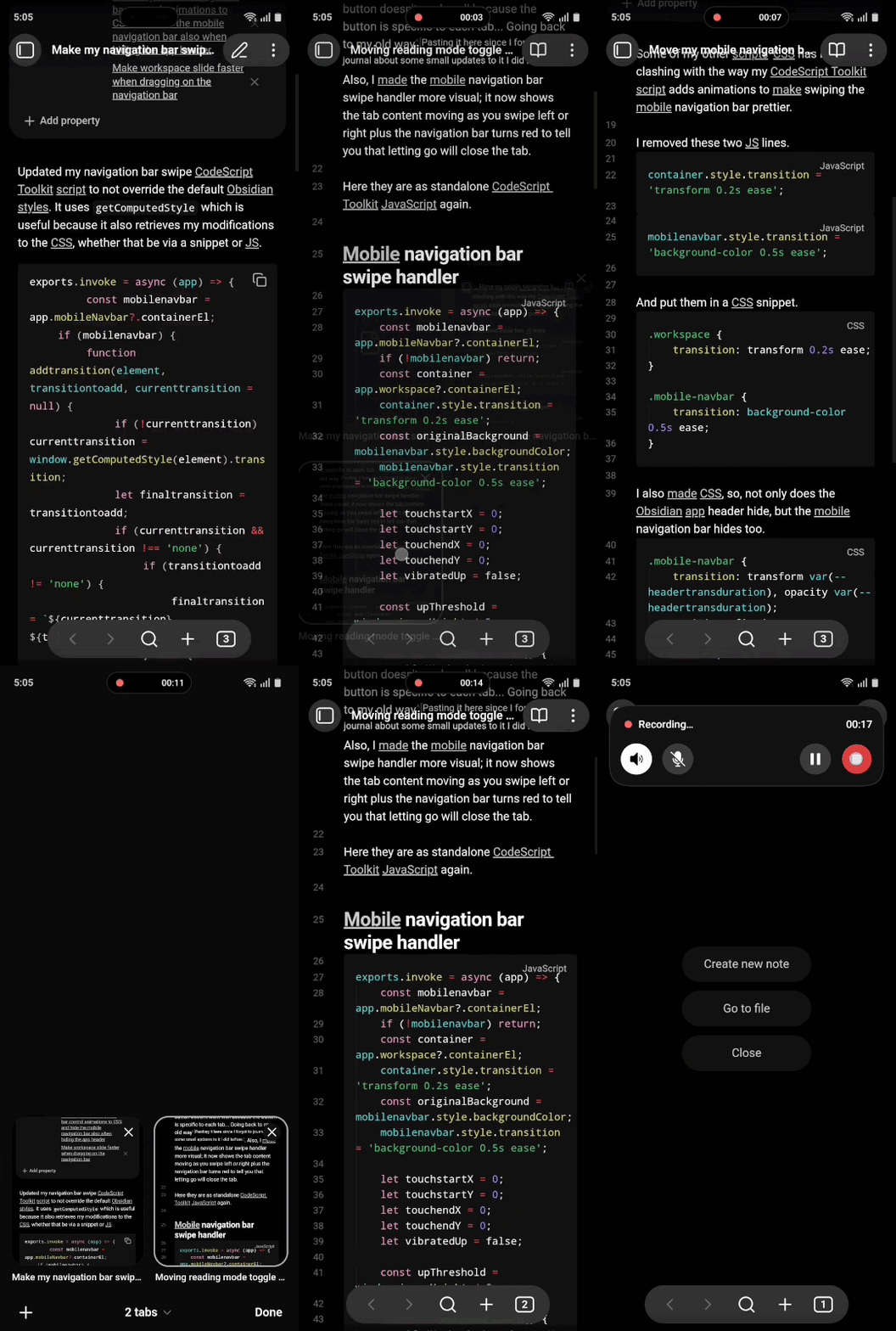
Decided to spruce it up and make it more visual. Now, swiping on the navigation bar shows the entire tab content sliding as you swipe and swiping up makes the navigation bar red if letting go will close the tab.
exports.invoke = async (app) => {
	const mobilenavbar = app.mobileNavbar?.containerEl;
	if (!mobilenavbar) return;
	const container = app.workspace?.containerEl;
	container.style.transition = 'transform 0.2s ease';
	const originalBackground = mobilenavbar.style.backgroundColor;
	mobilenavbar.style.transition = 'background-color 0.5s ease';

	let touchstartX = 0;
	let touchstartY = 0;
	let touchendX = 0;
	let touchendY = 0;
	let vibratedUp = false;

	const upThreshold = window.innerHeight / 5;

	function checkDirection() {
		if (Math.abs(touchstartX-touchendX) <= 5) return;
		const tabGroup = app.workspace.activeTabGroup;
		const leaves = tabGroup.children;
		const lastTabIndex = leaves.length - 1;
		if (lastTabIndex == 0) return;
		const currTabIndex = tabGroup.currentTab;
		let wantedTabIndex = currTabIndex;
		let vibeDuration = 50;
		if (touchendX < touchstartX) wantedTabIndex++;
		if (touchendX > touchstartX) wantedTabIndex--;
		if (wantedTabIndex > lastTabIndex || wantedTabIndex < 0) vibeDuration = 100;
		if (wantedTabIndex > lastTabIndex) wantedTabIndex = 0;
		if (wantedTabIndex < 0) wantedTabIndex = lastTabIndex;
		app.workspace.setActiveLeaf(leaves[wantedTabIndex], true);
		window.Capacitor?.Plugins?.Haptics.vibrate({ duration: vibeDuration });
	}

	mobilenavbar.addEventListener('touchstart', e => {
		const touch = e.changedTouches[0];
		touchstartX = touch.screenX;
		touchstartY = touch.screenY;
		vibratedUp = false;
	});

	mobilenavbar.addEventListener('touchmove', e => {
		const touch = e.changedTouches[0];
		const currentX = touch.screenX;
		const currentY = touch.screenY;

		const deltaX = currentX - touchstartX;
		const deltaY = touchstartY - currentY;

		if (deltaY >= upThreshold && !vibratedUp) {
			window.Capacitor?.Plugins?.Haptics.vibrate({ duration: 200 });
			vibratedUp = true;

			container.style.transform = '';
			mobilenavbar.style.backgroundColor = 'rgba(255,0,0,0.5)';
		} else if (deltaY < upThreshold) {
			vibratedUp = false;

			const tabGroup = app.workspace.activeTabGroup;
			if (Math.abs(deltaX) > 5 && tabGroup.children.length > 1) {
				container.style.transform = `translateX(${deltaX}px)`;
			}
			mobilenavbar.style.backgroundColor = originalBackground || '';
		}
	});

	mobilenavbar.addEventListener('touchend', e => {
		const touch = e.changedTouches[0];
		touchendX = touch.screenX;
		touchendY = touch.screenY;

		container.style.transform = '';

		const deltaY = touchstartY - touchendY;
		if (deltaY >= upThreshold) {
			app.workspace.activeLeaf.detach();
		} else {
			checkDirection();
		}
		mobilenavbar.style.backgroundColor = originalBackground || ''
	});
};
4 Likes
Some of my other scripts’ CSS has been clashing with the way the latest version of this script adds animations, so, here’s the fix.
Remove these two lines:
container.style.transition = 'transform 0.2s ease';
mobilenavbar.style.transition = 'background-color 0.5s ease';
And instead use a separate CSS snippet:
.workspace {
	transition: transform 0.2s ease;
}

.mobile-navbar {
	transition: background-color 0.5s ease;
}
1 Like
Thank you for sharing your work. Your code integrated perfectly into my mobile workspace.
Now it’s my turn.
I do not use the standard mobile navbar. I have it hidden via styles, but it remains clickable for swiping.
For primary navigation, I use the status bar, which I activated and customized through styles and the Commander plugin (before using the status bar, I recommend disabling certain core plugins that are displayed there by default via settings, or hiding them using the Commander plugin).
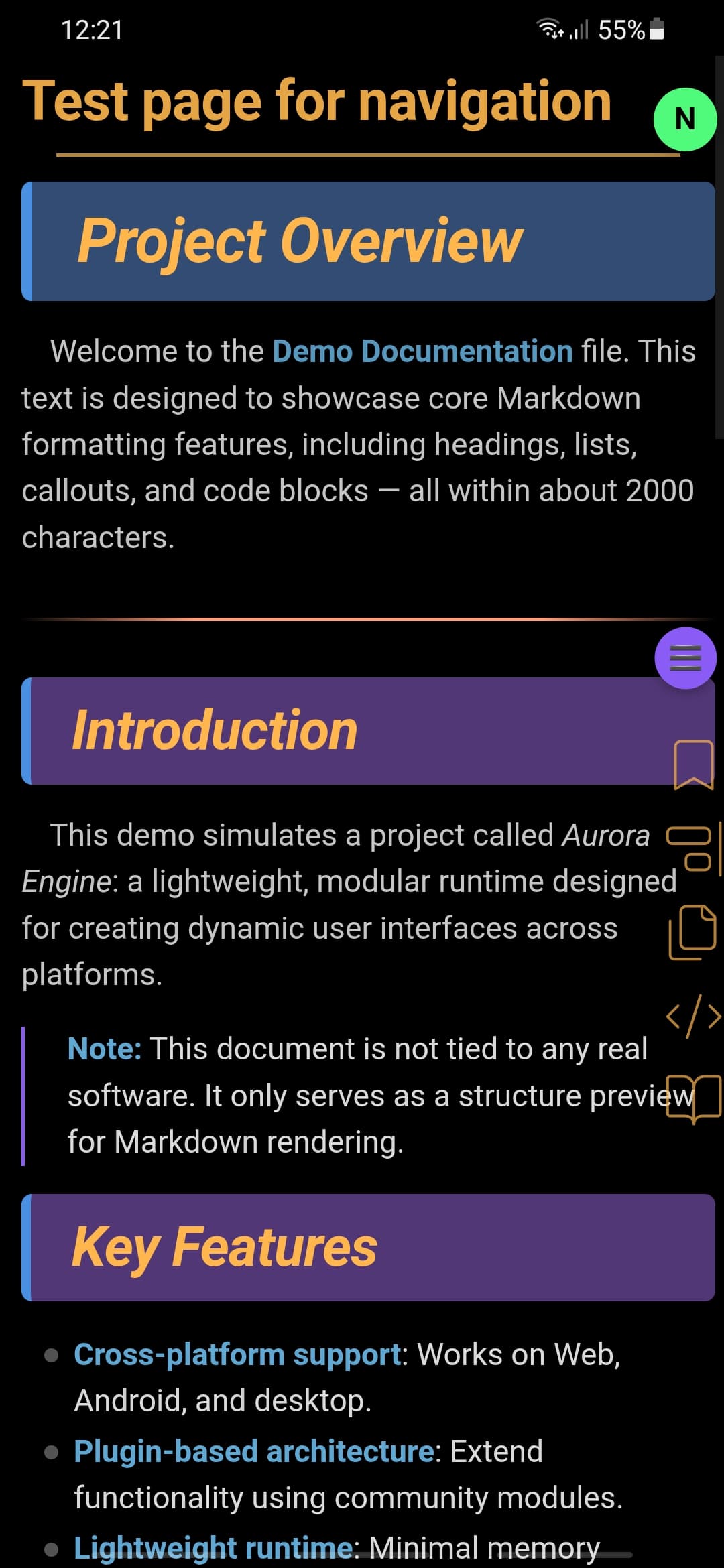
Also, by swiping up or down on this status bar, you can navigate through the tab history.
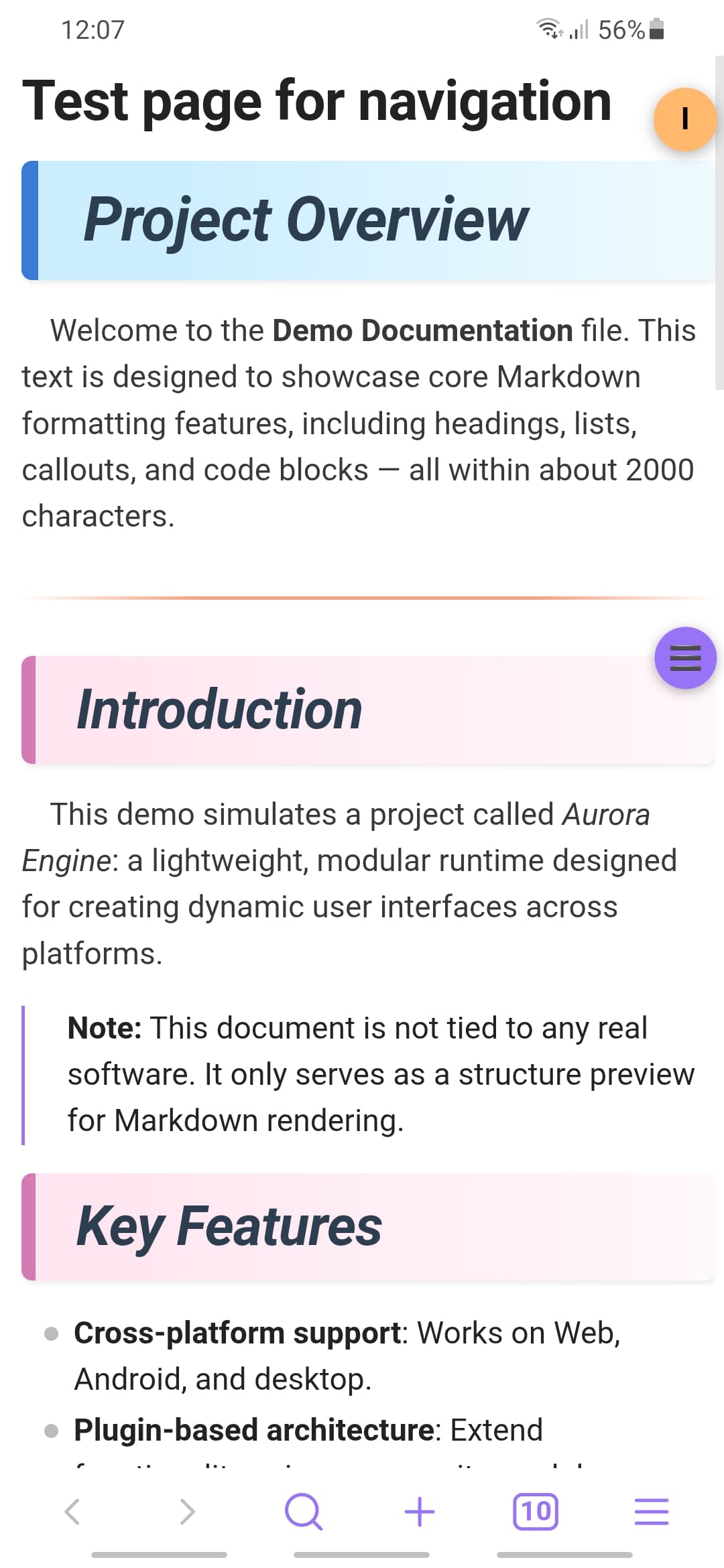
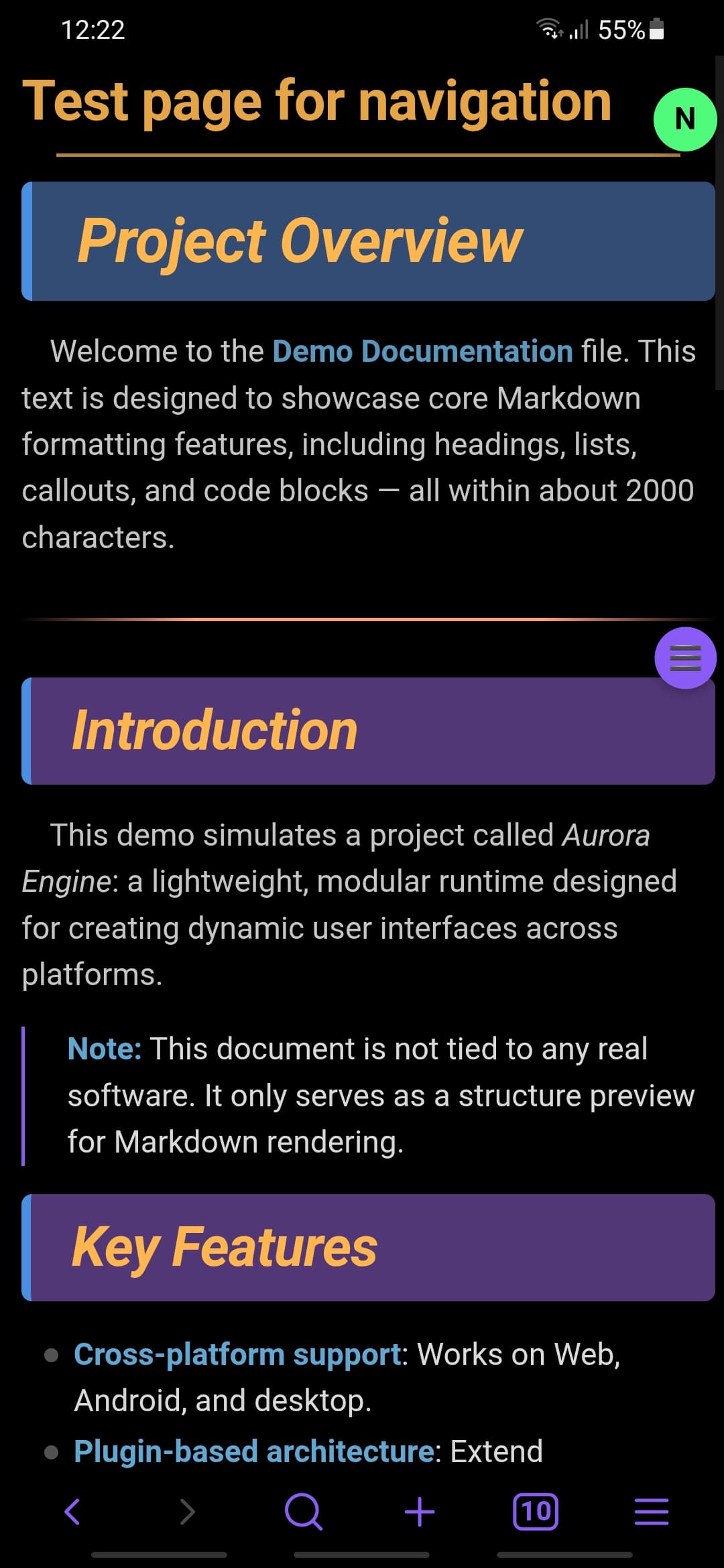
Thus, we get the following result:
From this
To this
Instruction
How to reproduce
-
Leave your script unchanged and run it at startup.
-
Add styles for the navbar and status bar (at the beginning, I included styles from your previous post).
- For managing the status bar, I use the Commander plugin, and I have styled it accordingly.
- I also slightly modified the click area of the icons in the status bar.
- The commented lines are for debugging purposes.
- It is also possible to position the navbar for swiping in any area via
transform
.workspace {
	transition: transform 0.2s ease;
}

.mobile-navbar {
	transition: background-color 0.5s ease;
}

/*Custom bottom navbar*/
.is-mobile .app-container .mobile-navbar  {
  position: fixed !important;
  bottom: 0;
  padding: 0.5em 100%;
  background: none !important;
   /* transform-origin: left top;
  transform: rotate(270deg);*/
  /*border: orange 2px solid;*/
}


/*Custom status-bar*/
.app-container .status-bar {
  display: flex;
  position: fixed;
  bottom: 15.8em;
  background: none !important;
  z-index: var(--layer-cover);
  transform-origin: right top;
  transform: rotate(90deg);
  border: none;
    /*border: orange 2px solid;*/
}

.app-container .status-bar .svg-icon {
    --icon-stroke: 1;
  display: inline-block;
  transform: rotate(-90deg) scale(2);
 /*border: 2px solid #ffb74d;*/
}

/*Improve click-area of Commander icon in status-bar*/
.cmdr.status-bar-item.clickable-icon {
  padding-left: 1em;
  padding-right: 1em;
  /*background: #ffb74d;*/
}

.theme-light .app-container .status-bar .svg-icon {
  color: #000000;
  opacity: 0.3;
}

.theme-dark .app-container .status-bar .svg-icon {
  color: #ffb74d;
  opacity: 0.7;
}
- Add a new startup script that handles navigation through tab history via swiping on the status bar.
export async function invoke(app) {
    const statusbar = document.querySelector('.status-bar');
    if (!statusbar) return;

    let touchstartY = 0;
    let touchendY = 0;

    function checkDirection() {
        const deltaY = touchstartY - touchendY;
        if (Math.abs(deltaY) <= 5) return;

        if (deltaY > 0) {
            // Swipe up - forward in history
            app.commands.executeCommandById('app:go-forward');
        } else {
			// Swipe down - back in history
            app.commands.executeCommandById('app:go-back');
        }
    }

    statusbar.addEventListener('touchstart', e => {
        const touch = e.changedTouches[0];
        touchstartY = touch.screenY;
    });

    statusbar.addEventListener('touchend', e => {
        const touch = e.changedTouches[0];
        touchendY = touch.screenY;
        checkDirection();
    });
}
Here an additional option appears to assign an action to swiping from the status bar, similar to yours.
Optionally, you can further expand the workspace with the following CSS snippet.
The snippet below expands the workspace in Reading/Live/Source mode, however I made it for my device and didn’t account for many things. But as a template, it works fine.
@scope (.workspace-split.mod-root) { /*Adjusting the margins from the line number*/
.cm-gutters {
  margin-right: 1% !important;
}

/*For source view*/
.markdown-source-view.mod-cm6 .cm-scroller {
  padding-left: 3% !important;
  padding-right: 5% !important;
}

  /* For Reading mode*/
  .markdown-reading-view,
  .markdown-preview-view,
  .markdown-preview-section,
  .cm-content
  {
    padding-top: 0%;
    padding-bottom: 0%;
    padding-right: 0em;
    padding-left: 1%;
  }
}

/* hide header*/
.view-header {
  display: none !important;
}

/* Scrollbar - change width */
::-webkit-scrollbar {
width: 5px !important;
}

/*any text in the settings is clickable*/
.is-mobile {
    user-select: text;
    -webkit-user-select: text;
}
Some fixes in general and to make it work better with Obsidian 1.11.0. No longer needs CSS, just the JS.
- Made it turn off the transition animation while swiping left/right on the navigation bar so it’s more snappy
- It’ll turn it back on when you stop swiping so the tab/workspace content eases back
- Now it adds and removes the transition animations without messing with Obsidian’s default animations (uses
getComputedStyle to get the default)
- The line
const horizontalThreshold = parseFloat(window.getComputedStyle(mobilenavbar).width) / 4; sets how much you need to swipe left or right on the mobile navigation bar for it to switch tabs, currently it’s 1/4th of the width of the bar (I changed it to that since I kept accidentally switching tabs when I meant to cancel the swipe), but you can make it whatever you want
Also, just to reiterate, this is a version that not only has left/right swipe to switch between tabs, but also swipe up to close the current tab.
exports.invoke = async (app) => {
		const mobilenavbar = app.mobileNavbar?.containerEl;
	if (mobilenavbar) {
		function addtransition(element, transitiontoadd, currenttransition = null) {
			if (!currenttransition) currenttransition = window.getComputedStyle(element).transition;
			let finaltransition = transitiontoadd;
			if (currenttransition && currenttransition !== 'none') {
				if (transitiontoadd != 'none') {
					finaltransition = `${currenttransition}, ${transitiontoadd}`;
				} else {
					finaltransition = currenttransition;
				}
			}
			element.style.transition = finaltransition;
		}

		const originalNavTrans = window.getComputedStyle(mobilenavbar).transition;
		const originalBackground = mobilenavbar.style.backgroundColor;
		const container = app.workspace?.containerEl;
		const originalWorkspaceTrans = window.getComputedStyle(container).transition;

		let touchstartX = 0;
		let touchstartY = 0;
		let touchendX = 0;
		let touchendY = 0;
		let vibratedUp = false;

		const upThreshold = window.innerHeight / 5;

		function checkDirection() {
			const horizontalThreshold = parseFloat(window.getComputedStyle(mobilenavbar).width) / 4;
			if (Math.abs(touchstartX-touchendX) <= horizontalThreshold) return;
			const tabGroup = app.workspace.activeTabGroup;
			const leaves = tabGroup.children;
			const lastTabIndex = leaves.length - 1;
			if (lastTabIndex == 0) return;
			const currTabIndex = tabGroup.currentTab;
			let wantedTabIndex = currTabIndex;
			let vibeDuration = 50;
			if (touchendX < touchstartX) wantedTabIndex++;
			if (touchendX > touchstartX) wantedTabIndex--;
			if (wantedTabIndex > lastTabIndex || wantedTabIndex < 0) vibeDuration = 100;
			if (wantedTabIndex > lastTabIndex) wantedTabIndex = 0;
			if (wantedTabIndex < 0) wantedTabIndex = lastTabIndex;
			app.workspace.setActiveLeaf(leaves[wantedTabIndex], true);
			window.Capacitor?.Plugins?.Haptics.vibrate({ duration: vibeDuration });
		}

		mobilenavbar.addEventListener('touchstart', e => {
			const touch = e.changedTouches[0];
			touchstartX = touch.screenX;
			touchstartY = touch.screenY;
			vibratedUp = false;
		});

		mobilenavbar.addEventListener('touchmove', e => {
			const touch = e.changedTouches[0];
			const currentX = touch.screenX;
			const currentY = touch.screenY;

			const deltaX = currentX - touchstartX;
			const deltaY = touchstartY - currentY;

			if (deltaY >= upThreshold && !vibratedUp) {
				window.Capacitor?.Plugins?.Haptics.vibrate({ duration: 200 });
				vibratedUp = true;

				addtransition(mobilenavbar, 'background-color 0.5s ease', originalNavTrans);
				mobilenavbar.style.backgroundColor = 'rgba(255,0,0,1)';
				addtransition(container, 'transform 0.2s ease', originalWorkspaceTrans);
				container.style.transform = '';
			} else if (deltaY < upThreshold) {
				if (vibratedUp) {
					vibratedUp = false;
					addtransition(container, 'transform 0.2s ease', originalWorkspaceTrans);
				} else {
					addtransition(container, 'none', originalWorkspaceTrans);
				}

				mobilenavbar.style.backgroundColor = originalBackground || '';
				const tabGroup = app.workspace.activeTabGroup;
				if (Math.abs(deltaX) > 5 && tabGroup.children.length > 1) {
					container.style.transform = `translateX(${deltaX}px)`;
				}
			}
		});

		mobilenavbar.addEventListener('touchend', e => {
			const touch = e.changedTouches[0];
			touchendX = touch.screenX;
			touchendY = touch.screenY;

			addtransition(container, 'transform 0.2s ease', originalWorkspaceTrans);
			container.style.transform = '';

			const deltaY = touchstartY - touchendY;
			if (deltaY >= upThreshold) {
				app.workspace.activeLeaf.detach();
			} else {
				checkDirection();
			}
			mobilenavbar.style.backgroundColor = originalBackground || ''
		});
	}
};