I’m trying to import OneNote notes to Obsidian with modest succes. I’ve done it through Importer plugin. All works fine until I’ve tried to have some fun with the graph component.
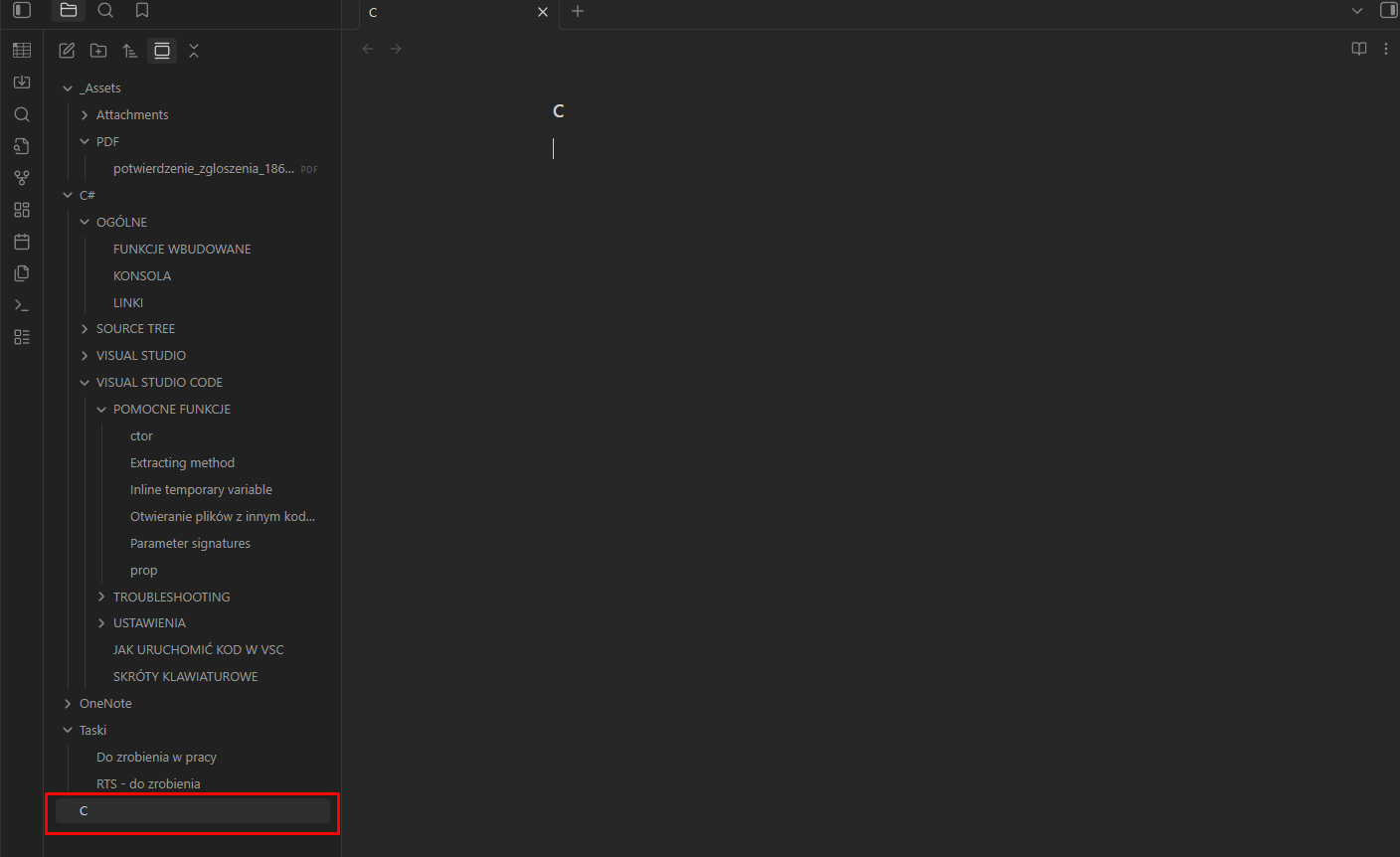
When I’m clicking on the node in the graph instead of opening that particular note, Obsidian creates new note “C” in root directory.
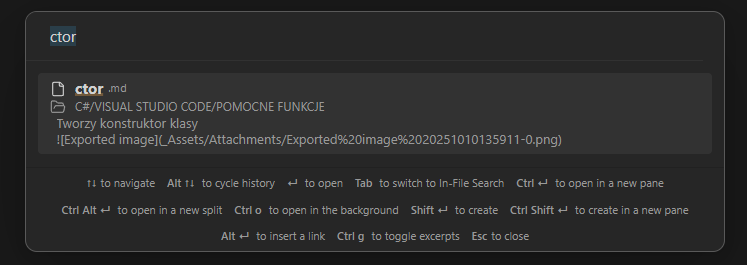
This also happens when searching through OmniSearch plugin.
The thing only happens on notes imported fron OneNote. With notes created by Obsidian - it doesn’t occur.
It also doeasnt occur with normal CTRL + O search.
Plead for help
Can anyone give me some direction on how to deal with that?
Obsidian doesn’t play will with the # character in paths. When Obsidian reached your #, it thought the file path was done. So all you got were the characters before it: “C.md”.
Options:
If your imported links are relative-enough to not include “C#” in the path, you can simply rename the folder. The links should work fine after that, including creating new notes from the links.
If any imported links do include “C#” in the paths, I would rename the folder in OneNote then redo the import.
Additional info
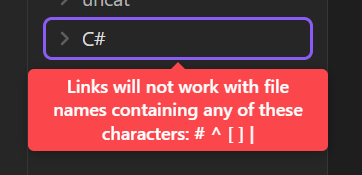
There’s s big ole warning when you manually name a folder, but importing—or even just using the OS file system—bypasses it: