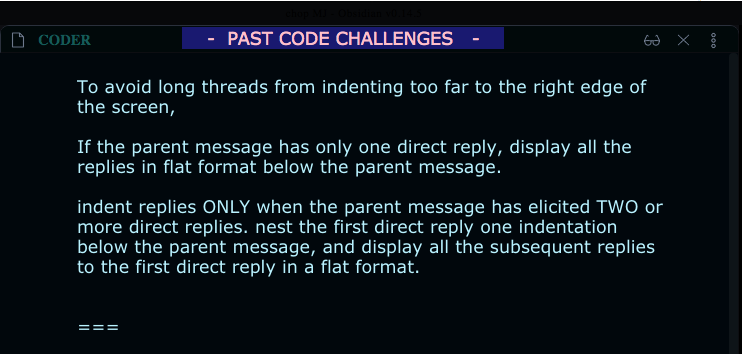
It works well for notes with long sections (such as book chapters).
It’s still rudimentary and unpolished.
What it does:
checks whether a long-section’s Header has scrolled above 30% to the viewport-top (and also checks the area above the viewport).
performs that check every 1000ms.
automatically stops that check when Obsidian is unfocused (if you switch applications), and resumes when Obsidian is refocused.
A Needed Improvement:
It works when scrolling Down a document, but does NOT work when scrolling Up a document.
This is because Obsidian uses a “dynamic DOM” to render only the CodeMirror-lines which are in the viewport and just above and below it.
That means - if you scroll Upwards into a long section, the upstream Header will not yet be loaded in the DOM (so there is no way to reach up and ‘grab’ it (until it’s almost in view)).
This can be observed in dev-tools, in the div called “CodeMirror-sizer”, specifically its first child, whose “top” property changes as you scroll up and down (thus dynamically loading/unloading the CodeMirror-lines of a long Note).
QUESTION: Is there a known method for ‘targeting’ elements which are above / below the dynamic-DOM?
That pastebin link expired, so I’ll post the javascript code for the basic Header Display here:
// HEADER DISPLAY 1.0

let docTitle = document.getElementsByClassName("view-header-title")[0];

//create Header Display box
let hDisplay = document.createElement("span");
hDisplay.className = "hDisplay";

let look = window.innerHeight * 0.3;
// console.log(look);

let prevTitle = "";

// start the check if obsidian is in focus
window.addEventListener("focus", function (event) {
	console.log("has focus");

	const timeBoss = setInterval(titleCheck, 1000);

	// get last header in rendered DOM, get scroll position relative to viewport
	function titleCheck() {
		let hTarget = document.querySelectorAll(".cm-header-1");
		let len = hTarget.length;
		let lastTarget = len < 1 ? "" : hTarget[len - 1];

		const { top: t } = lastTarget.getBoundingClientRect();
		console.log(t);

		let hTitle = lastTarget.innerHTML;
		console.log(hTitle);

		// if it's a new header, and it's above 30% from top of viewport, update Header Display
		if (
			hTitle &&
			typeof hTitle !== "undefined" &&
			hTitle !== prevTitle &&
			t < look
		) {
			prevTitle = hTitle;
			console.log(prevTitle);
			hDisplay.innerHTML = "    -  " + hTitle + "  -    ";
			docTitle.appendChild(hDisplay);
		}
	}

	// stop the check if Obsidian is unfocused
	window.addEventListener("blur", function (event) {
		console.log("lost focus");
		clearInterval(timeBoss);
	});
});
I used the “JavaScript Init” plugin to add it to Obsidian.
Arguably this thread could be merged into that one (and maybe someone else will do that) but for now I guess the “sticky” part of the request is distinct enough.