SYSTEM INFO:
Operating system: android 13 (samsung SM-N986U)
Obsidian version: 1.8.4 (186)
API version: v1.8.4
Login status: not logged in
Language: en
Live preview: on
Base theme: adapt to system
Community theme: none
Snippets enabled: 0
Restricted mode: on
RECOMMENDATIONS:
none
Additional information
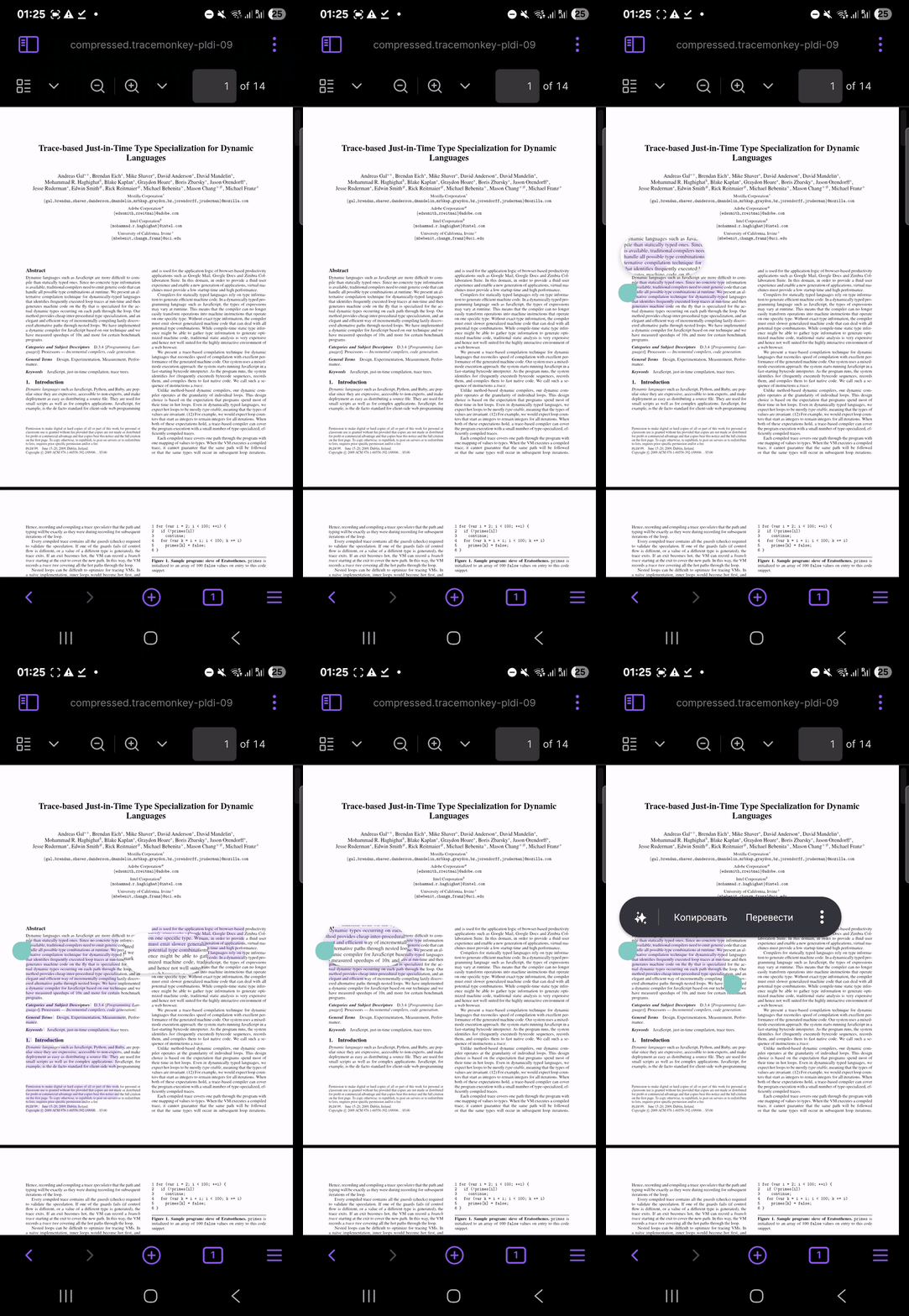
As of 1.8.4 selecting text is better in portrait mode, but still very imprecise and jumpy, though more consistent than it was. Selecting text in landscape mode is still basically not working. As soon as you move down a line the selection jumps to the bottom of the page. (For many pdfs with small font and big margins reading in landscape is necessary).
Here is a recording on 1.8.4, sandbox vault on Android.
I am still having this problem too. The bug you linked to said it was fixed but it does not seem like it. It is a bit easier to highlight, the selection jumps around less, and seems more predictable, but it is still pretty jumpy.
Im also experiencing this same thing on a Samsung tablet. I found other threads where they said changing zoom levels helps sometimes, but I have not been able to succesfully select paragraphs without selection going crazy.
Have this problem been solved? I managed to work it out on my lenovo tablet, but on my samsung phone pdf selection is still broken. I wanna upgrage my tablet, but I’m afraid that with higher resolution PDF selection will not work. Can anybody test text selection of samsung galaxy tab?
So I tried once again. Absolutely new vault without any plugins on android samsung s24+. PDF selection is unusable. This is a pretty crucial bug. What bothers me is that it’s as if nobody from obsidian team acknowledges its presence.
That’s good to hear! My apologies if this sounded rude, but my workflow in Obsidian is heavily dependent on working with PDFs. When I first encountered this bug, I waited around a year for a fix. Then there was an announcement that a similar bug had been resolved, but unfortunately, that wasn’t the case for me. That’s why I got concerned this bug will go unnoticed and become a permanent issue.
So, I bought a new Samsung Tablet (S9). At first, I was relieved that this bug almost didn’t affect the experience. Text selection was somewhat imprecise, with a little flickering, but it was a minor inconvenience. After some time, though, the bug reappeared. I realized this happened after I changed the font size in my Android settings. On the tablet, I returned it to the default values, and the bug disappeared. Then I tried it on my smartphone, and the bug suddenly disappeared there, too. In one of the previous replies, I incorrectly concluded that it depended on screen scaling, while the main source is the font size setting. Probably this is the reason why the bug was so persistently reproducible on all my Android devices, but few people wrote about it here—apparently, reducing the font size to the minimum isn’t a very popular setting.