Disclaimer
Is this plugin open source? Yes
Is this plugin completely free? No
Is this plugin vibe-coded beyond the author’s ability to comprehend how it works? No
Community Directory:https://community.obsidian.md/plugins/save-to-vault
I’ve been building Save2Vault, a plugin that saves posts and threads from X into your vault as Markdown. It just landed in the Obsidian community plugin store, and I’d like some honest feedback from people who actually live in their vaults.
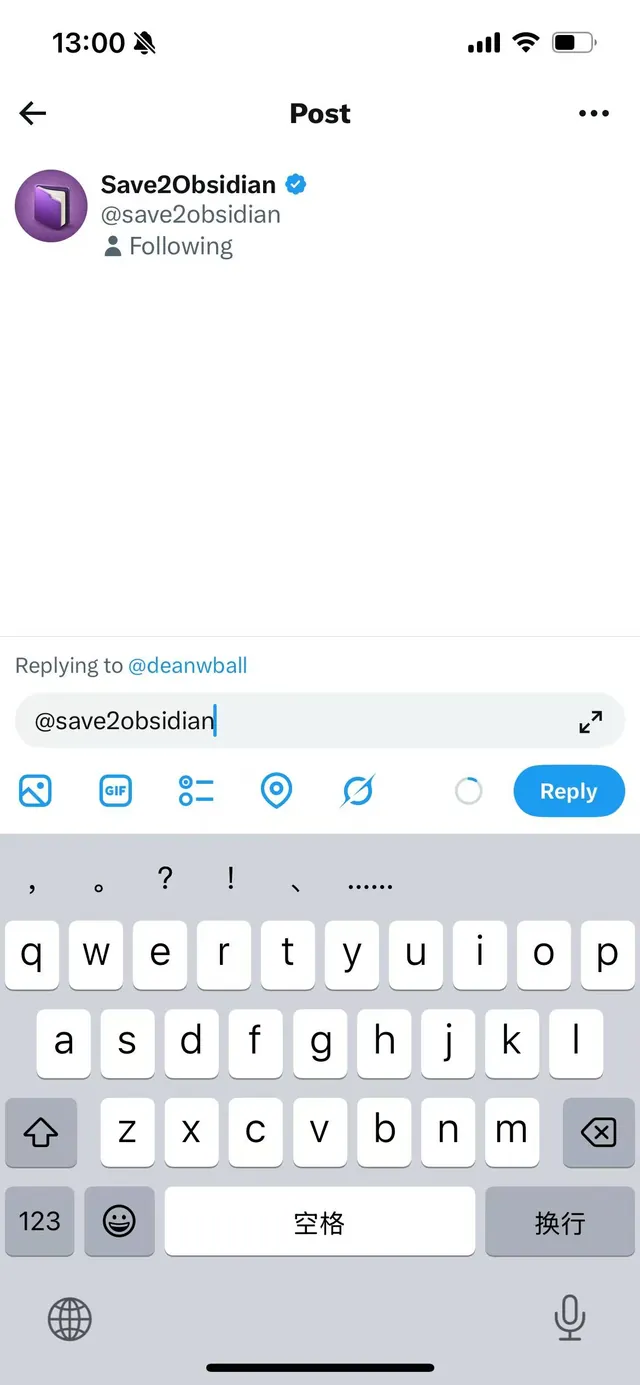
The idea is that saving should not require leaving the app you’re already in. Instead of screenshotting a post, or bookmarking it somewhere you’ll never revisit, you reply to it:
@save2obsidian
That’s the whole interaction. The post — with its thread context and images — shows up in your vault as a Markdown note.
How it works
- Sign in with X at
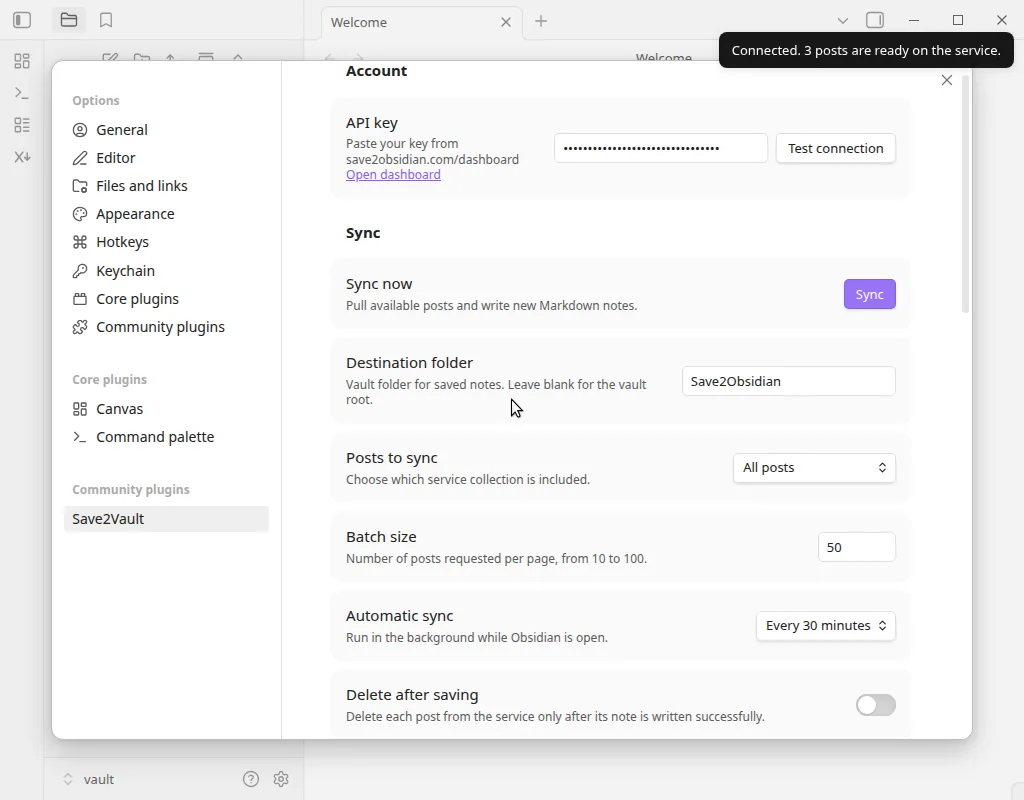
save2obsidian.comand copy your personal key from the dashboard - Install Save2Vault from Community plugins, paste the key, hit Test connection
- Reply
@save2obsidianunder any post
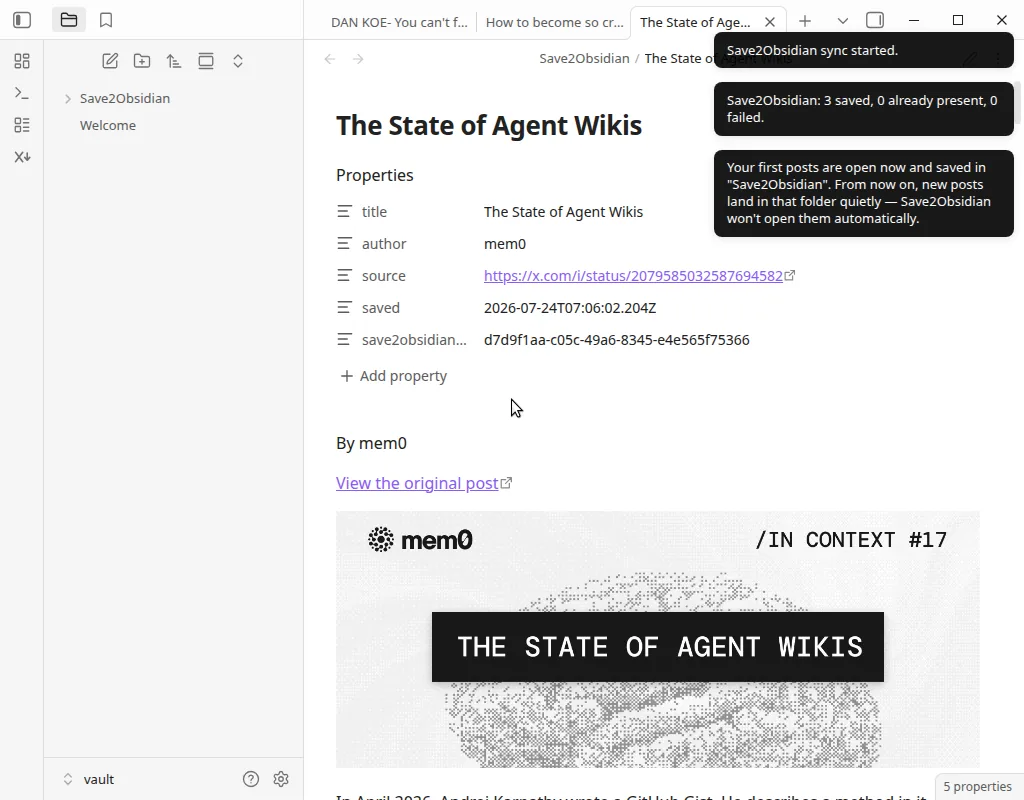
The plugin syncs on demand and, if you leave it on, every 30 minutes while Obsidian is open. First sync opens the new notes so you can see what you got; after that they land in the folder quietly without interrupting you.
What a note looks like
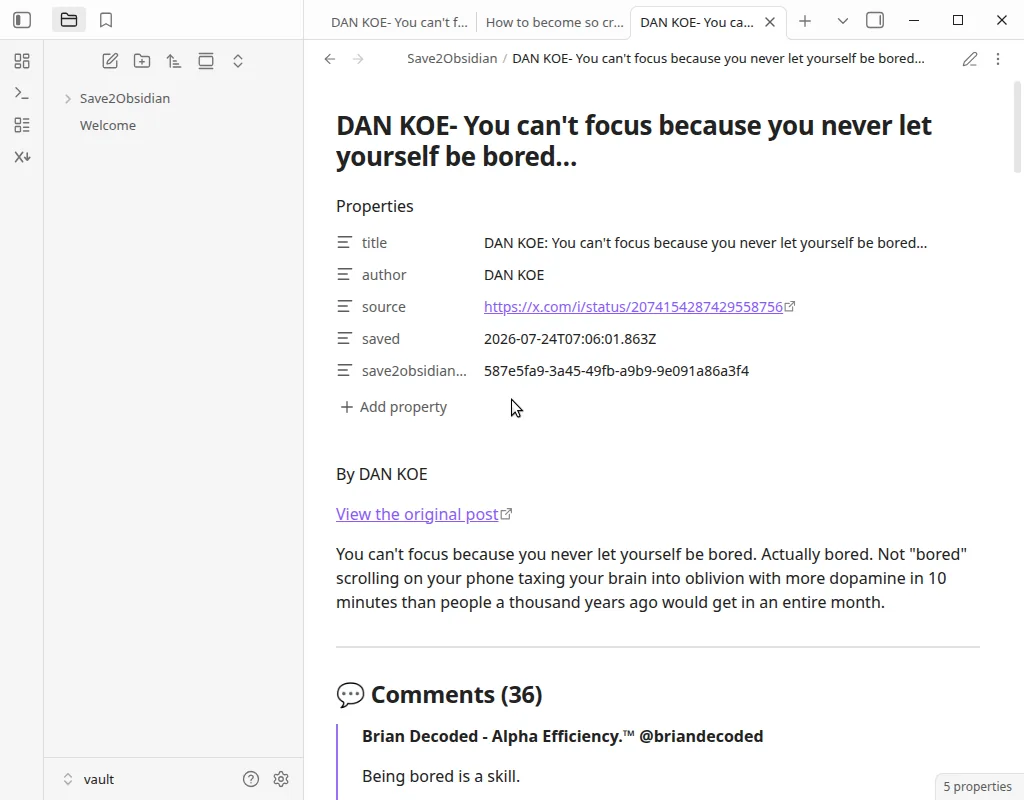
Default frontmatter:
---
title: ...
author: ...
source: https://x.com/...
saved: 2026-07-24T...
tags:
  - ...
save2obsidian_id: ...
---
save2obsidian_id is always added and is used for deduplication, so re-syncing won’t give you duplicate notes.
The body keeps the author, a link back to the original, and the post text with its thread context arranged as structured Markdown rather than one flat blob.
Both the frontmatter and the note body are Mustache templates you can rewrite in settings, and the file name is a separate template ({{{title}}} by default).
Privacy and permissions
Putting this up front, since it’s what I’d want to know first:
- X access is read-only. The app asks for permission to identify your account and read posts. It does not ask for permission to post, like, follow, or send DMs.
- The service does hold your saved posts between the moment you mention the bot and the moment your vault syncs. That’s how it works when your machine is offline.
- You can wipe that at any time — plugin settings has Clear all posts from the service, which permanently deletes everything held for your key. Notes already in your vault are untouched.
- The plugin is open source (MIT, on GitHub) so you can read exactly what runs inside your vault.
Settings
Destination folder · file name template · frontmatter template · note template · automatic sync interval (or off) · batch size · delete-from-service-after-saving · post images.
Images are worth calling out: by default notes keep online image links so the vault stays light. If you want fully offline notes, switch Post images to Download images into your vault and they’re written to an attachments/ subfolder next to your notes.
Known limitations
Being upfront about where it’s rough:
- Video posts are saved with their link, text, and available context — not transcribed. Transcription is planned but not there yet.
- Unlinking your X account isn’t self-service yet. Right now it’s an email to support; a settings page for it is on the list.
- It’s in public beta. Everything currently available is free while I figure out what people actually need. There’s a Pro tier sketched out on the pricing page, but nothing to buy and no checkout.
- Two steps of the setup guide still have placeholder screenshots. Working on it.
A couple of differences worth knowing
Not claiming these make it better than the existing options — several of which are good — just that they’re different:
- No X developer account or API token. The only key involved is the one you copy from your dashboard. If you’ve bounced off other tools at the “get a bearer token” step, this skips it.
- Works on mobile Obsidian, not desktop-only. Reply on your phone, and the note is there next time your phone’s Obsidian syncs.
What I’d like feedback on
- Does the note structure work for you, or are you going to immediately rewrite the templates? If so, what’s missing from the variables?
- For threads specifically — how much surrounding context do you actually want kept?
- Anything in the permissions model that would stop you from using this?
Happy to answer anything — reach me at [email protected] or in the Obsidian forum thread.