What I’m trying to do
When typing notes, I often make use of slashes “/“ in text, and I want this to remain as normal text. However, Obsidian automatically creates a hyperlink that obviously goes to nothing as this is simply text. For example, if I type a team project name that has a period in it as an abbreviation, and have a slash attached, it automatically treats this as a hyperlink. While I know that functionality may be preferred, I cannot find a way to remove the hyperlink after it’s created.
For example: if I have “TM.A/ProjectB” in the body of the note, it creates a hyperlink that cannot be removed. The use of this text notation for my work is not easily adjusted at a system level, and all notation for these types of teams/projects relies on the naming so if I change how I refer to these it will create more issues when searching and linking notes for the commonality.
Things I have tried
I’ve searched forums and other sites like Reddit for similar issues but could not find help on this. There are a number of posts about having slashes in titles, but this is in the body of the note itself.
There is also no option to simply “remove hyperlink” when right-clicking the new link which was my expectation originally. I could not find options in the settings to easily change this behavior either.
Hi.
A forward slash does not (should not) create a hyperlink in Obsidian. Possibly a plugin. Do you see the same error when using Help > Open Sandbox Vault?
What is the output from Help > Show Debug Info?
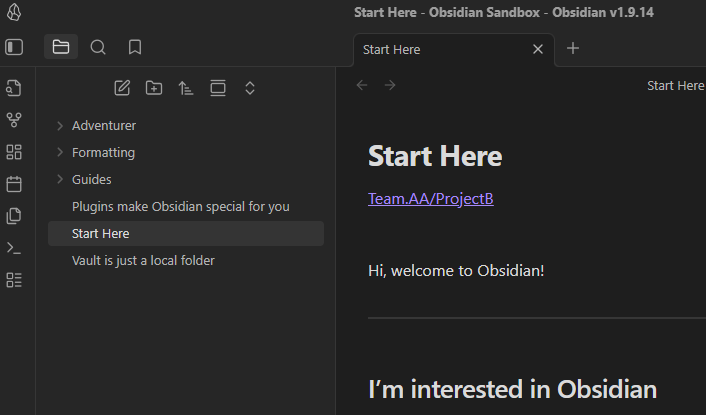
Sandbox Vault reproduces the same error in this case, example here:
For this, I just started typing the team name in the current product/project nomenclature and added a generic project after the forward slash.
Show Debug info here:
SYSTEM INFO:
Obsidian version: v1.9.14
Installer version: v1.8.10
Operating system: Windows 11 Enterprise 10.0.26100
Login status: logged in
Language: en
Catalyst license: none
Insider build toggle: off
Live preview: on
Base theme: dark
Community theme: Minimal v7.7.19
Snippets enabled: 0
Restricted mode: off
Plugins installed: 5
Plugins enabled: 5
1: Importer v1.6.19
2: Templater v2.11.1
3: Dataview v0.5.68
4: QuickAdd v1.13.2
5: Meta Bind v1.4.1
RECOMMENDATIONS:
Custom theme and snippets: for cosmetic issues, please first try updating your theme and disabling your snippets. If still not fixed, please try to make the issue happen in the Sandbox Vault or disable community theme and snippets.
Community plugins: for bugs, please first try updating all your plugins to latest. If still not fixed, please try to make the issue happen in the Sandbox Vault or disable community plugins.
1 Like
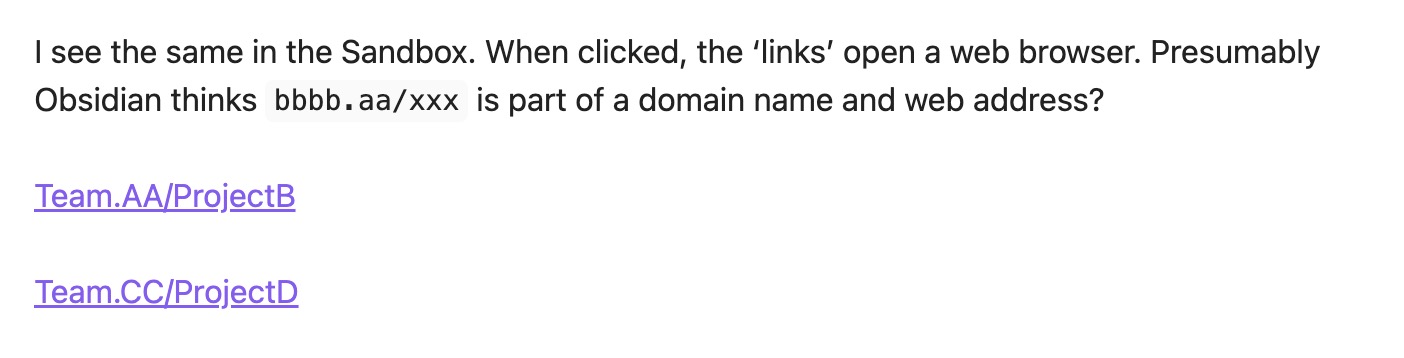
I see the same in the Sandbox. When clicked, the ‘links’ open a web browser. Presumably Obsidian thinks bbbb.aa/xxx is part of a domain name and web address?
In Reading mode it looks fine. Live Preview shows false links.
Team.AA/ProjectB

Team.CC/ProjectD
This is a quirk of Live Preview’s syntax highlighting. As shown by Reading View, it’s not actually a link. I thought there was a bug report about it, but if it exists I don’t have time to refine my search enough to find it. I did find this report which seems to be about the problem: Magnet link mistakenly recognized as hyperlink.