Back in December I outlined the problem of metadata below the note level – documentation with sections in different states, manuscripts with passages in different draft versions, research with claims at varying confidence levels. Several people in that thread shared workarounds (regex searches, inline conventions) and design ideas (YAML-based syntax, wrapper approaches).
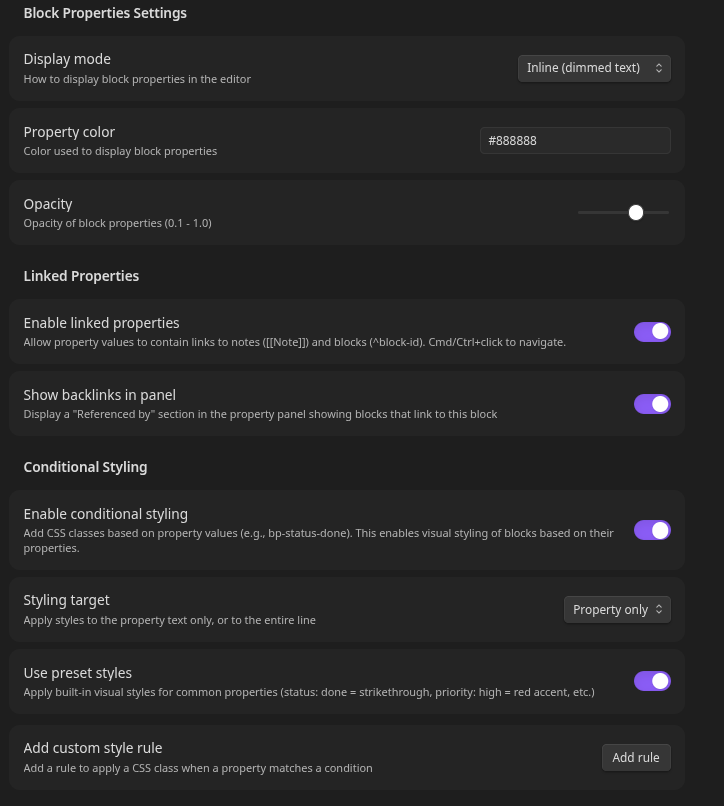
I’ve now built this as a plugin. The key design decision: property values can contain note links and block references, enabling relationship tracking between blocks.
What is Block Properties?
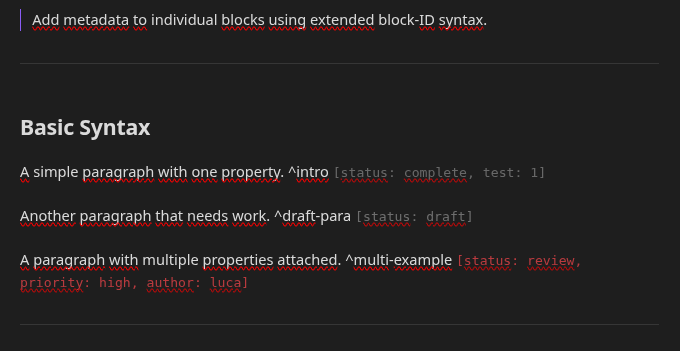
Block Properties extends Obsidian’s block reference syntax to include inline metadata:
This is a paragraph. ^intro [status: draft, priority: high]
Properties appear after the block ID in [key: value] format. The plugin provides visual styling, vault-wide search, and a property panel for navigation.
The core innovation: Property values can contain links, creating bidirectional relationships between blocks.
Linked Properties
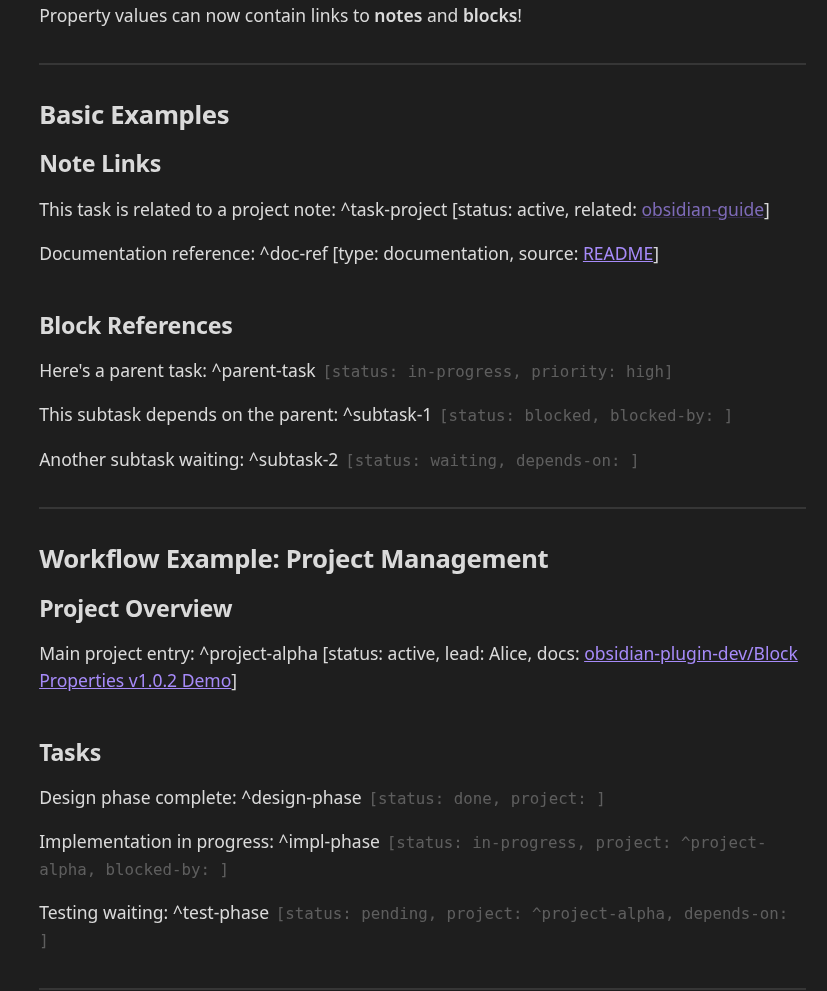
Property values can contain note links and block references, not just plain text:
^setup-database [status: done, type: infrastructure]

^implement-api [status: in-progress, depends-on: ^setup-database]

^write-tests [status: blocked, blocked-by: ^implement-api]

How It Works
Interactive Links
- Property Panel: Click any link to navigate
- Editor:
Cmd/Ctrl + Clickon property links - Hover: Links are highlighted for visibility
Backlink Tracking
The Property Panel shows “Referenced by” for each block:
^parent-task [status: in-progress]

Referenced by:
  → subtask-1 (blocked-by)
  → subtask-2 (depends-on)
This creates a bidirectional relationship view without leaving the current note.
Autocomplete Support
- Type
[[→ Shows notes from your vault - Type
^→ Shows block IDs from your vault - Select a suggestion to insert the complete link
Syntax
Note links:
^task-1 [status: active, docs: [[Project Documentation]]]

Block references:
^subtask [status: blocked, blocked-by: ^parent-task]

Mixed content:
^feature [spec: [[Design Doc]], depends: ^api-refactor, status: planned]
Visual Demo
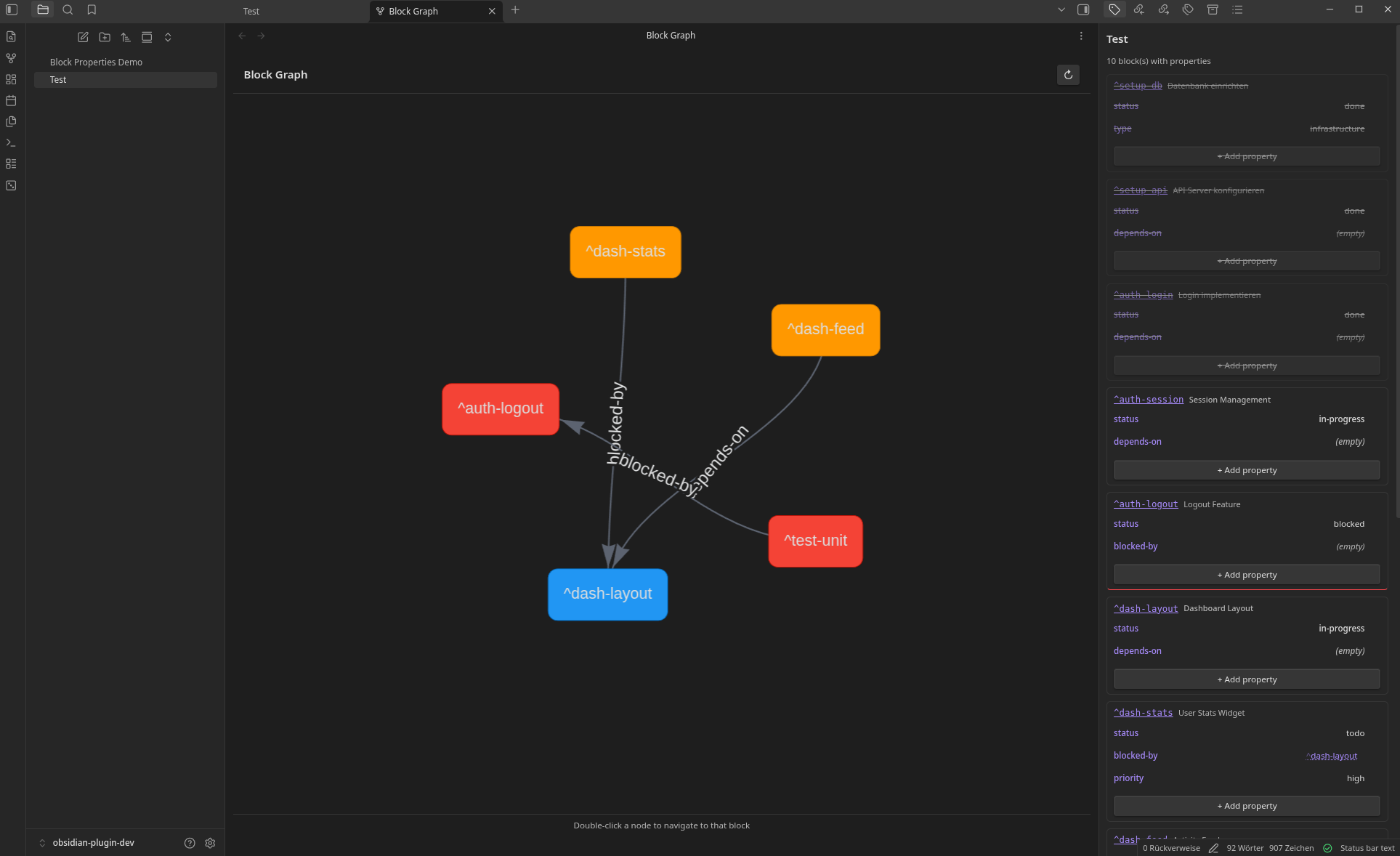
Editor with inline properties + Property Panel:

The screenshot shows:
- Left pane: Editor with inline properties (dimmed text after block IDs)
- Right sidebar: Property Panel listing all properties, organized by block
- Links: Clickable note links and block references in property values
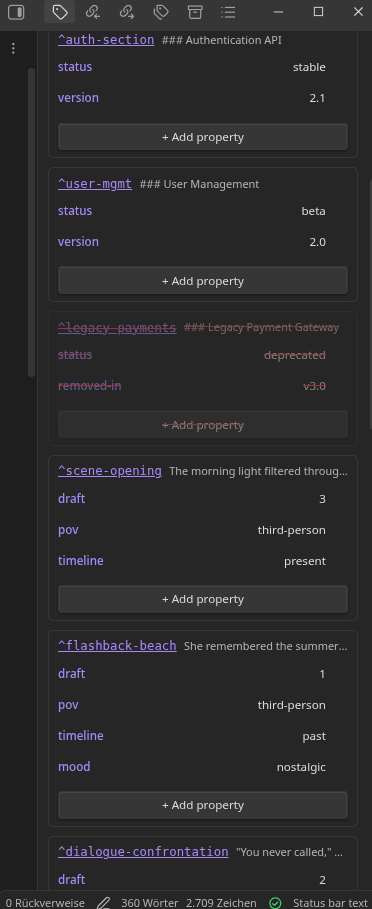
Property Panel detail:

The panel shows:
- All blocks with properties in the current note
- Properties grouped by block with clickable block-ID links
- Referenced by section showing backlinks
Use Cases
Task Dependencies
^setup-database [status: done, type: infrastructure]

^implement-api [status: in-progress, depends-on: ^setup-database]

^write-tests [status: blocked, blocked-by: ^implement-api]
Query status: blocked → See all blocked tasks with their dependencies visible
Cross-Reference Documentation
^api-endpoint [method: POST, spec: [[API Specification]], changelog: [[v2.0 Release Notes]]]

^legacy-endpoint [status: deprecated, migration: [[Migration Guide]], replaced-by: ^api-endpoint]
Click property links to navigate between related documentation sections
Research Connections
^hypothesis-a [status: supported, evidence: ^experiment-1, contradicts: ^old-theory]

^experiment-1 [date: 2024-01, supports: ^hypothesis-a, methodology: [[Research Methods]]]
Build a web of evidence and hypotheses with bidirectional links
Content Relationships (Creative Writing)
^chapter-3 [status: draft, continues: ^chapter-2, foreshadows: ^chapter-7]

^flashback-scene [timeline: past, references: ^chapter-1, mood: nostalgic]
Track narrative structure and cross-references in long-form writing
Technical Documentation
^auth-section [status: stable, version: 2.0, migration: [[v2.0 Migration]], tests: ^auth-tests]

^auth-tests [status: passing, covers: ^auth-section, last-run: 2026-01-14]
Link sections to their tests, specs, and migration guides
Core Features
Inline Metadata Syntax
- Extends
^block-idwith[key: value]pairs - Multiple properties:
[status: draft, priority: high, author: luca] - Linked values:
[depends-on: ^other-block]or[docs: [[Note]]]
Two Display Modes
- Inline: Properties shown as dimmed text (default)
- Badge: Compact numbered icon with hover tooltip
Vault-Wide Search
- Command: “Query block properties”
- Search by key, value, or both
- Results show matching blocks with jump links
Property Panel
- Sidebar showing all properties in current note
- Organized by block with clickable block-ID links
- “Referenced by” section showing backlinks
Autocomplete
- Key/value suggestions based on existing properties
- Link suggestions for
[[and^syntax - Speeds up property entry and prevents typos
Design Decisions
Why block-ID extension syntax?
I went with extending ^block-id rather than YAML (as @malecjan proposed in 2020) or wrapper syntax:
- Familiar: Looks like block refs with inline fields
- Minimal: No opening/closing markers, no extra lines
- Readable: Properties visible but unobtrusive in plain text
- Markdown-compatible: Renders as text in other editors
- Linkable: Existing link syntax works naturally
Why linked properties?
Block-level metadata becomes exponentially more powerful when blocks can reference each other:
- Task dependencies become explicit and navigable
- Documentation cross-references are bidirectional
- Research connections form a knowledge web
- Content relationships are queryable
This was a core design goal from the start, not an afterthought.
Why Not Alternatives?
vs. Regex searches (as discussed in the original thread):
- Structured: Machine-readable key-value pairs vs. pattern matching
- Discoverable: Autocomplete, visual indicators, property panel
- Relationships: Linked properties create navigable connections
vs. Splitting notes:
- Preserves document coherence
- No navigation overhead
- Properties travel with content
- Relationships stay visible in context
vs. Dataview inline fields:
- Block-scoped (not note-scoped)
- Query returns blocks, not notes
- Bidirectional relationship tracking
vs. Embed Metadata plugin:
- Different scope: Block-level vs. Note-level
- Different purpose: Adding metadata vs. Displaying frontmatter
- Complementary, not competing
Current Limitations
This is v1.0.0. Some things not yet implemented:
- Dataview API: Plugin doesn’t expose properties to Dataview queries (roadmapped)
- Property inheritance: Section properties don’t propagate to subsections
- Type validation: No enforcement of value types (dates, numbers)
- Bulk operations: No batch-editing across multiple blocks
- Graph view: Linked properties don’t appear in Obsidian’s graph (yet)
These are roadmapped based on community feedback.
Feedback Welcome
Specific things I’d value input on:
-
Linked properties use cases: What relationships would you track? Task dependencies? Research citations? Something else?
-
Syntax conflicts: Does
[key: value]or the link syntax clash with anything in your workflow? -
Display preferences: Inline (always visible) or badge (hover-reveal)? Does either feel intrusive?
-
Property inheritance: Should section properties apply to all blocks until the next heading? Or too much implicit behavior?
-
Graph integration: Should linked properties appear in Obsidian’s graph view?
-
Missing features: What would make this essential for your workflow?
Installation
Manual:
- Download from GitHub Release
- Extract to
.obsidian/plugins/block-properties/ - Enable in Settings → Community Plugins
Technical Notes
- Performance: Efficient parsing, minimal overhead even with linked properties
- Storage: Properties stored inline in Markdown (no separate index)
- Compatibility: Works with existing block references
- Link resolution: Uses Obsidian’s native link resolver
- Theming: CSS variables, respects theme colors
License: MIT
Repository: GitHub
Original Discussion: Feature Request Thread
This implements the December feature request with relationships as a first-class feature. Properties aren’t just attributes – they express connections. I’d like to hear whether this opens up use cases I haven’t considered.