From an Electronic Lab Notebook to Something Bigger
I started this plugin with a specific goal: create an Electronic Lab Notebook within Obsidian. As a scientist, I needed to manage chemical inventories, experimental samples, protocols, and results - all with rich metadata that links together. But as I built the underlying template system, I realized it could solve a much broader problem that many Obsidian users face.
Many workflows depend on notes with complex, structured metadata. Whether you’re managing a research lab, tracking projects, organizing recipes, or building a CRM system in Obsidian, you face similar challenges: maintaining consistent metadata structures, linking related notes meaningfully, and avoiding YAML formatting errors. The template architecture I built for the lab notebook can potentially handle all of these use cases.
This beta release focuses on the lab notebook implementation (since that’s what I needed!), but I’m sharing it because the underlying system might be useful for many other workflows. I’d love your feedback on what other applications would be valuable.
What Makes This Different
The plugin has two main components that work together (or independently):
Nested Properties Editor (NPE)
This is something many people have been asking for (Properties & Bases: Support multi-level YAML (Mapping of Mappings, nested attributes, )): a properties editor that can handle nested metadata structures. While Obsidian’s built-in properties editor works well for simple key-value pairs, it can’t handle nested objects and arrays. NPE renders complex nested metadata as an editable tree structure, so you can work with deeply nested objects, arrays, and mixed structures without manually editing YAML.
You can use NPE in two ways: open it as a side panel view to see your entire frontmatter, or embed it directly in your note using a custom code block. The code block approach is particularly useful because you can display and edit just a specific branch of your metadata:
key: meeting
// excludeKeys: meeting.type
actionButtons: false
cssclasses: npe-meeting
This would show only the meeting section of your metadata, which is handy for complex notes where you want to focus on one aspect at a time.
Template System
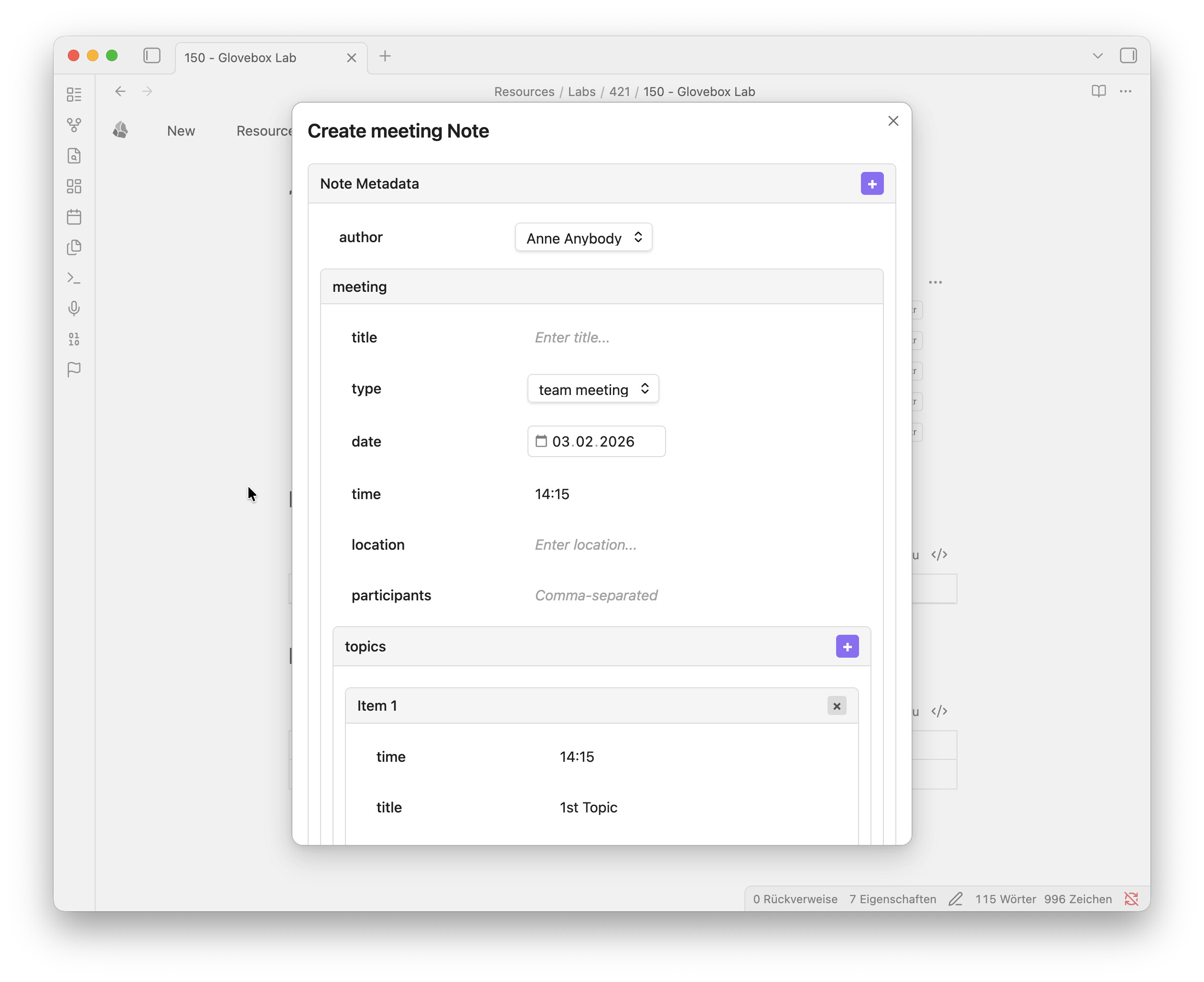
The template system provides pre-configured note types with inheritance, validation, and smart linking. When you create a new note, you get a modal dialog that’s dynamically generated based on the template definition - no need to remember field names or worry about YAML syntax.
In the lab notebook implementation, there are templates for chemicals (with property lookups from PubChem), samples that can be specialized into different subtypes, experiments, projects, and more. Fields can be static dropdowns or dynamic queries that search your vault for related notes.
Here’s a simplified example from the meeting template:
{
  "tags": {
    "showInModal": false,
    "inputType": "list",
    "default": {
      type: "function",
      context: ["userInput"],
      reactiveDeps: ["meeting.type"],
      expression: "[`meeting/${userInput.meeting.type.replace(/\\s/g, '_')}`]",
      fallback: ["meeting/unknown"]
    }
  },
  "meeting": {
    "title": {
      "showInModal": true,
      "inputType": "text",
      "default": ""
    },
    "type": {
      "showInModal": true,
      "inputType": "dropdown",
      "options": ["team meeting", "project meeting", "client meeting", "workshop", "conference"]
    },
    "date": {
      "showInModal": true,
      "inputType": "date",
      "default": {
        type: "function",
        context: ["date"],
        expression: "date.today"
      }
    },
    "participants": {
      "showInModal": true,
      "inputType": "list",
      "listType": "text",
      "default": []
    }
  }
}
The showInModal parameter determines whether the field appears in the creation modal - notice that tags is set to false because it’s automatically generated. The inputType defines what kind of input widget to use (text, date, dropdown, list, etc.). Default values can be static or dynamic expressions with access to context (like date, settings, userInput). The reactiveDeps array specifies which fields this value depends on, so when the user selects “team meeting” in the modal, the tags field automatically becomes ["meeting/team_meeting"]. This template would generate a modal with fields for meeting details, and the resulting metadata is automatically written to the note’s frontmatter.
The template system also handles the markdown content of notes, not just metadata. You can define templates for the note body that dynamically insert fields like dates, metadata from user input, or other contextual information. This means both the structure and the initial content of your notes can be templated and consistent.
Currently, the template system and NPE work independently - templates define the structure for new notes, while NPE helps you edit any existing metadata. In future versions, NPE will become template-aware, so it can provide better validation and input assistance when editing notes that were created from templates.
But here’s the interesting part: this same architecture could work for project management templates (tasks, milestones, deliverables), recipe collections (ingredients with units, techniques, nutrition info), CRM systems (contacts, companies, interactions), or any other domain that needs structured, interconnected notes.
Current State: Lab Notebook Implementation
Since I built this for my own research needs, the current version is fully focused on scientific lab work:
- Chemical database with periodic table viewer and structure editor
- Sample tracking with hierarchical types (compound → electrode → electrochemical cell)
- Experiment and protocol management
- Automatic property lookups from PubChem
- Hazard statement integration
- Unit-aware fields for measurements
This demonstrates what the architecture can do, though it’s admittedly very specialized. Future versions will allow users to customize templates or install different template packages for their own domains.
Development Roadmap
The next major update will focus on improving the template system itself - implementing a more flexible syntax for dynamic fields and queries, and allowing users to load custom templates from JSON files. This would let you define your own metadata structures without modifying the plugin code.
Eventually, the lab notebook functionality might just be one installable package among many, rather than being built into the plugin. A visual template builder would be nice to have down the road, but that’s a longer-term goal.
That leads to a practical question: the current name “Electronic Lab Notebook” makes sense for what it does now, but not for where it’s heading. Once templates become customizable, I’ll probably rename it to something more general. If you have suggestions for a name that captures “template architecture for structured metadata” without being domain-specific, I’d love to hear them.
Some ideas I’ve been considering:
- Structured Notes
- MetaForge
- MetaTemplate
- Template Architect
Screenshots
Nested Properties Editor (side panel and embedded in note)

Note Creation Dialog
Please note that the note creation dialog is dynamically rendered based on the selected note template.
Embedded Image Viewer
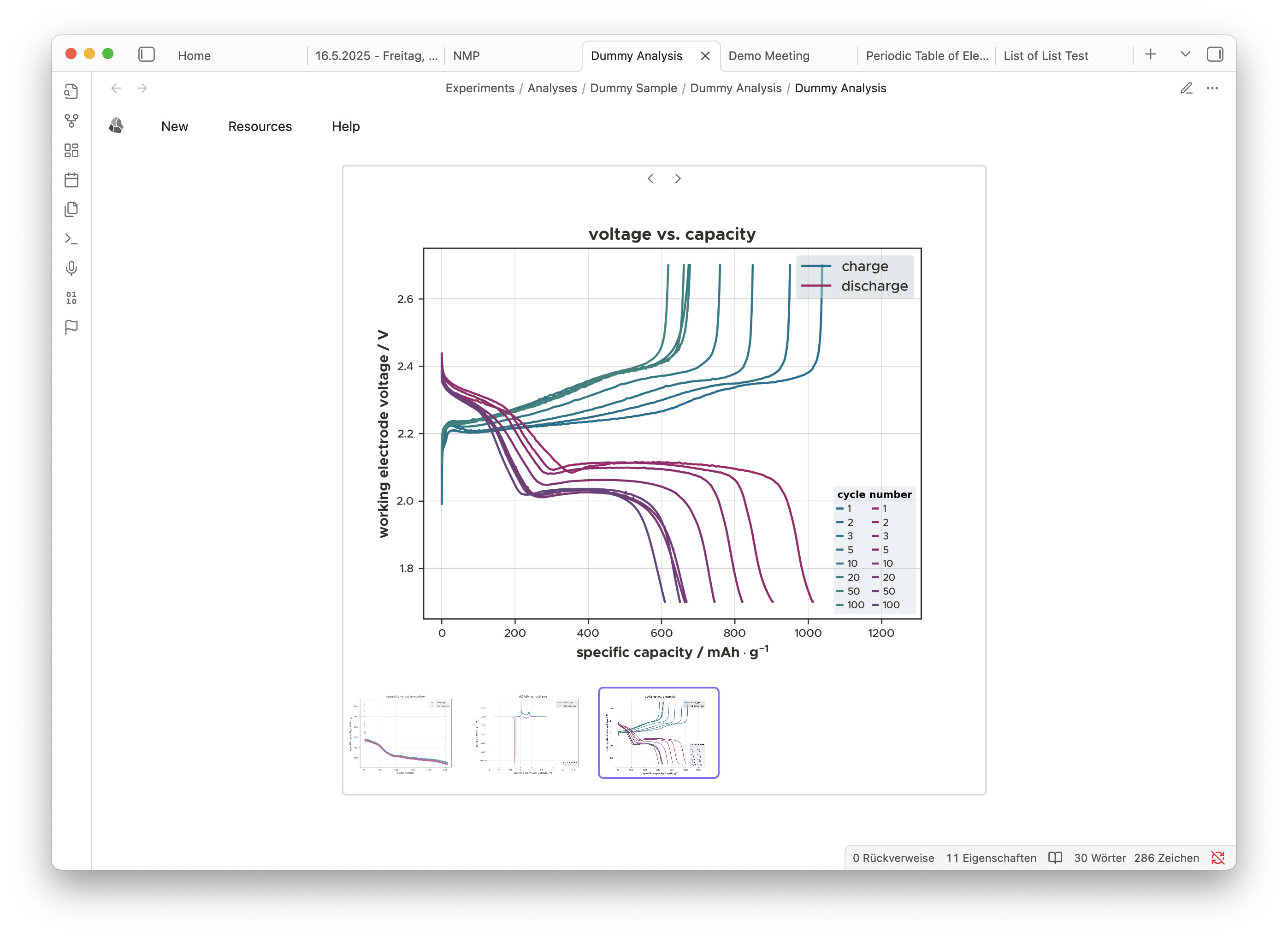
The embedded image viewer can display images from a specified folder and you can choose either to manually cycle through them and even have a thumbnail preview as shown below to display scientific graphs of a sample. It also offers a slide show mode, automatically changing the images at a given interval either sequentially or in a random order.
What Would You Use This For?
This is where I really need community input. If you could install template packages for any domain, what would be most useful? Some possibilities:
- Project management (tasks, milestones, team members, deliverables)
- CRM or contact management (people, companies, interactions, deals)
- Recipe collection (ingredients, techniques, meal planning)
- Academic research beyond lab work (papers, citations, reading notes)
- Home or business inventory
- Freelance work tracking (clients, projects, invoices, time)
- Course notes and assignment tracking
- Media collections (books, movies, games)
What metadata structures do you currently manage in Obsidian that would benefit from visual editing and validation?
Try It Out
If this sounds interesting, the plugin is available as a beta on GitHub. You can either download a ready made test-vault with several sample notes or install it via the BRAT plugin (Beta Reviewers Auto-update Tester) for automatic updates, or manually if you prefer. Full installation instructions, documentation, and the repository are at:
github.com/fcskit/obsidian-eln-plugin
Fair warning: this is beta software focused on lab notebooks right now. Back up your vault before trying it, and expect that the template system will change significantly in v0.8.0 when customization is added. The core features are stable (I’ve been using it daily and fixed 15+ bugs recently), but it’s definitely still evolving.
If you encounter bugs or have feature requests, GitHub Issues and Discussions are the best places to share feedback. The plugin has a debug logging system - there’s a “Debug Settings” command that makes it easy to enable logging and generate reports if you hit problems.
Thanks for reading! I’m curious to hear your thoughts on both the approach and what applications would be most valuable to build.
