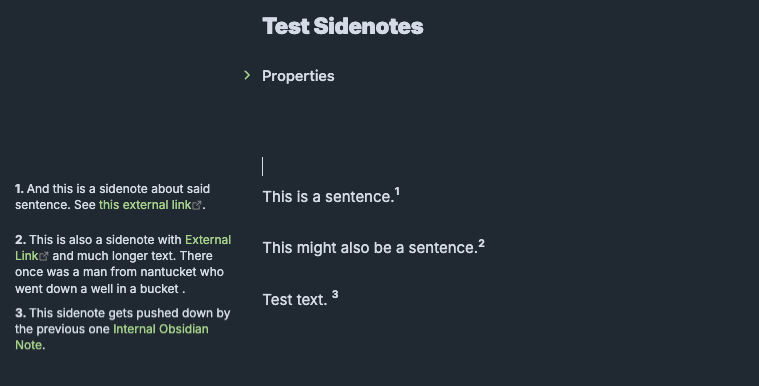
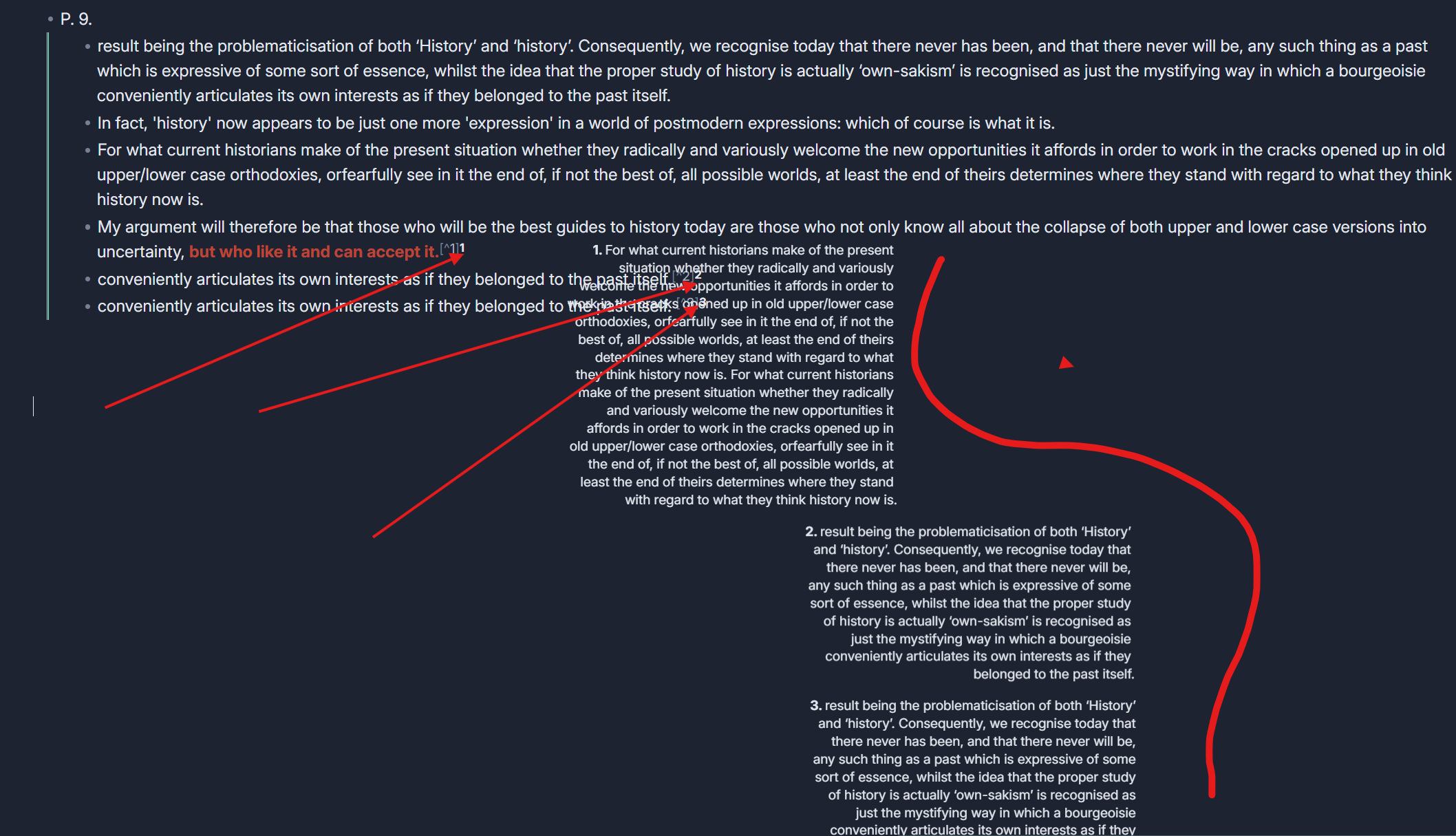
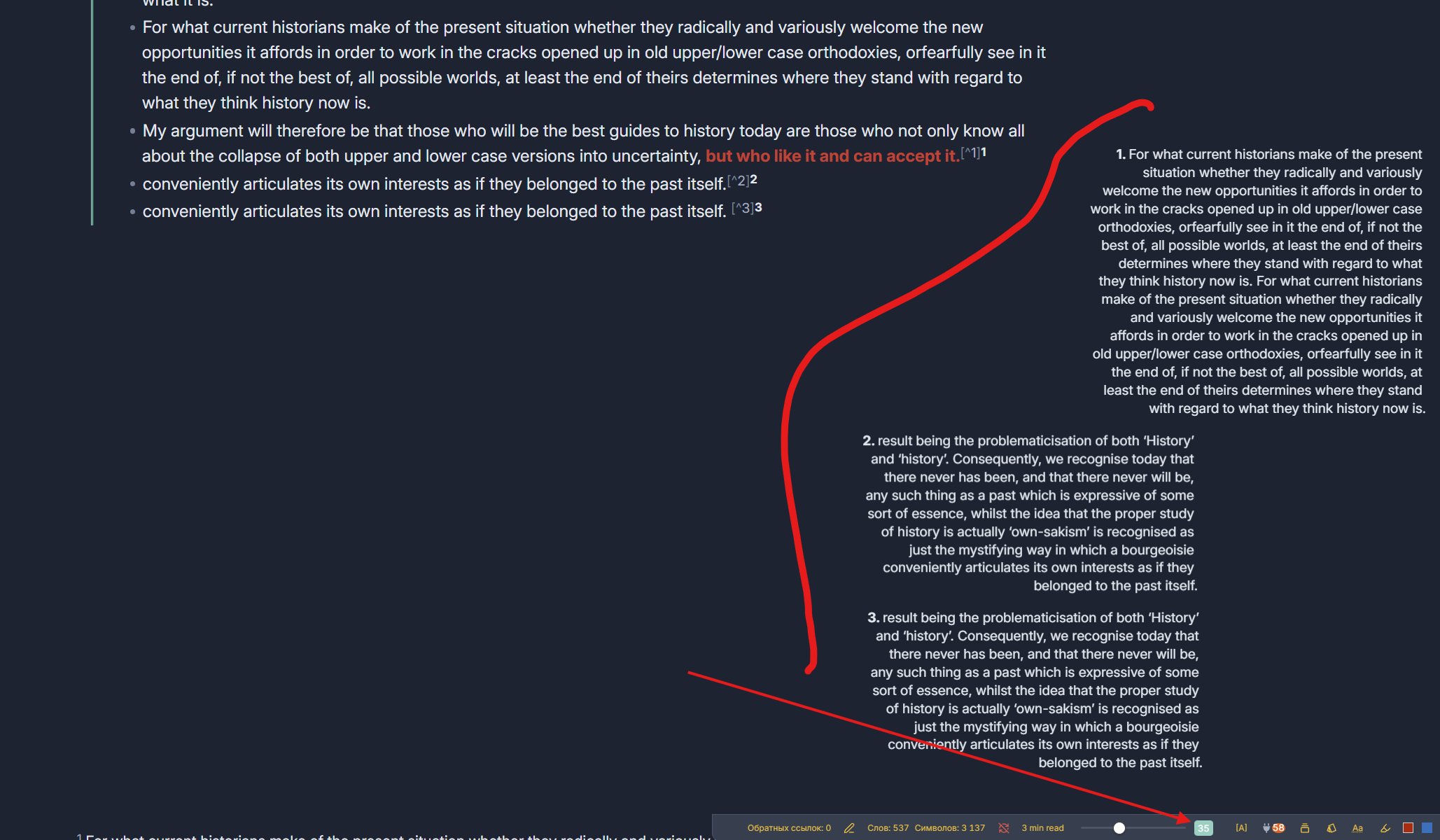
This is a plugin I’ve prototyped in order to solve a problem. I’ve seen multiple strategies for incorporating sidenotes and margin notes. I had cobbled together a CSS snipper that worked pretty well but CSS alone had limitations. The links in the sidenotes were not clickable. I couldn’t quite get incrementing numbers to work. So I put together this plugin to try to solve my problem.
Sidenotes (GitHub)
Features:
-
Sidenotes: Allows you to write sidenotes which show in the left side margin next to a note’s main body. Because these are meant to show in the margins, one can’t really fully use this in mobile.
-
Customize:
- Show sidenotes in left or right margin
- Arabic numbers, Roman, letters, or no numbers
- Customize spacing to tweak how it takes up space in the margin
- Customize font size, line height, text alignment
-
Links in sidenotes: The plugin makes sure links in sidenotes appear as links.
-
Superscript numbers can be added to the text. The numbers increment automatically.
-
Dynamic styling: Font size shrinks as horizontal space get smaller. At a certain breakpoint, sidenotes hide when a window gets too skinny.
-
Works in Editing and Reading modes
So far, the features seem to work. I just haven’t put enough time in finding little edge case errors/glitches.
Start an issue in the repo if you find experience bugs or performance issues. Suggest features you think would improve it.
Once it’s shown to be stable, I’ll consider submitting this to the Community Plugins repository yet. I’d rather make sure it’s stable first.
16 Likes
Hi, I just want to say a huge thank you for this plugin. As someone who’s worked with text a lot, footnotes and their visual accessibility are very important to me. Essentially, you implemented the Conrell Note style footnote functionality that TFTHacker had been developing, and honestly I like your version much more. TFTHacker’s version suffers from various shortcomings, like text overlapping when two or more footnotes are close together and footnotes not being visible in subpoints when taking notes in bullet point way. I haven’t tested your plugin yet, but I pretty like the concept and the implementation. I am particularly pleased with the option to place footnotes on both sides (left or right) - it’s fantastic. I’ll be eagerly awaiting its inclusion in the official community plugins.
5 Likes
I tested your plugin and would like to add that it would be great to see the plugin integrated with footnotes in Obsidian directly, as this would make it quite convenient to interact with notes and edit footnote content. If you implemented interaction with footnotes (CSS and so on), this plugin would be indispensable.
P.S. In addition, I miss the ability to click on the location of the sidenotes in the text and edit it “in place” in the area to the right or left, if necessary.
1 Like
Thanks for the feedback. I understand your suggestion about clicking the location of the sidenote - it’s a good idea but I’ll have to see if I can work out a way to do that.
Can you explain your first suggestion - integrating with footnotes in Obsidian? Do you mean something like having the option to turn what would be footnotes into sidenotes?
I was able to come up with a way to edit the notes in the margin.
I also fixes some styling bits - line height was being nudged down by the superscript numbers. Improved the function that keeps sidenotes from colliding in Reading Mode.
Newest release (0.1.1) incorporates these.
2 Likes
Yea, displaying typical footnotes in the margins in edit and read modes with integration the same functions and CSS elements. I am not programmer and don’t really know if it’s possible, but this feature would be amazing. For consideration, several years ago, one of the users presented a similar plugin specifically for footnotes, but many years have passed, Obsidian has changed, and now this plugin is pretty outdated and, in fact, does not work at all. ( GitHub - FelixHT/obsidian_side_notes )
P.S. If you refine this plugin with footnotes, it will be indispensable
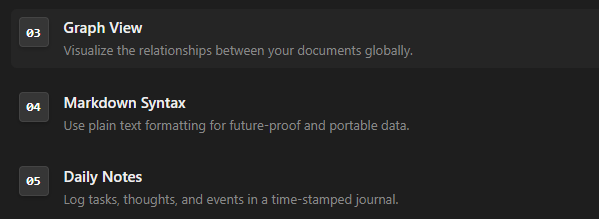
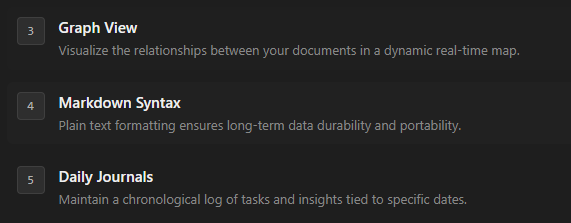
As an addition, it may sound like a question, but is it possible to somehow change the appearance of numbers in the text so that they stand out against the background? Perhaps change their appearance or assign special icons to them, because with a large amount of text, they blend in and are sometimes pretty difficult to recognize (I attached a version of how it might look. As far as I remember, this style of icon is called Neumorphism). You can also try integrating a number of items in the settings that affect color. Text color and number color may seem very important and necessary to some people because they may have different themes and backgrounds. This feature with colors is implemented in Felix’s plugin. Maybe you can get something useful from there.
Also, I noticed that it is not possible to apply bold or italic styles to highlight important points separately. (Markdown style doesn’t work)
Also, when the text is completely deleted from the block during in-place editing and it becomes empty, I am immediately taken to the very beginning of the note.
P.S. Editing notes directly in the margins is fantastic!
1 Like
I managed to work on the CSS and I think I’ve implemented the number style I mentioned above. I’m attaching the CSS below, maybe you’ll find this idea interesting.
Neumorphism.css (1.9 KB)
Great I’ll work on these:
-
an option to customize color to the sidenote numbers.
-
an option for some kind of neumorphism style to make them stand out.
-
the glitch with editing in the margin and it sending to the top of the note.
Regarding converting footnotes to sidenotes, I was able to get it to work in Reading Mode only. In Editing mode, they would only show up as footnotes. CodeMirror 6 (which Obsidian uses for the editor) doesn’t seem to consistently apply a specific class to footnote references like [^1]. I’ll keep experimenting with it though.
Thanks for testing it out and the feedback.
Even in read mode, displaying footnotes would be a great result! Although, I think theoretically it could be implemented in edit mode as well. A similar plugin from Felix that I mentioned seems to have managed to achieve display in edit mode.
Anyway, thank you for your plugin, it is really useful for the community and I think that not only I will need it.
P.S. If I find any more bugs or have any ideas, I’ll write about them here. I’ll also try to test newer versions and give feedback.
I also pointed out the problem with the bold and italic styles, I hope you haven’t forgotten. 
1 Like
I double-checked, and indeed, the Felix plugin settings do include an implementation with control over read and edit modes.
The newest release (0.1.4) incorporates most of your suggestions.
Added:
-
Basic Markdown support (bold, italic, and inline code)
-
2 new styles for sidenote numbers (neumorphic badge and pill)
-
Option to convert footnotes to sidenotes (Reading Mode Only - a reliable technique for Editing Mode has not been determined yet)
Fixed:
-
Issues with editing sidenotes in margin. When editing/deleting contents it would reset scroller to the top of the note. Also, it was possible to update the wrong sidenote if two sidenotes had the same contents.
-
Numbering consistency. Sometimes numbers would reset after being edited. Sidenote 5 would become labeled 1.
1 Like
Working on trying to reproduce FelixHT’s method of converting footnotes to sidenotes in Editing Mode. If I get that to work, I’ll add converting footnotes to sidenotes in Editing Mode as well.
That’s amazing! I’ll check for bugs again soon and maybe add something else. I’ll be eagerly awaiting the footnotes in edit mode. Thank you so much!
1 Like
Please let me know here when you release a new version or when you manage to fix the footnotes in edit mode
Bug report about version 0.1.4. and suggestions
-
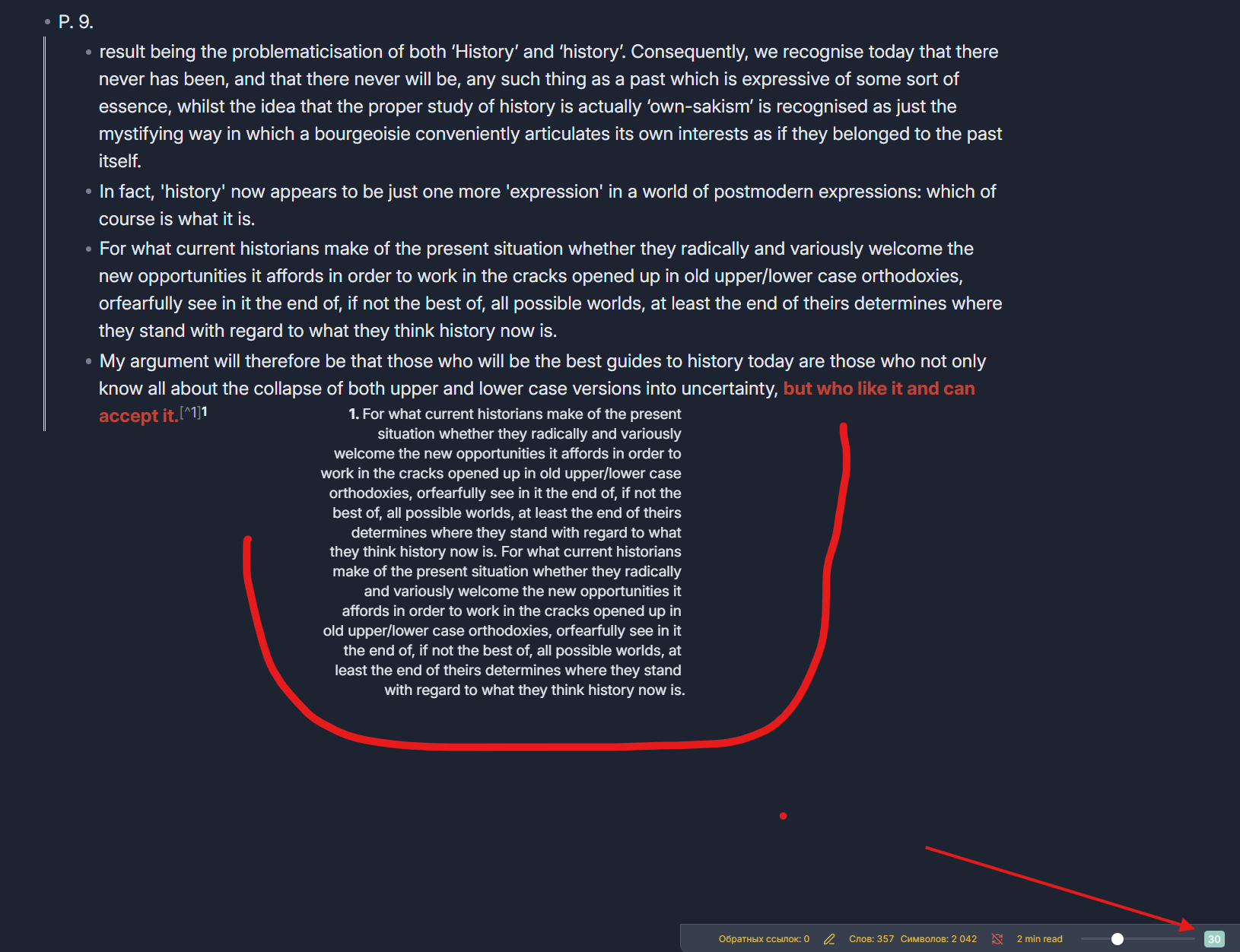
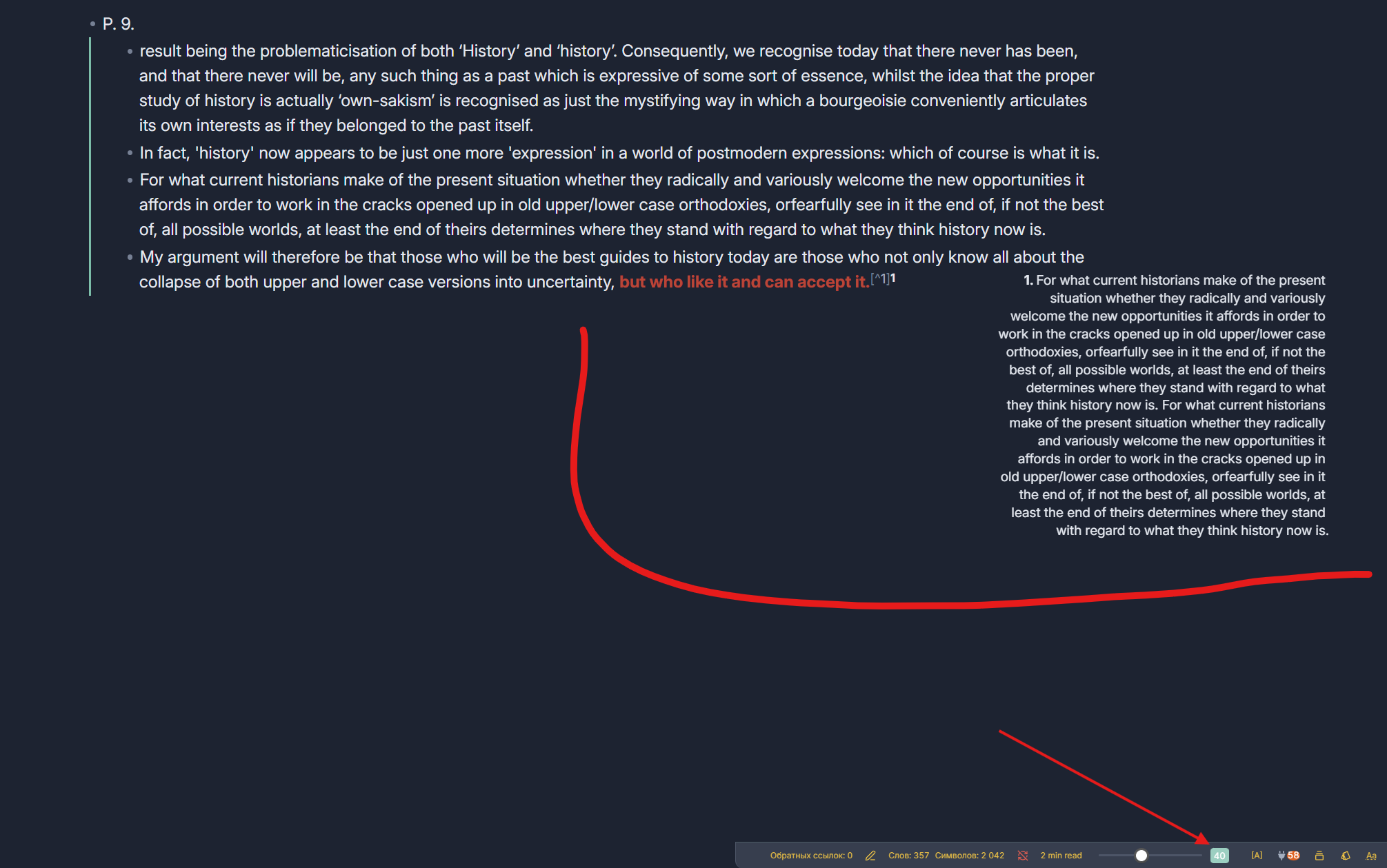
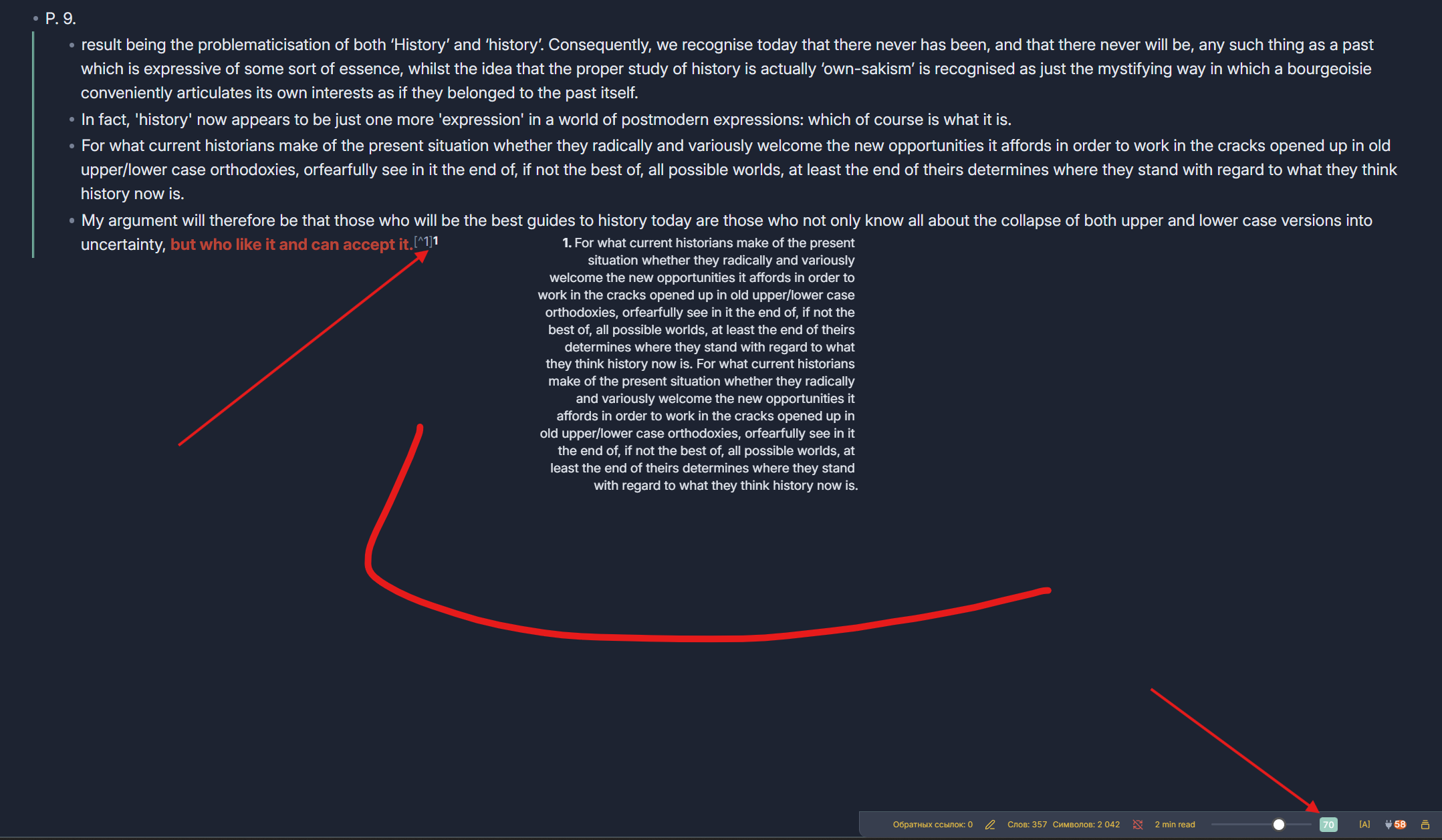
Very small value for gap between sidenote and text. I have a large widescreen monitor and a fairly wide note. The value set at 5 points is significantly insufficient for my case. As a result, the sidenotes overlap the text of the note. This happens with different test values of 30, 40, and 70. As you can see, the text overlaps.
-
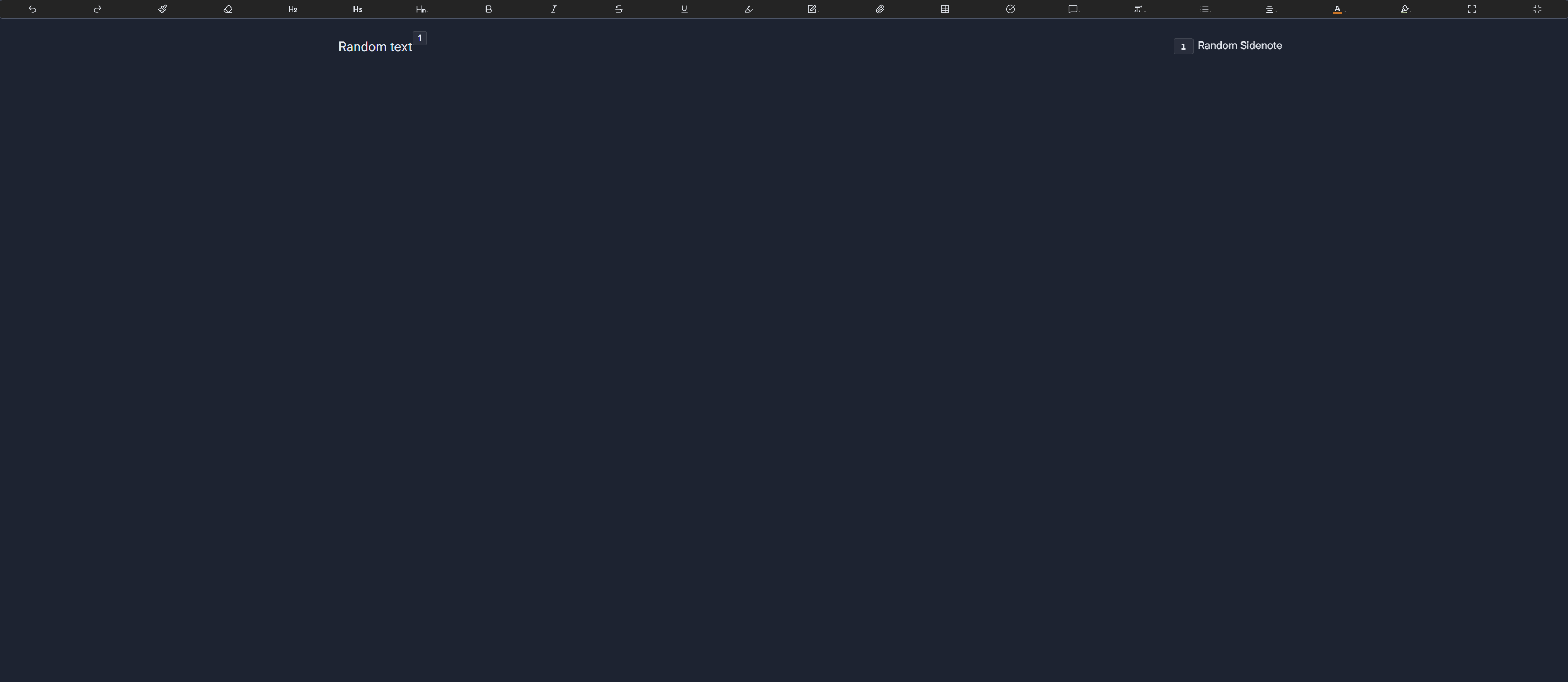
The numbers for the footnote and the block itself are duplicated. In the second screenshot, we can see the number 1 twice, and the same thing happens with other numbers. They are duplicated twice.
-
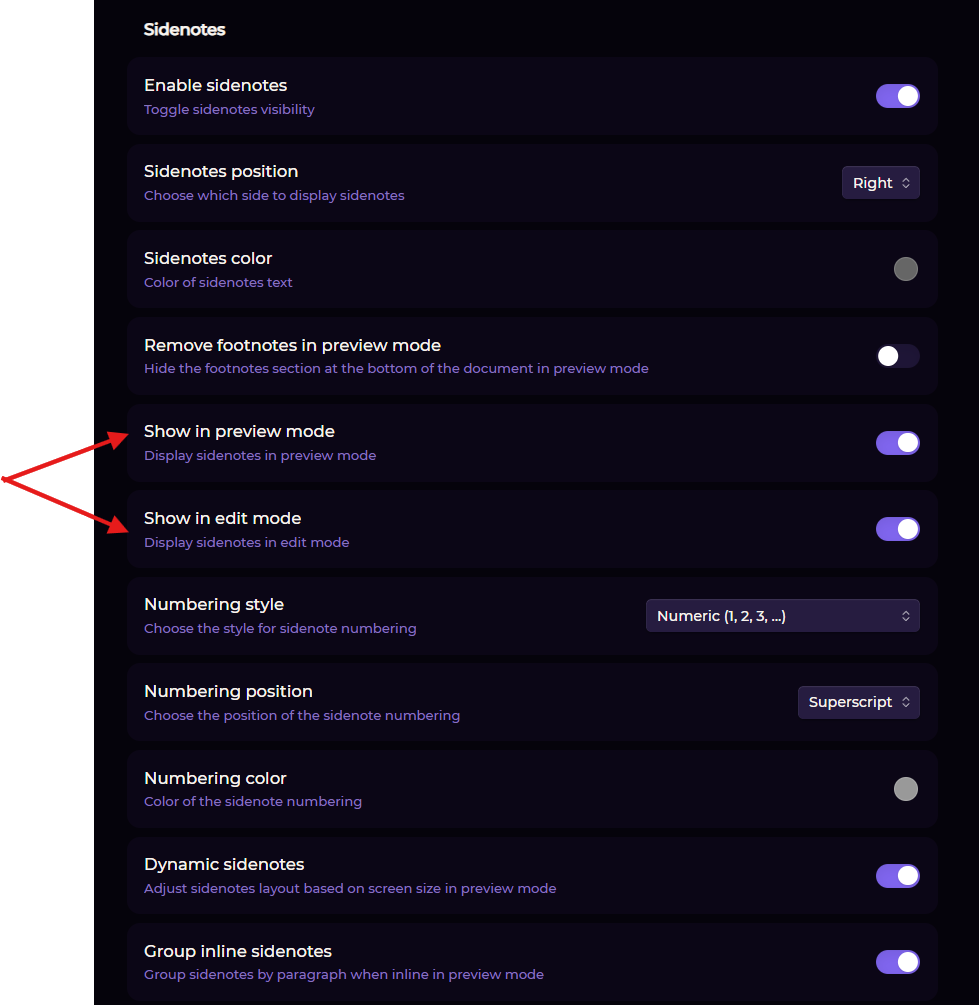
Apparently, you made a mistake, but in edit mode, the footnotes are clearly visible on the side, while in read mode, they are missing.
-
If there is more than one footnote, there is a very severe shift in paragraphs and style. The maximum value of the Collusion spacing parameter is also insufficient. Only with a width of 52 does the display of side footnotes more or less align. Otherwise, this becomes a very big problem.
-
It is not possible to edit footnotes in the sidebar on the spot, as is the case with regular sidenotes.
Yeah I’ll have to keep experimenting with converting footnotes. Sorry for the crappy implementation. I released that a little too quickly.
I complicated things by having it look for both HTML tag side notes as well as footnotes. But no one is going to be using both, realistically. It should just be one or the other. So I think I’ll create a setting where you can decide which format you want to use.
I’ll also take your other points in mind as well.
You are right about footnotes and sidenotes. Most people will choose only one option that is convenient for them.
I mentioned this in the report, but I will also add to it. The parameters “gap between sidenote and text” and “Collusion spacing” need to be increased in any case, not only in relation to footnotes, but in principle for sidenotes. People like me, with widescreen monitors and stretched notes, will have problems with the text being too close. In theory, you just need to increase the values and the number of multiplied pixels or something like that in the CSS or JS files. I don’t think it’s difficult.
P.S. In any case, thank you very much for your efforts and for not abandoning the plugin halfway through.
The new release, 0.1.5, hopefully fixes issues using footnotes.
It should hopefully work better in Editing Mode as well as Reading Mode. This includes being able to click on them and edit them in the margins (this only works in Editing mode because you dont edit in Reading Mode).
I also made it possible to increase the gap much more.
I also fixed some issues with Markdown processing (bold, italic, links, and code) when using footnotes.
Let me know if you see any issues or have more suggestions. Cheers.
I also added an option to anchor the sidenotes to the edge of the editor, as well as the original style of anchoring them to the note’s text.
I released this as 0.1.6.