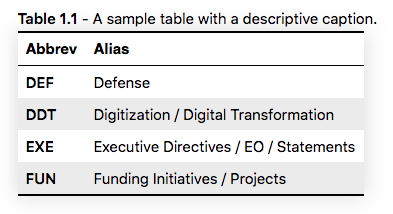
I wanted some of my Obsidian tables to resemble Latex tables, so I got this CSS that kinda does the job. Mind you I’m new to Obsidian and this may not work for everyone, I’m no computer wizard.
Specify the CSS class on frontmatter for the note:
It’s just a cosmetic thing, I’m still lurking about on how to have some dynamic tables inside my notes (ie. embeded airtable views,) and I’m yet to explore how that Dataview plugin might automate things inside Obsidian, but this works fine to keep note tables visuals the Latex way.
The css file is at the right location ([vault]/obsidian/snippets);
The snippet is activated under “CSS snippets” option
The CSS class is defined as specified above on the note frontmatter
I see no reason why it shouldn’t, as the CSS content above would apply to any table inside the note with that class parameter. Check these and let me know!
it is really good looking table. thank you!
btw I wonder if there were any way I could apply dark mode variation so I could use white font color and different background colour. it really works great on light theme while the black font colour becomes invisible when I switch to dark mode. any idea, tip, or suggestion?
I remember you also showed how to give the table rounded corners, but I cannot remember how, and I have not found it here. All I remember is to put in the YAML cssclass: academia, academia rounded.
Where can I find the CSS code to make that happen?