First, search the help docs and this forum. Maybe your question has been answered! The debugging steps can help, too. Still stuck? Delete this line and proceed.
I’ve been testing Note Database for my editorial calendar in Obsidian, and I really like the plugin. The different views, especially the calendar and gallery views, are excellent. However, I have a few questions and would appreciate some clarification.
1. Displaying properties in the calendar view
I would like to display additional properties, such as produkt or kategorie, directly in the calendar entries, ideally below the title. This would help me distinguish between blog posts, photo tips, courses, and other content at a glance.
In the calendar’s Properties menu, I can select individual properties, but selecting them does not seem to change the calendar entries. I also tried the “Wrap content” option, but that had no visible effect.
Is it currently possible to display additional properties in calendar entries? If so, how can I configure this?
2. “Show empty visible properties”
The calendar options include a setting called “Show empty visible properties.” This makes me wonder: if properties cannot be displayed directly in calendar entries, what is this setting intended for? Am I missing another configuration step?
3. Performance
Unfortunately, the plugin feels extremely slow when working with it. Switching between views and making changes can be quite sluggish.
Is this a known issue? Are there any recommended settings or optimizations to improve performance, especially when working with a larger number of notes?
For context, my editorial database currently contains around 644 notes, including blog posts, newsletters, courses, and other content.
I think Note Database has enormous potential for this kind of workflow, and I would love to use it more extensively. Improving the calendar configuration and performance would make a big difference.
Thanks for your work on this plugin, and thanks in advance for any advice!
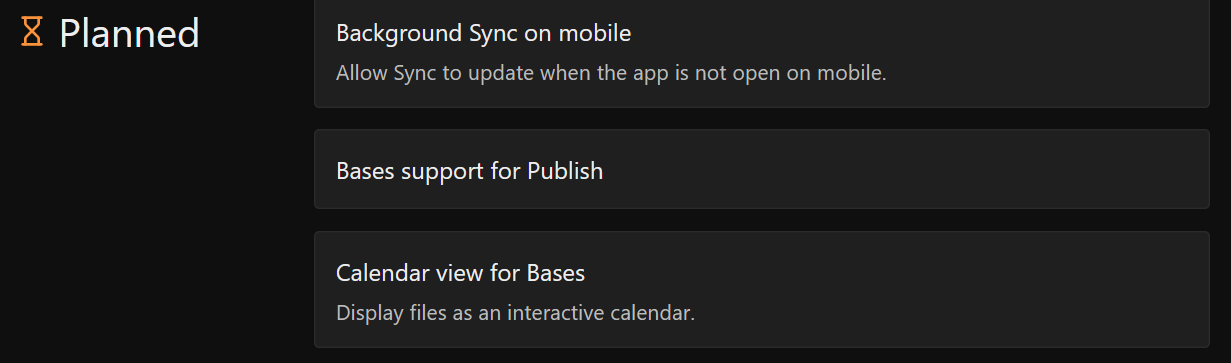
By the way, people who use the Bases core plugin would probably couple with one of these community plugins to add a calendar layout on top of it (I haven’t tried them myself, so treat these as pointers rather than recommendations):
Summary
Just Simple Calendar ( Just Simple Calendar - Obsidian Plugin ) a lightweight monthly calendar view for Bases, with no external libraries, and updated often.
Power Bases ( Power Bases - Obsidian Plugin ) adds calendar (month/week), board, timeline and chart layouts to Bases. Quite new, so test it on a copy of your vault first.
YABACAVI ( Yabacavi - Obsidian Plugin ) another calendar layout for Bases, also young and actively updated.
Now, to address your concerns:
1. Showing properties inside the calendar entries
I had plugin’s source code looked at by an LLM to see whether this can be done, and as far as I can tell, not out of the box. A month-view event only contains the title, the time, an icon and (for multi-day events) the date range.
The property values aren’t in the entry at all, they only appear in the detail pop-up when you click on a note, so a CSS snippet can’t pull them in. Showing a line like produkt or kategorie under the title would need a code change in the plugin.
What you can do today to tell content types apart at a glance:
a) The click pop-up shows all properties of the note (status, priority, dates, etc.), so you at least don’t have to open the note.
b) Filters in views. You can create several Calendar views, each filtered by one value of kategorie (blog post, photo tip, course, etc…). Then each view only shows one kind of entry.
c) Colors. Status/select options have colors, and the calendar can use them for the entry bars.
A conditional formatting rule (Record → kategorie equals blog → pick a color) would work for you, including on multi-day bars, so that is a usable workaround.
Just to be clear, issue #9 is a bug report about the color setting, not a feature request for displaying properties under the title. If you want that, it’s worth opening a feature request in the plugin’s repo yourself, since you know the exact use case best. I haven’t filed one for it.
2. Slowness
I only have about a tenth of your project notes, so I can’t say how it feels at your scale. But I did have the source looked at, and a few things could plausibly explain the lag.
Summary
This is from reading the code, not from profiling, so take it as a hint rather than a verdict.
The calendar view has no incremental update. When a note changes, table and chart views have a “patch only what changed” fast path, but the calendar rebuilds everything: it re-queries all records of the database, builds a row for every one of them (not just the visible month), evaluates computed columns, and redraws the DOM.
Backlink/formula columns are costly. Computing backlinks loops over the vault’s whole link map for every row, so a column based on backlinks gets expensive as notes grow.
Some work runs vault-wide, even when no database is open. The plugin listens for metadata changes and rescans every markdown file’s properties (debounced), and any note modification can trigger a disk re-read to reconcile data.
If you want to try things: narrow the database’s source folder/rules so only the notes you really need are included, avoid backlink or formula columns on the calendar database, and if you’re comfortable with it, record a Performance trace in Obsidian’s DevTools (Ctrl+Shift+I) while opening the calendar to see where the time goes.
Hope this helps, and good luck with the setup!
A CSS I tried for scrolling long filenames in Calendar View was placed here (not effective, if you set due/end dates, though):
The developer of the plugin fixed the issue I reported, so no need to add additional conditional rules to have the colour distinctions work out of the box. Kudos to her.
Thank you so much for taking the time to look into this in such detail! I really appreciate your effort, especially examining the source code and explaining the technical background. Your answer has clarified a lot for me.
It’s good to know that I wasn’t overlooking a setting for displaying additional properties in the calendar. And your explanation of the performance issues is very helpful, too.
In the meantime, I’ve found two possible alternatives for my workflow, but I haven’t made a decision yet. I’ve put the whole project on hold for now, so I’ll take some time to consider the options.
Thank you again for your detailed and thoughtful response. It was extremely helpful!