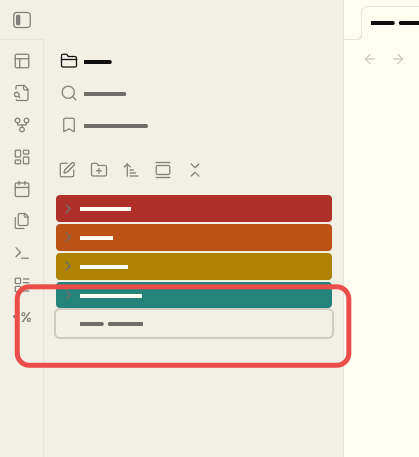
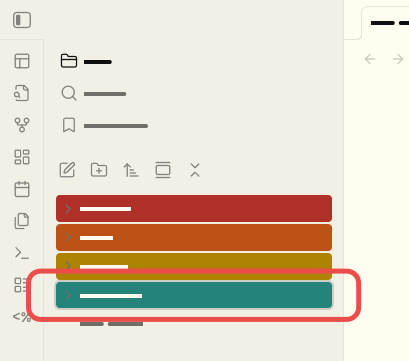
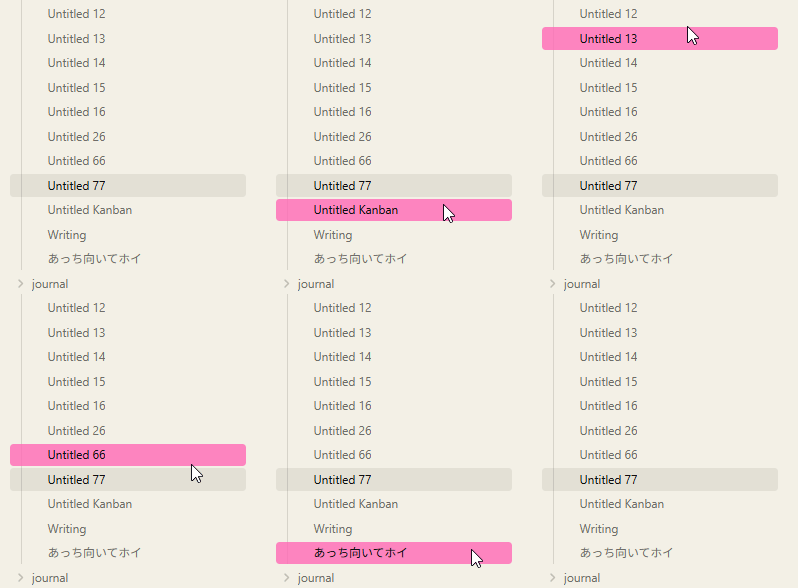
When using the “Files: Show File Explorer” my obsidian directory is shown with it’s custom colors, I defined those in snippets/obsidian.css with something like the following:
My challenge is that when combined with a theme like flexoki or minimal, the outline color for the selection is difficult or impossible to discern (attached screenshots show this). I tried playing around with the box-shadow options in obsidian.css, but I lack the full understanding of how to get what I’m looking for.
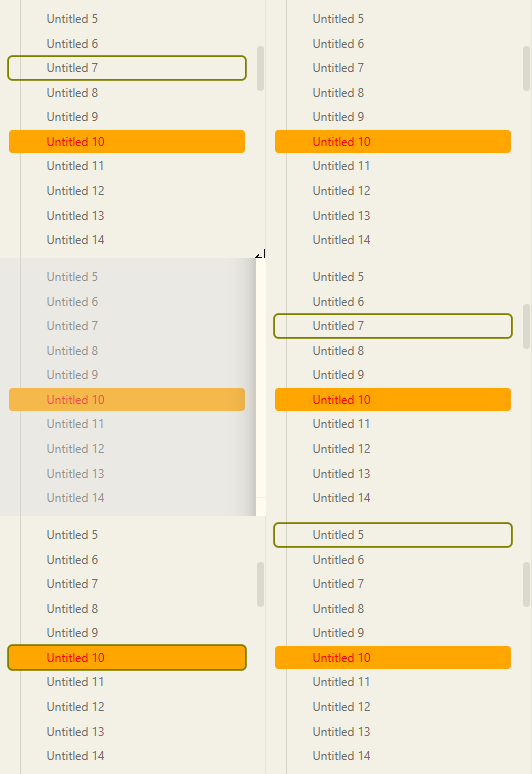
Just wanted to update the thread, apparently using vim mode causes some other cursor issues, as it affects using block or line depending on vim mode, this is all fine and good but doesn’t help me figure out further why the color of the cursor in the file panel is different from the cursor in the editor panel.
I also tried changing the accent color as found in settings → appearance, but this only changed all the OTHER cursors, plus the background on checkboxes and the like.
Then I followed these instructions and still can’t seem to change the cursor in the file browser:
This affects both the light and dark theme cursor, but only in the editor window and not the file browser
The “caret-color” is referring to the | (pipe) in an editor window when you are typing. It doesn’t have to do with moving your mouse pointer around or hovering.
For your initial question, I think you are looking for a .has-focus state or hovering over something with the mouse pointer.
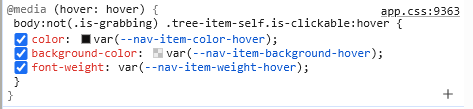
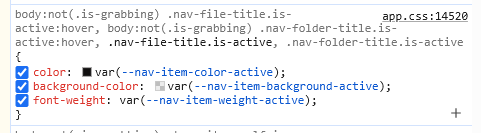
When running the Files: reveal current file in navigation command and using arrow keys to up/down, this is applied: