New Plugin: Embed Metadata

Hi All!

So with the release of Obsidian Bases and Properties I wanted a quick way to embed and render frontmatter metadata in the note body without using larger plugins. That’s how this was born.

Embed Metadata

To quote the README:

Render frontmatter metadata (Obsidian Properties) inside your notes with a lightweight inline [%key] or {{key}} syntax.

Imagine the Dataview syntax of =this.key but without the massive overhead.

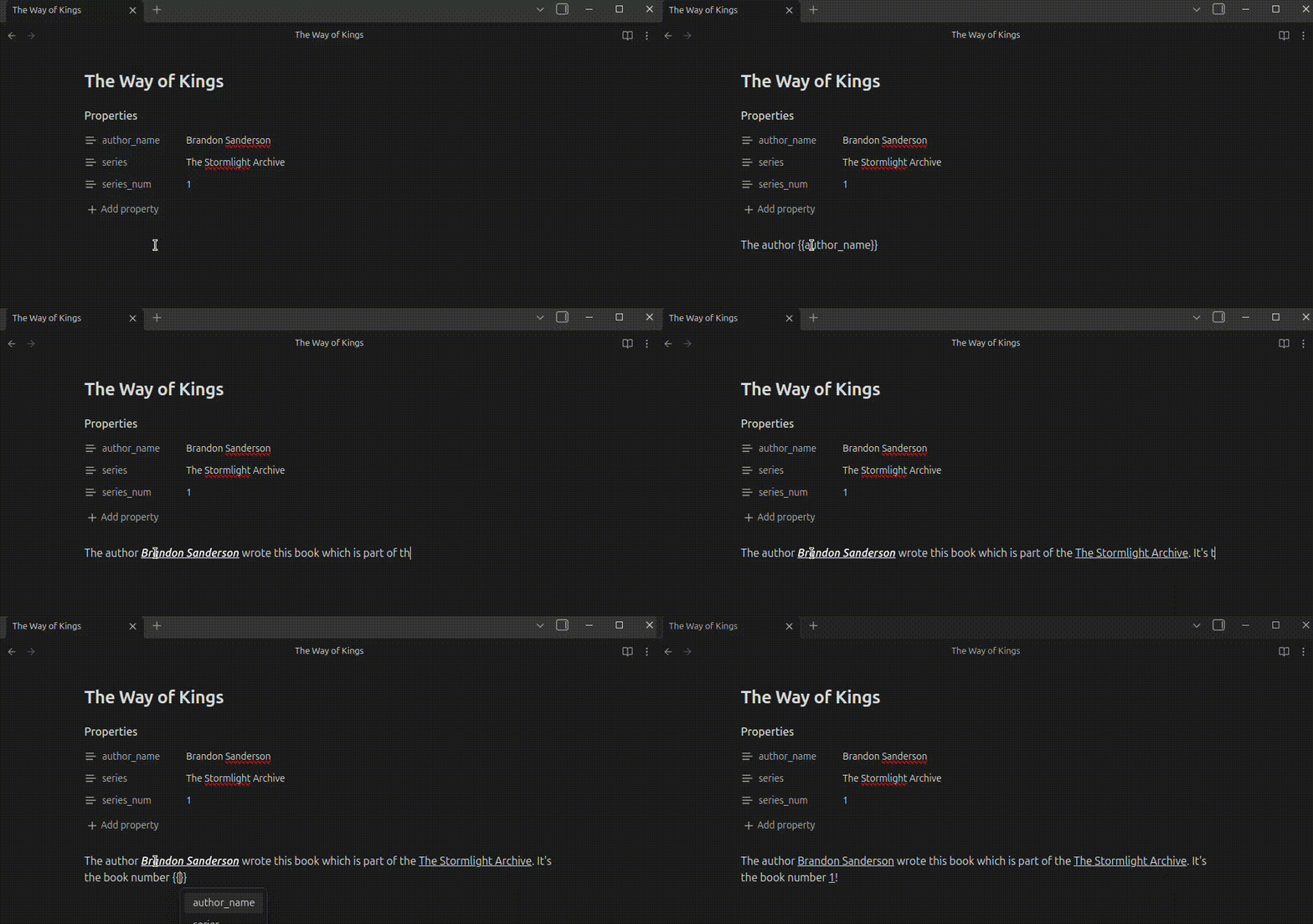
Demo

demo

Features

  • You can stylize how the variable gets rendered in Live Preview mode
  • You choose between [%key] or {{key}} syntax
  • You can migrate your markdown files between the two syntax formats
  • You can migrate from Dataviews `=this.key` syntax (One way!)
  • Have it be case-sensitive (default) or insensitive

Links & Installation

At the moment this is a beta release and you’ll need to manually install it via Github release or BRAT. I’ll of course update the thread once the submission has been accepted.

Github Link: https://github.com/schemen/embed-metadata

Latest Release: https://github.com/schemen/embed-metadata/releases/latest

If you have any questions and/or improvement, don’t hesitate to let me know :slight_smile:

9 Likes

Version 0.3.0 has now been released and it optimizes the rendering pipeline to be more performant.

1 Like

Oh, yes, this is much neater than the Dataview method!

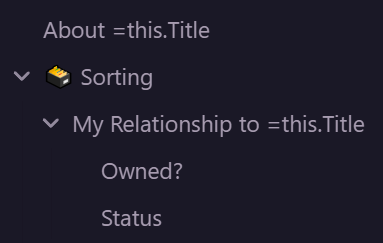
Question: Can it work in headings seen in the Outliner? Dataview’s method will render the text in the note, but the Outliner can’t read it, and I’ve never understood if that’s a technical limitation or a bug. For example:

Either way, thanks for your work!

Hey! Thanks for the feedback :slight_smile:

Mh, interesting problem - I‘m not actually certain this is possible but I can have a look tomorrow. This plugin watches and renders the note body - titles, file tree display etc. are not part of it. Is this what you mean?

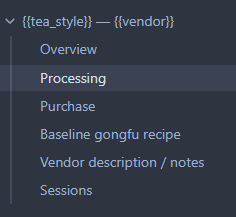
You would end up with files like {{title}}.md.

My example is from the optional outline one can display in the sidebar. I’m just using the core outline plugin that displays headings from the note in a navigational table of contents.
Ah gotcha! This is indeed currently not working. Let me have a look if this is something that can be changed. This is definitely a useful usecase.

1 Like

@dreamdoggo Alright, I’ve implemented an experimental option to render keys in the Outline.

Note, this is default off and potentially break in the future as outline itself is a core plugin.

1 Like

Do not find a use case yet, but it is an interesting plugin, thanks for your work.

1 Like

Thanks for your work! Could you please adjust the plugin so that * {{key}} * is rendered automatically?

This does render for me. Did you check the settings? Do you mean it being cursive?

It becomes italicized, but other attributes (e.g., font color) are not applied.

This is good. I like how simple it is. I really enjoy a tool that does a specific thing, and does that thing well, and nothing else. Well done.

1 Like

Hm okay. Gotcha I think I need to rework on how the styling is applied.

Just to ask, it should work normal in Reading mode, styling of this plugin is only applied during the live preview.

I’ll check what I can do.

1 Like

Would you be able to embed images as well? Like if you have a property called cover that links to an image file in your vault?

At the moment no, I can see the use case though. Are you able open feature request on GitHub?

Release 0.4.1 contains bugfixes which improve the rendering in codeblocks, inline code and callout boxes

A new feature release is here with version 0.5.0

Features

  • New Built-In variables like {{filename}}

Bug fix

  • Correctly apply markdown styling as a priority in Live Preview

This should also resolve your issues @Hermann

This version solved my issue — thank you very much!

1 Like