Embed an image in the note. (Image file next to the note or elesewhere in the vault on the SMB share.)
Quit Obsidian.
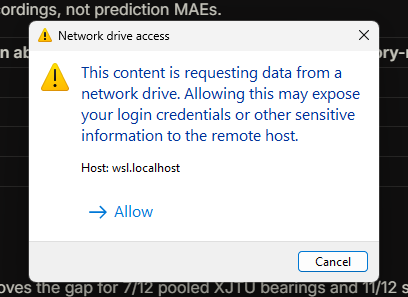
Open Obsidan and you will see the warning:
Network drive access. This content is requesting data from a network drive. Allowing this may expose your login credentials or other sensitive information to the remote host.
This dialog was never shown in the past and gets annoying pretty quickly. It returns on every start of Obsidian and the only options are allow or cancel. Nothing like: Always allow.
I expect not to see this dialog or have an option to always allow.
Actual result
This warning is shown on every start of Obsidian (opening of the vault). If “Allow” is picked, images are shown in notes. If “Cancel” is picked no images are shown and instead a symbol with a broken image.
Environment
SYSTEM INFO:
Obsidian version: 1.15.0
Installer version: 1.15.0
Operating system: Windows 11 Pro 10.0.26200
Login status: not logged in
Language: de
Insider build toggle: off
Live preview: on
Base theme: adapt to system
Community theme: none
Snippets enabled: 0
Restricted mode: on
RECOMMENDATIONS:
none
Additional information
Me an my 29 colleagues work with our shared vault on an SMB server, because Obsidian Sync does not allow for that many clients. This is the official way suggested by support when I was asking about it about a year ago. It really does work like a charm, besides the new annoying warning dialog since some months.
If the same vault (on the same SMB share) is opened on Mac, there is no such warning. We work in a mixed envirnoment.
It seems we are [not the only ones with this problem:
Our shared vault is located at: \NOSESTATION\NoseRock\Nose\Handbuch
But it does not matter where the vault is located on an SMB share. I tried many locations and the warning always shows, even if the vault is directly located on the first level of the volume, like \NOSESTATION\NoseRock\Testvault.
Does it happen in you mount the remote location to a local directory?
What do you mean by ‘mount the remote location to a local directory’? How can this be done? Maybe I need to clarify: The warning is new and never showed up in the past. We have not changed our server, we have not moved the vault. Just some Obsidian updates ago this warning started to appear every time obsidian opens our vault.
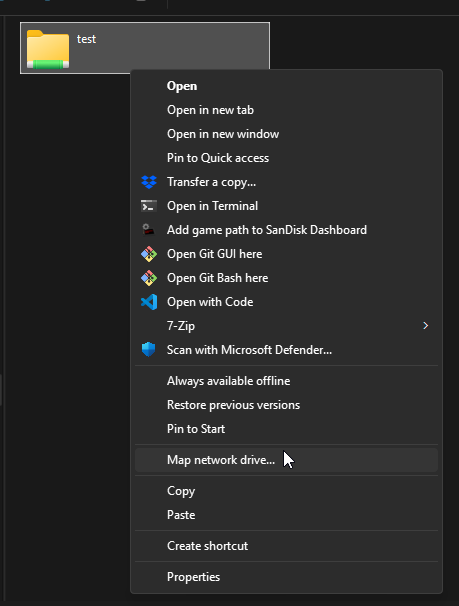
If the network volume has an assigned drive letter the warning does not show. But it is not a solution, since this introduces other software problems (not with Obsidian) for our PC.
Again, I would like to repeat that some versions ago, Obsidian did not have this problem.
I am running into this with WSL. Since obsidian can now open arbitrary markdown files, I use it as my markdown viewer. Doing development in WSL, naturally I work with markdown files and thus want to view & edit them.
Windows mounts WSL as a network drive, so this shows up every time I open a markdown file over WSL’s network filesystem, if it contains any images.
Please allow such option as Always allow resources from host "wsl.localhost" or similar. Thank you!