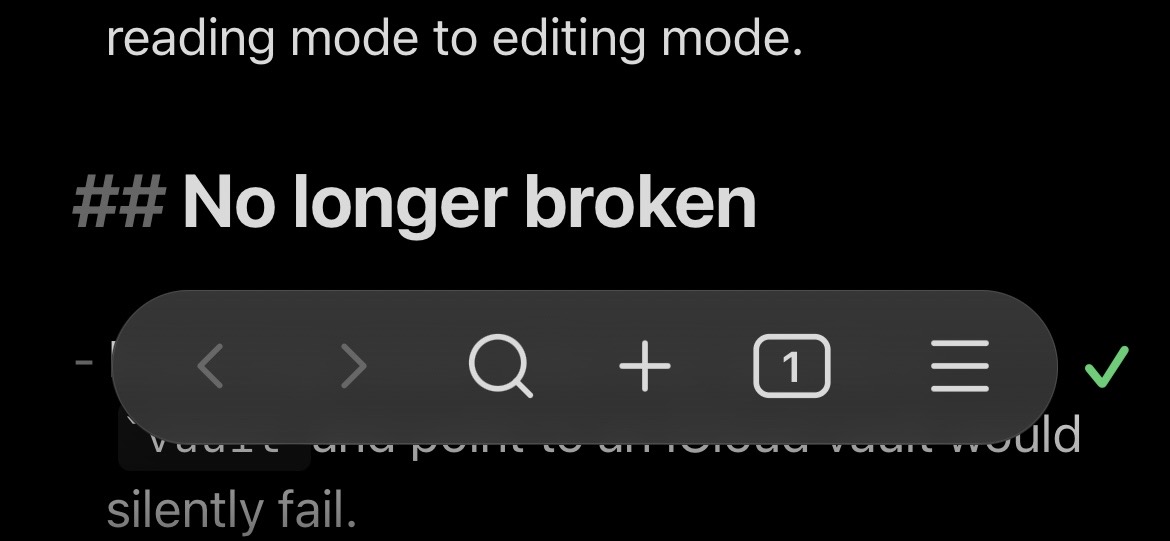
“Final” version of my workaround CSS snippet; details in its opening comment.

/* Add Sync status indicators to main view as a workaround for https://forum.obsidian.md/t/mobile-make-sync-icon-always-visible/31780.

Snippet URL: https://forum.obsidian.md/t/mobile-make-sync-icon-always-visible/31780/64?u=cawlinteffid

* Adds a status symbol in the lower right corner.
* When Sync is paused, adds borders to the sides of the app (to prevent forgetting to unpause).

To adjust the icon's position, change the padding-bottom and/or padding-right numbers. Padding-right appears in 2 places. The first (commented out by default) is for when the keyboard is closed, and the second is for when it's open.

Status symbols (in same colors as official Sync icon):
* Synced: ✓
* Working: ⇅
* Paused: ⏸︎
* Error: ⚠
*/

.is-mobile {

	/* Icon layout */

	.status-bar > .plugin-sync::before {
		font-size: var(--font-ui-large);
		font-weight: bold;
		margin-right: -2px;
	  /*padding-right: 2px;*/
	  padding-bottom: 44px;
	}

	.status-bar {
	    display: flex;
	    background-color: unset;
	    border: unset;
	  }

	.app-container:has(.mobile-toolbar) {
		.status-bar {
			bottom: var(--safe-area-inset-bottom);
			padding-right: 16px;
			padding-bottom: 16px;
	    }
	}

	.status-bar > .status-bar-item:not(.plugin-sync) {
	    display: none;
	}

	.status-bar > .plugin-sync {
	    display: inline-flex;
	}

	/* Statuses */

	.app-container:has(.sync-status-icon.mod-success) {
		/*.mobile-toolbar-floating-options {
	  border: 2px solid var(--text-success);
	    }*/
		  .status-bar > .plugin-sync::before {
		color: var(--text-success);
	    content: "✓";
	    }
	}

	.app-container:has(.sync-status-icon.mod-working) {
		/*.mobile-toolbar-floating-options {
	  border: 2px dotted var(--text-accent);
	    }*/
		.status-bar > .plugin-sync::before {
		color: var(--text-accent);
	    content: "⇅";
	    }

	}

	.app-container:has(.plugin-sync[aria-label="Paused"]) {
		/*.mobile-toolbar-floating-options {
			border: 2px dashed var(--text-warning);
	   }*/
		.status-bar > .plugin-sync::before {
		color: var(--text-warning);
	  content: "⏸︎";
	  }
	}

	.app-container:has(.sync-status-icon.mod-error) {
		/*.mobile-toolbar-floating-options {
		border: 2px double var(--text-error);
	    }*/
		.status-bar > .plugin-sync::before {
		color: var(--text-error);
	    content: "⚠";
	    }
	}

}
This snippet exists thanks to the combined and slightly modified work of:
- AForAnglerFishRights / honeydewmelonbordercollie on Discord:
- purple penguin / mx_emoji on Discord: Discord (You can get recreations of the actual Sync icons here; I didn’t use them because I kept thinking I could tap them to open the Sync menu.)
- Ariehen on the forum: [Mobile] Make Sync icon always visible - #61 by ariehen