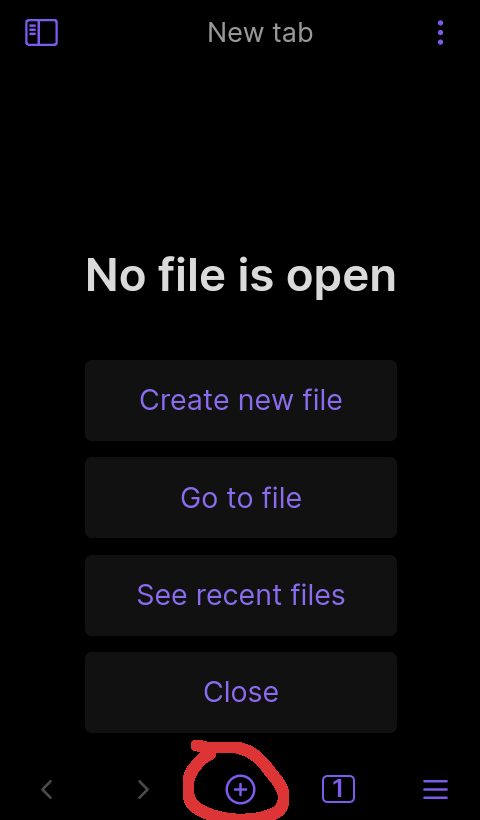
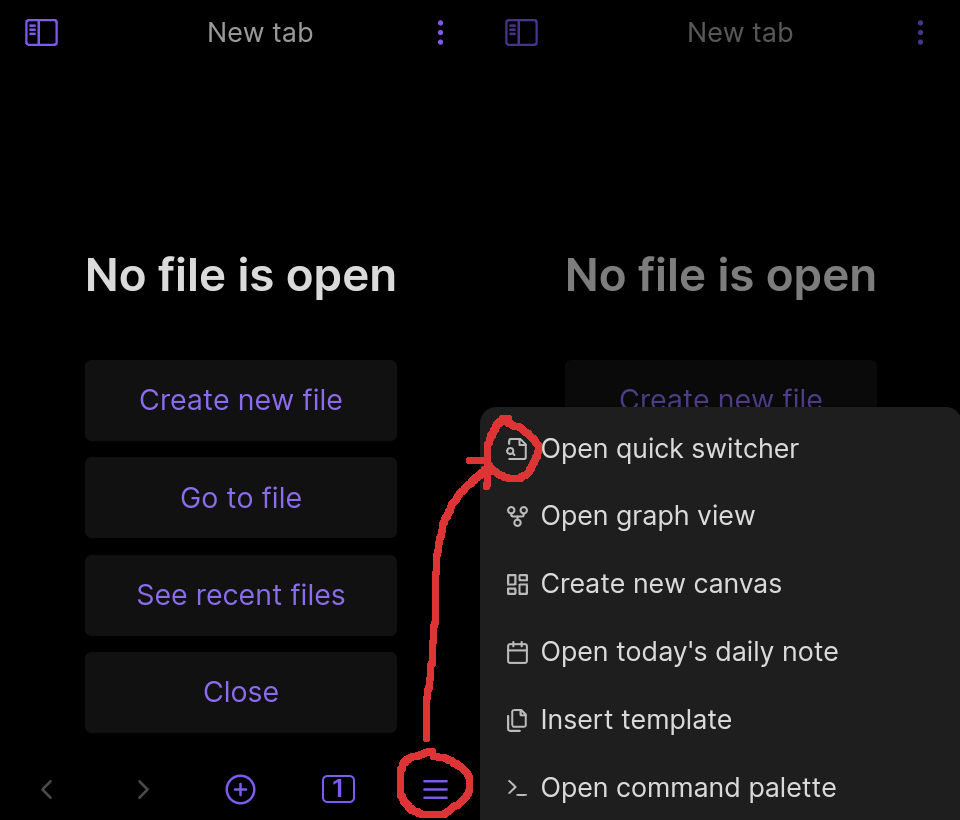
The quick switcher should have a consistent icon across the app.
Actual result
There are three different icons for the quick switcher, and one of them is the same as “open a new tab”.
Environment
SYSTEM INFO:
	Operating system: android 11 (Unihertz Jelly2)
	Obsidian version: 1.4.6 (105)
	API version: v1.3.3
	Login status: not logged in
	Live preview: on
	Legacy editor: off
	Base theme: dark
	Community theme: none
	Snippets enabled: 0
	Restricted mode: on

RECOMMENDATIONS:
	none
Additional information
Especially point 2. was confusing to me, I initially thought that the ‘+’ in the bottom toolbar meant to open a new tab and opening in the same tab was a bug, I’m not sure which one it’s supposed to be. I prefer the current behavior of having access to the quick switcher without opening any menus, but the icon should be consistent.
The current icon for “Find or Create” in the mobile app is a circle with a plus sign inside. This design is not intuitive, as it primarily signifies adding something new rather than searching for or creating an entry. Standard UX/UI design conventions typically use distinct icons for search and creation, making the current icon potentially confusing for users.
+1, been using the mobile app for years at this point and only now realized that this button opens the quick switcher after seeing this comment in discord earlier today.
Always had in the back of my mind that it is just for creating new notes.
Yes! The current icon is confusing. I have forgotten for months at a time that the plus-circle at bottom of mobile means “Quick Switcher”. (And when I remembered, I didn’t use it because there’s no corresponding button on tablet when the ribbon is turned off. I started using it recently after adding QS button on tablet via the Commander plugin, and am still not used to the plus-circle icon.)