Nah, nothing unfortunately. I’m stumped.
Me. too. Maybe some theme, other CSS snippet or plugin interferes. You can try switching them all off and then back on, one-by-one, to find the cause.
Sounds familiar !
At work now, but I can answer that when I get home
OK home now.
So a few things of note with this. I wasn’t aware of the odd behaviour the snippet was having on other tables. I honestly don’t use tables a whole lot so that makes sense.
First for @Moonbase59 and your snippet. The problem you are running into with your snippet is that you are using the “!important” tag to make your rules higher in specificity than is necessary. Instead, just remove/change the line in the initial snippet. (I did this and re uploaded a copy so feel free to just download that if you want.
@Jeffurry for adjusting anything with a css class, the css class is loaded into the body element. So you would want to start any selector off with that then go down to the desired level of the selector. So if you wanted to change tables inside preview panes for that CSS class you’d call the body with the css class then markdown preview then table:
body.tables-auto-left .markdown-preview-view table{
rules: go here
}
On a bit more of a meta conversation, when you encounter something like this here are some things to keep in mind:
-
If an author’s theme or snippet is having odd behaviour let them know. They probably aren’t aware and most are happy to fix it.
-
Also having them fix it will not only be a better solution for you, but also fix it for other people who had no idea where a problem originated.
-
If that isn’t an option, go change the original code if possible before overriding it with the !important flag. The other troubles that come afterward usually stem from being unable to override that high level of specificity.
-
As a rule of thumb you should strive to only use important tags to override styles added directly into the html code. And even in those questions ask yourself if there is another way since the developers usually have good reasons for it.
Hope that helps.
Here’s the snippet again if you need:
2 Likes
Just come across this old conversation when I’m looking for ways to modified only some of the internal links within a page.
When I create a css snippet a.internal-link { color: white; }, I can make all the internal links in the document changed to white. But what if I only want to make 1 specific internal link inside a ‘<span>An Internal Link</span>’ to change color, while leaving other internal links untouched?
@DanLau : <span style="color:blue;background-color:red">[[note name]]</span>.
1 Like
i absolutely love this!
With the help of other members, I’ve made a “back to top” function for long content page. See if anyone find it useful. 
Modify as you see fit.
BackToTop.css (877 Bytes)
4 Likes
@DanLau : a good idea. However, I cannot find the button. I enabled the snippet in default Obs without any other snippets nor any themes, yet there is no button.
did you try following the steps mentioned in the css? Maybe I copy it here for easier reference:
- first put a " ^Top" as an anchor at the begining of the page (exclude the double quotation marks)
- then put “[[#^Top|TOP]]” at the end of the page (exclude the double quotation marks)
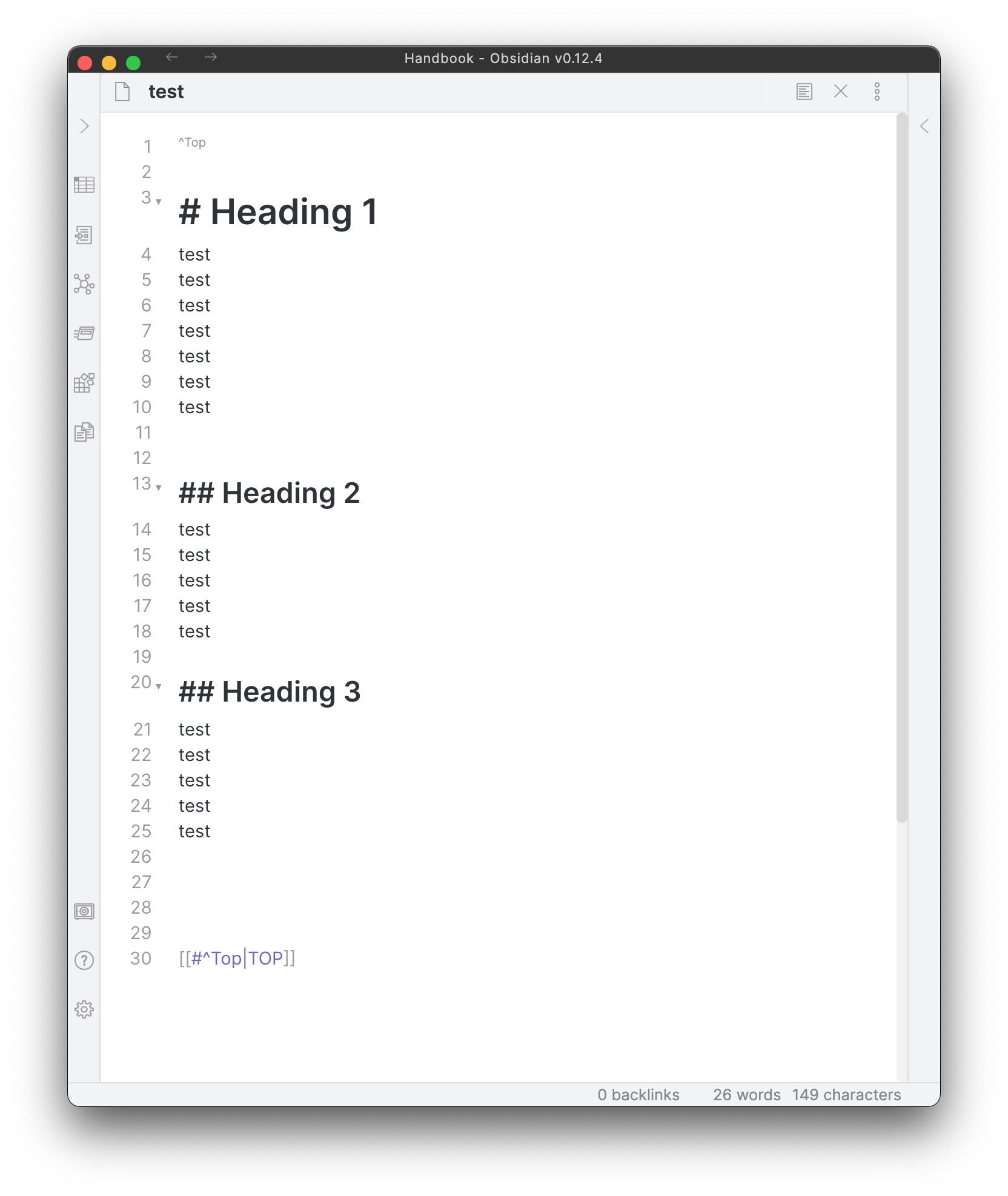
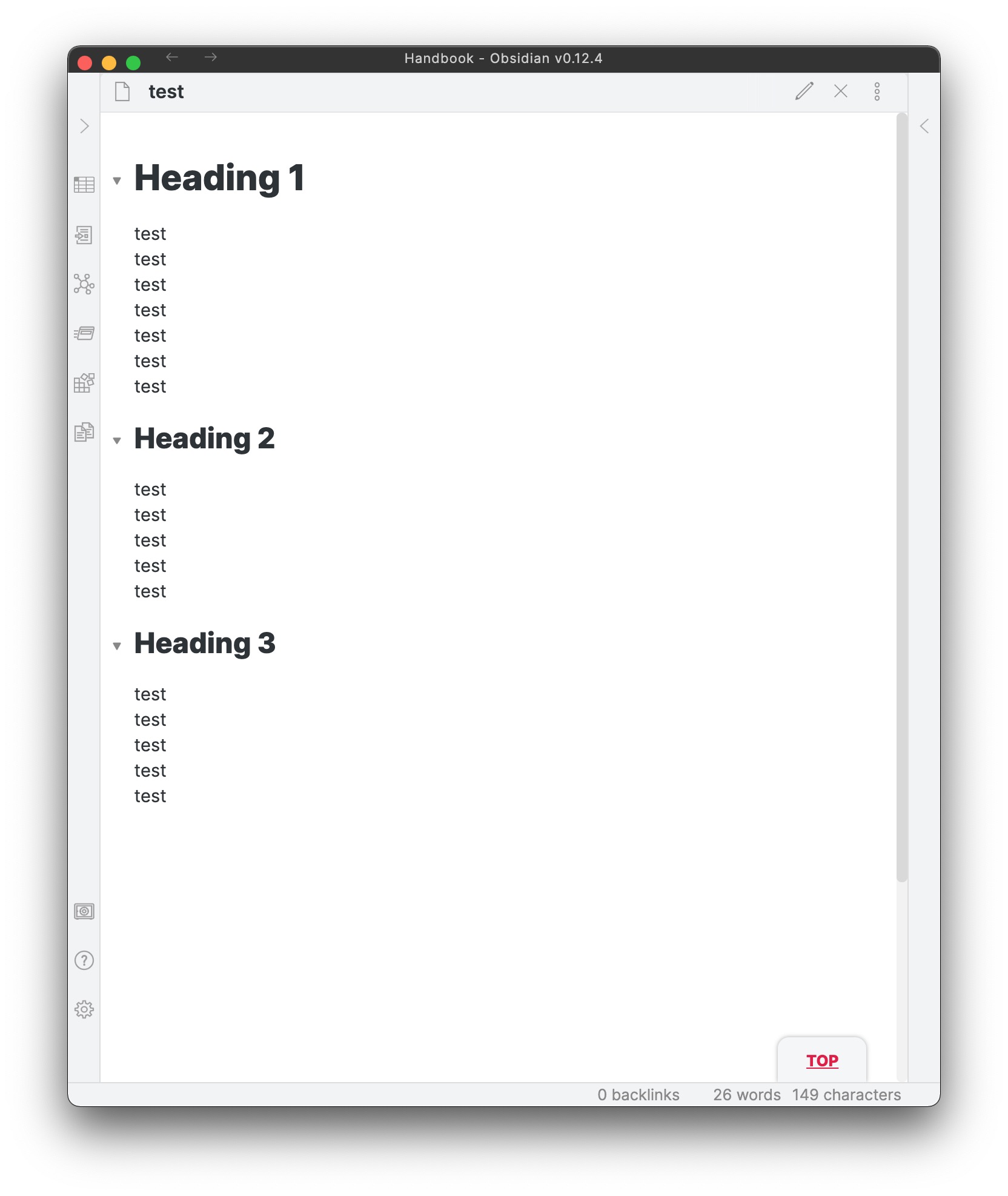
@DanLau : no, I had not seen that. Sorry.
So, with those 2 bits of syntax I do get the button in the bottom right corner of the page, but clicking on it does not work.
Just did some testing. See if there is a space before your “^Top”, that is “(space)^Top”.
You may try my testing file attached here:
test.md (306 Bytes)
@DanLau : without using your test file I added that space, and it works.
I just notice now it is in your instructions too, but it might be good to mention it explicitly.
Many thanks for a useful snippet.
Yes your are right. I’ll mention it in the comment
1 Like
This is great - I really love it - However… this bit of the css
  .popover.hover-popover {
 display: none;
}
seems to disable popover/previews everywhere in my Obsidian. Do you know of a way to limit this to just your ‘Top’ tab/button?
That pink outline is the border (@Klaas gave you the fix for that I saw) and the color seeming off can also just be because of how your screen/monitor is calibrated. I don’t know how to fix that, it’s in the hardware settings of your device I think. I know my ow personal Obsidian theme looks different on different computers. Not by much, but it shows.
Yes after you point that out, I noticed the problem too. But alas I’m not knowledgeable enough to fix this problem…  any CSS wizard here that could help out?
This is a tough one. I’m not sure it’s possible to target only the popovers produced on certain links! You might want to post a general thread about this issue to attract more attention.