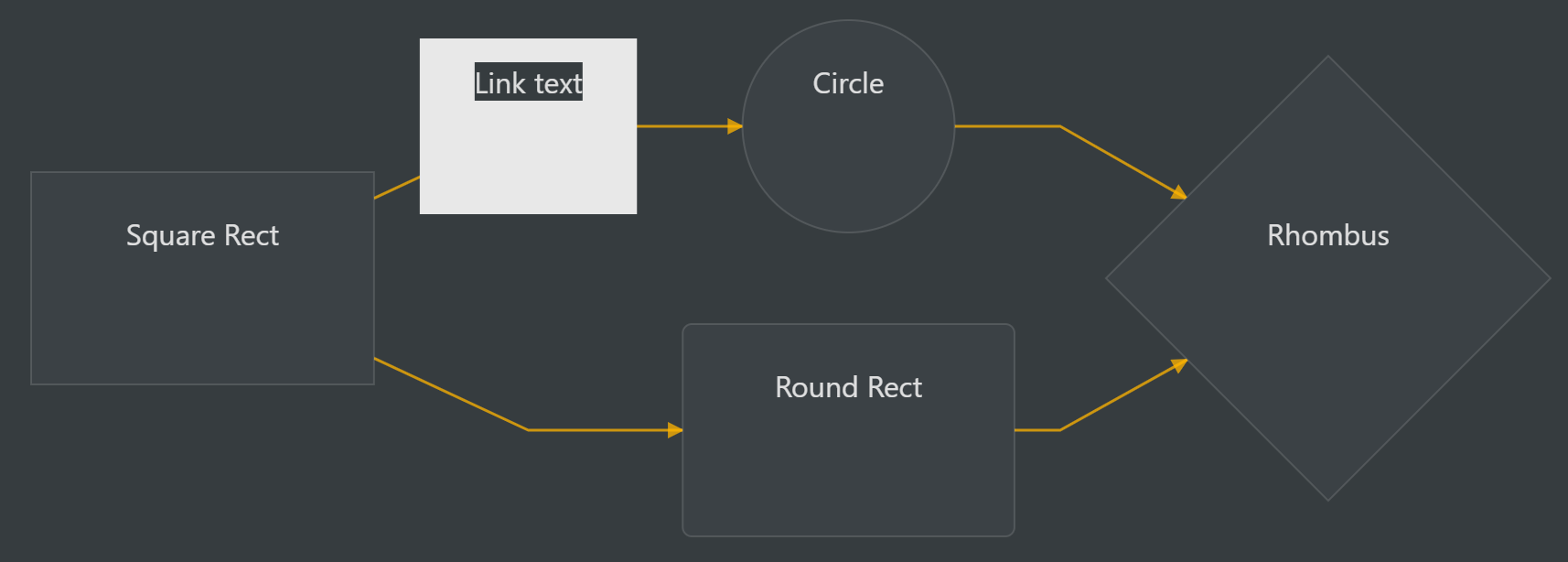
My mermaid diagrams have way too much vertical space.
I’m running Windows 10, and my screen is set to 200% scale.
Example Code:
```mermaid
graph LR
A[Square Rect] -- Link text --> B((Circle))
A --> C(Round Rect)
B --> D{Rhombus}
C --> D
```
My mermaid diagrams have way too much vertical space.
I’m running Windows 10, and my screen is set to 200% scale.
Example Code:
```mermaid
graph LR
A[Square Rect] -- Link text --> B((Circle))
A --> C(Round Rect)
B --> D{Rhombus}
C --> D
```
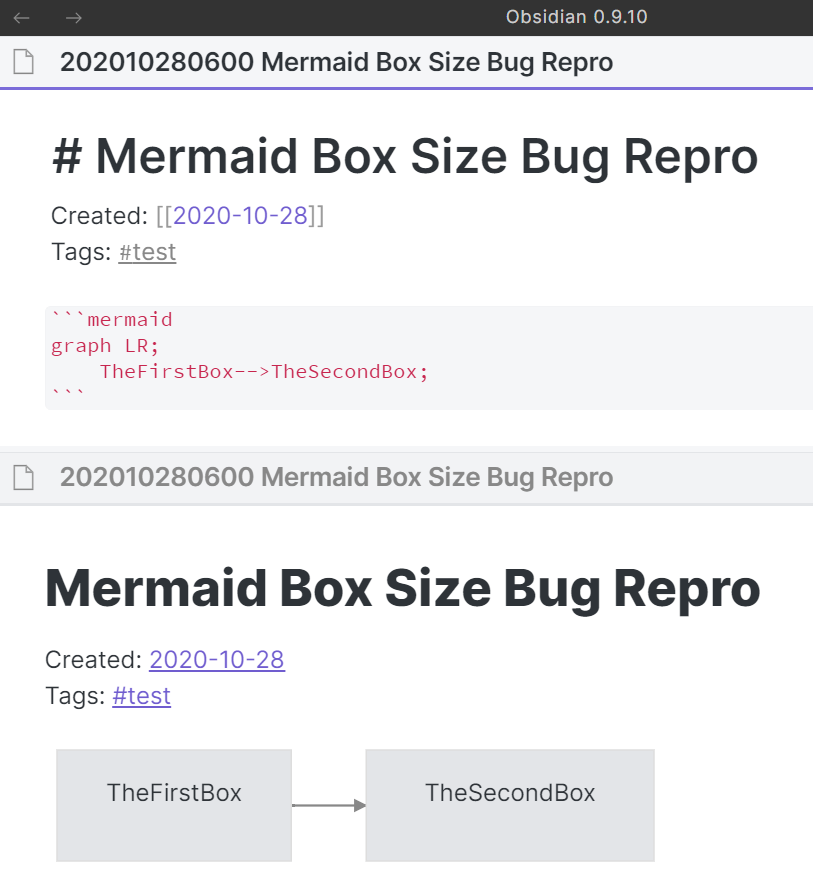
I’m experiencing this same issue:
It might be a Mermaid issue; I see a related issue on their GitHub.
I also have this issue. It does seem like a mermaid issue, and not a new one 
There’s a temporary workaround, which is to override the scaling on obsidian. For those who have never done this:
Hit ok, and apply. Then relaunch Obsidian.
I say temporary, because it softens the appearance of the software which defeats the point of a 4k monitor, but then again, so do gigantic mermaid graphs.
As a bonus, it also address the issue of the the mouse overlapping the hovered node name in graph view on 4k monitors. I hope that helps!
Third-party plugins page says Safe Mode is on; disabled custom CSS (all I had was my own ~12 lines, not a full theme, but I disabled it anyway to test); restarted app.
Same result:
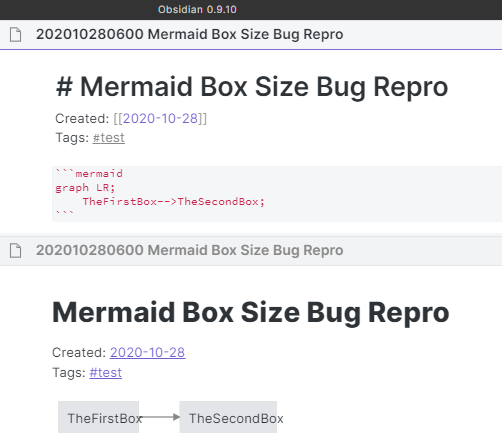
I have one 1920x1080 screen and the Surface Pro’s built-in screen at 1.5x scaling. For testing, I just disabled the built-in screen, quit and restarted the app again, and it still looks the same.
Do you have custom font scaliing set on your computer?
Bingo!!! Yes, I had scaled the size down (Ctrl±) a couple clicks. I forgot I had done that, so I didn’t think to try Ctrl-0. So, is that a bug, or is there a more-preferred way (CSS?) to scale down the UI a little?
I can scale up and deon without problems
Try scaling down and then modify the mermaid code while scaled down.
I noticed while having the edit and preview in split windows that as I type a longer and longer box name, the box size gets shorter and shorter, relative to the length of the text. Like it’s just slightly miscalculating the size the box needs to be to accommodate the text.
When I switch back to 100% (Ctrl-0) and change one character in the mermaid code, the graph snaps back to proper proportions.
If it helps, this is on Win10 (20H2 update), Surface Pro 3 (old, but still going strong) with an external Dell 1920x1080 display connected with mini-DP to DP cable.
Oh, no!
I set the Surface’s built-in display back to its default 150% scale factor and moved the Obsidian window (still at 100% / Ctrl-0) to that display… And now it seems to be miscalculating both the width and height of the boxes:
I moved Obsidian back to the external display (100% scaling) and modified the mermaid code, and it redrew correctly again.
So it seems there are calculation errors when either the display scale (in Windows Display Settings) or
Oops, the browser hiccupped… I was trying to say…
So it seems there are calculation errors when either the display scale (in Windows Display Settings) or the window scale (Ctrl± / Ctrl++) is not 100%.
Mermaid is known to have scaling problems
We have introduced some patches for mermaid in 0.9.21. Let us know if they work.
You mean 0.9.20? I saw that in the release notes and was looking forward to testing it.
No I mean 0.9.21 when it will be released
Is any of you expiriencing text overflow/cutoff as a result of this fix? Can you please report
Does downloading and installing from the latest installer available on the website fix the problem?
Does resetting the zoom level in Obsidian (Ctrl-0) and close/reopen the app help?
Thanks
thanks @WhiteNoise, With 0.9.22 it’s all good for me now, no scaling issues at all with Linux!
On Windows 10, upgrading to 9.22 did not fix the Mermaid scaling issues – but after I reinstalled 9.20 from the website, it now works! Thank you! I’ll let you know if I see any issues after upgrading on Linux.
Same experience as Craig.
Reinstalling 9.20 fixed my scaling issues.
Also Win10.
Yes, after installing 9.20 I jumped to 9.22.