MathJax Rendering Error: Commands Like \oiint Not Recognized
Environment Information
- Obsidian Version: v1.9.12
- Operating System: Windows 11
Issue Description
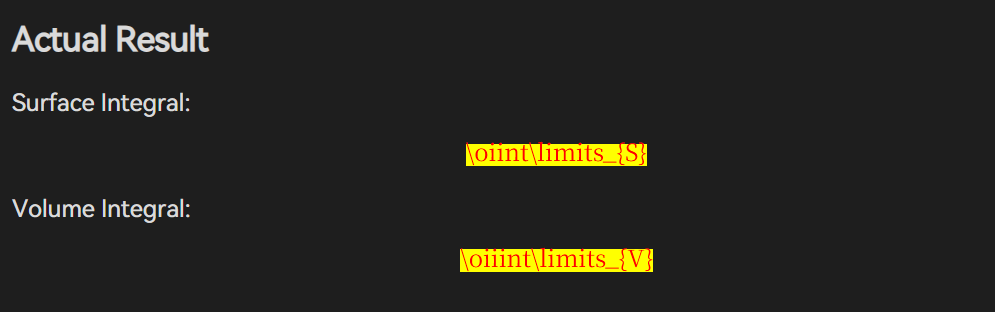
When using commands such as \oiint and \oiiint within mathematical formulas inserted via $$...$$ in Obsidian notes, MathJax fails to render these symbols correctly. Instead, they are displayed with a yellow background and red text, indicating an error.
Reproduction Steps
Commands That Fail to Render
In a new or existing note, input the following block:
Surface Integral: $$\oiint\limits_{S}$$
Volume Integral: $$\oiiint\limits_{V}$$
Actual Result
Surface Integral: $$\oiint\limits_{S}$$
Volume Integral: $$\oiiint\limits_{V}$$
Expected Result
The formulas should be rendered correctly as their corresponding mathematical symbols:
\oiintshould display as the double closed surface integral symbol: ∯\oiiintshould display as the triple closed volume integral symbol: ∰
Analysis & Suggestions
According to the MathJax documentation, commands like \oiint and \oiiint are supported (see: MathJax: New and Updated Macros).
However, for unknown reasons, they are not functioning within Obsidian.
Additional Information
- This issue persists regardless of whether multiple themes or community plugins are enabled or disabled, suggesting the root cause lies in Obsidian’s built-in MathJax configuration.
- Relevant References: