Disclaimer
Is this project open source? Yes
Is this project completely free? Yes
Is this project vibe-coded beyond the author’s ability to comprehend how it works? Yes: built by directing Claude AI step by step; I understand the architecture (described below) but I’m not a developer
Community Directory: macOS Autocorrect
Three years ago I opened a feature request asking for macOS’s system autocorrect in Obsidian. The diagnosis there was always right: it’s an upstream Chromium regression, and the fix chain (Chromium → Electron → Obsidian) still hasn’t moved. So this plugin doesn’t wait for it — it goes around Electron entirely and asks NSSpellChecker (the actual macOS autocorrect engine) directly, through a small local helper.
What it restores, each with its own toggle:
- Correct spelling automatically — corrections apply only when macOS is confident, and words you’ve taught your Mac via “Learn Spelling” are respected
- Capitalize words automatically — sentence starts, list items, headings; markdown-aware
- Add period with double-space
- Use macOS Text Replacements — reads your actual list from System Settings → Keyboard
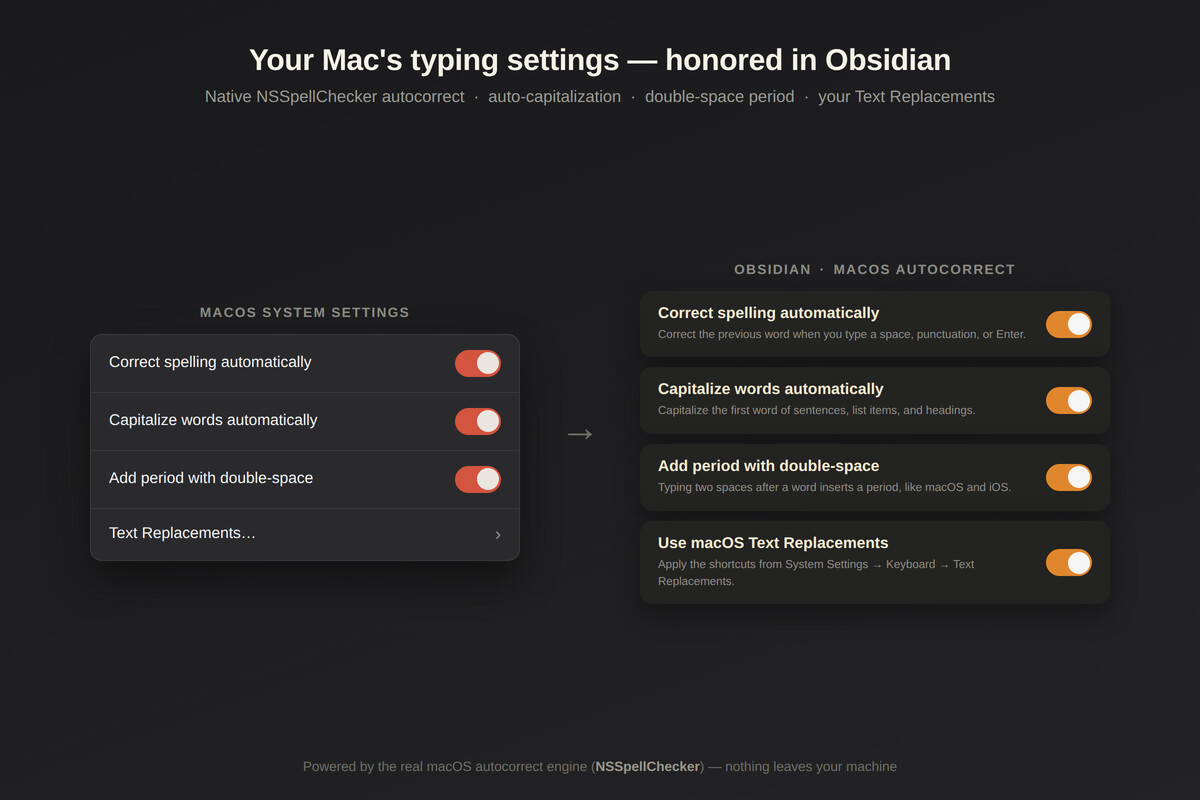
It skips code blocks, links, tags, and frontmatter; one Cmd+Z undoes any correction; nothing leaves your machine. macOS + desktop only, by nature. Source: https://github.com/ninsuhnrey/mac-autocorrect
One clarification, since it confused the FR thread for years: spellcheck (red underlines, right-click suggestions) always worked. What was broken was correction as you type. That’s what this fixes.
I’m not a developer — I’m just the person who opened that FR in 2023 and ran out of patience. Future updates will be posted in this thread.