Steps to reproduce
Starting from scratch, what are the steps to make the bug happen?
The fewer the steps, the better.
Type below:
- Open the Obsidian in Android phone.
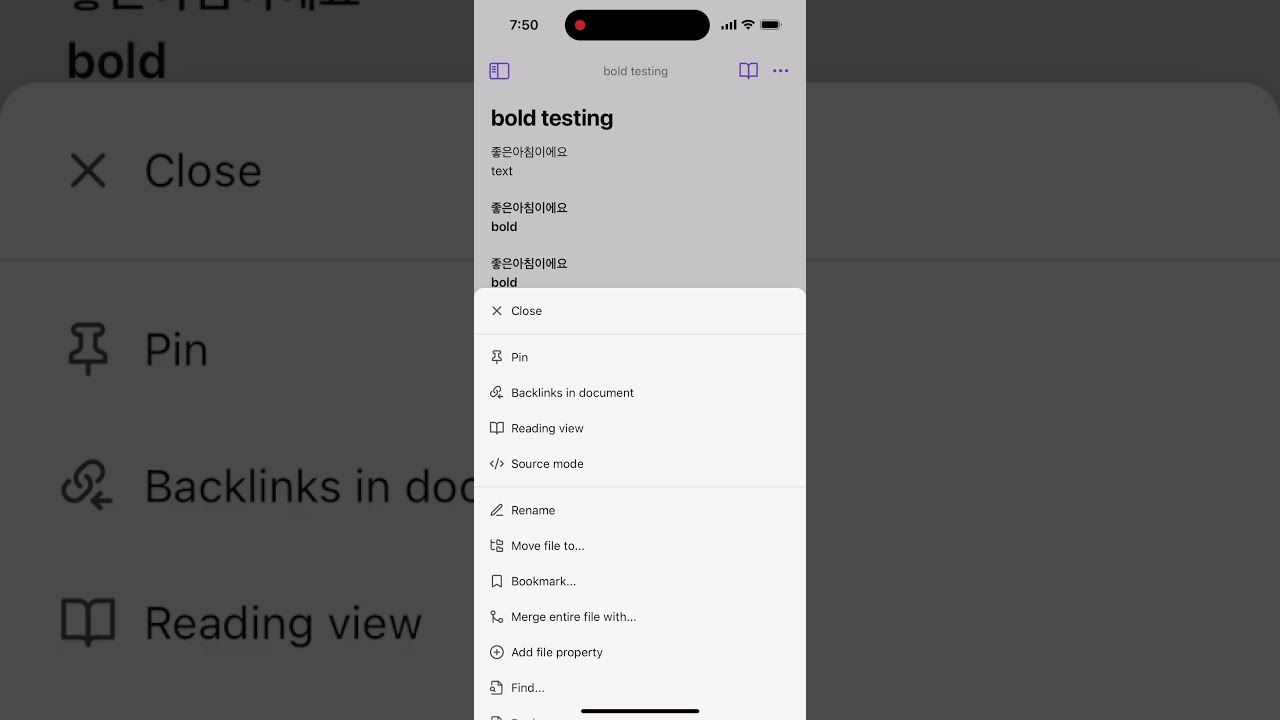
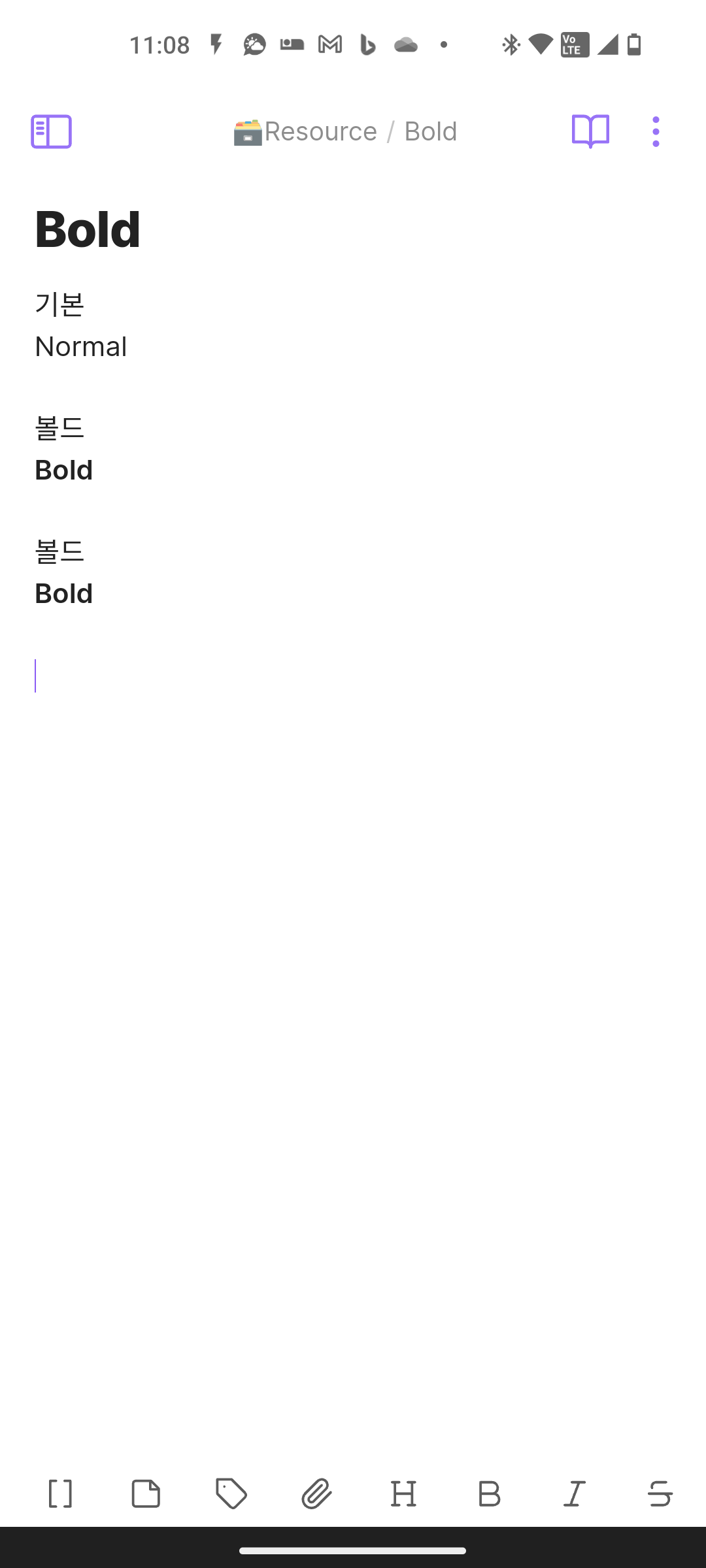
- Type some text in Korean and surround it with ** or __.
- Preview the note and observe that the text is not bold.
Did you follow the troubleshooting guide? [Y/N]
Y
Expected result
The text should be bold when using the markdown syntax ** or __.
Actual result
The text is not bold when using the markdown syntax ** or __.
Environment
SYSTEM INFO:
Operating system: android 13 (Nothing A063)
Obsidian version: 1.4.16 (114)
API version: v1.4.16
Login status: logged in
Catalyst license: none
Live preview: on
Legacy editor: off
Base theme: adapt to system
Community theme: none
Snippets enabled: 0
Restricted mode: off
Plugins installed: 2
Plugins enabled: 2
1: Obsidian42 - BRAT v0.7.0
2: Bartender v0.5.9
Additional information
I don’t see this happening on the computer version - it seems to only happen on the mobile app.
When using English and Korean characters together, only English is bolded.