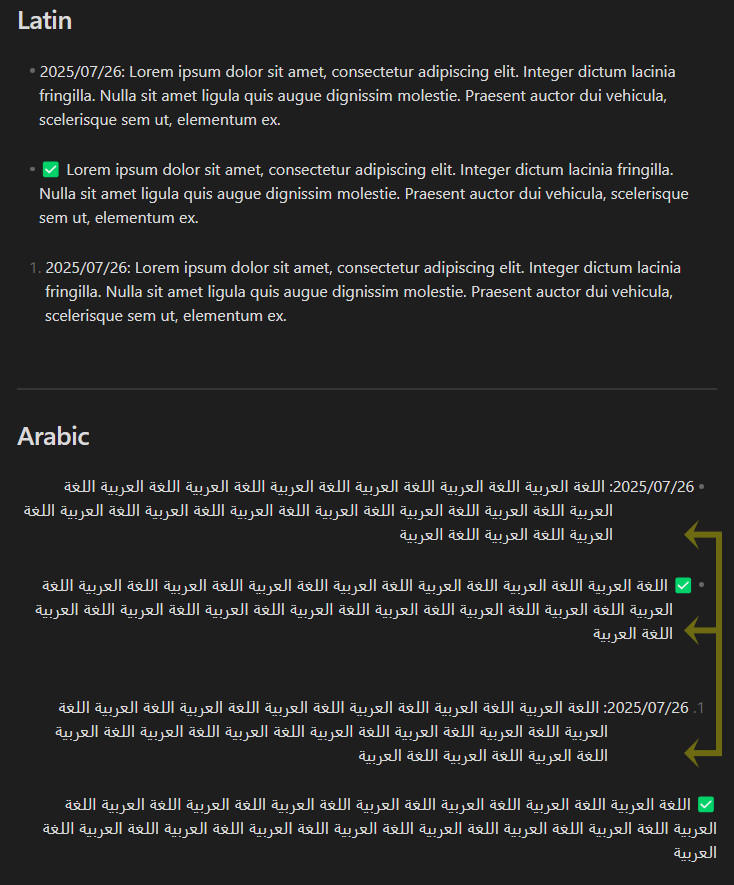
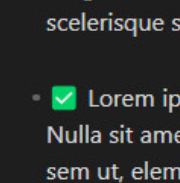
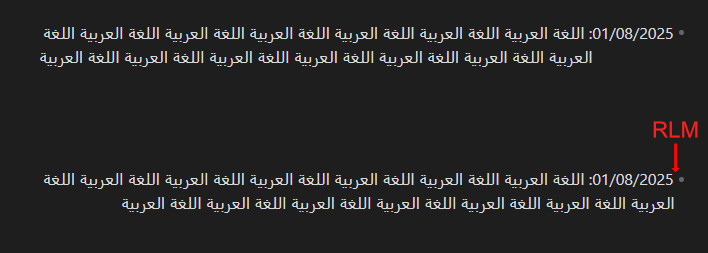
Starting a list item with a date or a symbol followed by Arabic text causes an indentation issue in the following lines.
Did you follow the troubleshooting guide? [Y/N]
Y
Expected result
Proper indentation in lists that start with a date or a symbol followed by Arabic text.
Actual result
Broken indentation in lists that start with a date or a symbol followed by Arabic text.
Environment
SYSTEM INFO:
Obsidian version: v1.8.10
Installer version: v1.8.10
Operating system: Windows 11 Pro 10.0.26100
Login status: not logged in
Language: en
Insider build toggle: off
Live preview: on
Base theme: adapt to system
Community theme: none
Snippets enabled: 0
Restricted mode: on
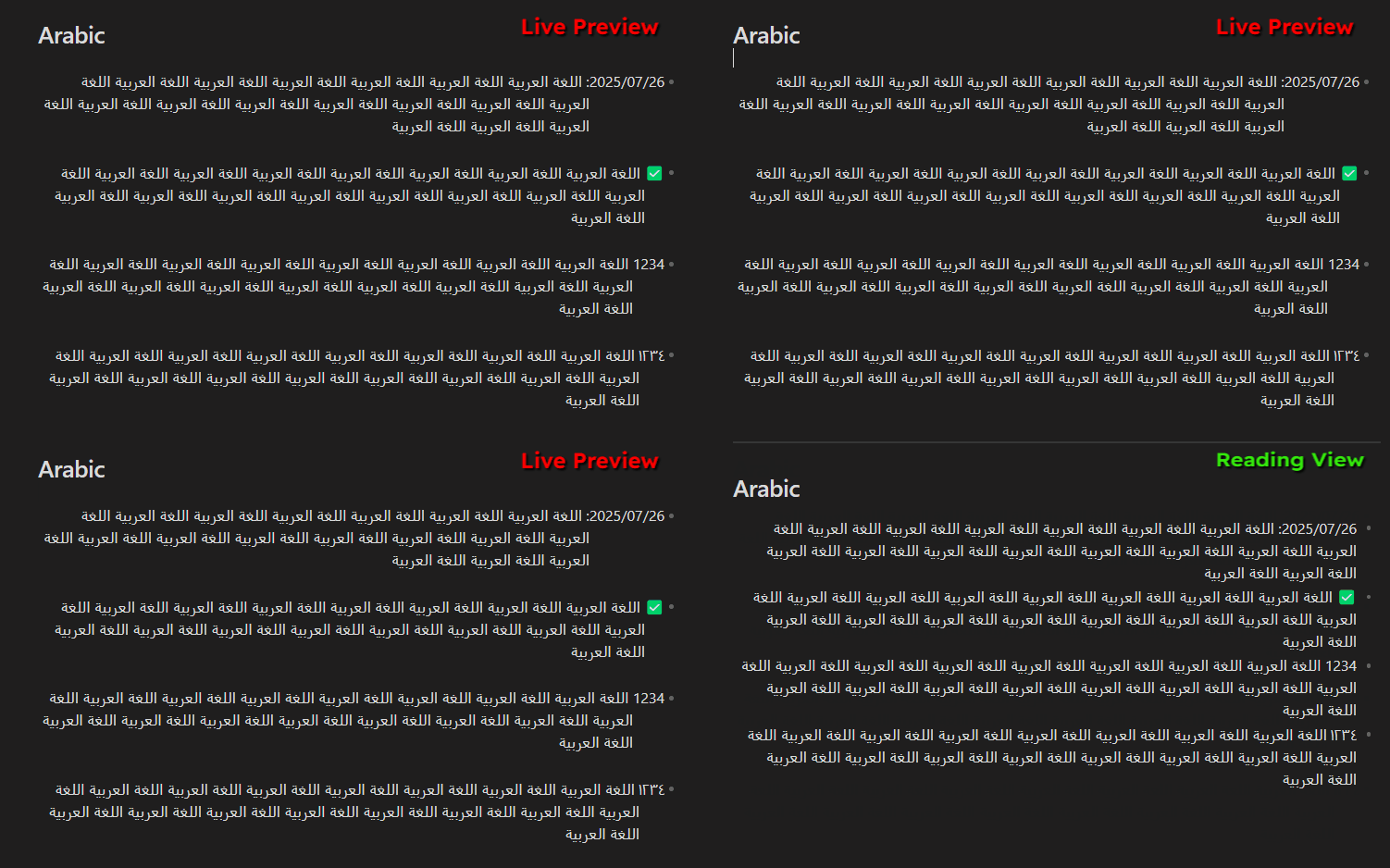
More Info: I’ve noticed that starting a list with a numeral also triggers the issue, and that the indentation issue occurs only in Editing View (Live Preview - Source Mode), not in Reading View.
Inserting a RIGHT-TO-LEFT MARK (U+200F) Unicode character before a number, date, or symbol resolves the indentation issue in lists and checkboxes in Live Preview Mode.
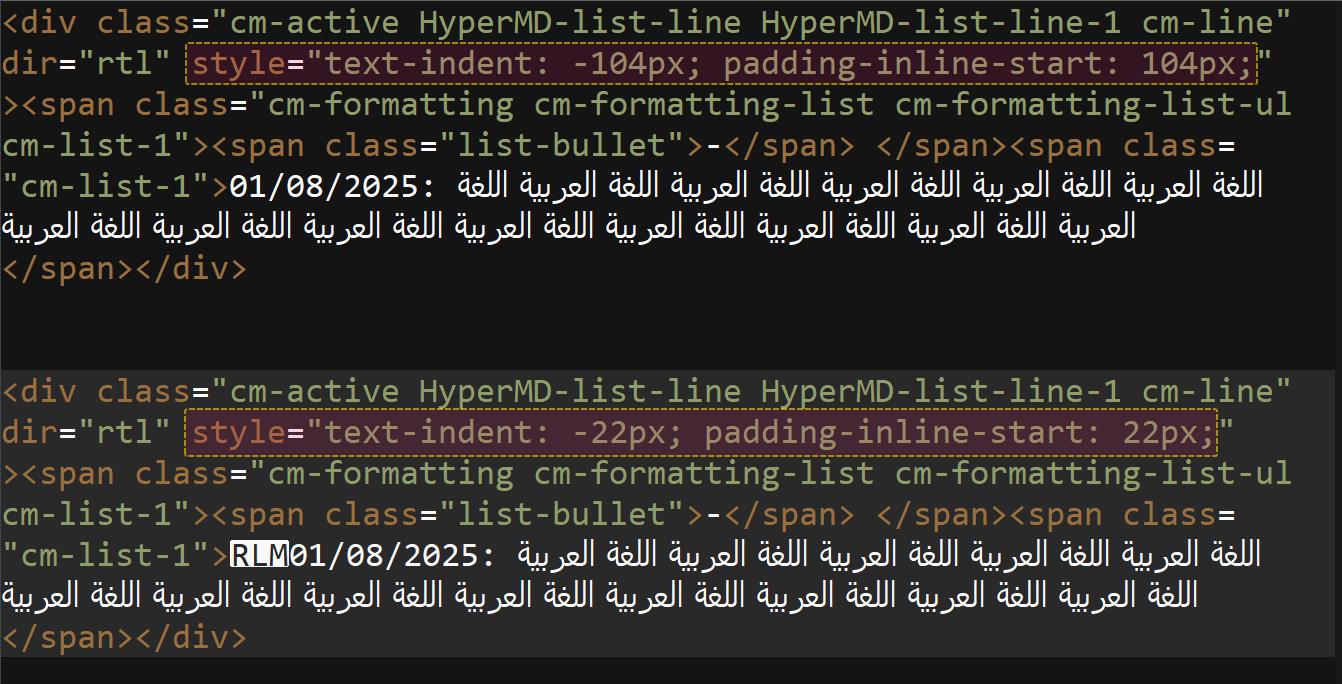
I toggled on the Obsidian Console (Ctrl+Shift+I) to compare the code with and without the RLM character.
There is a difference in the CSS properties text-indent and padding-inline-start. Inserting the RLM character resets them to -22px and 22px, respectively, which are the default values.
Regarding this BR that I reported was not reproducible anymore in 1.13.1.
The issue resurfaced in 1.13.6, and the last stable release that doesn’t have this issue is 1.13.4
1.13.6
1.13.4 (Correct second-line indent)
Environment
SYSTEM INFO:
	Obsidian version: 1.13.6
	Installer version: 1.13.6
	Operating system: Windows 11 Pro 10.0.26200
	Login status: logged in
	Language: en
	Catalyst license: insider
	Insider build toggle: on
	Live preview: on
	Base theme: adapt to system
	Community theme: none
	Snippets enabled: 0
	Restricted mode: on

RECOMMENDATIONS:
	none
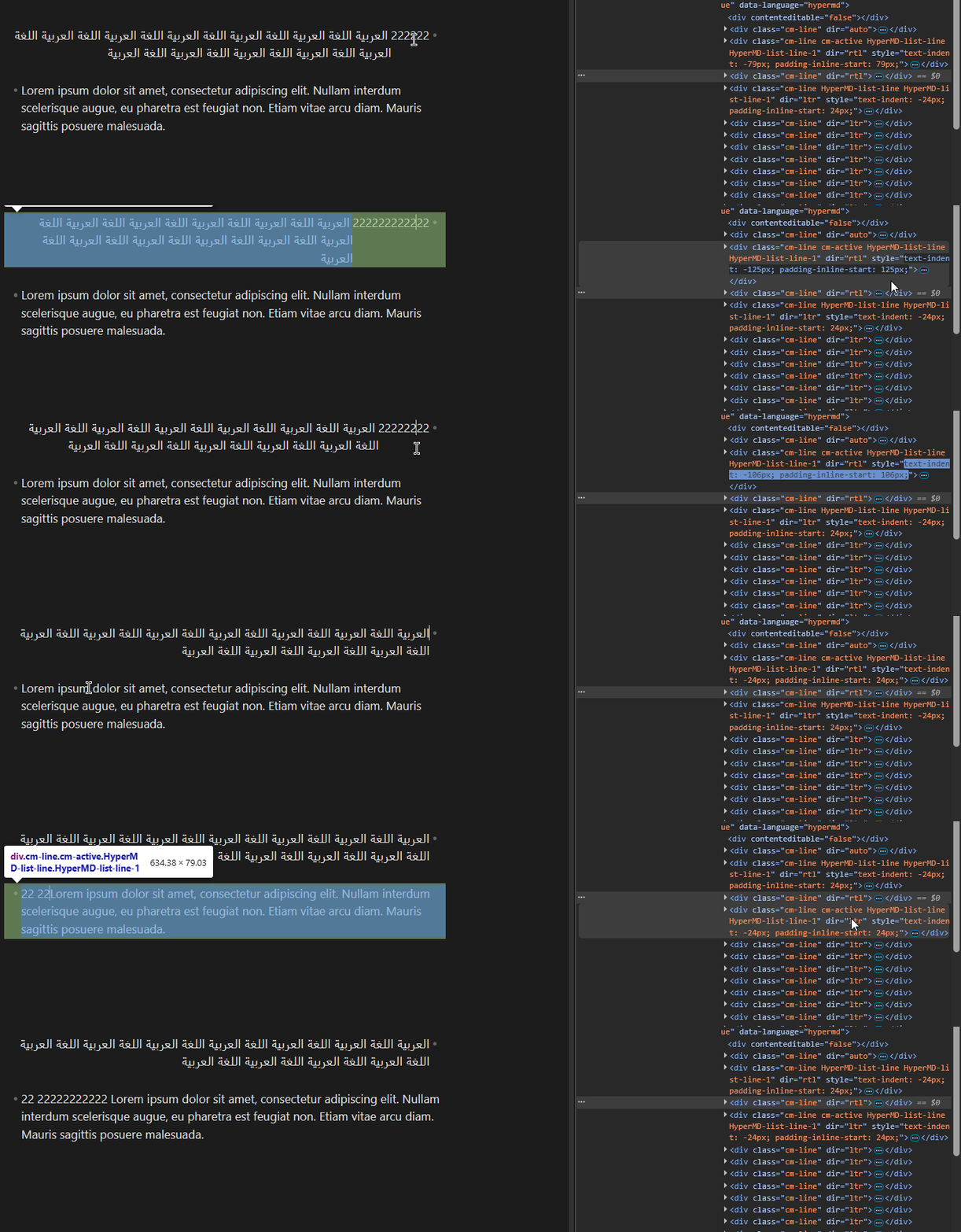
The issue in Live Preview/Source Mode is that a list line with dir="rtl" treats numbers or symbols following the list marker as if they were part of it, causing text-indent and padding-inline-start values to increase as more numbers are added. The following GIF compares list lines with RTL and LTR attributes, showing how properties in lines with the RTL attribute change as numbers are added or removed, while lines with the LTR attribute remain unchanged.
I’m using this CSS snippet that targets RTL lines as a workaround.
This is a summary of all the important information in the thread.
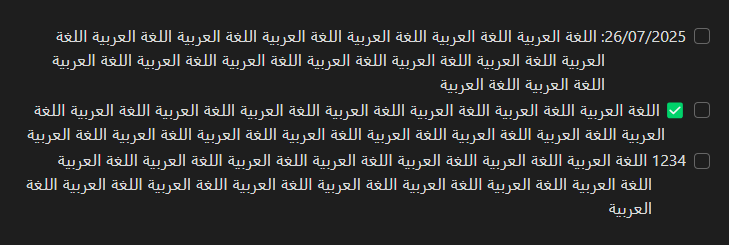
This is an editor issue with lists (unordered lists, ordered lists, and task lists) that have RTL as their base direction. It only affects Live Preview and Source Mode. Reading Mode is not affected.
The editor treats some characters (such as numbers, emojis, and some others) that follow the list marker and its space as if they were part of, or an extension of, the list marker. As a result, the text-indent and padding-inline-start values increase or decrease as more characters are added or removed.
This issue ceases to exist if either of the following happens:
A second space is inserted after the list marker (-, *, +, - [], 1.) and it’s space.
An RLM (U+200F) (A invisible unicode character with strong RTL directionality) is inserted after the list marker and it’s space.
A few examples of the problematic characters (inserting them after the list marker and its space causes a hanging indent issue):
1 2 3
# $ £ %
💡🚀✅❌🔴🟠
A few examples of the non-problematic characters (inserting them after the list marker and its space doesn’t cause a hanging indent issue):
! @ ( ) { } [ ] < > / \ | ~ = + - ^
Examples of an RTL list item (which has the issue) and an LTR list item (which doesn’t have the issue) that start with a number (one of the problematic characters):
- 123 اللغة العربية اللغة العربية اللغة العربية اللغة العربية اللغة العربية اللغة العربية اللغة العربية اللغة العربية اللغة العربية اللغة العربية اللغة العربية اللغة العربية اللغة العربية اللغة العربية اللغة العربية اللغة العربية اللغة العربية اللغة العربية اللغة العربية اللغة العربية اللغة العربية اللغة العربية اللغة العربية اللغة العربية اللغة العربية اللغة العربية اللغة العربية


- 123 Lorem ipsum dolor sit amet, consectetur adipiscing elit. Phasellus non vestibulum ipsum, quis dignissim diam. Nunc nisi turpis, euismod quis ultricies sit amet, aliquam nec urna. Nulla eu sem sed mauris dignissim rutrum. Fusce sollicitudin sapien in nunc porta, at lobortis massa viverra. Donec ornare at tellus sit amet interdum. Nulla facilisis suscipit massa vel fermentum. Cras lobortis mauris sit amet dolor lobortis mattis. Aliquam blandit lacus ut leo sollicitudin, sed luctus risus feugiat. Etiam eget nulla nisl.
You can already see the issue by pasting these two list items into the editor. You can also experiment by inserting any of the other problematic characters after the list marker and its space and see how doing so causes an issue with the RTL list item.