Indentation Issue with Lists That Start with a Symbol or Date Followed by Arabic Text (RTL)

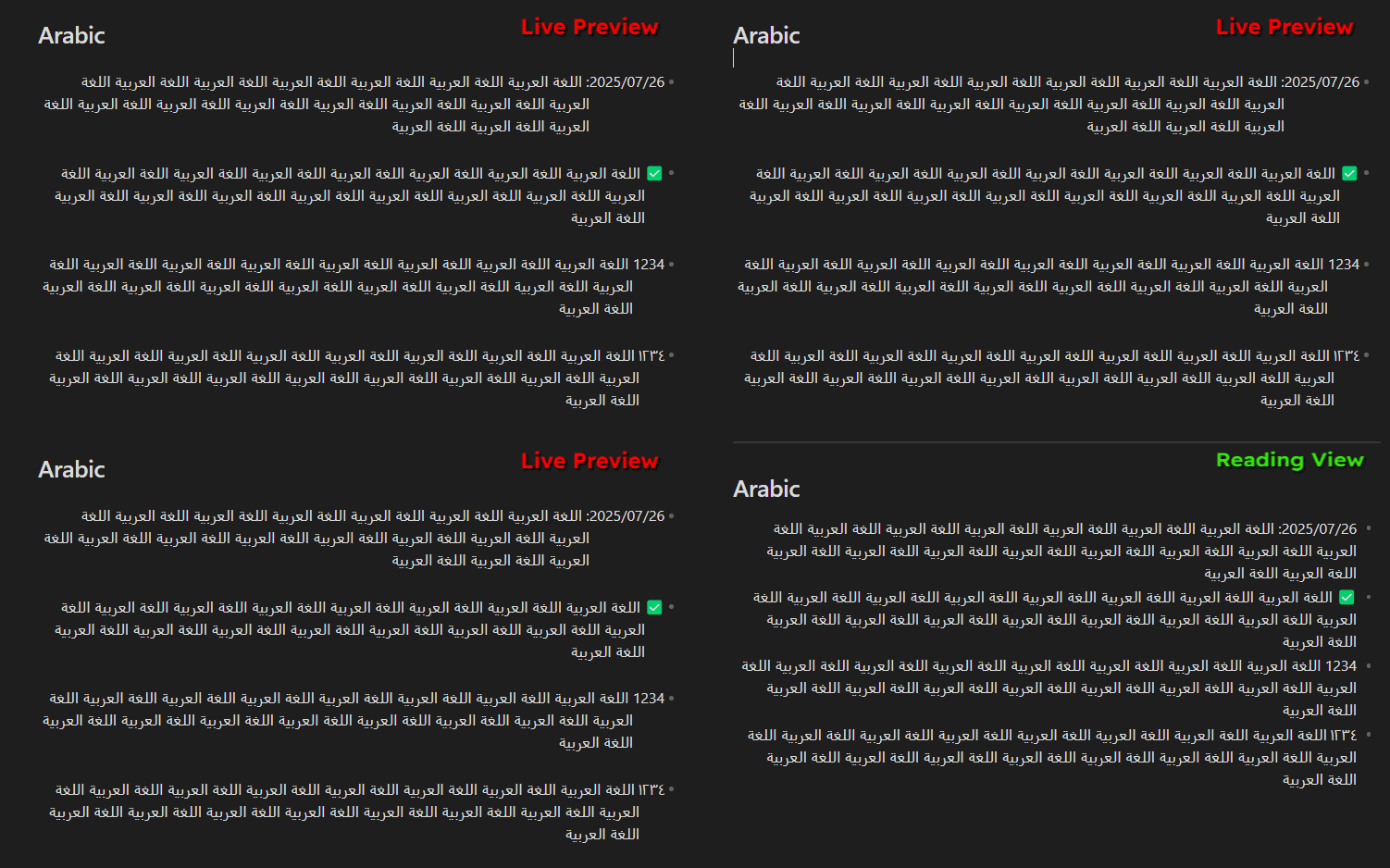
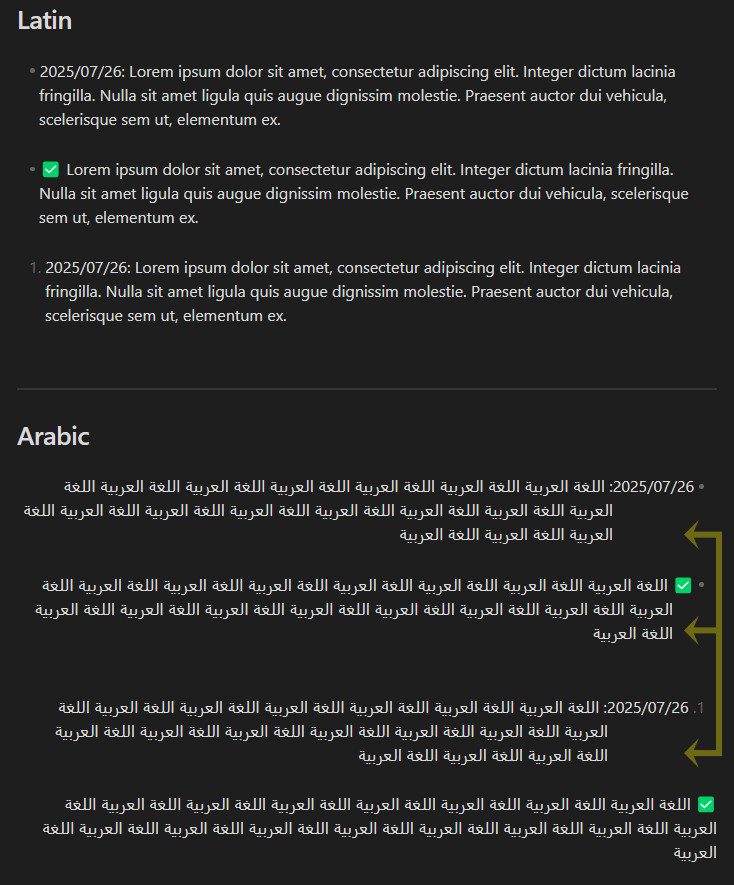
Starting a list item with a date or a symbol followed by Arabic text causes an indentation issue in the following lines.

Did you follow the troubleshooting guide? [Y/N]

Y

Expected result

Proper indentation in lists that start with a date or a symbol followed by Arabic text.

Actual result

Broken indentation in lists that start with a date or a symbol followed by Arabic text.

Environment

SYSTEM INFO:
Obsidian version: v1.8.10
Installer version: v1.8.10
Operating system: Windows 11 Pro 10.0.26100
Login status: not logged in
Language: en
Insider build toggle: off
Live preview: on
Base theme: adapt to system
Community theme: none
Snippets enabled: 0
Restricted mode: on

RECOMMENDATIONS:
none

Additional information

That green checkbox looks like you are using a community theme or plugin. Is that the case?

Just want to be sure where it’s coming from.

No plugins. This is the built-in Windows Emoji Picker (Win + . shortcut).

2025-07-26_124725

1 Like

Good to know. Thanks!

1 Like

More Info: I’ve noticed that starting a list with a numeral also triggers the issue, and that the indentation issue occurs only in Editing View (Live Preview - Source Mode), not in Reading View.

2025-07-26_133631

interesting, thanks!

1 Like

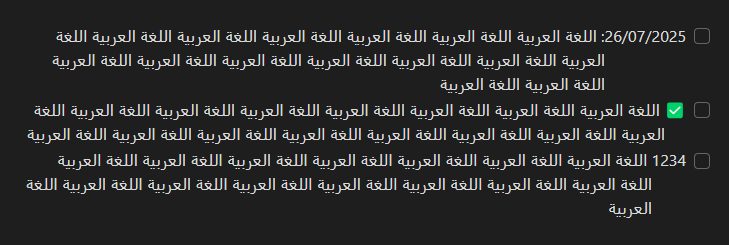
More Info: The same issue affects checkboxes in Editing Mode.

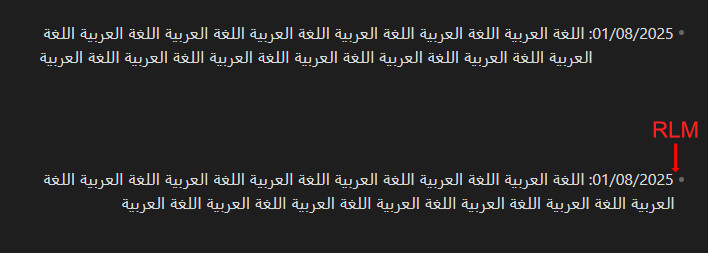
  • Inserting a RIGHT-TO-LEFT MARK (U+200F) Unicode character before a number, date, or symbol resolves the indentation issue in lists and checkboxes in Live Preview Mode.
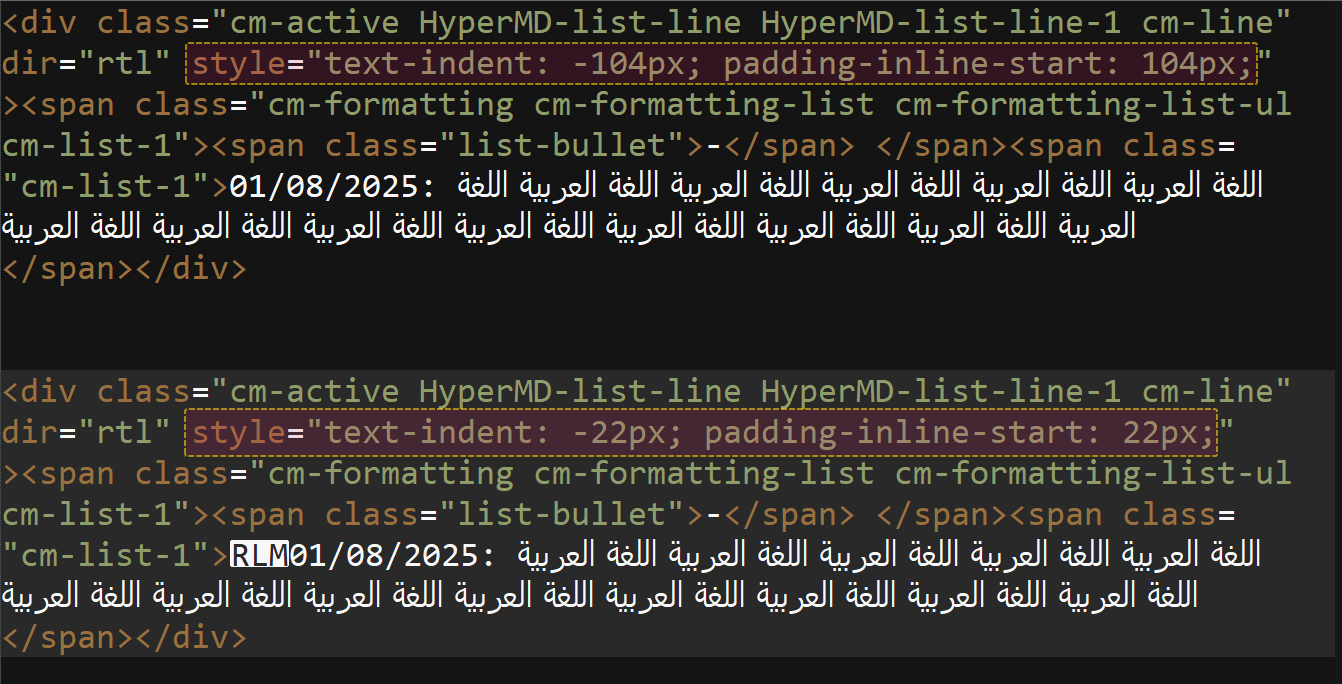
  • I toggled on the Obsidian Console (Ctrl+Shift+I) to compare the code with and without the RLM character.
  • There is a difference in the CSS properties text-indent and padding-inline-start. Inserting the RLM character resets them to -22px and 22px, respectively, which are the default values.

Any news on this bug? Happy to provide more info if needed.