I’m trying to create a Meta Bind button that will run a QuickAdd command. Normally this prompts the user to select the template, but I want it to make the choice for me so I can bypass the selection. I use a lot of templates in several of my vaults, so having to select one every time is a bit cumbersome and prone to human error. My goal is to have one button-per-template on my home page.
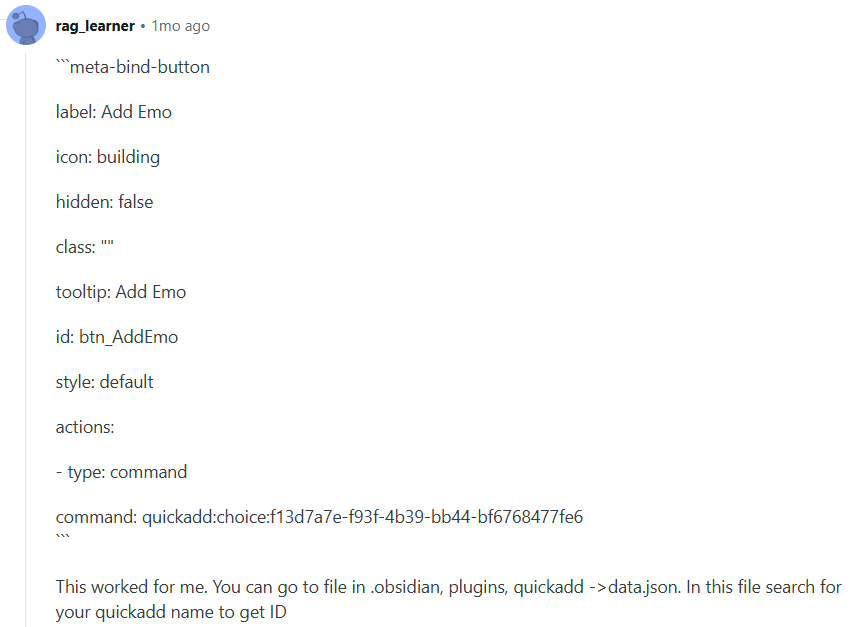
Per the reddit post below, I was able to get the command ID for each template choice. But I can’t figure out how to incorporate it into the button.
Here’s the first bit of syntax I tried. I literally just tacked it on. Nothing happens when I press this button. No error, nothing in the console, just nothing.
label: New Resource
icon: lucide-trees
style: default
tooltip: New Resource
id: resource
hidden: false
actions:
   - type: command
    command: quickadd:runQuickAdd:choice:7585f754-6281-44c7-bd50-64c074e48c78
Here are a couple variations of the command syntax that I’ve tried.
Again nothing happens.
I might not even have the right command ID, but if that’s the problem I still don’t know how to modify this string to select the template for me.
It’s also possible that this can’t be done. If that’s the case, I’ll just deal with making a selection every time, or I’ll have to learn JavaScript at some point. But that’s an elaborate solution for down the road.
I just tested in the sandbox vault in which I only installed Meta Bind and QuickAdd but the buttons I create (through the Meta Bind button builder available in the command palette) seems to be working as expected …
Something I see in your Meta Bind button code block though, is that there’s a space missing on the command: quickadd... line or a space too much on the line just above right before the - type..., which could be problematic…
But then, from what I’ve tested, Meta should alert you that something’s wrong …
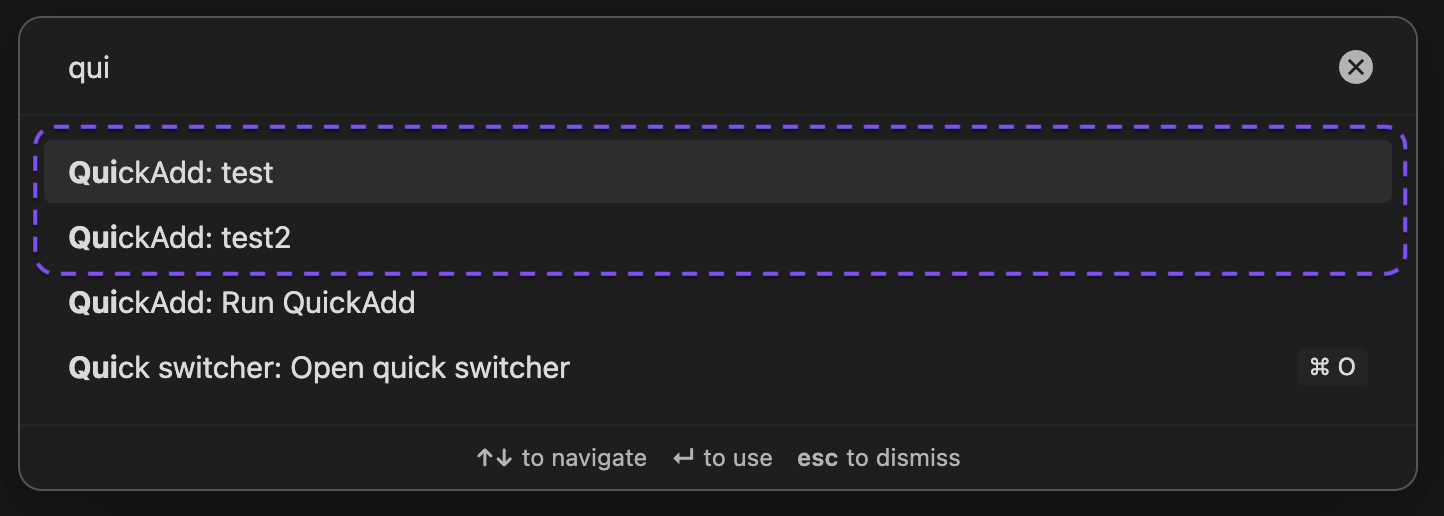
Did you try to create a button using Meta Bind button builder (available in the commande palette) ?
You won’t have to look for the command ID using the button builder … Meta Bind will get it for you when you select the command it’s supposed to run
Note: I’ve tested this running the latest Catalyst/Insider/Beta release of Obsidian (So I don’t know if there could be issues using Obsidian latest public release )
Woah. Your first code block finally worked for me! Woop!
Lol yeah, that was a copy-paste error, BUT I do still struggle with indentations, so that’s useful to double check. Thank you for pointing it out!
This might have been it! I didn’t have those selected. I might have considered that after another 2 hours of investigating on my own, but you’re a life-saver.
Part of my project involved learning more about command ID strings, but I’m psyched to see there’s another way that, honestly, looks more intuitive. Thank you for this!!
 …
… …
… …
…
 )
)