Steps to reproduce
Hello there, a couple of years ago I started using Obsidian to take notes of my classes in uni, and it has become one of the greatest apps I have ever used. I did a little HTML and CSS in high school but I am pretty rusty.
Since the beginning my main difficulty was managing the position of images on my notes; I solved my problem thanks to a post that suggested to use a CSS snippet.
This way, I was able to place an image left or right with the text filling the blank space, and it worked both in reading mode and live preview mode.
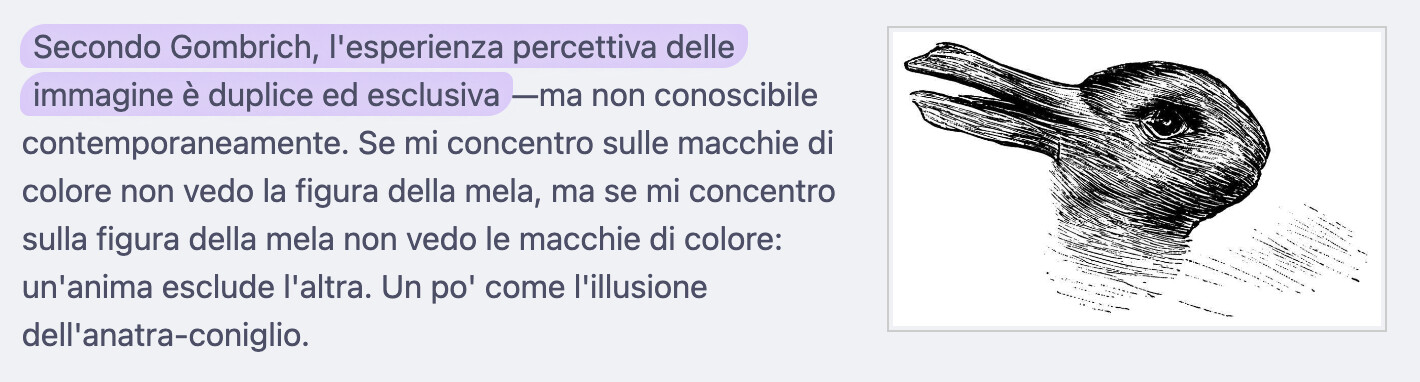
However, since the last update, I’ve had some problems; if I place an image at the beginning of a paragraph, the end result is the following in Reading Mode (previously it was the same also in Editing Mode with Live preview enabled):
But if I toggle editing mode, the result is this:
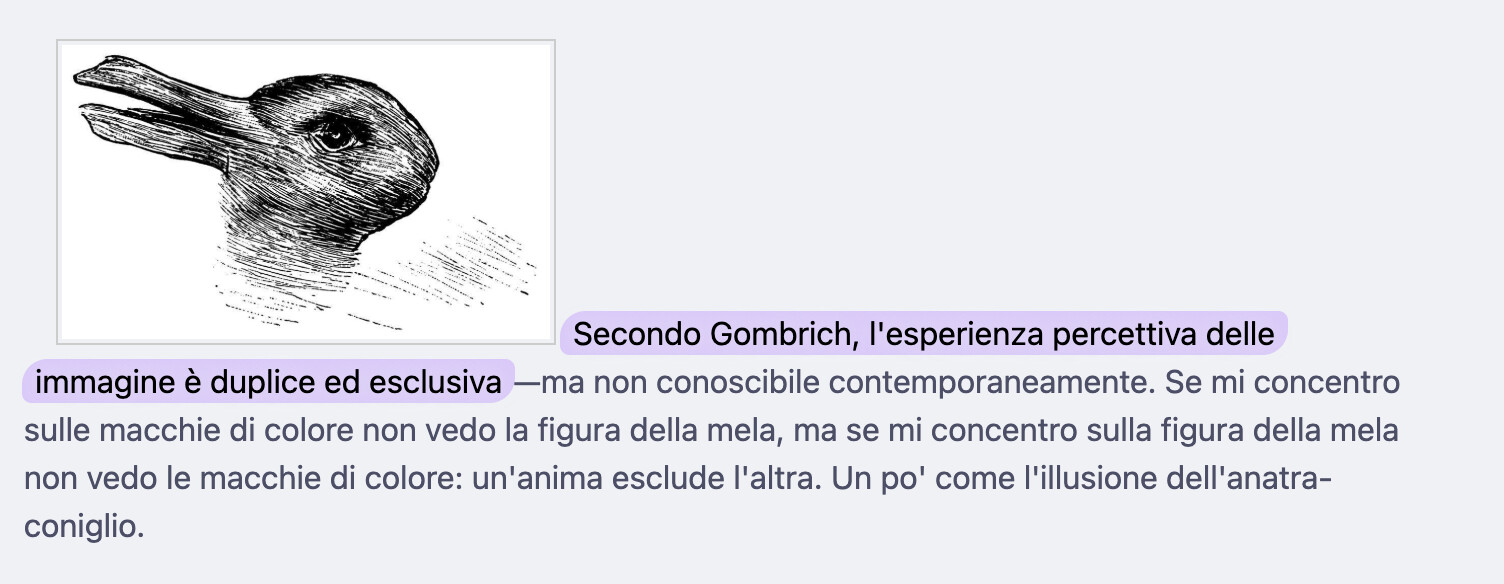
Of course it’s not the end of the world, but I stay most of the time in Editing mode, and it’s one of those things that’s like a scratch inside the skull.
When I first installed Obsidian, i solved the problem by using a CSS snippet:
/*.markdown-source-view.mod-cm6 .internal-embed > img,
.markdown-preview-view .internal-embed > img {
    border:1px solid #ccc;
    margin: 0.25rem 0.25rem 0.75rem 0.25rem;
}*/

img[alt*="right"] {
    float:right;
   clear:right;
    margin-left: 1rem;
    margin-bottom: 2px;
    margin-top: 2px;
    margin-right: 2.5%;
    border:1px solid #ccc;
    height: auto;
    padding: 2px;
    display:block;

}

img[alt*="left"] {
    float:left;
   clear:left;
    margin-left: 1rem;
    margin-bottom: 2px;
    margin-top: 2px;
    margin-right: 2.5%;
    border:1px solid #ccc;
    height: auto;
    padding: 2px;

}

img[alt*="center"] {
    align:center;
    clear:left;
    clear: right;
    margin-right: 1rem;
    margin-bottom: 2px;
    margin-top: 2px;
    margin-left: 2.5%;
    border:1px solid #ccc;
    height: auto;
    padding: 2px;
}

img[alt*="border"] {
    margin-right: 1rem;
    margin-bottom: 2px;
    margin-top: 2px;
    margin-left: 2.5%;
    border:1px solid #ccc;
    padding: 2px;
}

.table
	{
	--table-cell-vertical-alignment: middle;
	vertical-align: middle;
	}

td {
    vertical-align: middle;
}

// Indent the first line in edit mode
.longform-leaf .cm-content .cm-line:first-child {
    text-indent: 2em;
}


.leftimg {
  display: block;
  float: left;
  margin: 10px;
}

.centerimg {
  display: block;
  margin: 0px auto;
}

.rightimg {
  display: block;
  float: right;
  margin: 10px;
}

.tinyimg {
  display: block;
  max-width: 100px
}

.smallimg {
  display: block;
  max-width: 300px
}

.mediumimg {
  display: block;
  max-width: 500px
}

.largeimg {
  display: block;
  max-width: 800px
}
In order to understand what kind of problem it was I made sure that everything was up to date (it was 1.12.7), I disabled Community plugins, I toggled and untoggled CSS snippets, I tried to see if the problem persisted into the sandbox vault (it did).
However, I tried to install a previous version of Obsidian (1.11.7) and the image displayed correctly. I guess something was changed on live preview and how it shows images.
Since it doesn’t work as expected anymore I hope someone can help me solve this 
I’ll keep the previous version until it is solved.
Did you follow the troubleshooting guide? Y
Environment
SYSTEM INFO:
Obsidian version: 1.12.7
Installer version: 1.11.7
Operating system: Darwin Kernel Version 25.4.0: Thu Mar 19 19:31:09 PDT 2026; root:xnu-12377.101.15~1/RELEASE_ARM64_T8132 25.4.0
Login status: not logged in
Language: en-GB
Insider build toggle: off
Live preview: on
Base theme: light
Community theme: none
Snippets enabled: 1
Restricted mode: on
RECOMMENDATIONS:
Custom theme and snippets: for cosmetic issues, please first try updating your theme and disabling your snippets. If still not fixed, please try to make the issue happen in the Sandbox Vault or disable community theme and snippets.
