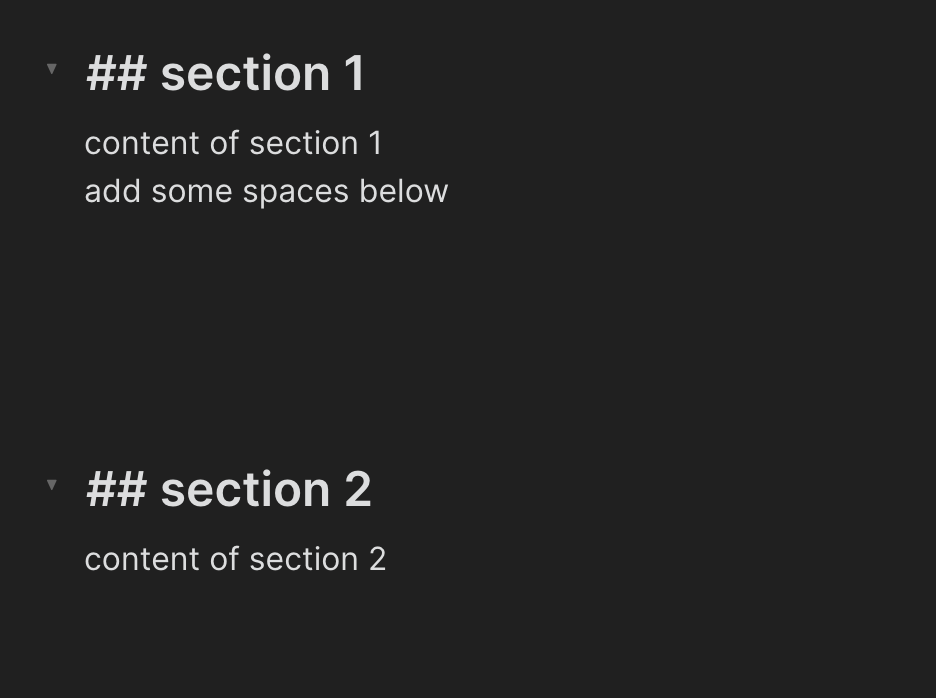
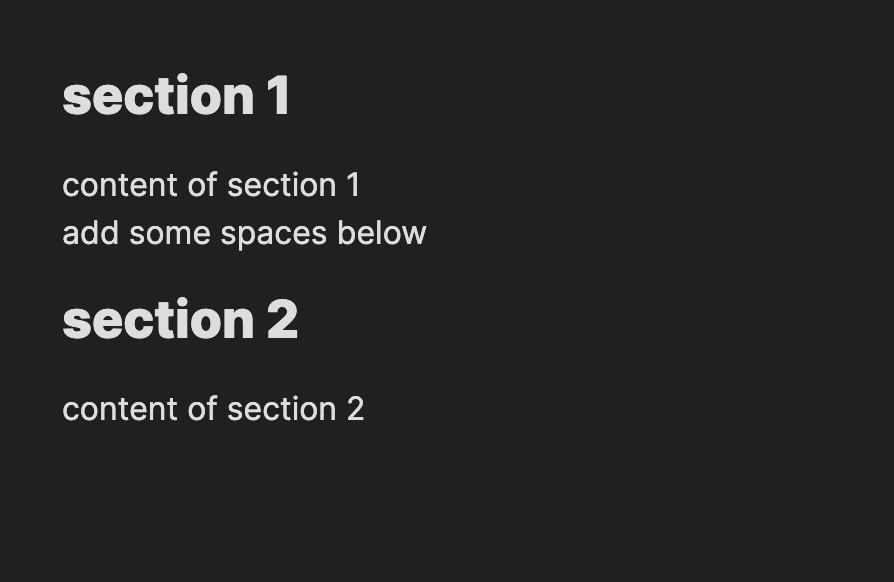
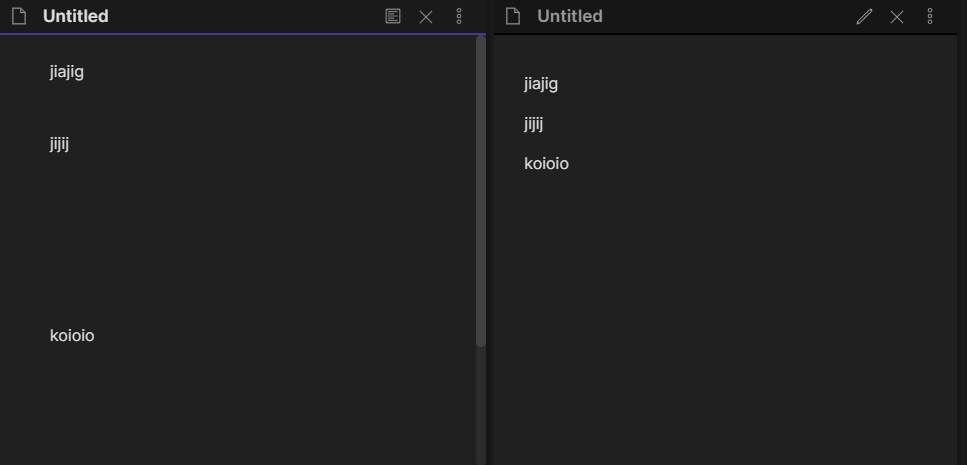
I am familiar with markdown. When I add multiple empty lines in the markdown file, I expect it will also show those lines in the preview mode, but seems no matter how many lines I added in markdown, those lines are always be eaten up in the preview mode. (shown below)
I am wondering is it possible to keep those lines in Obsidian, or is there some settings I am missing? Thank you!
Every Markdown implementation I’ve tried removes white space in this same way. Double spaces or trailing spaces should get turned into single spaces as well.
You can add more line breaks by using <br> html tags. I don’t know if you can use style to make them taller or not. I saw a release note about how style tags are not supported. But <br><br><br> would add multi-lines.
got it, thank you. I was using typora which support multiple lines, so just wondering if could do the same thing in obsidian.
maybe obsidian could add an option in settings to support this, like the “strict line breaks” one?
@0xbf Just in case you are still looking for a solution, here is the best approach I have. First though - I too would emphasize the desire for adding whitespace with just carriage returns. I have a default metadata section that is added at the end of every note, and I greatly prefer to have this stuff pushed down away from the main text of the note.
Also, there are many ways to add whitespace that look fine in the preview mode, but look rather messy in the edit (markdown) mode. Adding a bunch of <br>'s for instance is not my definition of pretty white space when you look at the markdown version.
So I solved it by using a bunch of \ characters, one per line, in multiple lines. Then, with the very last one I add a single tab key. This is at least somewhat clean looking inside both the straight text version and the preview version.
Here is the markdown example:
Last Text
\
\
\
\
\
<tab>
New Text
which translates to
Last Text


New Text
What this is doing is using the “line break” feature of Obsidian’s MD parser to add in line breaks. Eventually, it needs to force a full paragraph break by seeing a normal character (a space won’t work). For a while I used a \. on the final line (which displays a single dot). Then I realized that a tab character in Obsidian will be translated as a valid empty character.
This is the closest I’ve gotten to something that looks good in both markdown and preview modes.
Multiple empty lines are a no no in good typography. We speak rather about vertical space and this is added via styling the different sorts of paragraphs, header, and so on.
That beeing said, when I want to add white vertical space, I just put “em spaces” on lines by themselves and it works perfectly. In edit mode, you have two possibilities :
invisible space : (you don’t see it, but it’s there, I guarantee you)
Nice, this is the best answer for me personally! The biggest time I want to add extra whitespace is inside quoteblocks, when I want a paragraph break without breaking the quoteblock border and without muddying the quote with syntax. An invisible emspace works perfectly!
I was able to add spaces between blocks playing with CSS but it worked only with the “edit mode”. I have been trying for a long time but never had success with “preview mode” and this is one of the reasons that I remain with Roam Research - for me it is easier to read on the screen. If someone knows how to do that using CSS, please let me know.
I don’t know how it works, but works. I have just paste the code below in Obuntu.CSS theme and now I have white space between blocks in “preview mode” without type anything on the markdowns.
It look me like a year until I discovered how to actually type the EM SPACE character lol
Here is a link to the “U+2003 : EM SPACE {mutton}” invisible character:
You have to click on “COPY” where it says “Click to copy and paste symbol”, then you have the invisible character in your clipboard.
Then you can paste it into an empty line in Obsidian. Beware, if you press enter, it will be deleted, but if you press shift-enter, a new line with the same character is created.
Good workaround:
Make a template with EM SPACE character (or 3 of them). (I make an EM SPACE, and a normal empty line after, so that the next Enter-press doesn’t delete the EM SPACE).
Use ‘Hotkeys for templates’ plugin, open plugin settings and switch on the EM SPACE template.
Make a ctrl-space hotkey for inserting the EM SPACE template.
Enjoy the beauty of infinite space and endless horizons in reading mode!