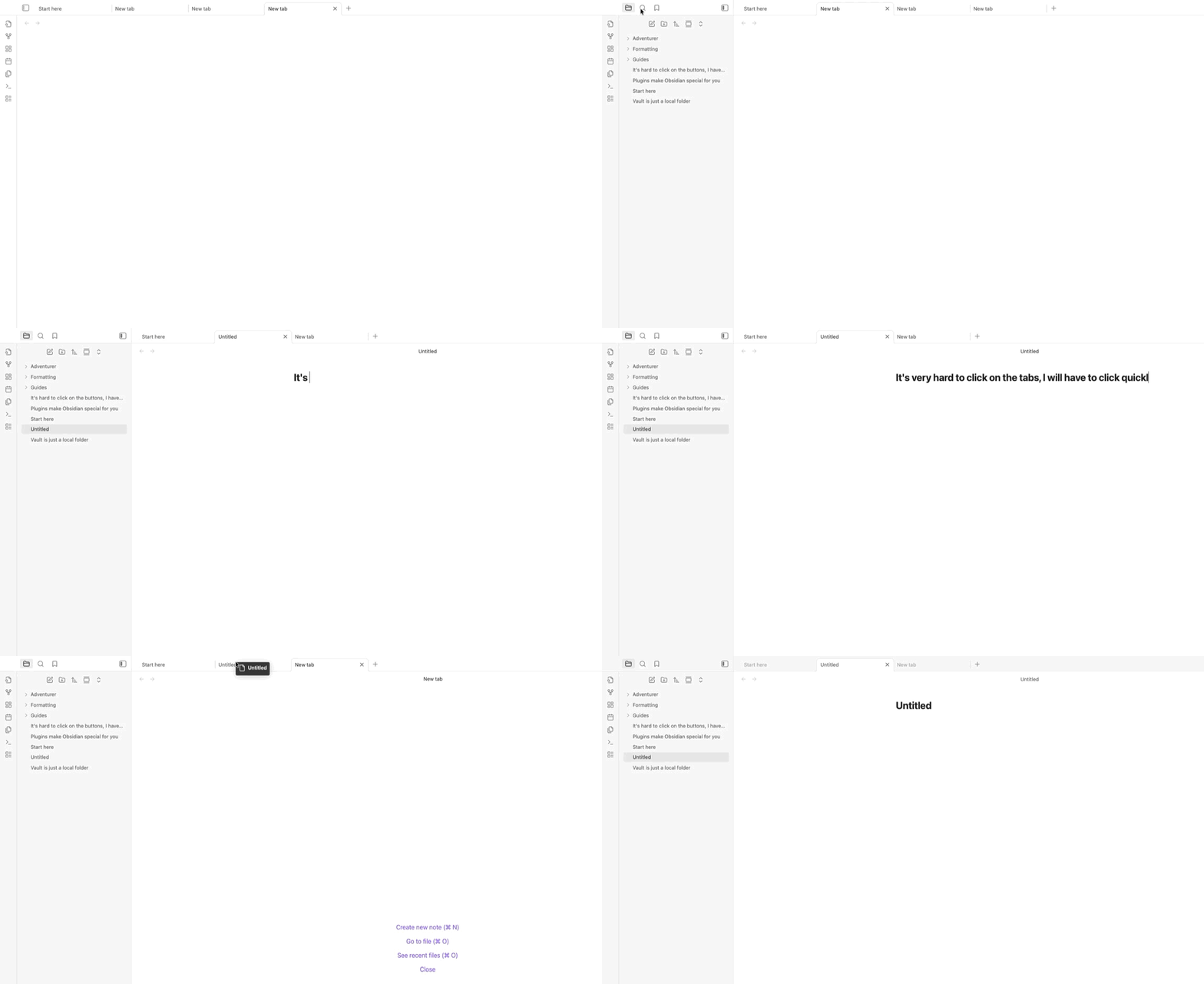
Try to swap tabs by clicking on the tabs, or try to close the tabs by clicking on the “X”
Did you follow the troubleshooting guide? [Y/N]
Yes, I tried in SandBox
Expected result
Be able to click on buttons easily
Actual result
Observed that it’s hard to close or swap tabs, also hard to press the buttons on the top of the screen, a tag will show up and blocks the click. Seems like UI think that I am dragging while I am actually clicking?
Environment
SYSTEM INFO:
Obsidian version: v1.10.3
Installer version: v1.8.7
Operating system: Darwin Kernel Version 25.0.0: Mon Aug 25 21:27:47 PDT 2025; root:xnu_development-12377.1.9~2/DEVELOPMENT_ARM64_T6041 25.0.0
Login status: not logged in
Language: en
Insider build toggle: off
Live preview: on
Base theme: adapt to system
Community theme: none
Snippets enabled: 0
Restricted mode: off
Plugins installed: 4
Plugins enabled: 3
1: Calendar v1.5.10
2: Paste image rename v1.6.1
3: Node Auto Resize v1.1.0
RECOMMENDATIONS:
Community plugins: for bugs, please first try updating all your plugins to latest. If still not fixed, please try to make the issue happen in the Sandbox Vault or disable community plugins.
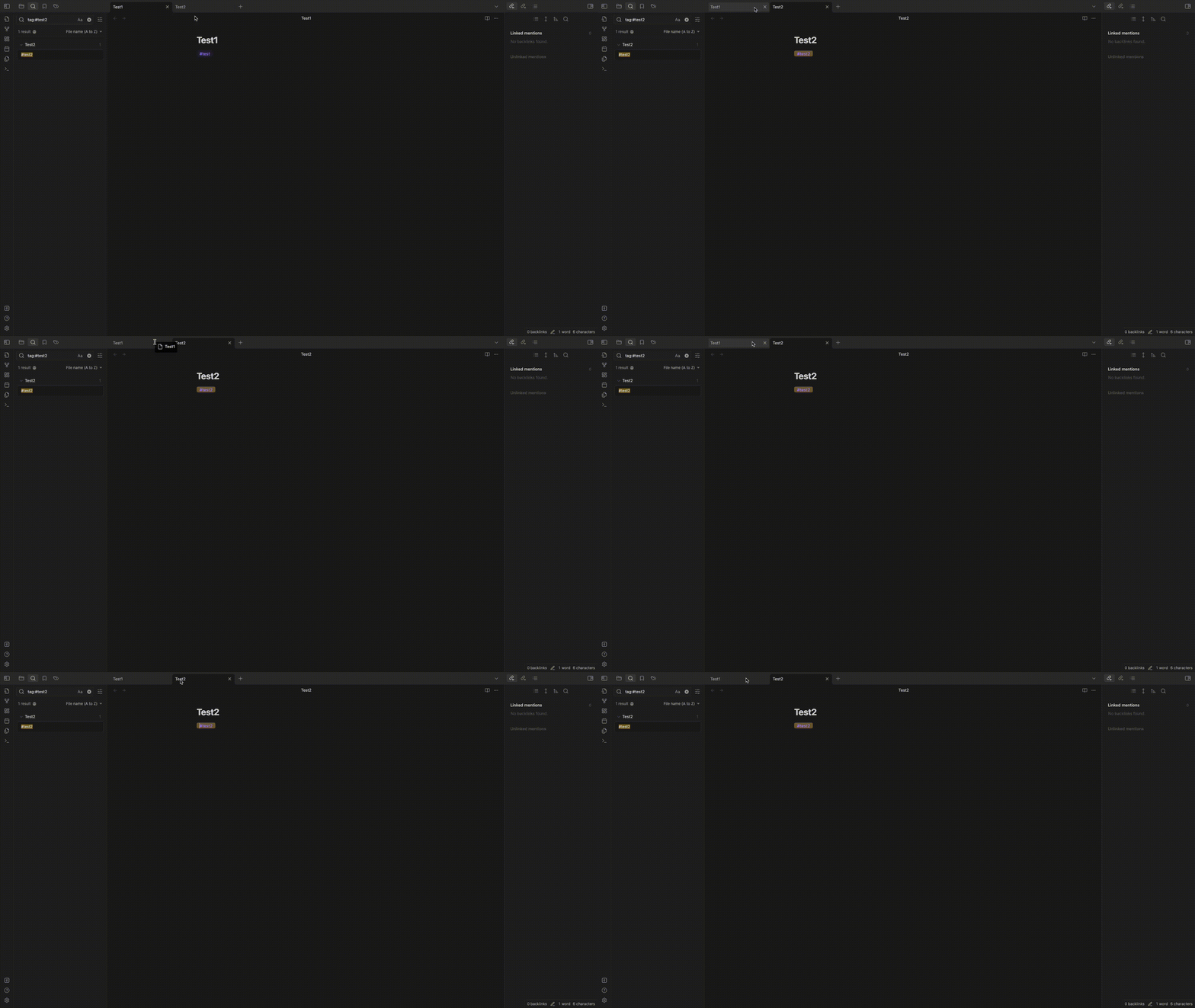
Same here. When in Full Screen on the monitor I can only click the bottom of the tabs below the tab text or icon to activate them. If I click on the tab text or higher they don’t activate just like @VincentLin demonstrated in the original post.
When I move Obsidan to Full Screen on my MacBook Pro display the tabs work as expected. What I noticed is that on the MBP display the top of the Obsidian window is actually below the notch so it doesn’t interfere.
The issue may be related to that menubar space. When Obsidian is on the attached monitor in Full Screen the window extends to the very top of the monitor since there is no notch. But that top menubar area is may still be treated as if it was on the MacBook Pro Display where the Obsidian window isn’t in menubar space so clicks there don’t activate the Obsidian tabs.
Another observation is that when an app like Safari is Full Screen you can click anything the top section and it activates as expect. But when you hover that area the menubar slides down and the Safari window shrinks to accommodate it. With Obsidian when you hover that area and the menubar slides down it covers the tabs instead of adjusting the Obsidian window height.
I am on a MacBook Pro with Tahoe 26.3.1 and attached Apple Studio Display monitor and using the latest Obsidian 1.12.7.
Clicking on the tabs in the application no longer works reliably. After some time, the tabs no longer respond to clicks, the corresponding view does not open. As a (poor) workaround, it helps to move the tabs, which then opens the window. All tabs are affected, center as well as left and right pane.
I haven’t experienced this. Can you give more detailed steps to reproduce? Like “click 5 tabs” or “wait 5 minutes” or whatever you can identify.
I wasn’t able to reproduce in the sandbox vault (same MacOS and Obsidian versions as you). I opened the sandbox vault and clicked back and forth among the default left sidebar tabs for 50 clicks, then opened a new tab in the main area and clicked back and forth between that and the existing note for 50 clicks.
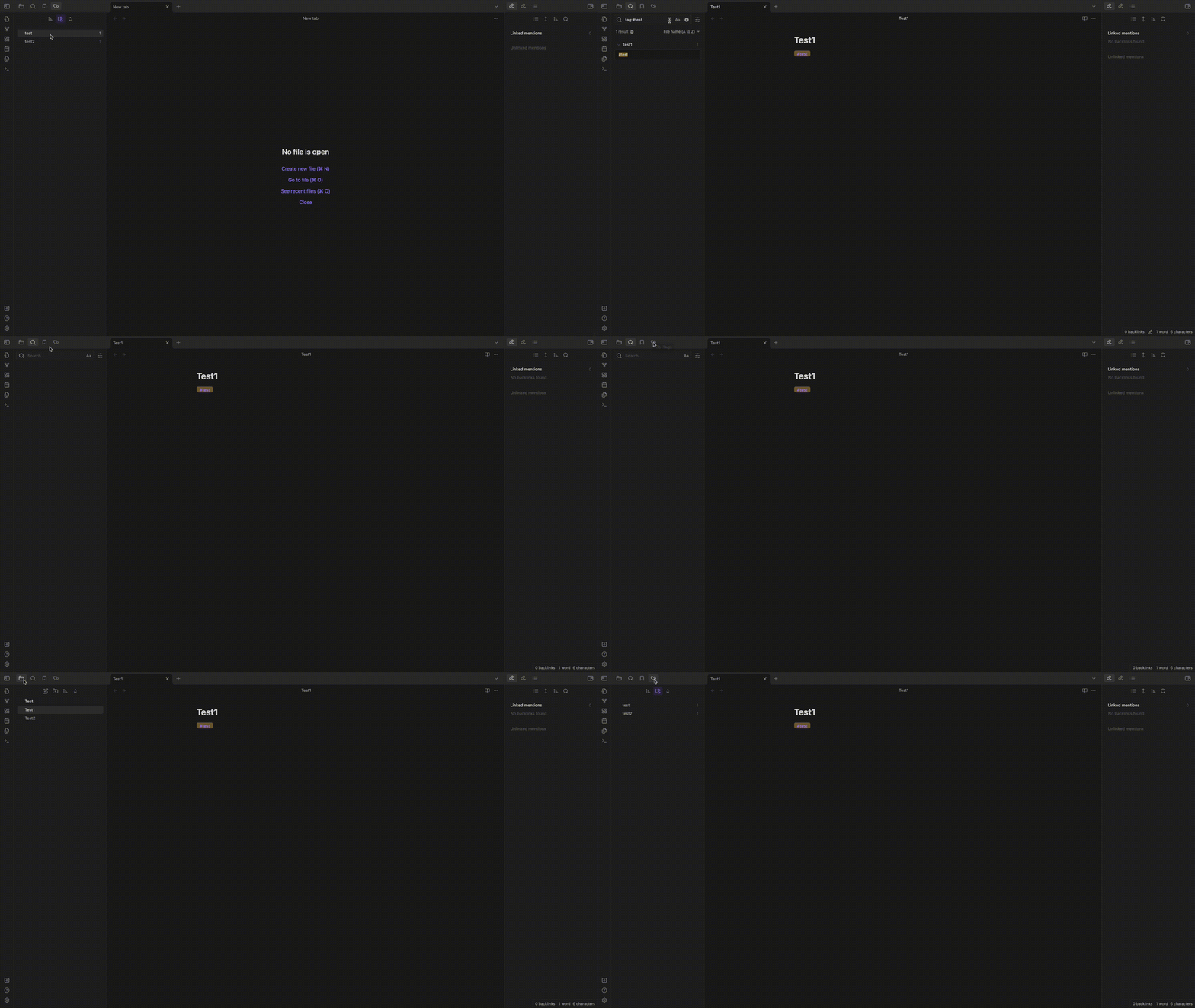
Hi! I have a similar issue: after searching notes by tag, I can’t go back to the Tags panel. Only double-clicking works all the time. Tabs don’t work well for me either.
The problem might occur because of an external screen. There is no problem when I use the main screen of my Mac.
Everyone in this thread, if you could, please provide your “Show Debug Info”.
And if you are on an older installation version, try reinstalling from the latest 1.5.3 download on the website. And make sure you give it a test in the Sandbox vault to make sure it isn’t a plugin or CSS snippet that is causing the issue. (kl_s, I see you did already, but that was an older post and an older version. I wonder if you’re still experiencing this.)
I can’t reproduce this either. It’s working fine on my side.
SYSTEM INFO:
	Obsidian version: v1.5.3
	Installer version: v1.5.3
	Operating system: Darwin Kernel Version 23.2.0: Wed Nov 15 21:53:34 PST 2023; root:xnu-10002.61.3~2/RELEASE_ARM64_T8103 23.2.0
	Login status: not logged in
	Insider build toggle: off
	Live preview: on
	Base theme: adapt to system
	Community theme: none
	Snippets enabled: 1
	Restricted mode: off
	Plugins installed: 17
	Plugins enabled: 17
		1: Kanban v1.5.3
		2: Better footnote v1.0.1
		3: Vocabulary View v0.1.2
		4: Calendar v1.5.10
		5: Periodic Notes v0.0.17
		6: Mind Map v1.1.0
		7: Reading Time v1.1.1
		8: Obsidian Functionplot v1.2.1
		9: TimeStamper v1.3.0
		10: Fleeting Notes Sync v0.6.3
		11: Obsidian Git v2.22.1
		12: Templater v2.1.2
		13: Latex Environments v0.4.2
		14: Dataview v0.5.64
		15: Excalidraw v2.0.18
		16: Quick Latex for Obsidian v2.6.4
		17: Projects v1.17.1

RECOMMENDATIONS:
	Custom theme and snippets: for cosmetic issues, please first try updating your theme and disabling your snippets. If still not fixed, please try to make the issue happen in the Sandbox Vault or disable community theme and snippets.
	Community plugins: for bugs, please first try updating all your plugins to latest. If still not fixed, please try to make the issue happen in the Sandbox Vault or disable community plugins.
I’ve tried to reproduce this bug in the newly created vault – but it doesn’t work. I can also notice that this bug sometimes appears and sometimes does not
I have this problem on my machine as well. I figured out exactly when it happens and found a fix (that works in my case at least). Don’t know the root cause.
Specs
macOS Sonoma 14.4.1
Obsidian Debug Info (to emphasise that this also happens in brand new vaults without any community plugins/themes and snippets):
SYSTEM INFO:
	Obsidian version: v1.5.12
	Installer version: v1.3.5
	Operating system: Darwin Kernel Version 23.4.0: Fri Mar 15 00:11:05 PDT 2024; root:xnu-10063.101.17~1/RELEASE_X86_64 23.4.0
	Login status: not logged in
	Insider build toggle: off
	Live preview: on
	Base theme: adapt to system
	Community theme: none
	Snippets enabled: 0
	Restricted mode: on
When it happens / How to reproduce
Use Obsidian…
… in full-screen mode (note: this is not the same as maximised mode on Macs) AND
… on any screen that is not your laptop screen.
To reiterate, this issue only comes up when both conditions (1) and (2) are met.
Fix
I normally use my built-in display (laptop screen) as the main display and my monitor as the extended display.
I switched this around and made my monitor the main display (which automatically makes the in-built one and extended display).
Clicking on tabs is now working as expected on both displays, regardless of whether Obsidian is full-screen or not.
The last version I’m aware of that was required to update manually was 1.4. There was also an important security update a while back. Your first step should be downloading and reinstalling manually.
(This may or may not address this issue for you.)
Otherwise thanks for the details and the clues! I wonder if that was a common factor for the other people.
I don’t think it’s the installer because @demn has the latest minor release but is still facing the same problem. I will update my installer anyway though, it’s been long overdue, you’re right!
Many thanks for posting this. This was exactly my issue when I upgraded to Sonoma last week. Any tab (including open note tabs) proved difficult to click on to open or close. It always seemed to “prefer” dragging or dropping the tab.
For now I’m not using Obsidian in full-screen mode but rather maximised and all is well again.
 To reiterate, this issue only comes up when both conditions (1) and (2) are met.
 Clicking on tabs is now working as expected on both displays, regardless of whether Obsidian is full-screen or not.