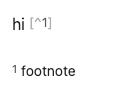
Usual Vault:
SYSTEM INFO:
Obsidian version: 1.12.7
Installer version: 1.12.7
Operating system: Darwin Kernel Version 24.6.0: Mon Jul 14 11:30:29 PDT 2025; root:xnu-11417.140.69~1/RELEASE_ARM64_T6000 24.6.0
Login status: logged in
Language: en-GB
Catalyst license: none
Insider build toggle: off
Live preview: on
Base theme: dark
Community theme: Ayu Light & Mirage 1.7.2
Snippets enabled: 12
Restricted mode: off
Plugins installed: 156
Plugins enabled: 47
1: Hot Reload v0.1.11
2: Theme Picker v1.0.8
3: Scroll to Top v2.1.6
4: Workspaces Plus v0.3.3
5: MySnippets v1.2.3
6: Lazy Loader v1.0.24
7: Better Command Palette v0.17.1
8: Copy Block Link v1.0.4
9: Excalidraw v2.23.8
10: File Tree Alternative v2.6.0
11: Hider v1.6.2
12: Hotkey Helper v0.3.22
13: Iconize v2.14.7
14: Modal forms v1.66.0
15: Quick Plugin Switcher v7.10.1
16: Quick Switcher++ v6.1.3
17: QuickAdd v2.12.3
18: Relation Pane v0.0.5
19: Settings Search v1.3.10
20: Typewriter Mode v1.3.1
21: Actions URI v1.9.0
22: Templater v2.20.5
23: Various Complements v11.3.0
24: BRAT v2.0.8
25: Another Sticky Headings v2.1.3
26: Copy File Link Hotkey v1.0.2
27: Current Folder Notes v1.7.15
28: Dataview v0.5.68
29: Dynamic Highlights Optimized v0.3.1
30: File Explorer Note Count v1.2.4
31: Improved Random Note v1.0.4
32: Link Colorer v2.0.7
33: Smart Random Note v0.2.1
34: Vault Linker v1.0.2
35: Zettel Thinking Board v1.0.14
36: Auto Link Title v1.5.5
37: Autoscroll v1.1.4
38: Better Search Views v0.3.0
39: Canvas Style Menu v0.0.6
40: Folder notes v1.8.25
41: Font Size Adjuster v0.1.4
42: Local images v0.14.2
43: Meta Bind v1.4.15
44: Optimize Canvas Connections v1.0.0
45: Plugin Update Tracker v1.7.0
46: Shell commands v0.23.0
47: Sidenotes v0.3.7
Additional information
See gif above.
I know that it works in the sandbox vault and it doesn’t work in my usual vault, but I tried turning off my plugins that affect footnotes (side note) and it still disappears. I can use footnotes in some vaults and not in others with the same plugin, so I don’t understand.
Sorry about this report, I just realised what was the problem and I fixed it. I forgot to disable CSS, which is why the site notes worked in an a sandbox but not in my own vault, where I disabled the plugins but I left the CSS that I had affecting footnotes there.
If you are curious, this is the css that caused the issue:
/* ============================================================

Footnote as Sidenote — Pure CSS (No Plugin Required)

Converts Markdown footnotes [^1] into margin sidenotes

in Obsidian Live Preview (CodeMirror 6).

============================================================ */

/* — Target the live-preview editor container — */

.markdown-source-view.mod-cm6.is-live-preview {

/* Give the content room for sidenotes on the RIGHT */

–sidenote-width: 260px;

–sidenote-gap:   24px;

}

/* ── 1. Hide the footnote DEFINITION line entirely ────────── */

/*    The [^1]: definition line at the bottom of the note.    */

.markdown-source-view.mod-cm6.is-live-preview .cm-line.HyperMD-footnote {

display: none;

}

/* ── 2. The footnote reference [^1] in the body text ──────── */

/*    Make the markers (start/end) invisible & tiny.         */

.markdown-source-view.mod-cm6.is-live-preview .cm-inline-footnote-start,

.markdown-source-view.mod-cm6.is-live-preview .cm-inline-footnote-end {

color: transparent !important;

font-size: 0 !important;

letter-spacing: 0 !important;

background: transparent !important;

border: none !important;

}

/* ── 3. Replace the invisible end marker with a styled badge ─ */

.markdown-source-view.mod-cm6.is-live-preview .cm-inline-footnote-end::after {

content: “●”;                     /* change to “1” for a numbered badge */

font-size:   13px;

color:       var(–text-accent);

vertical-align: baseline;

line-height: 0;

}

/* ── 4. Float the footnote text into the right margin ─────── */

/*    .cm-inline-footnote holds the actual [^1]: content.     */

.markdown-source-view.mod-cm6.is-live-preview .cm-inline-footnote {

float:        right;

clear:        right;

margin-right: calc(-1 * (var(–sidenote-width) + var(–sidenote-gap)));

width:        var(–sidenote-width);

font-size:    0.8em;

line-height: 1.4;

text-align:   left;

color:        var(–text-normal);

padding:      8px 10px;

/* Subtle styling */

border-left:  2px solid var(–text-accent);

background:  var(–background-secondary);

border-radius: 0 4px 4px 0;

}

/* ── 5. Keep the reference badge inline when the line is active ─ */

.markdown-source-view.mod-cm6.is-live-preview

.cm-active .cm-inline-footnote-end::after {

color: transparent;               /* hide badge while editing */

}

/* ── 6. Responsive: collapse sidenotes on narrow editors ────── */

@mediamedia (max-width: 900px) {

.markdown-source-view.mod-cm6.is-live-preview .cm-inline-footnote {

display: none;

}

}