Steps to reproduce
- Create a note with a date & time property with second-level precision (e.g.
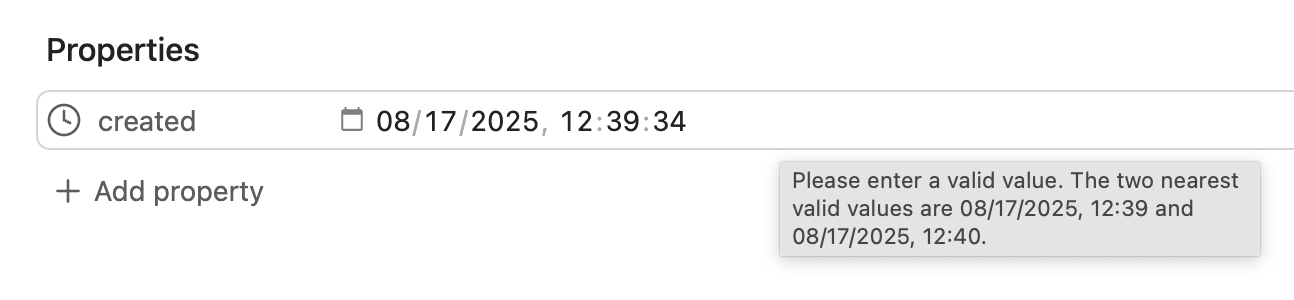
created: 2025-08-17T12:39:34 - Hover over the date & time property, and a tooltip will report that the value is invalid because it contains seconds. The message reads: “Please enter a valid value. The two nearest valid values are 08/17/2025, 12:39 and 08/17/2025, 12:40.”:
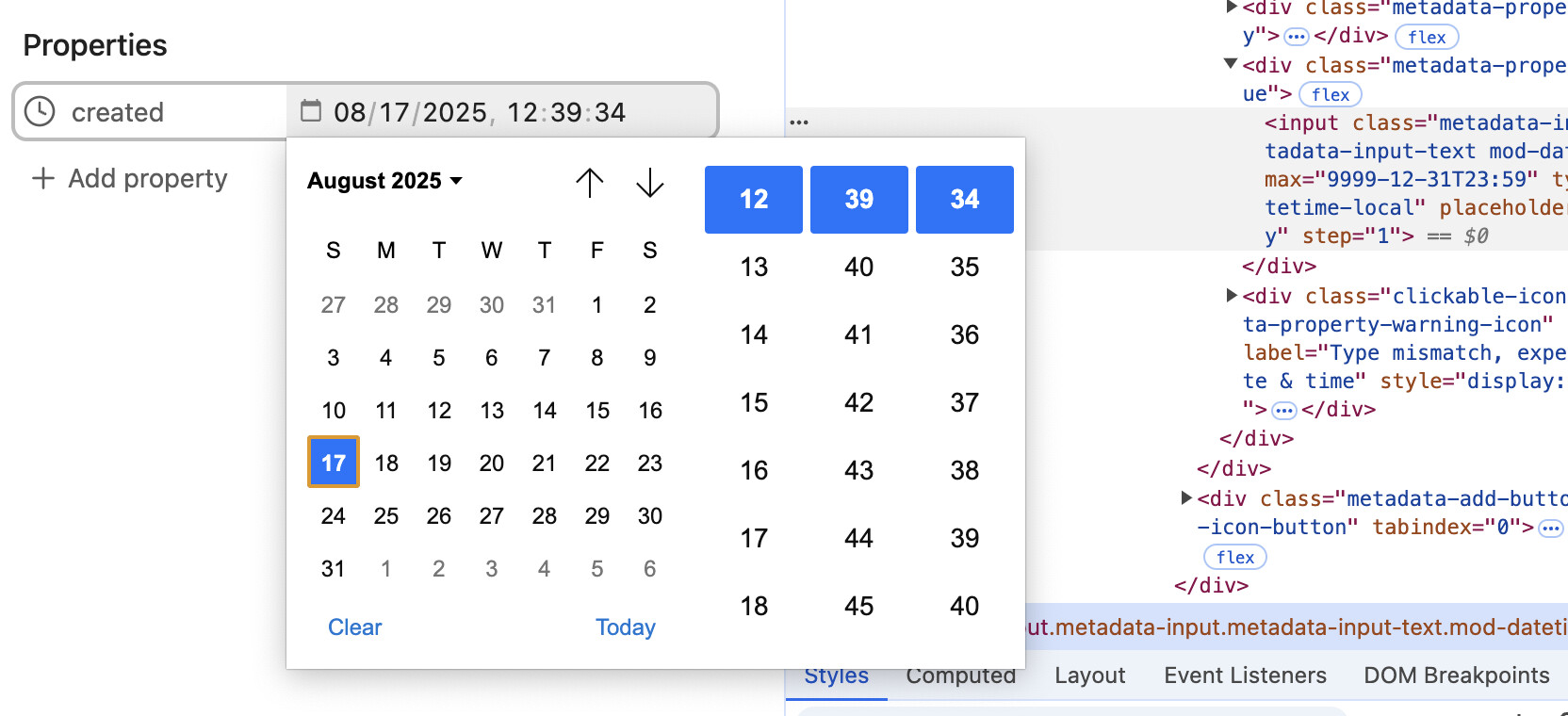
- Click on the calendar icon to edit the field, and there is no selector for the seconds time component
Did you follow the troubleshooting guide? Y
Expected result
- There should not be a validation error for the date & time property types containing seconds.
- You should be able to edit the seconds component of the time.
Actual result
The tooltip message is a result of using <input type="datetime-local"> performing input validation. There is an additional step attribute that can be set on the input tag. The value defaults to 60, and so the validation and time editor popup only have minute-level granularity.
You can confirm this in the Obsidian Devtools by selecting the <input> element and in the developer console, entering $0.validity, which will print a ValidityState object with valid=false and stepMismatch=true.
If Obsidian were to specify step="1" on for this property type, then the date/time picker would have a second selector, and the field would validate.
Environment
SYSTEM INFO:
Obsidian version: v1.9.9
Installer version: v1.7.7
Operating system: Darwin Kernel Version 24.6.0: Mon Jul 14 11:30:51 PDT 2025; root:xnu-11417.140.69~1/RELEASE_ARM64_T8112 24.6.0
Login status: logged in
Language: en
Catalyst license: supporter
Insider build toggle: on
Live preview: on
Base theme: adapt to system
Community theme: none
Snippets enabled: 0
Restricted mode: on
RECOMMENDATIONS:
none