I use the “Open today’s note” button every morning to start my day. At the end of the day I like to write what I need to get done for tomorrow. It would be amazing if there was a “Open tomorrow’s note” button below the today’s note button.
I agree! It would be nice for an easy way to open future “Today’s Notes”.
Yes, please. I too use “open today’s note” every morning.
I’d love a “tomorrow” option. I copy tasks across manually now, but adding tasks to a Tomorrow file would be excellent.
BTW: I love Obsidian. It’s so useful. I take lots of notes every day. I used to use Bear and still do for notes with images, but Obsidian makes finding notes and accessing notes much easier.
Kudos to the developers for a brilliant app.
A geek way -
you can create a new daily note file with a similar file name, for example, when you create a new daily note file, OB will automatically name it for you with the preset file name(like 2020-09-19 dailynote). Then you only need to create a new note and change its file name(like 2020-09-20 daily note) You can go to “tomorrow” in advance by using hotkey.
And this is also a way to come back to the past… 
Have you also tried searching the forum for “daily notes”? People posted a lot of stuff including the templates for daily notes to include those “tomorrow” and “yesterday” links.

The “Open next daily note” hotkey doesn’t create a new daily note for “tomorrow” if one does not already exist. Also I have a Daily Note template so, yes I could create a new note and copy and paste the title and the template contents, but wouldn’t it be easier to have a button to create the note for me via my template? And if it is already created it would bring me to it like the Today’s note button does.
Currently I save my to-do’s I didn’t get to in the previous day and then then I create the new note the next day (via the button) I copy and paste unchecked items to the new day.
I’ll look into other peoples solutions. I didn’t see anything as simple as this request though.
A related request if you want to manually type future dates into your notes: Creating or recognizing future daily notes inline while using folders
 …
…
I created another thread showing off a macro I made to create a new note with “tomorrow’s date” here
This is a temporary solution, until hopefully this feature could be added.
Super simple script to add a header to today’s note with links to yesterday’s and tomorrow’s note:
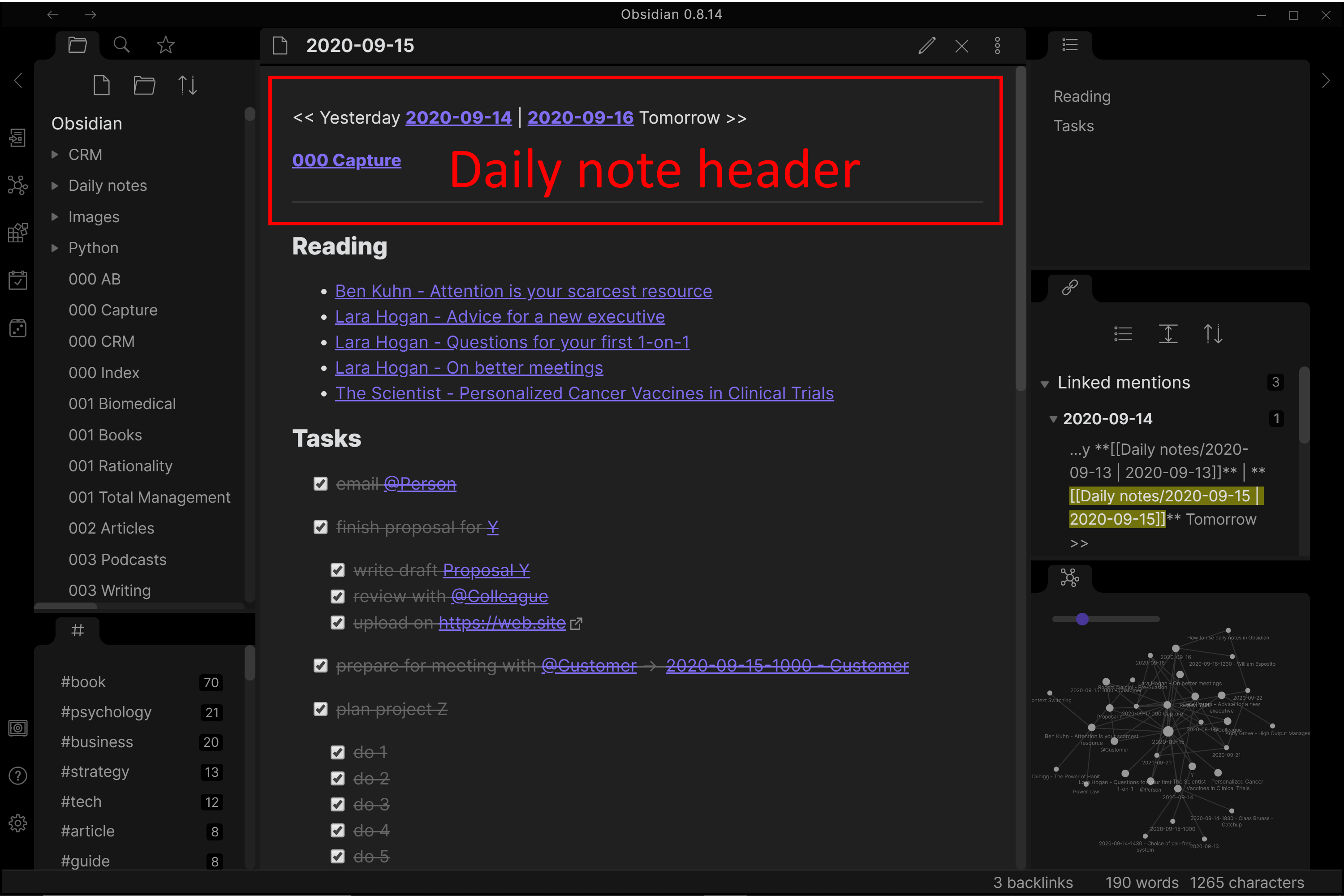
The Markdown for this header template can just be copied from one daily note to another and adjusted for each day or you can use a script to paste it with a shortcut of your choice (here with Autohokey)
<< Yesterday `[[link to yesterday's daily note]]` | `[[link to tomorrows's daily note]]` Tomorrow >>


`[[link to capture note]]`

---

your notes
Autohotkey script:
```
; Syntax
; ^ = CTRL
; ! = ALT
; + = SHIFT
; # = WIN
; :: = run when pressed keys together

^+d:: ; so here it will trigger pressing CTRL+SHIFT+D together
	yesterday := a_now
	yesterday += -1, days

	tomorrow := a_now
	tomorrow += 1, days

	FormatTime, tomorrow, %tomorrow%, yyyy-MM-dd
	FormatTime, yesterday, %yesterday%, yyyy-MM-dd

	SendInput, << Yesterday **[[Daily notes/%yesterday% | %yesterday%]]**{space}|{space}**[[Daily notes/%tomorrow% | %tomorrow%]]** Tomorrow >>
	Send, {Enter}
	Send, {Enter}
	SendInput, **[[000 Capture]]**
	Send, {Enter}
	Send, {Enter}---
	Send, {Enter}
Return

```I have this on every daily note:
Thursday 24. september 2020
date [[2020-09-24]]
tags #daily
previous [[2020-09-23]]
next [[2020-09-25]]
And I have a Keyboard Maestro shortcut that inserts everything except the first line. So super easy to do. And also very easy to click through days to get back and forth in time.
 adopting this!
Thanks @juen and @oyvind for your solutions.
I like the “Reading” section, I may start using that.
I use Keyboard Maestro so maybe I’ll writing something that puts something at the header in the same script I use to create “tomorrow’s note” with the correct date.
I think it would still be a beneficial feature to have the choice to have the button (and shortcut) for “tomorrow’s note” so that 1 it’s easy to open if you are deep in other notes, and 2 so it will create a new note for you if it doesn’t exist. I can use Keyboard Maestro, but I’d rather not tie the two apps together.
It would be nice if the keyboard shortcut/hotkey for next daily note would actually create a new daily note for a day in the future. But the current implementation is that it just tells you that there is no daily note after this one. Not a very useful behavior, and it would be easy enough to just have it create a new daily note for future dates.
Agree and +1 to this. Create tomorrow’s note on advance keyboard shortcut.
If you have the calendar up, you can create the note by clicking on the day. I have accidentally created notes for a week from today a couple times.
You can use Zettelkasten prefixer core pluging

set the formatting for the naming as the Daily note formating in my case I have it YYYYMMDDddd and set New File location to same folder where you keep your daily notes
and set template location to Daily Notes template
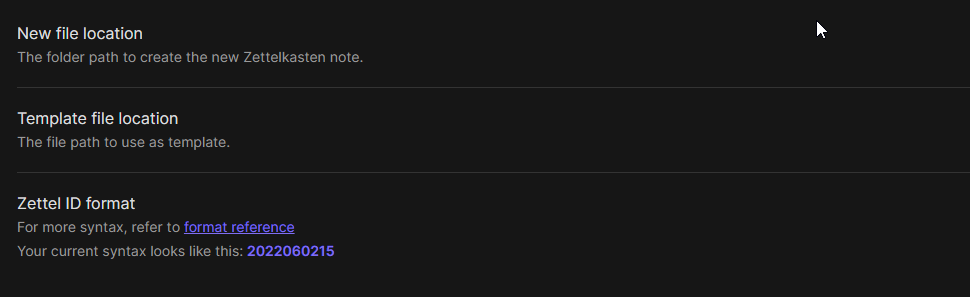
Optionally but recomended set a Shortcut key, when active it will create the next day or the day after that, ect.
Thank you Jose, have been waiting a long time for this, works a treat!
Thank you !! An easy solution