Steps to reproduce
- Create a new file in Obsidian.
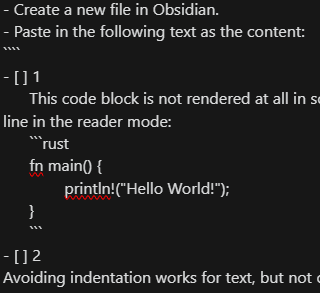
- Paste in the following text as the content:
- [ ] 1
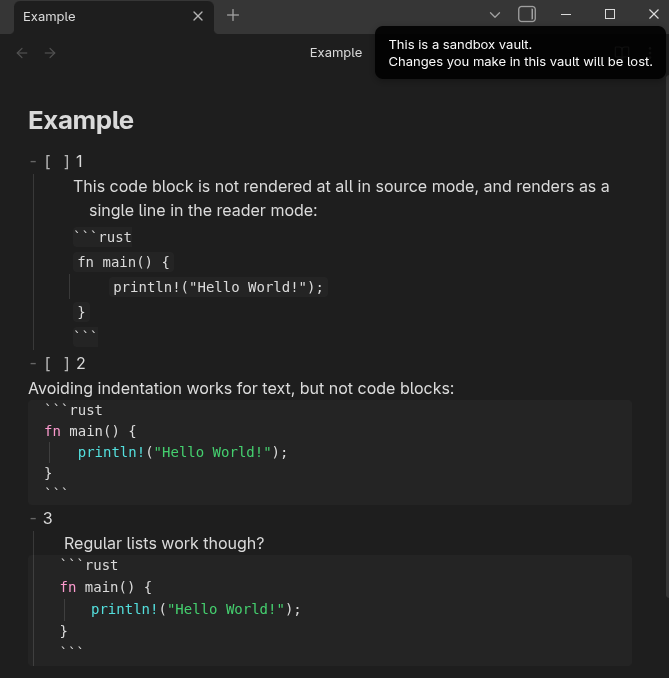
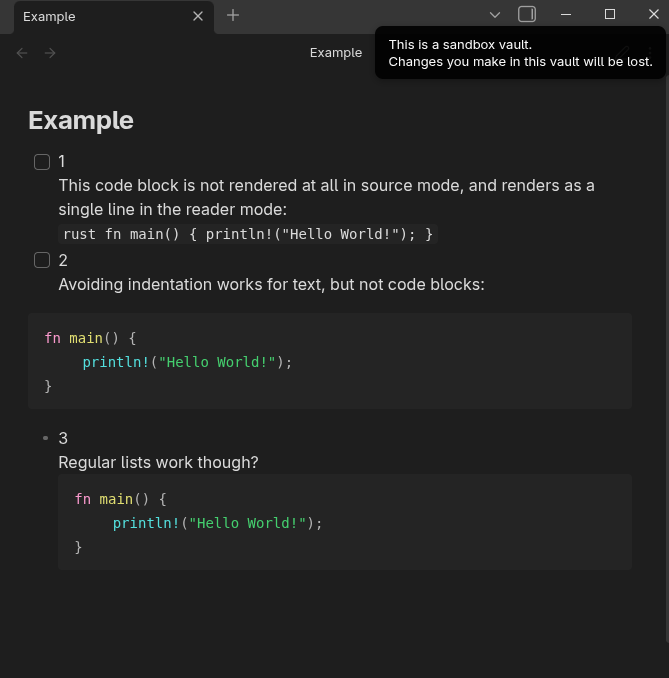
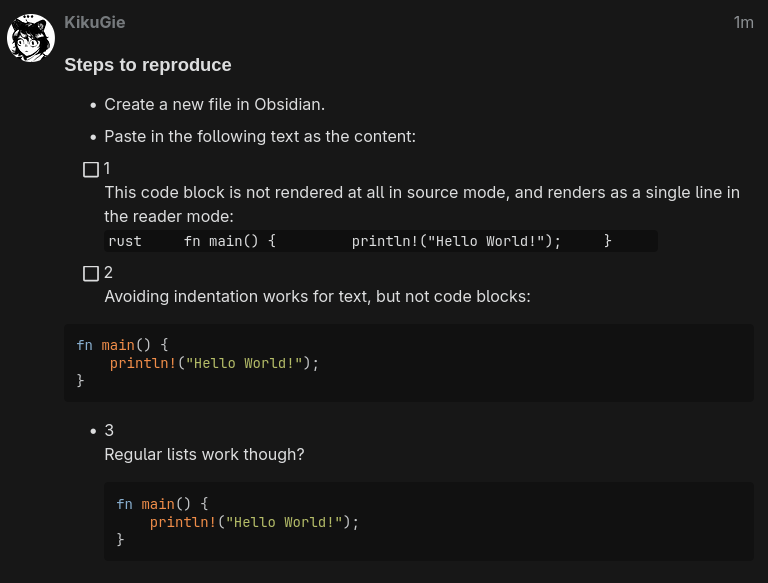
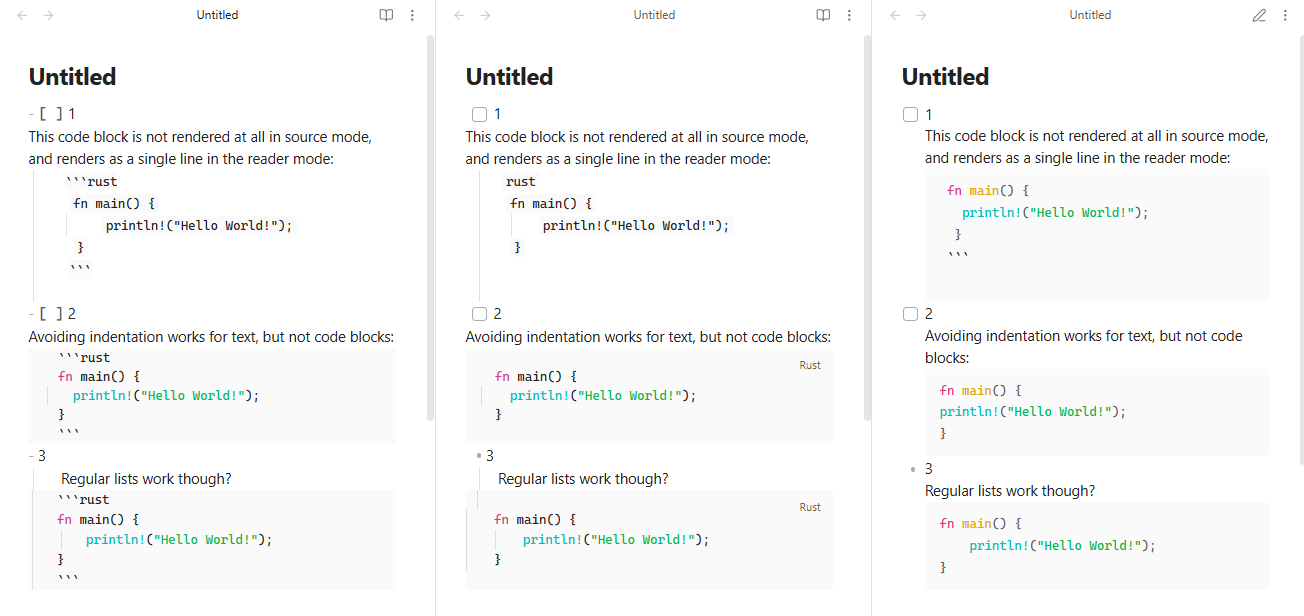
      This code block is not rendered at all in source mode, and renders as a single line in the reader mode:
      ```rust
      fn main() {
	      println!("Hello World!");
      }
      ```
- [ ] 2
Avoiding indentation works for text, but not code blocks:
```rust
fn main() {
	println!("Hello World!");
}
```
- 3
	Regular lists work though?
	```rust
	fn main() {
		println!("Hello World!");
	}
	```
Did you follow the troubleshooting guide? [Y/N]
Yes, it was tested without any plugins or themes in sandbox on version 1.11.5.
Expected result
See screenshots below.
The code block in the first element of the list should look like in the third.
Actual result
See screenshots below.
When indented after a - [ ] list element, the code block rendering is broken in source and reader modes.
Environment
SYSTEM INFO:
Obsidian version: v1.11.5
Installer version: v1.11.5
Operating system: #1 SMP PREEMPT_DYNAMIC Sat, 31 Jan 2026 04:46:44 +0000 6.18.8-2-cachyos
Login status: not logged in
Language: en
Insider build toggle: off
Live preview: on
Base theme: adapt to system
Community theme: none
Snippets enabled: 0
Restricted mode: on
RECOMMENDATIONS:
none