I think the best way to go about implementing this would be in the Graph View core plugin, it would follow the same logic like the Maps View for bases, which also is a separate plugin for a specific view (released in the community plugins, but that’s beside the point). Only those who actually have enabled both the Bases and Graph View plugins would see the option of creating a Graph view in a Base.
All notes that pass the filters are shown, plus all notes you specify for links. This would mean that if you were to filter on a folder, but notes in that folder link to notes in a different folder, those would still be displayed if you set the links to be that.
Embedding it in a note would be as easy as ![[file.base#Graph]] (or if it’s the default view of a base it would be ![[file.base]] like usual), and doing it in a code block would work as any other view too:
```base
views:
  - type: graph
    name: "Graph"
```
Taking inspiration from another feature request, groupBy could be easily done by either some kind of background “puddle”…
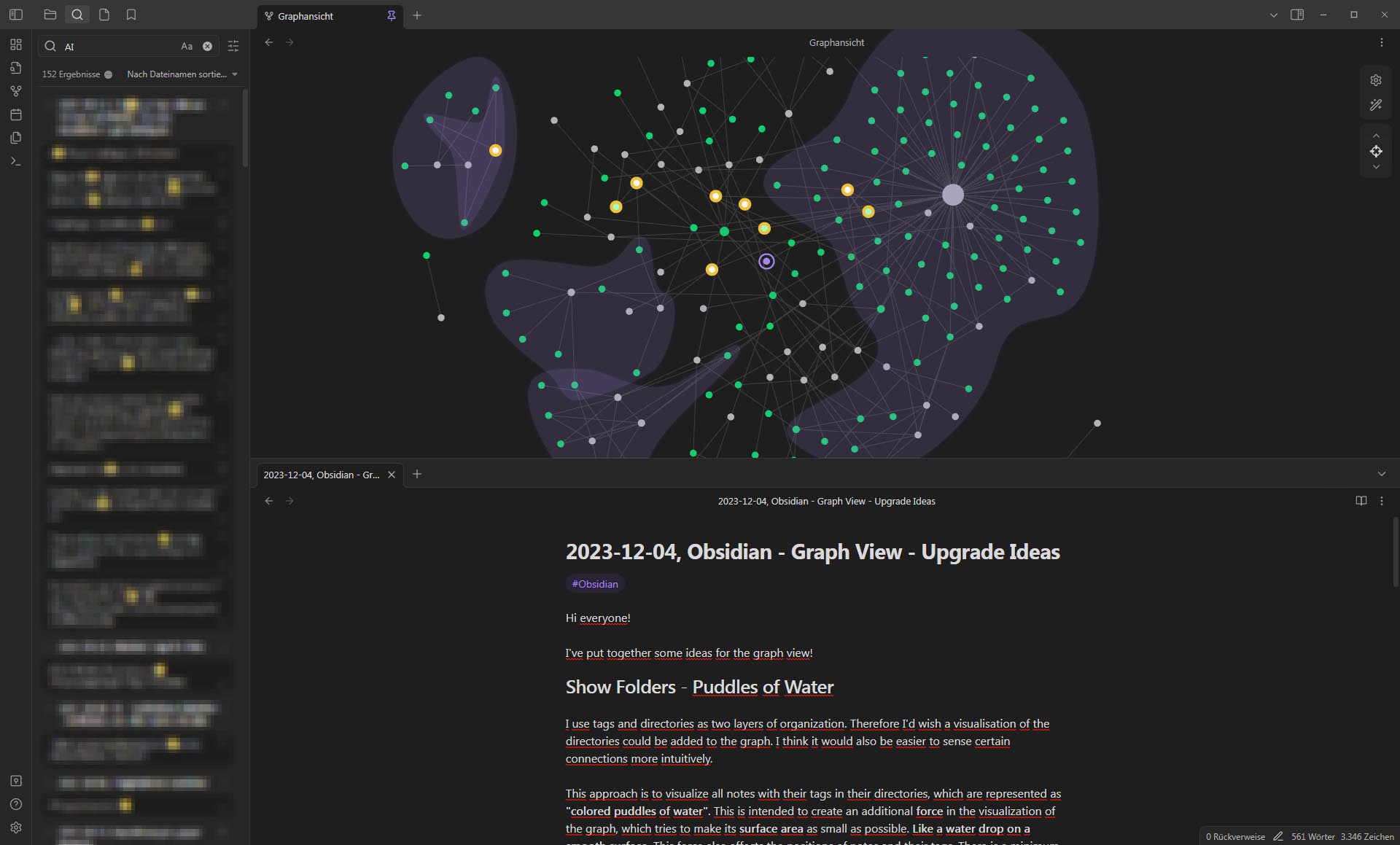
… or making the notes attract or repel each other depending on the group they are part of (in the below post the example of folders and sub-folders was used, imagine it were simple groups):
Idea: Links based on properties/formulas
To make even more use of graph views, the idea of customising what it is that defines the connection came to me too. Similar to what @adrian17050 suggested:
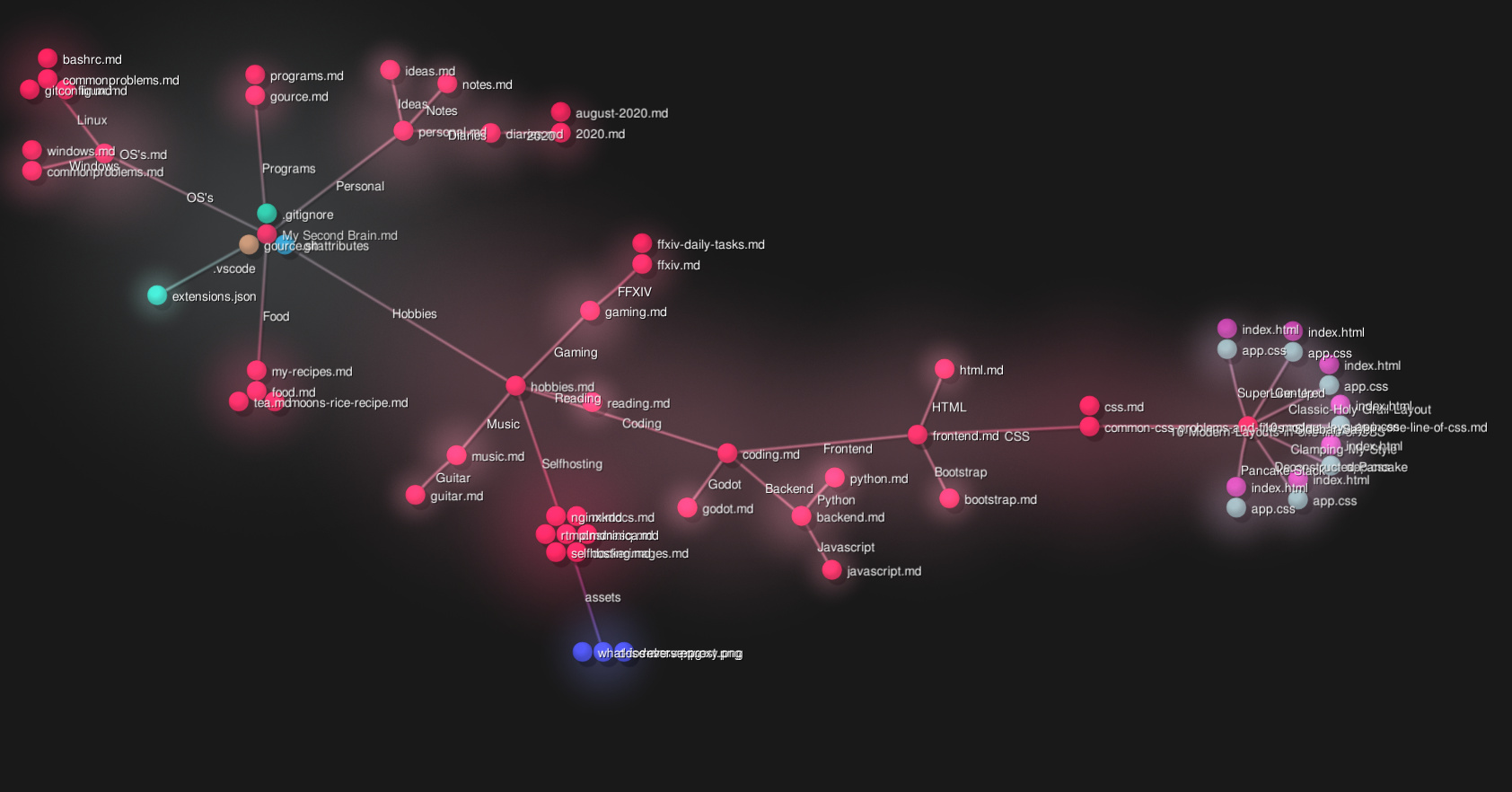
Using slashes to denote nesting
Just like in nested tags (#topic/subtopic) or file paths (Folder/Sub-Folder/File.md), the / (slash) could be interpreted as a new layer, making it easy to make a graph view based on folder structure:
Idea: Controlling force strengths through properties/formulas
I made a base for myself that shows related notes, even if they don’t directly link to one another. I use a value to determine whether it is related enough to be shown in the base, and it’s used for sorting too.
This is a simple number, and it would be cool if such a calculated number can be used to set the attraction forces for each node with the node it is attached to. This is a loose idea, but one that would make the distances between nodes in the graph view informative too.