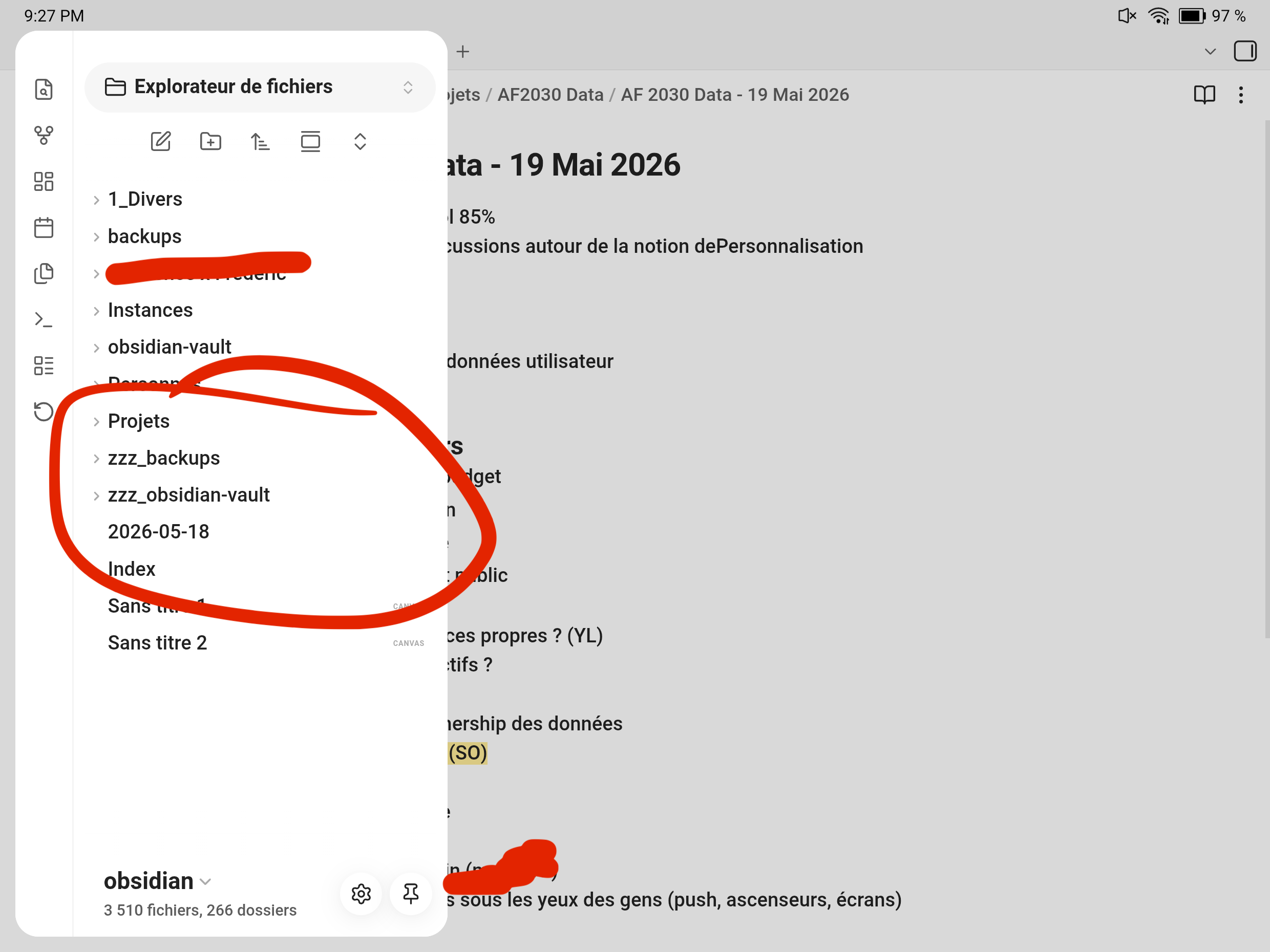
Long-press a tab or a folder to open context menu twice.
Did you follow the troubleshooting guide? [Y/N]
Yes
Expected result
context menu for the pressed tab to pop up
Actual result
works once, the second time the pressed tab or folder remains highlighted and the app freezes completely, does not respond to any action.
Environment
SYSTEM INFO:
Obsidian version: 1.12.7 (303)

API version: 1.12.7

Operating system: Android 14 (samsung SM-S918B)

Webview version: 148.0.7778.120

Login status: logged in

Language: en

Catalyst license: none

Live preview: on

Base theme: dark

Community theme: none

Snippets enabled: 0

Restricted mode: off

Plugins installed: 1

Plugins enabled: 1

	1: Auto Link Title v1.5.5
RECOMMENDATIONS:
Community plugins: for bugs, please first try updating all your plugins to latest. If still not fixed, please try to make the issue happen in the Sandbox Vault or disable community plugins.
Additional information
In short long-pressing once a tab/folder works but a second time makes the app freeze. Then I need to close the app and relaunch to do it again, and again only once before it freezes and rinse and repeat.I already tried in restricted mode and it didn’t work.
I’m having the same problem. I started using Obsidian today. Imported notes in PC from Joplin. Then synced in Android, started organizing a bit and noticed the issue.
After the issue appears, I can use back gesture which navigates back to the opened note, but no UI element reacts. The only workaround is to restart the app.
I can feel feedback vibrations when I try to do a long press again on the element that remains selected in the notes tree.
Below is my debug info. I use the default version of the Android WebView.
SYSTEM INFO:
	Obsidian version: 1.12.7 (303)
	API version: 1.12.7
	Operating system: Android 16 (Google Pixel 10 Pro XL)
	Webview version: 148.0.7778.120
	Login status: logged in
	Language: en
	Catalyst license: none
SYNC INFO:
	Vault ID: 793c70382fe0a91a09fea92f06ceada1
	Host server: wss://sync-56.obsidian.md
	Device name:
	Encryption version: 3
	Allowed file types: image, audio, pdf, video, unsupported
	Allowed special types: app, appearance, appearance-data, hotkey, core-plugin, core-plugin-data, community-plugin, community-plugin-data
	Ignored directories:
	Prevent sleep: false
	Plugins: (0 enabled/0 installed)
	Sync logs:
		1778791500846 Info  Connecting to server
		1778791501191 Info  Connection successful. Detecting changes...
		1778791501441 Info  Fully synced
I triple this issue. And yes, seems like it’s connected to WebView version. I have even higher version than all of you - 149.0.7827.13; and this version is explicitily indicated on Play Market as Beta + its icon in my phone was also showing Beta addition below.
IDK, why Google/Samsung decided to use me/us as free beta testers… but… that’s giga corporations, so this behaviour is nothing new
Deleted all updates for WebView in “All apps” section → icon became normal (without Beta addition), version became 127.0.6533.103 and Obsidian started to work as expected.
Though this version is too low and IDK which last one doesn’t break Obsidian…
Hey, yeah, sure, thanks: on my device, you just have to long press a document in the tree twice, the second press will freeze the app without displaying the menu.
It’s a boox tablet. I can probably easily provide more device informations and/or a screencast if it can help.