Hi folks,
Long time reader, first time caller!
I’m trying to figure out what I can put in my literature note template to manage the white space when I do bullet points, specifically when I use sub-bullet points.
This is currently what my template looks like:
Notes

{% if markdownNotes -%}
{{markdownNotes| trim}}
{%- endif -%}.
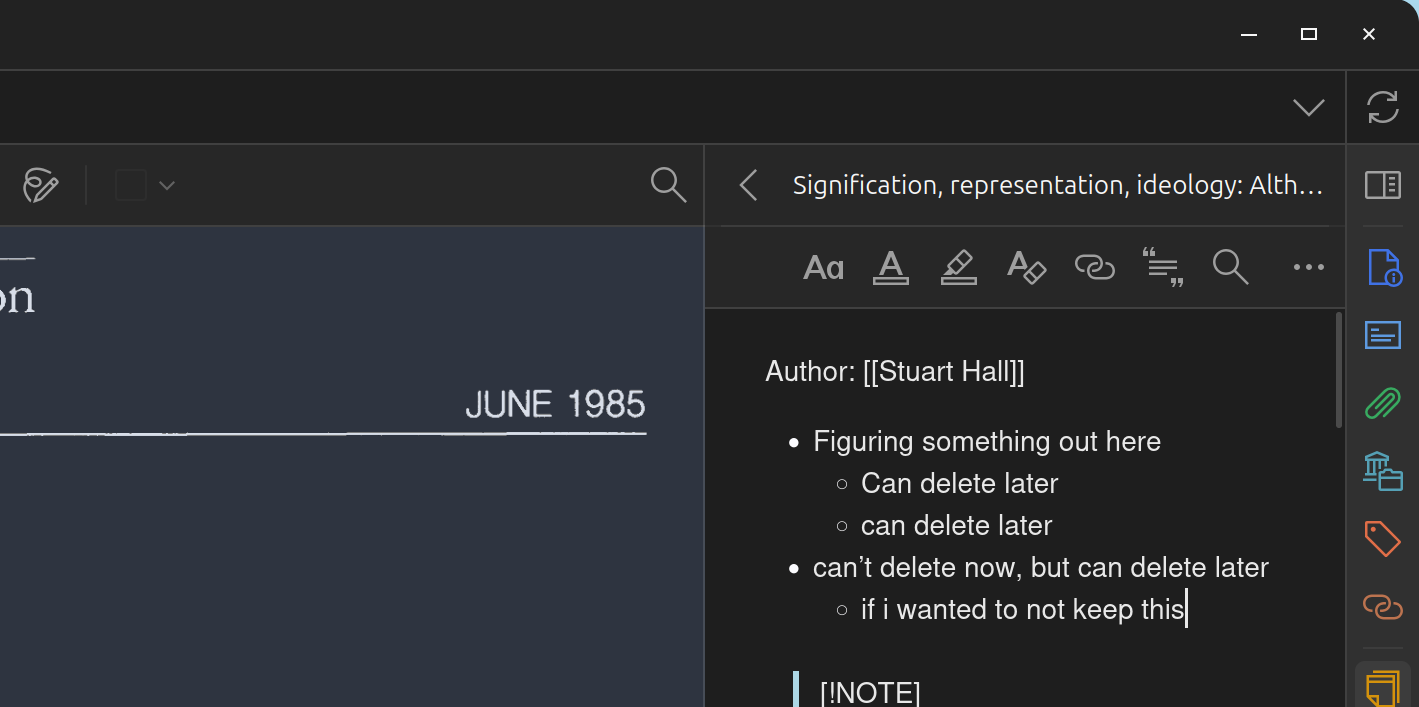
This is what it looks like when I write in Zotero:
This is what it looks like when I import into Obsidian:
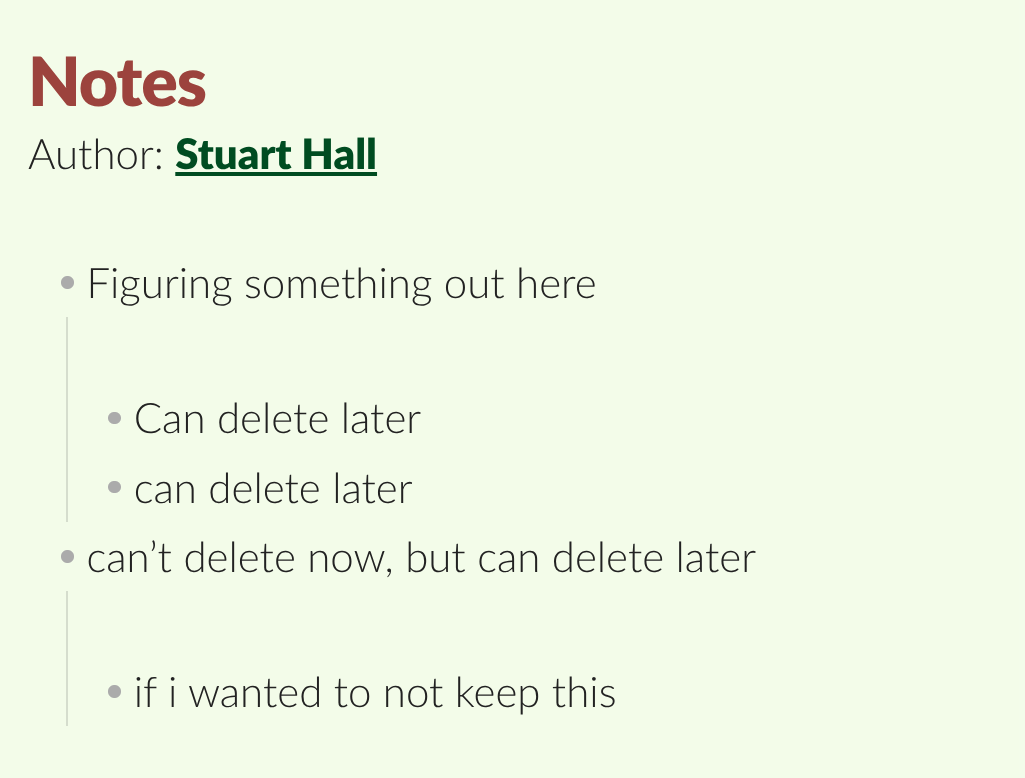
As you can see, there is no issue if the bulletpoints are indented the same amount, but from an indent to a double indent/sub-bullet point there is an extra return. I think probably has something to do with how Zotero/Obsidian/Nunjucks deals with whitespace, but the nuance eludes me.
Is there anyway to trim this kind of whitespace in my literature note? Or via changing some kind of Zotero or Obsidian setting?
I’m LOVING zotero integration, but I take notes in this bulletpoint style a lot so it’s a bit annoying when I go back to look at my notes. It isn’t that big of a deal, but I figure it doesn’t hurt to ask.
Any help is appreciated, thank you!