I am sure there are many use cases for two dimensional arrays, especially in bases.
My particular example is associating a date with some counter. i.e. keeping a list of numbers that are associated with a list of corresponding dates.
Proposed solution
Using separate list properties for the dates and the counters, if you could implement the function findIndex() then one could use the index number of an element in one list (i.e. the dates) to retrieve the corresponding value in one or more other list properties.
Difficulty?
I am sure just implementing the function would be very simple. So I am wondering if it hasn’t been implemented yet because of serious performance concerns with large vaults.
… returns the list b item whose index corresponds to YOUR_SEARCH_VALUE from list a.
This method would work with the dates example you gave. There might be better methods; it was just the first that came to mind.
This isn’t to say anything against the new function you proposed. Just pointing out that the capability itself already exists thanks to the list[index] syntax and the filter() and map() functions.
Thank you very much. But I’m sorry I can’t get it to work. Please explain what I am doing wrong.
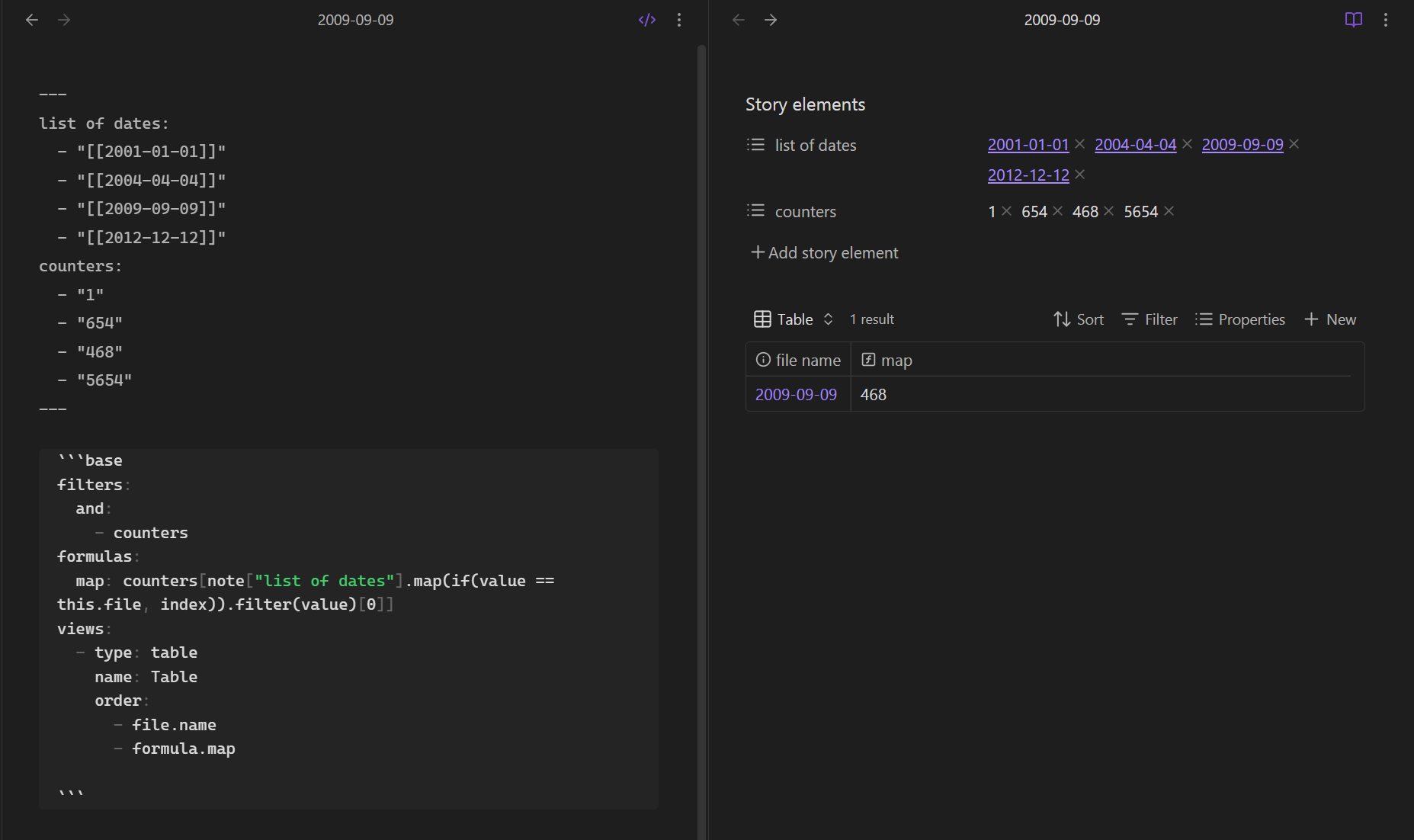
I simply replaced b with the name of my “counters” property and replaced a with the name of the list of dates property and replaced “YOUR_SEARCH_VALUE” with this.file.name since the file containing the imbedded base is a daily note.
No results. Any suggestions?
I really don’t understand the way filter(value)[0] works.
Oops, in my screenshot, ignore “Story elements” where it should say “Properties”. I was playing around with that and forgot to change it back.
And I forgot to address:
map maps the values of list a to return the index number when the search term is a match. That leaves a bunch of null values when there’s no a match. Enter filter(value), which filters out the nulls, leaving only the one that has a value (unless you entered the matching date more than one time in the same list). Now it has one value, but it’s still a list. So [0] is one of a few ways to turn the list into a string with just its one value. It’s not better than any other way; it was merely the one with least of number of characters that came to mind.
There’s no need for that kind of replace. this.file.basename does it.
All I can do is keep guessing what you need to fix. If you want more help, probably post your base code and an example of each type of relevant note, including relevant YAML and file name format.
Thank you. My property name doesn’t have a space but probably including a # sign caused the same problem. Wrapping it in [“…”] fixed the “invalid formula” problem.
Just in case, I simplified the property names. In a book file they are now:
Oh I see it. My “brilliant shortcut” of filtering for plain value is returning empty when the matched index is zero. (I’ll edit the original to no one else gets stumped on it.)
Replace .filter(value) with .filter(!value.isEmpty()). This is the whole formula for the note you shared:
 (I’ll edit the original to no one else gets stumped on it.)